Getting Started (Linux Arm64)
- Download the game from the Game Site.
Be careful to download the Linux ARM64 game build, not the Linux x64 build, the Windows build, or the dedicated server.

-
Extract the content of the Zip file.
The extracted content is the game folder. You can extract it to your Desktop or Downloads folder. -
Find
MacroMicroVRService-Arm64.shin the game folder and enable "Is executable" in its properties.
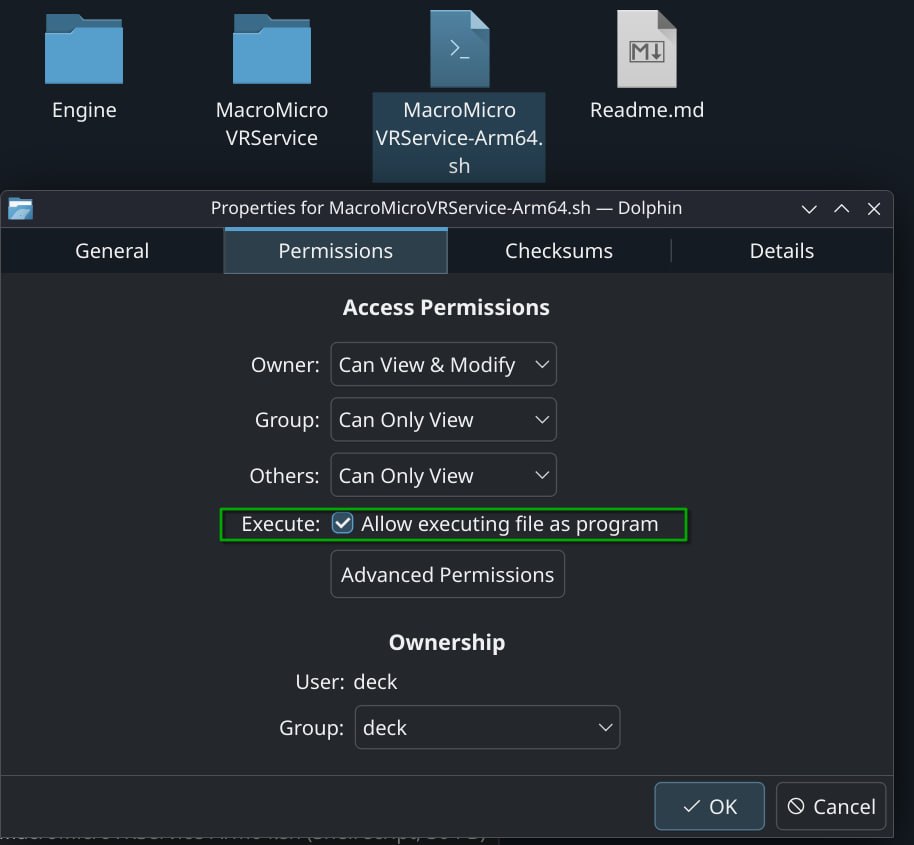
- Alternatively, open a terminal in the extracted game folder and type
chmod +x MacroMicroVRService-Arm64.sh.
Double-click MacroMicroVRService-Arm64.sh or type ./MacroMicroVRService-Arm64.sh in the terminal to launch the game.
Return to Getting Started