Repository navigation
Home
A native Windows tool for screen capture, annotation, text recognition and video recording.
screenIt is one executable. Press Print Screen, drag over a region or click a window, mark the image up, and share it. The same window records MP4 with microphone, system audio and a webcam. The interface is available in 28 languages, including a full right-to-left Arabic layout.
Choose a language. The two guides are separate pages.
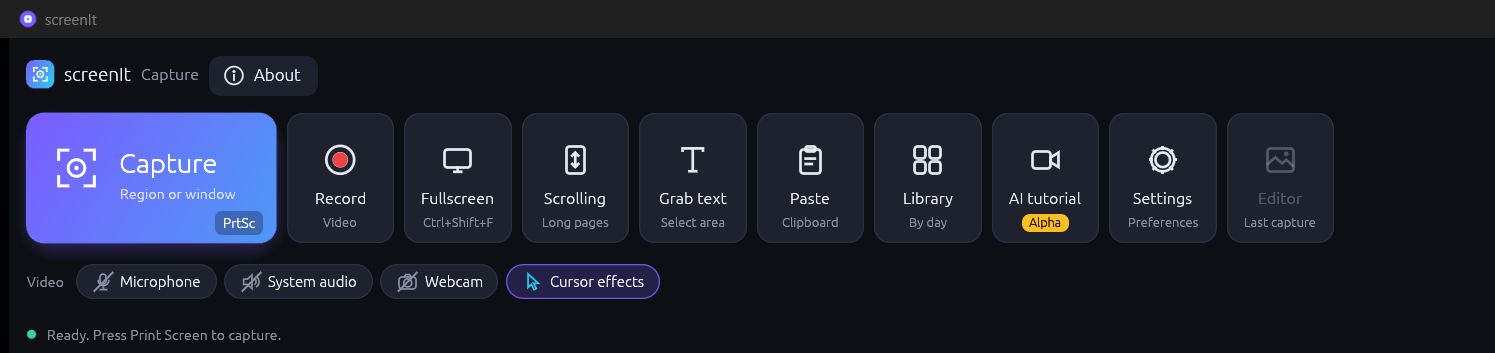
screenIt 0.2.14 runs on 64-bit Windows 10 (version 1903 or later) and Windows 11. Download the installer or the portable zip from Releases. The AI tutorial tile is an alpha feature and is still being tested. The guide is AI tutorial.
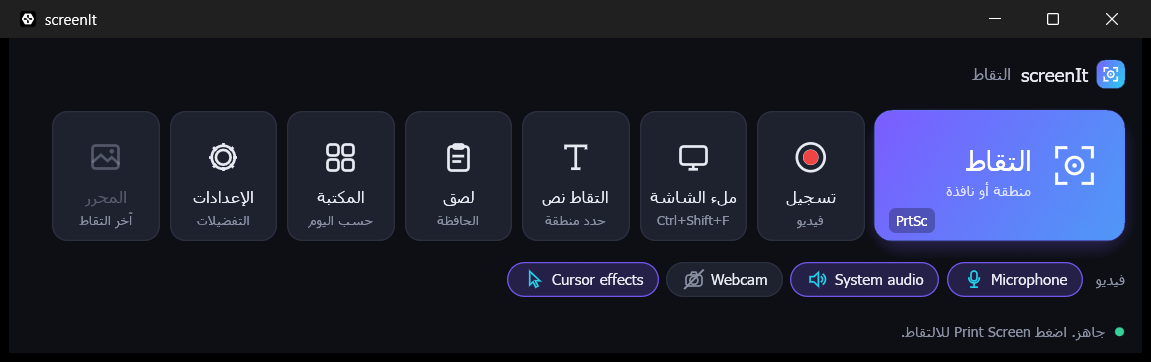
screenIt برنامج أصلي لويندوز يلتقط الشاشة ويعلّق على الصورة ويستخرج النص ويسجّل الفيديو. الواجهة العربية من اليمين إلى اليسار. مربّع AI tutorial ميزة تجريبية وما زالت تحت الاختبار. الدليل: شرح بالذكاء الاصطناعي.
Source code and issues: github.com/Busbar2297/screenit. Licensed under MIT or Apache-2.0, at your option.