Repository navigation
Activity and Calendar
Where to look when you want to know what Streamline is doing, what it did, and what's coming.
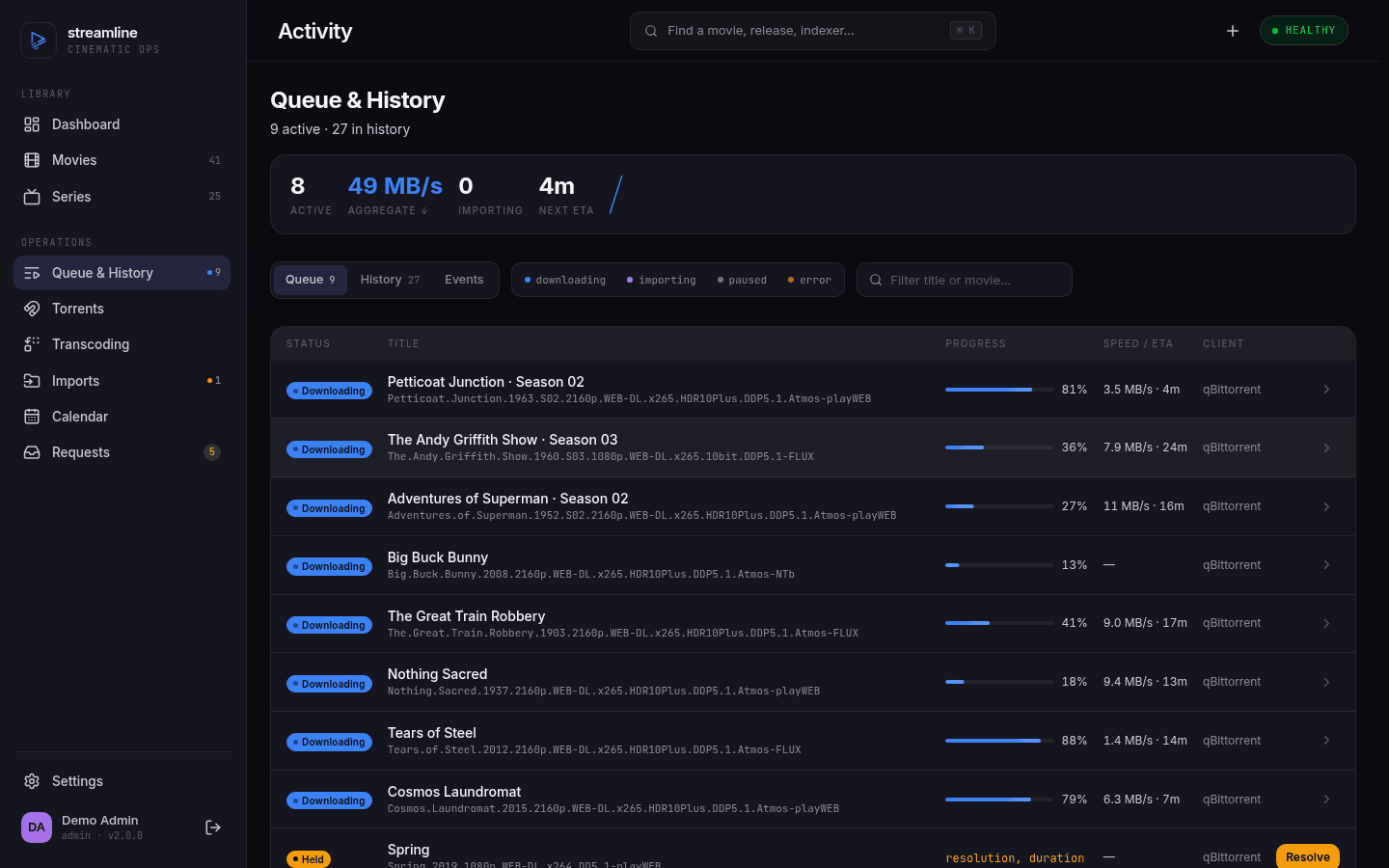 |
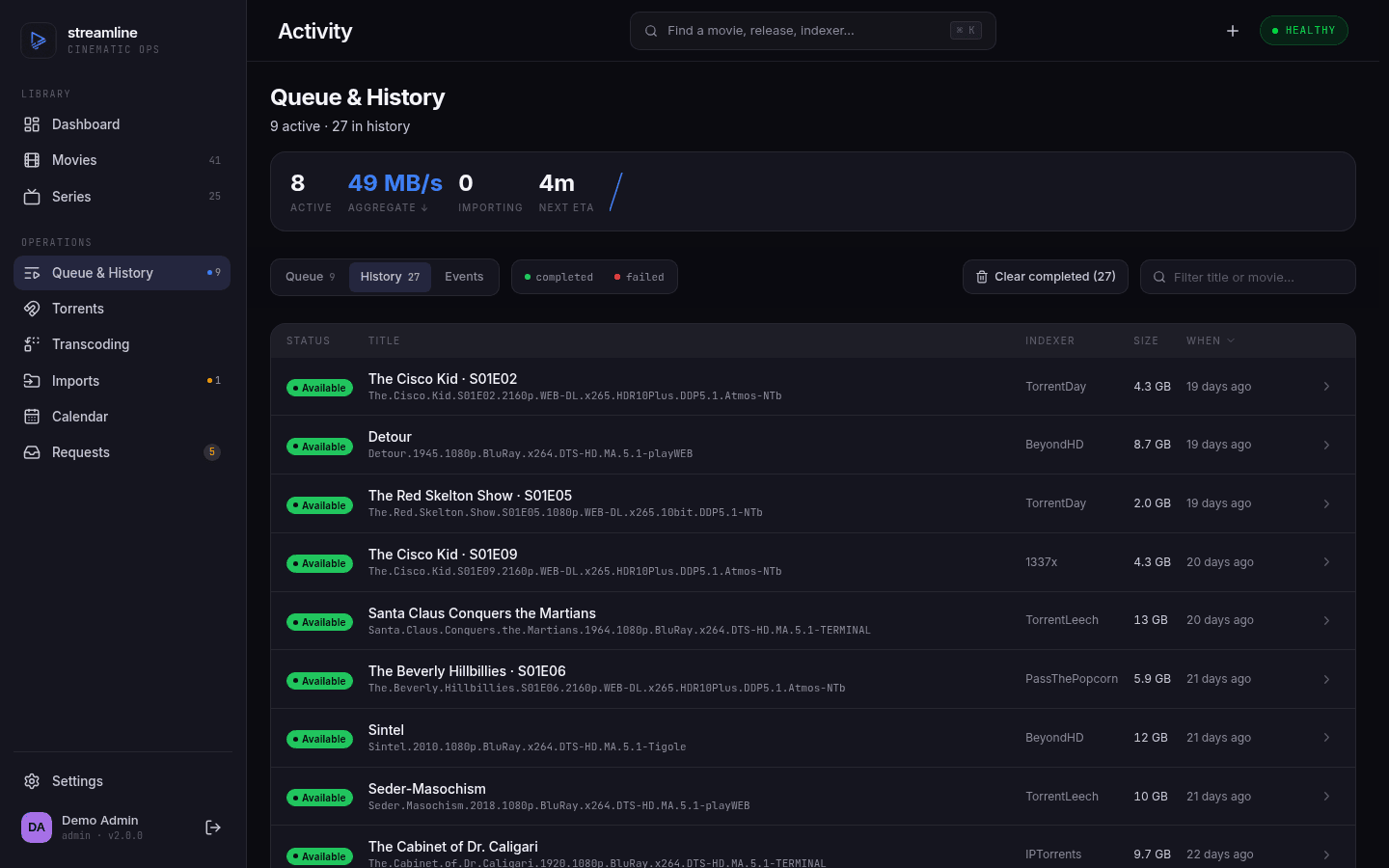 |
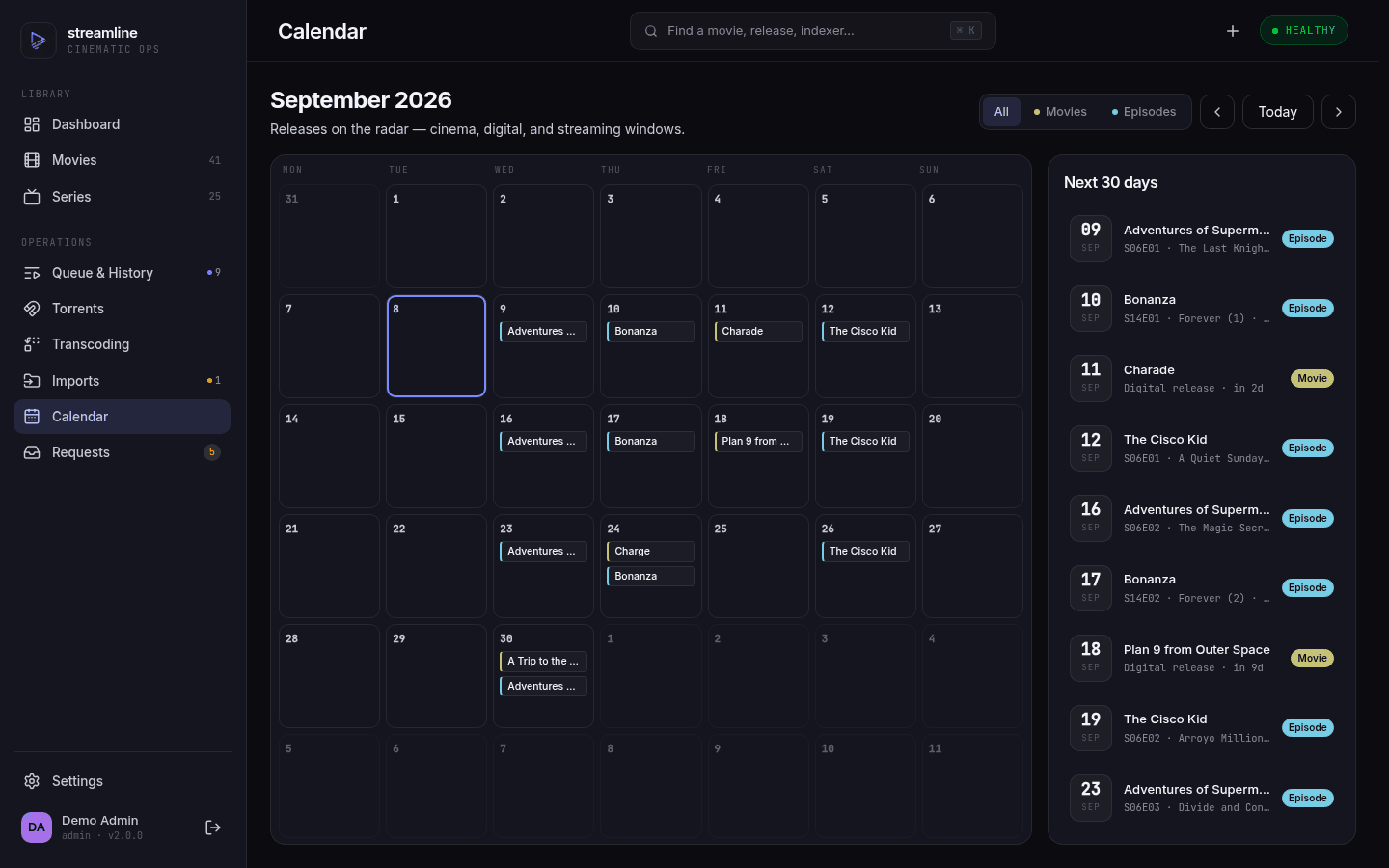 |
| Doing — live queue, progress and ETA | Did — every grab and its source | Coming — upcoming episodes and releases |
- Dashboard
- The event feed
- The queue
- History
- Adopted torrents
- Torrents (built-in client)
- Transcoding
- Calendar
The landing page. A summary of library counts, what's downloading right now, recent activity, and anything needing your attention.
The health indicator in the top bar reflects real state — disk usage on your data and media volumes, and whether you're serving over plain HTTP. If it's not green, something on the Troubleshooting page probably applies.
The Recent activity panel on the dashboard, and GET /api/v1/activity behind it, is the history of what happened to each title. Events cover movies, episodes and series:
| Event | When it fires |
|---|---|
added |
A movie or series entered the library |
grabbed |
A release was sent to the download client |
download_completed |
The bytes arrived and the import is starting |
download_failed |
That download failed |
download_cancelled |
You cancelled or removed the download, and the title went back to wanted |
grab_widened |
More episodes were added to a torrent already in flight |
imported |
A file landed in the library |
import_failed |
A bulk-import entry failed |
import_held_for_review |
Import verification failed and the download is parked, waiting on your decision |
file_renamed |
A file was moved by a rename pass |
file_removed |
A file left the library — deleted by hand, replaced by an upgrade, or swapped in a bulk-import commit |
drift_detected |
A tracked file went missing from disk |
drift_confirmed |
It stayed missing past the grace window and the row was reverted |
reidentified |
A title was re-pointed at different metadata |
metadata_refreshed |
A provider refresh actually changed something — a new title, or episodes added or pruned |
monitoring_changed |
Monitoring was turned on or off |
request_approved |
Someone's request was approved and the title was added |
transcode_completed / transcode_failed / transcode_rejected
|
A transcode finished, gave up, or produced output that failed verification |
searched |
A search-and-grab pass ran |
Every event names exactly one owner — movie, episode or series. Episode rows render as Show · S01E03.
searched is recorded once per search, not once per episode. Asking Streamline to search a series writes one event for the whole pass, with the seasons it touched, how many episodes it searched and how many it grabbed in the payload. A pass over one season reads as Show · Season 3. Without that, a tv-missing-search tick over a large library would write thousands of rows an hour.
Monitoring a season or a whole series is likewise one event, not one per episode. Turning a series off writes a single row saying how many episodes it moved — Lupin · 25 episodes — and a season toggle reads as Lupin · Season 1 · 10 episodes. Toggling one episode on its own still gets its own row, since that is a single deliberate action.
Renames, bulk imports, season-pack imports, widened grabs and drift on a series show as one event per series. Like searches, a series rename, bulk-import commit, season-pack import, grab widened across episodes, or drift detection sweep writes a single event naming the seasons involved and episode count — Show · Season 2 · 12 episodes in the details — instead of one row per file or episode. This keeps the activity feed readable when operations span many files.
Browsing releases in the manual-grab dialog records nothing — no grab happened, and the results are already on screen. The grab that follows still fires grabbed.
Rows are purged by the cleanup job after events.retention (default 90 days).
Activity → Queue. A live snapshot of everything currently downloading, refreshed every 30 seconds by the download-monitor job. Each row shows progress, speed, ETA, size, which download client is handling it, and what it's for.
You can pause, resume and remove items directly — these act on your actual download client, so pausing here pauses in qBittorrent. Removing asks whether to delete the downloaded data too.
A queue entry is in one of five states:
| Status | Meaning |
|---|---|
| Downloading | Normal progress |
| Importing | Downloaded; Streamline is moving it into your library |
| Held | Downloaded, but it failed import verification and is waiting on your decision |
| Paused | Suspended, by you or by the client |
| Error | Something failed — the entry carries a failure reason |
Held entries are the only ones whose next move is yours. Streamline probed the finished file and it disagrees with what the release claimed — a 720p file sold as 1080p, a truncated runtime, a codec your profile doesn't allow, or a file ffprobe cannot read at all. Nothing was moved into your library. Open the entry and choose: import anyway, or delete it — with or without searching for a replacement. A season pack is held whole, listing every file that failed.
See Configuration Reference for the checks and how to turn them up or off (including always_ask, which holds every import for review).
Tip
A torrent stuck at the same percentage with no speed has no peers. Remove it and let Streamline find another release, or search manually and pick one with more seeders.
Activity → History. Everything that's happened, newest first: grabs, imports, failures, deletions, renames, metadata refreshes.
Filter by event type or by title, and page back through time. This is where you find why something failed — an import error records the actual reason (permission denied, cross-device link, destination exists), which is far more useful than the status word on the queue.
Retry import is on any failed entry: expand the row and it hands the record back to the importer with a clean attempt counter. Use it once you've fixed whatever the failure reason names — it reads the same files as before, so retrying an unchanged failure just fails again. The movie or episode comes back to importing with it.
Clear completed tidies out successful entries and leaves the failures. Events also age out on their own after events.retention (default 90 days).
This one is worth understanding because it looks like a bug the first time you see it.
Streamline only manages torrents tagged with the category/label streamline. If you add a torrent to that category yourself, Streamline notices it and tries to work out what it is.
When it can safely tell — and the file is a clean upgrade or a straightforward addition — it just imports it. When it can't be sure, it doesn't guess. It parks it as a proposal awaiting your decision, and the sidebar flags "Adopted torrents need attention".
One case is settled without asking: a torrent whose payload is the very file already in your library — same size, and nothing in its name contradicting what Streamline recorded at import — is filed straight into history as completed. That is what a torrent left seeding after its record was lost looks like, and a proposal for it would only ever be dismissed.
Proposals come up when:
- The resolution is below your quality profile's minimum
- A different file already exists for that title
- The match is ambiguous
- It's a season pack that doesn't map cleanly onto what you're missing
-
Streamline can't find the files — the reason reads
files not found — client reports <path>. The torrent is in thestreamlinecategory but its data is somewhere else, which is what tagging a qBittorrent torrent without Automatic Torrent Management does. See Troubleshooting
Three actions per proposal:
| Action | Effect |
|---|---|
| Import | Accept it and import as-is |
| Replace | Delete the existing file, then import this one |
| Ignore | Dismiss it. Optionally also remove the torrent from your download client |
Ignore is permanent for that proposal — it won't be offered again.
You don't have to add the movie or series first. A torrent matching nothing in your library shows up as a proposal too, marked unidentified, with a single Identify action:
- Say whether it's a movie or a series — Streamline guesses from the release name.
- Pick the title from the usual TMDB/TVDB search, pre-filled with whatever the name parsed to.
The title is added to your library if it isn't there already, and the download is matched to it. Nothing is imported at that point — the proposal stays put, now showing Import or Replace like any other.
Adding a series this way monitors it, exactly as adding it by hand would, so Streamline will start looking for its other missing episodes. Unmonitor the seasons you don't want if that's not what you're after.
Activity → Torrents. Only relevant if you're running Streamline's built-in torrent engine (client_type: builtin).
Live view of the engine's torrents: peers, pieces, ratio, up/down rates. You can pause and resume individual torrents, and toggle individual files within a torrent on and off — handy for a season pack where you only want three episodes.
If you're using qBittorrent or Transmission, this page will be empty; manage those torrents in their own UI or from the Queue.
Activity → Transcoding. Admin only. The queue of files being re-encoded in the background, driven by the transcode block on a quality profile.
Note
Transcoding is off by default. Until you turn it on under Settings → Transcoding this page shows an off state rather than an empty queue — there's a difference between "nothing to do" and "not running", and the page says which.
Each row names the movie or episode, the file on disk, and where the job got to:
| Status | Meaning |
|---|---|
| Queued | Waiting for a free slot. max_concurrent decides how many run at once. A deferred job — waiting for seeding to end when transcoding.defer_seeding is on — shows the next re-check time as a hint |
| Running | Encoding now, with a live percentage, speed and ETA |
| Succeeded | The file on disk has been replaced. The row shows the size before and after |
| Failed | Out of attempts, or failed once in a way no retry can fix. The row carries the tail of ffmpeg's own error output |
| Canceled | You stopped it, it was queued when you did, or the file changed under the encode. Terminal — see below |
Cancel stops a running encode and throws away the partial output — the original file is untouched, so cancelling is always safe. The one exception is a cancel that arrives in the last moment before the swap: by then the encode is finished and the job completes rather than discarding good work.
A canceled job is a dead end. Only failed jobs can be retried, and nothing re-queues a canceled one — not the next import, not a restart. The way back is Scan library, which finds the file again if it still doesn't comply. Streamline cancels a job on its own in one case: the file changed underneath a running encode (a replacement was imported, or it was renamed), which makes the encode's output the wrong bytes to swap in.
Retry puts a failed job back in the queue with its attempt count reset. Fix whatever the error names first — a job that failed because the disk was full will fail the same way again.
Warning
A job that finished its encode, swapped the new file in, and then failed to record that in the database is parked as failed immediately, with no attempts left and a CRITICAL line in the log naming both paths. The file on disk has already been replaced, so a retry would re-encode from a source that is gone. Read the log line and reconcile the row by hand — the error text says which path the database still points at.
A running job's progress comes from the encoder inside the running process, so it disappears if Streamline restarts mid-encode. That job is put back in the queue on the next boot and starts over; the half-written file it left behind is cleaned up automatically.
Scan library (on this page and on Settings → Transcoding) re-probes every file whose profile has a transcode block and queues the ones that don't comply. Files that arrived before you turned transcoding on — or before you wrote the rules — are only reachable this way; new imports queue themselves. It's a full pass over your library, so it's a deliberate button rather than a schedule.
Calendar. A month grid plus an agenda view of what's on the horizon, covering two kinds of event:
-
Movie releases — for wanted films, the date they become available digitally in your
metadata.tmdb_region, labelled Digital release. This is why setting the region correctly matters: leave it wrong and your calendar shows another country's release schedule. TMDB only publishes a digital date once a film is actually buyable, so a title still in cinemas shows its theatrical date instead, labelled In cinemas. - Episode air dates — upcoming episodes of the shows you're tracking.
Filter chips switch between all / movies / episodes. Click any day to see what lands on it; click an entry to jump to the title.
Note
The calendar is a forecast, not a queue. An entry appearing today doesn't mean Streamline has grabbed it — it means the release date has arrived and the next RSS sync or missing search is now likely to find something.
Weeks start on Monday regardless of locale.
Next: Requests and Users, or Troubleshooting if something's stuck.