Repository navigation
Created Items
Some materials lack a form the pack needs: no netherite rod, no tin gear. Material Nexus can create it as a new item.
In Materials, a form the material does not have is shown as Absent. When Material Nexus can create it, the row has Create item. Click it (it becomes Creation pending), then Preview and Apply, then restart the game: items can only be registered at startup.
The new item:
- has the id
materialnexus:<material>_<form>(materialnexus:netherite_rod); - is named from the material and the form ("Netherite Rod");
- is drawn from the form's template, tinted with the material's colour;
- is put in its convention tag (
c:rods/netherite), so Material Nexus and every other mod see it as that material's form; - appears in the creative Ingredients tab.
It has no recipe by itself: add one with a Process Rule (an ingot in the metal press gives two rods...) or your own datapack.
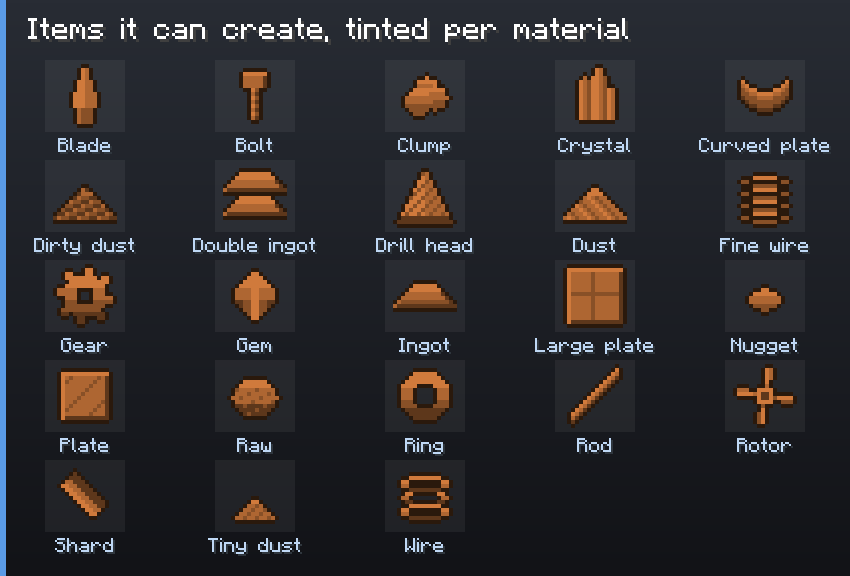
23 item forms have a template: blade, bolt, clump, crystal, curved plate, dirty dust, double ingot, drill head, dust, fine wire, gear, gem, ingot, large plate, nugget, plate, raw, ring, rod, rotor, shard, tiny dust, wire. Blocks and ores cannot be created (they would need a block, not an item).
A material with a gem (coal, quartz, diamond) gets no ingot, double ingot, wire or raw ore: those are metal forms. A material with an ingot gets no gem.
config/materialnexus/items.json:
{
  "items": [
    { "material": "netherite", "form": "rod", "color_from": "minecraft:netherite_ingot" },
    { "material": "tin", "form": "gear", "color": "#B8C4D0" }
  ]
}
color_from takes the average colour of that item's texture; color sets it directly. The file is
read at startup only.
The tinted template is only the default. Two ways to draw a created item your way:
-
A texture in
items.json:"texture": "mypack:item/netherite_rod"on the entry. The item is drawn with that texture (assets/mypack/textures/item/netherite_rod.png, from your resource pack or a mod), as it is, without tint. -
A model in a resource pack:
assets/materialnexus/models/item/<material>_<form>.json(netherite_rod.json), in a resource pack loaded above "Material Nexus created items". Any model works; it is not tinted either.
{ "material": "netherite", "form": "rod", "texture": "mypack:item/netherite_rod" }Only the template, on its own layer, is ever tinted: your texture or model keeps its colours.
- Restart after creating: until then, the item is listed as pending creation.
-
Revert does not remove it: the registry cannot change while the game runs. Remove its entry
from
items.jsonand restart. - Removing an entry deletes the item from every world that has some.
-
On a server, every client needs the same
items.json: ship it with the pack, or players cannot join. - A resource pack can also replace a template for every material at once:
assets/materialnexus/textures/item/template/<form>.png(grayscale, tinted by the game).