Repository navigation
Plugin Gaussian Result Analyzer
Gaussian Result Analyzer reads Gaussian output (.log, .out) and formatted checkpoints (.fchk, .fch) and presents them as analysis windows: orbitals, vibrational modes, spectra, charges and optimisation paths. It works beside the MoleditPy window: pick an orbital, a normal mode or a scan point, and MoleditPy's 3D view follows. The parsers and the orbital engine are checked against real Gaussian 16 output.
Gaussian is a registered trademark of Gaussian, Inc. This plugin is an independent project, not affiliated with or endorsed by Gaussian, Inc.; you need your own licensed copy of Gaussian to produce the files it reads.
| Repository | moleditpy_gaussian_result_analyzer |
| Author | HiroYokoyama |
| Supported OS | Windows, macOS, Linux, WSL |
| Supported Python | >=3.9, <3.15 |
| Supported MoleditPy | >=5.0.0, <6.0.0 |
| First-party plugin license | LGPL-3.0-or-later |
| Menu location |
.log / .out / .fchk / .fch opener + Extensions ▸ Gaussian Result Analyzer
|
| Extra dependencies | RDKit, PySide6, matplotlib, Pillow; optional nmrsim
|
See Official Plugins for the full catalogue. It replaces the retired Gaussian FCHK Loader, Gaussian Freq Analyzer and Gaussian MO Analyzer.
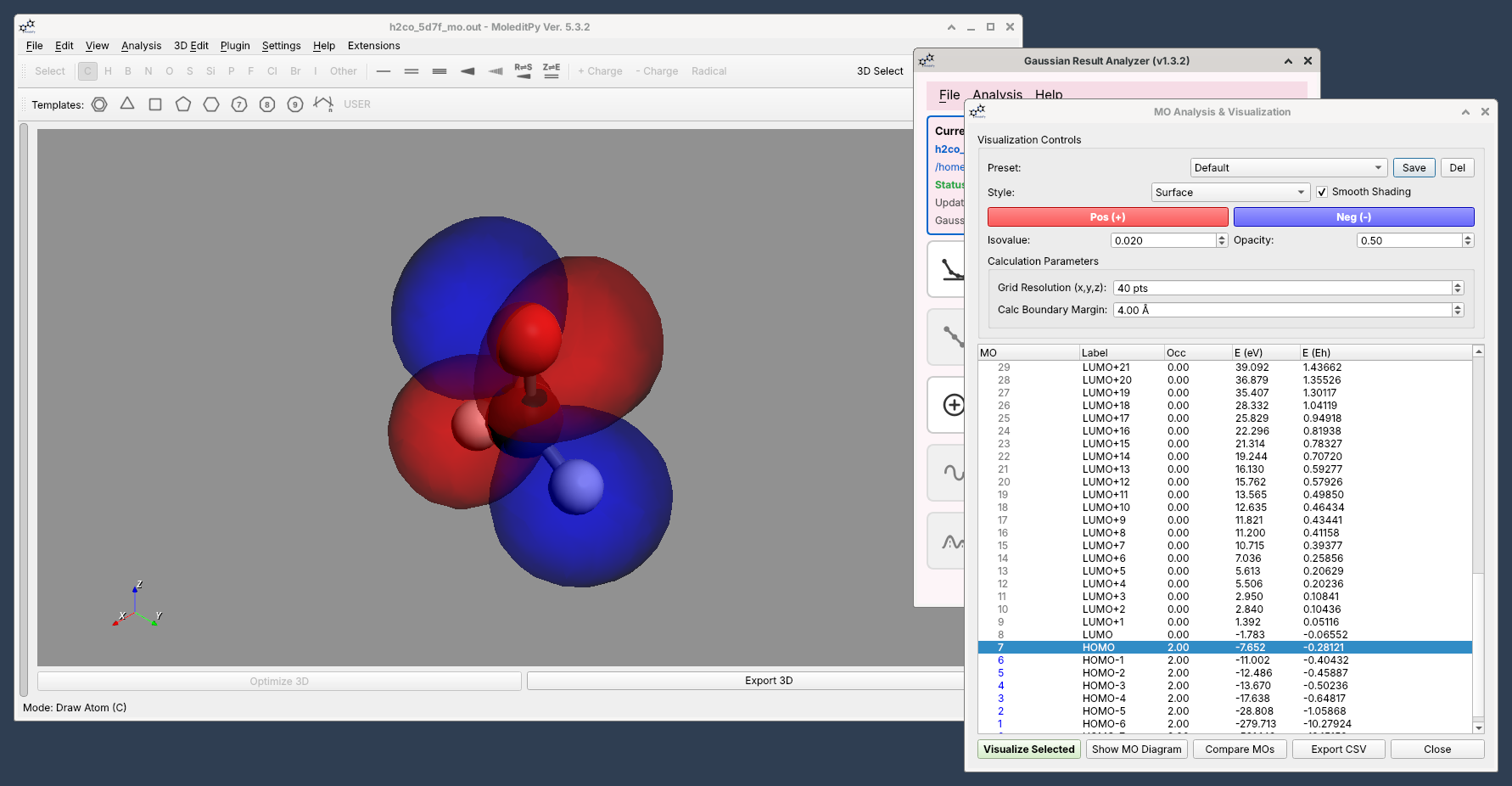
The main window has one button per analysis, enabled when the output holds the data.
- SCF trace: energy against iteration for every SCF in the job.
- Molecular orbitals: energy levels with HOMO/LUMO marked, and 3D isosurfaces for restricted and unrestricted wavefunctions; pure and Cartesian d and f shells and pure g shells. Up to four orbitals side by side in Compare MOs.
- Optimisation and scan: energy against step, or against the scanned coordinate for relaxed scans, with animation and GIF export.
- Forces: gradients for each geometry, rotated into the orientation shown.
- Atomic charges: Mulliken, APT, CHELPG, Merz-Kollman, Hirshfeld, CM5, NPA.
- Dipole moment as a vector on the structure.
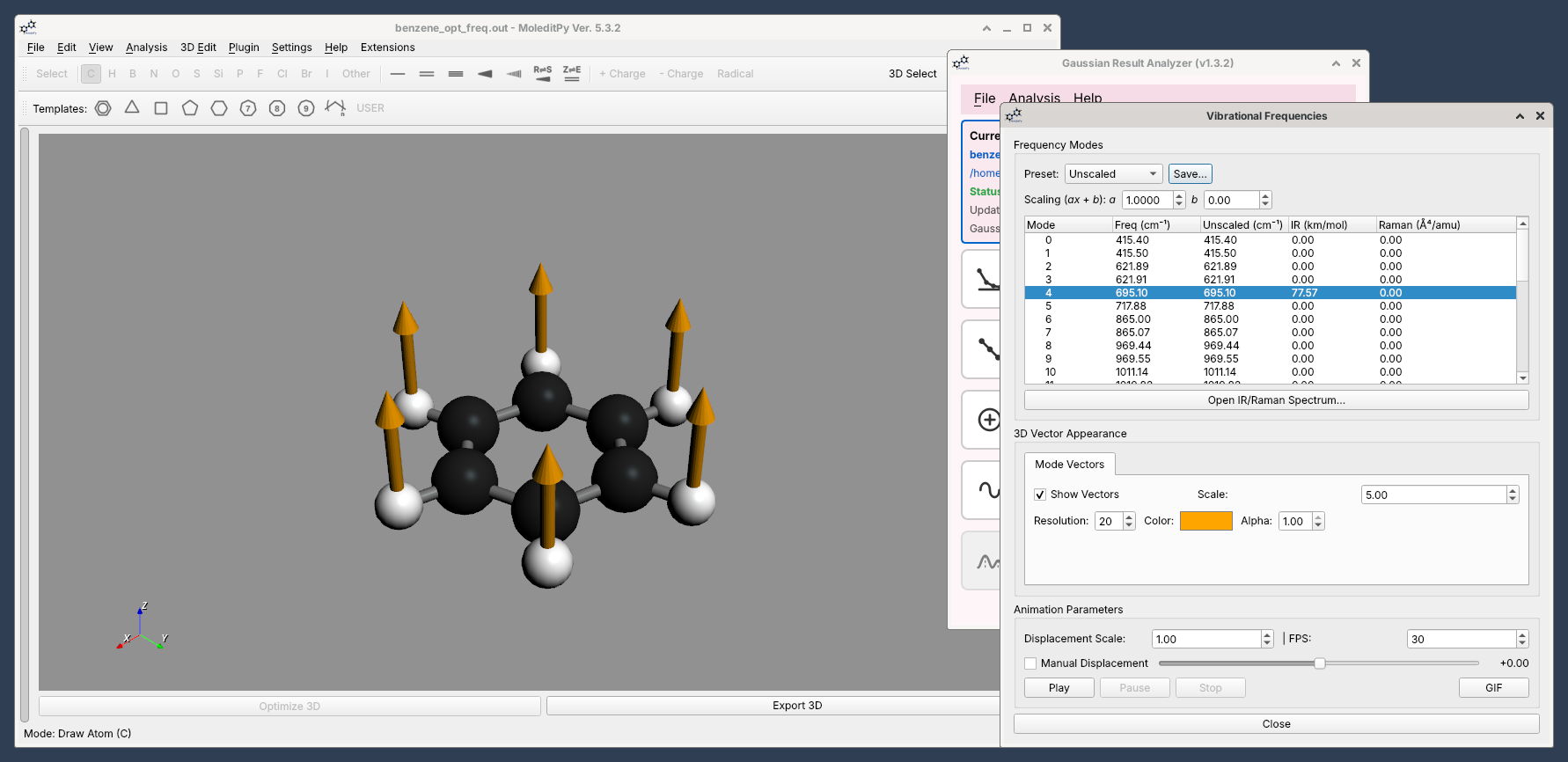
- Frequencies: normal modes with IR and Raman intensities, animated.
- Thermochemistry: ZPE, enthalpy, Gibbs energy and entropy term.
- TD-DFT: excited states with simulated spectra.
- NMR: shieldings and J couplings, with simulated spectra.
- NBO: natural orbitals and second-order E(2) interactions.
- Post-HF energies: MP2, CCSD and CCSD(T) corrections; D3 dispersion.
.log and .out are shared with other programs, so the header is checked first and another program's output goes on to the plugin that handles it.
The .log/.out and the .fchk/.fch open through the same Open button, File ▸ Open or a drop. Opening either one also uses the other when it sits beside it with the same name and comes from the same job, so a job without Pop=Full still shows 3D orbitals from formchk job.chk job.fchk. A checkpoint alone gives structure, orbitals, charges, dipole, forces, modes, excited states and optimisation steps.
Keywords some analyses need in the route section:
| Analysis | Route keywords |
|---|---|
| Orbitals in 3D | Pop=Full GFInput IOp(6/7=3) |
| CHELPG or Merz-Kollman charges |
Pop=CHELPG or Pop=MK
|
| Hirshfeld and CM5 charges | Pop=Hirshfeld |
| NBO | Pop=NBO |
| Raman | Freq=Raman |
| Forces |
Force or Opt with #P
|
| J couplings | NMR=(GIAO,SpinSpin) |
| SCF trace | #P |
The MO window has a button that copies the orbital keywords to the clipboard.
The analyzer also runs without a window, for scripts, batch jobs and remote shells (MoleditPy 5.3.0 or later):
moleditpy -r gaussian_result_analyzer parse job.log                 # summary
moleditpy -r gaussian_result_analyzer parse job.log --json -s thermal -s frequencies
moleditpy -r gaussian_result_analyzer xyz job.log -o final.xyz      # final structure
moleditpy -r gaussian_result_analyzer xyz job.log --all -o path.xyz # every step
parse prints a summary (version, termination, formula, charge and multiplicity, SCF energy, <S²>, HOMO/LUMO gap, dipole, optimisation, frequencies, Gibbs energy, excited states, NMR, charges, NBO) or, with --json, the data the windows read. xyz writes the final structure, or with --all every scan/IRC point or optimisation cycle, with the energy in each comment line. python -m gaussian_result_analyzer ... works the same from the folder that contains the plugin.
Cartesian g functions are not supported: the orbital window refuses to draw them rather than show a wrong orbital. Every feature is covered by a real Gaussian 16 job in the repository's tests.
- Official Plugins — the full plugin catalogue
- Gaussian Input Generator Pro, ORCA Result Analyzer, GAMESS Result Analyzer
This page documents Gaussian Result Analyzer v1.3.2, and was last updated on 2026-11-26. See REGISTRY/plugins.json for the current version.