Repository navigation
Plugin Large System Viewer
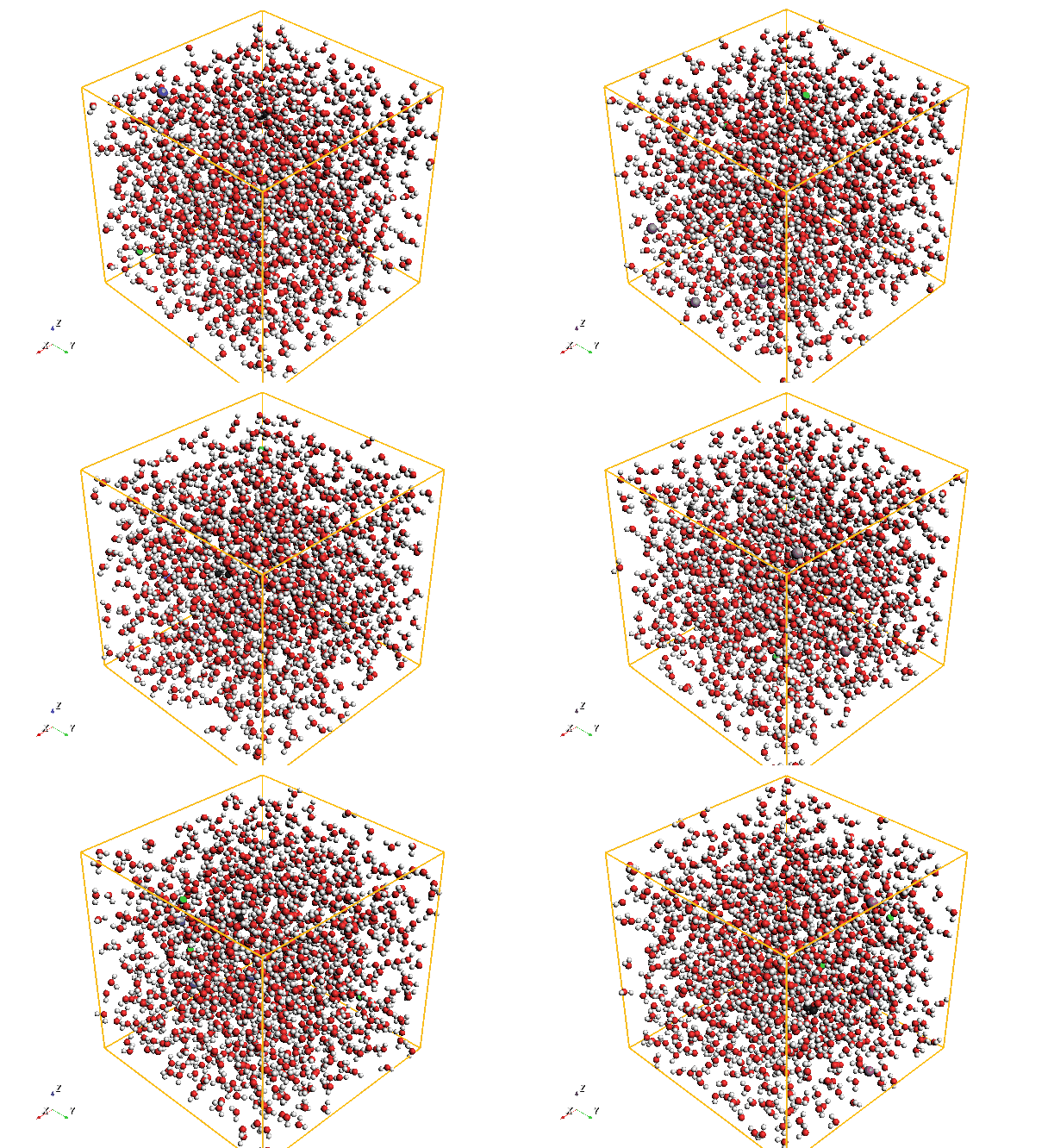
Large System Viewer handles large systems inside MoleditPy's own 3D view: proteins drawn as ribbons, solvated MD boxes of hundreds of thousands of atoms, and multi-frame PDB / GRO / XYZ / SDF trajectories with playback.
| Repository | moleditpy_large_system_viewer |
| Author | HiroYokoyama |
| Supported OS | Windows, macOS, Linux, WSL (MoleditPy installed with pip; not the packaged exe/app builds) |
| Supported Python | >=3.10, <3.15 |
| Supported MoleditPy | >=5.0.0, <6.0.0 |
| First-party plugin license | LGPL-3.0-or-later |
| Menu location |
Large System (Fast) 3D style + toolbar + Settings ▸ Large System Viewer Settings...; opener for .pdb, .ent, .gro, .xyz, .sdf
|
| Extra dependencies | none |
See Official Plugins for the full catalogue. It is required by MD System Builder, whose solvated boxes are too large for MoleditPy's standard styles.
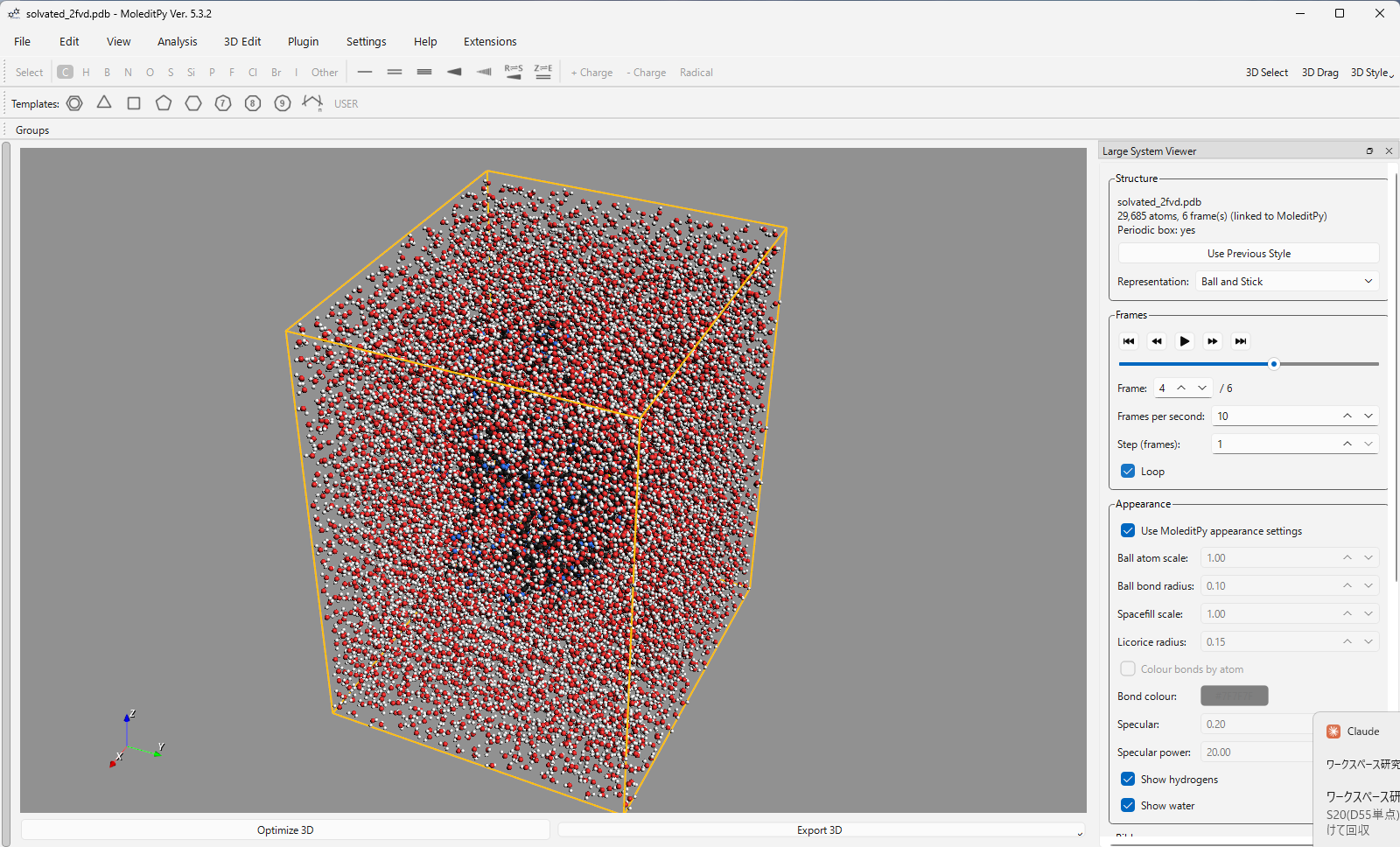
- Large System (Fast) style: atoms and bonds are drawn by VTK's impostor mapper on the GPU, so 100,000 atoms open in under a second and rotate smoothly. It can be chosen from the 3D Style menu for any structure.
- Ask before switching: when a structure above the threshold (2,000 atoms by default) arrives under another style, the plugin asks whether to switch; "Do not ask again" remembers the answer.
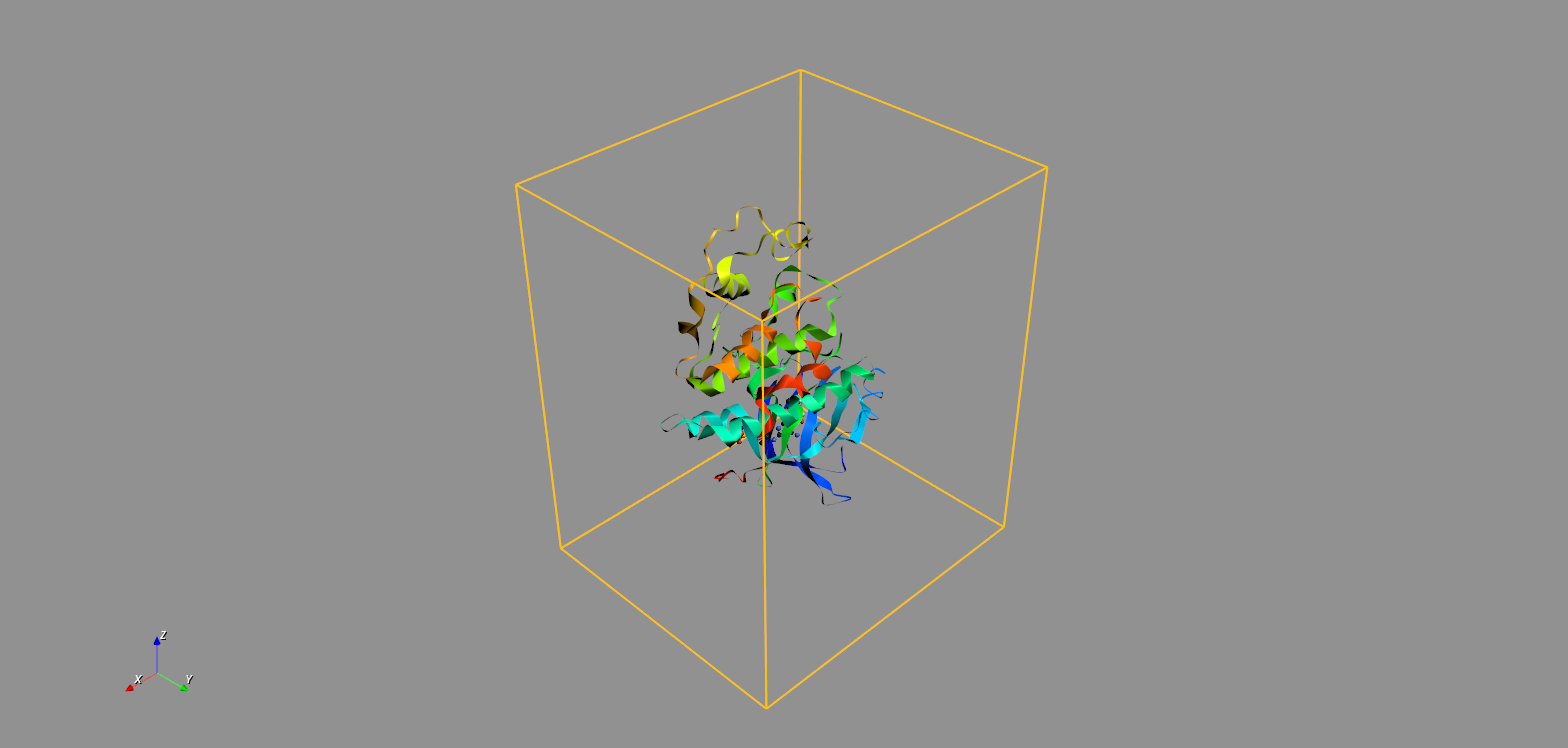
- Representations: Ball and Stick, Spacefill, Licorice, Ribbon, Ribbon + Ligands. Ribbons are coloured by secondary structure, rainbow from N to C terminus, by chain, or one colour, with ribbon and atom opacity.
- Trajectories: multi-model PDB, GRO, multi-frame XYZ and multi-record SDF play with first / previous / play / next / last, a slider, frame rate, step and loop. PDB, GRO and XYZ frames are read lazily from a memory-mapped file, so long trajectories are never loaded whole; SDF records are read into memory when the file opens.
- Frame titles: each frame's title, the XYZ comment line or the SDF molecule name, is shown beside the frame counter in the toolbar (shortened, with the full text in its tooltip), below the frame number in the Frames group (selectable) and in the status bar.
- Save GIF: the toolbar and the Frames group write the frames as an animated GIF, with the frames per second, a frame step, a transparent background and High Quality (an adaptive palette per frame), the same options as ORCA Result Analyzer's GIF export.
- Linked to MoleditPy: the paused frame is written into the current molecule, so measurement, 3D image export and other plugins work on it. Files above the view-only limit (50,000 atoms by default) are shown by the plugin alone.
-
Periodic box: GRO box lines (triclinic included), PDB
CRYST1and extended-XYZLattice=cells are drawn and can be switched off. - MoleditPy appearance: radii, bond colour, CPK colours, lighting and background follow MoleditPy's 3D settings, or the plugin's own values.
- Works with CIF Viewer: large CIF supercells are offered the Fast style and keep the CIF Viewer's cell overlays.
The settings are on tabs, in a separate window or the right-hand panel, saved in settings.json beside the plugin; each tab has its own Reset button. A field reacts to the mouse wheel only after you click it.
| Tab | Settings |
|---|---|
| Structure | representation, frames per second, step, loop, play back and forth |
| Appearance | MoleditPy appearance on/off, atom and bond sizes, bond colours, specular, hydrogens, water, atom opacity, ligand style for Ribbon + Ligands |
| Ribbon | colouring, helix / sheet / coil and single colours, widths, smoothness, opacity |
| Box | show box, colour, line width |
| Behaviour | large-structure action (ask / always switch / keep), threshold, restoring the previous style for small structures, view-only limit, where the settings open, toolbar on/off and position |
Projects (.pmeprj) remember the trajectory file, frame and representation, and reattach the trajectory on load when the file is still there.
- Open a
.pdb,.ent,.gro,.xyzor.sdffile (File ▸ Open, File ▸ Import, the command line or drag and drop). Small single-frame files open as before. - For a large structure, answer Yes to use the Fast style; the toolbar appears and the settings open beside the 3D view.
- Choose a representation and play the frames from the toolbar.
- To leave the Fast style, choose another style from MoleditPy's 3D Style menu.
- STL/OBJ export needs real meshes, which the Fast style does not create for atoms and bonds; switch to a standard style to export (a pure ribbon exports). 3D image export works.
- Atom labels, aromatic rings and stereo labels are not drawn in the Fast style. Double and triple bonds known from an SDF file or the MoleditPy molecule are drawn as parallel cylinders; aromatic bonds, and all bonds found by distance, are drawn as single bonds.
- Bonds come from the first frame (distance test plus PDB
CONECT); bonds across periodic boundaries are not drawn. - Secondary structure comes from PDB
HELIX/SHEETrecords; MD output without them is drawn as coil. Binary trajectories (XTC, DCD) are not read; convert them, for example withgmx trjconv -o traj.gro. - Editing coordinates in 3D detaches the structure from its trajectory; reopen the file to play it again.
- Official Plugins — the full plugin catalogue
- MD System Builder, Trajectory Analysis, CIF Viewer
This page documents Large System Viewer v0.3.1, and was last updated on 2026-11-27. See REGISTRY/plugins.json for the current version.