Repository navigation
Plugin Trajectory Analysis
Trajectory Analysis analyses molecular dynamics trajectories and conformer ensembles: radial distribution functions, mean square displacement and diffusion, RMSD and RMSF, radius of gyration, density profiles and per-frame energies. Results are plotted with matplotlib when it is installed (otherwise with a built-in plot) and can be exported as CSV and PNG.
| Repository | moleditpy_trajectory_analysis |
| Author | HiroYokoyama |
| Supported OS | Windows, macOS, Linux, WSL |
| Supported Python | >=3.10, <3.15 |
| Supported MoleditPy | >=5.0.0, <6.0.0 |
| First-party plugin license | LGPL-3.0-or-later |
| Menu location | Analysis ▸ Trajectory Analysis... |
| Extra dependencies | none; optional matplotlib
|
See Official Plugins for the full catalogue, and MD System Builder for the whole MD workflow.
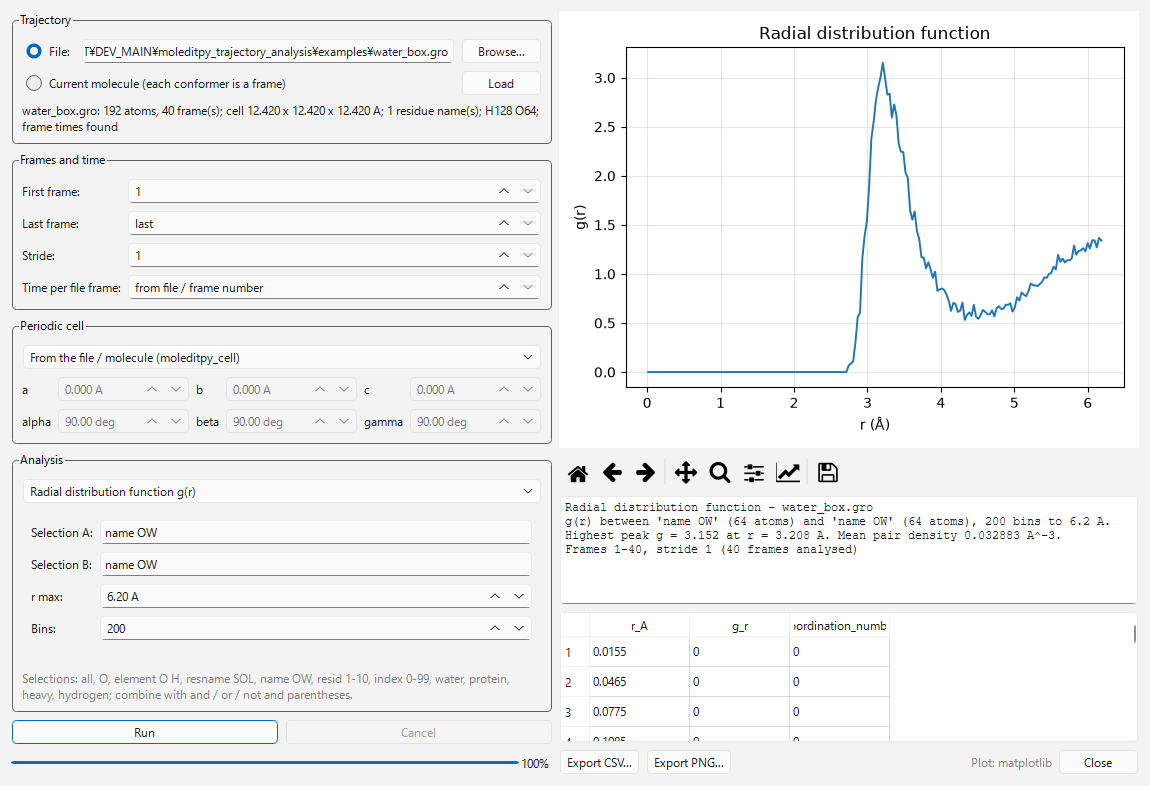
- Radial distribution function g(r) between two selections, with the minimum-image convention when a periodic cell is known, and the running coordination number n(r).
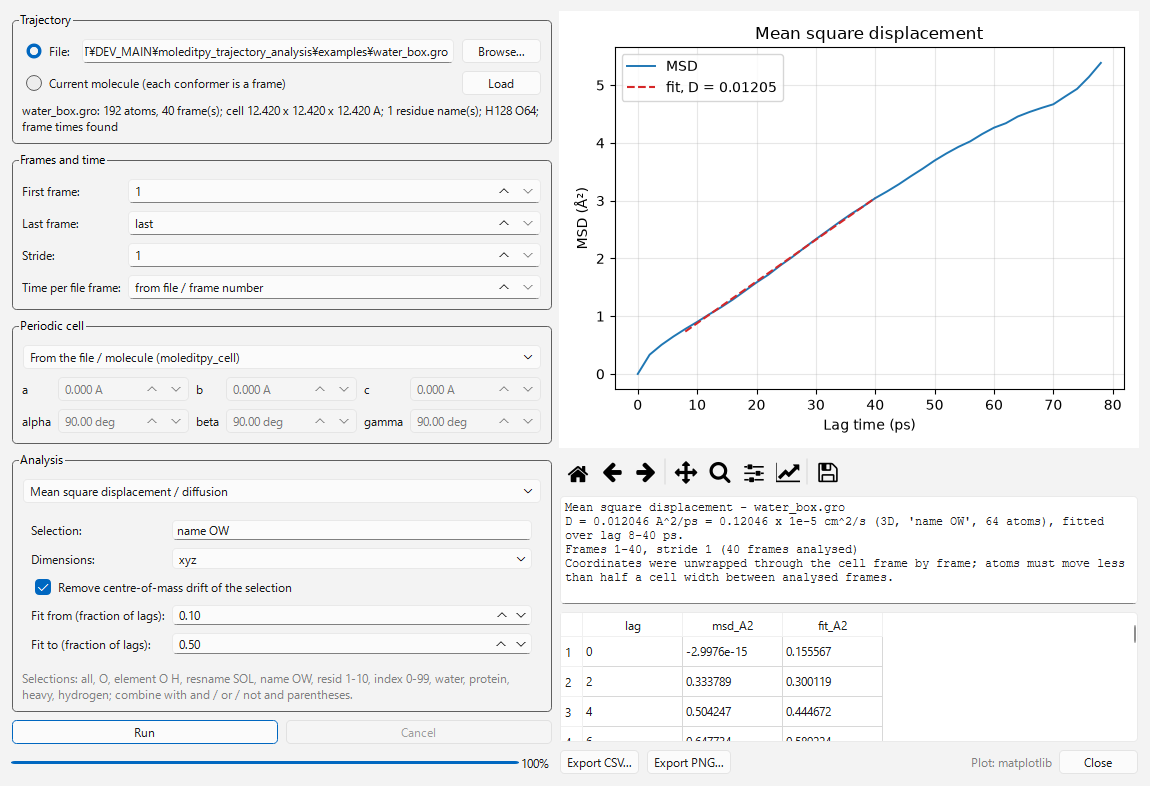
- Mean square displacement (FFT algorithm, all time origins) and the diffusion coefficient from a linear fit over a chosen lag window, in 3D or for chosen axes.
- RMSD against any reference frame and RMSF per atom, with optional Kabsch alignment on a separate fit selection.
- Radius of gyration, mass-weighted or geometric.
- Density profiles (mass or number density) along a cell axis.
-
Per-frame energies found in the file: extended-XYZ
energy=, ORCAE -76.3, xtb/CREST comment lines, PDB REMARKs, SDF energy properties.
| Format | Frames | Cell | Extra |
|---|---|---|---|
| PDB / ENT |
MODEL records (or END-separated blocks) |
CRYST1 |
residues, REMARK energies |
| GRO | concatenated frames | box line, triclinic included | residues, t= times |
| XYZ | concatenated frames | extended-XYZ Lattice="..."
|
comment-line energies |
| SDF | records of the same molecule | none | energy properties |
PDB, GRO and XYZ files are memory-mapped and indexed by frame, so files larger than memory work. Current molecule analyses the conformers of the molecule in the editor, one frame each.
Selections: all, none; elements (O, element O H); resname SOL WAT; name OW; resid 1-10 15; index 0-99 (0-based); the groups water, protein, heavy, hydrogen; combined with and, or, not and parentheses, for example resname SOL and not hydrogen.
- RDF: normalised by the pair density of each frame, so g(r) tends to 1 for an uncorrelated system. With a cell, r max must stay below half the smallest cell width. Without a cell the bounding box of each frame is the volume, so g(r) is only qualitative.
- MSD: coordinates are unwrapped frame by frame through the cell, so atoms must move less than half a cell width between analysed frames (keep the stride small). D = slope / (2 d), reported in Ų/ps and 10⁻⁵ cm²/s; the selection's centre-of-mass drift is removed by default.
- RMSD / RMSF / Rg: Follow atoms through the cell unwraps the trajectory from the first analysed frame, which assumes the molecules are whole there. RMSF is computed around the mean aligned position.
- Density: along the normal of the chosen cell axis, in g/cm³ or atoms/ų; without a cell, a linear density per Å.
- Energies are reported in the units the file uses.
- Open
Analysis ▸ Trajectory Analysis.... - Trajectory: choose a file and press Load, or pick Current molecule.
-
Frames and time: first and last frame, stride, and the time between frames in ps (0 uses the times in the file, such as GROMACS
t=titles). -
Periodic cell: from the file, from the molecule's
moleditpy_cell, a custom cell, or none. - Analysis: choose one, fill in its selections and press Run (Ctrl+Enter); long runs show progress and can be cancelled. Export the result as CSV or PNG.
For a GROMACS run, convert the binary trajectory first, for example gmx trjconv -f md.xtc -s md.tpr -o traj.gro.
- Official Plugins — the full plugin catalogue
- MD System Builder, Large System Viewer
This page documents Trajectory Analysis v0.1.2, and was last updated on 2026-11-26. See REGISTRY/plugins.json for the current version.