Repository navigation
Feature ABRP
🇩🇪 Deutsch
ABRP (A Better Routeplanner) plans a trip around charging stops. It starts from a guessed battery level unless something tells it the real one. BavarianData can be that something: it sends your BMW's or MINI's live state from BMW CarData to ABRP, so a plan starts from the actual charge level, and ABRP replans as the battery drains on the way.
- Free. It works with a free ABRP account. ABRP Premium is not needed.
- No API quota. It runs off BMW's live stream, not the 50 requests a day.
- Off by default, per car. Nothing leaves Home Assistant until you switch it on for a car.
| ABRP shows | From |
|---|---|
| Charge level (SoC) | The same figure the card shows, which keeps counting while the car charges even when BMW goes quiet |
| Charging, and whether at a DC fast charger | BMW's charging status and charging method |
| Charging power | BMW's charging power |
| Parked or driving | BMW's motion signal, or BavarianData's trip detection |
| Odometer and range | BMW's mileage and electric range |
| Position and altitude | Only with Include the position switched on |
A value the car hasn't reported is left out, never sent as zero. With no charge level at all, nothing is sent. BMW's stream can be quiet for hours on a parked car, so the last known values are repeated every 30 seconds. That keeps ABRP from dropping the car as offline.
- In the ABRP app: save your car and open it, then go to Live data → Custom connection and tap Copy token under Generic token. A car that already has a connection opens its live data instead: tap Edit there first.
- In Home Assistant: go to Settings → Devices & services → BavarianData → Configure → Share live data → ABRP (A Better Routeplanner). With more than one car, pick the car first.
- Switch on Send to ABRP, paste the token into Car token and press Submit. The token is checked with ABRP straight away. A token ABRP refuses is said on the screen, not only in the log.
Within a minute, the ABRP app shows the car's live data with the source API.
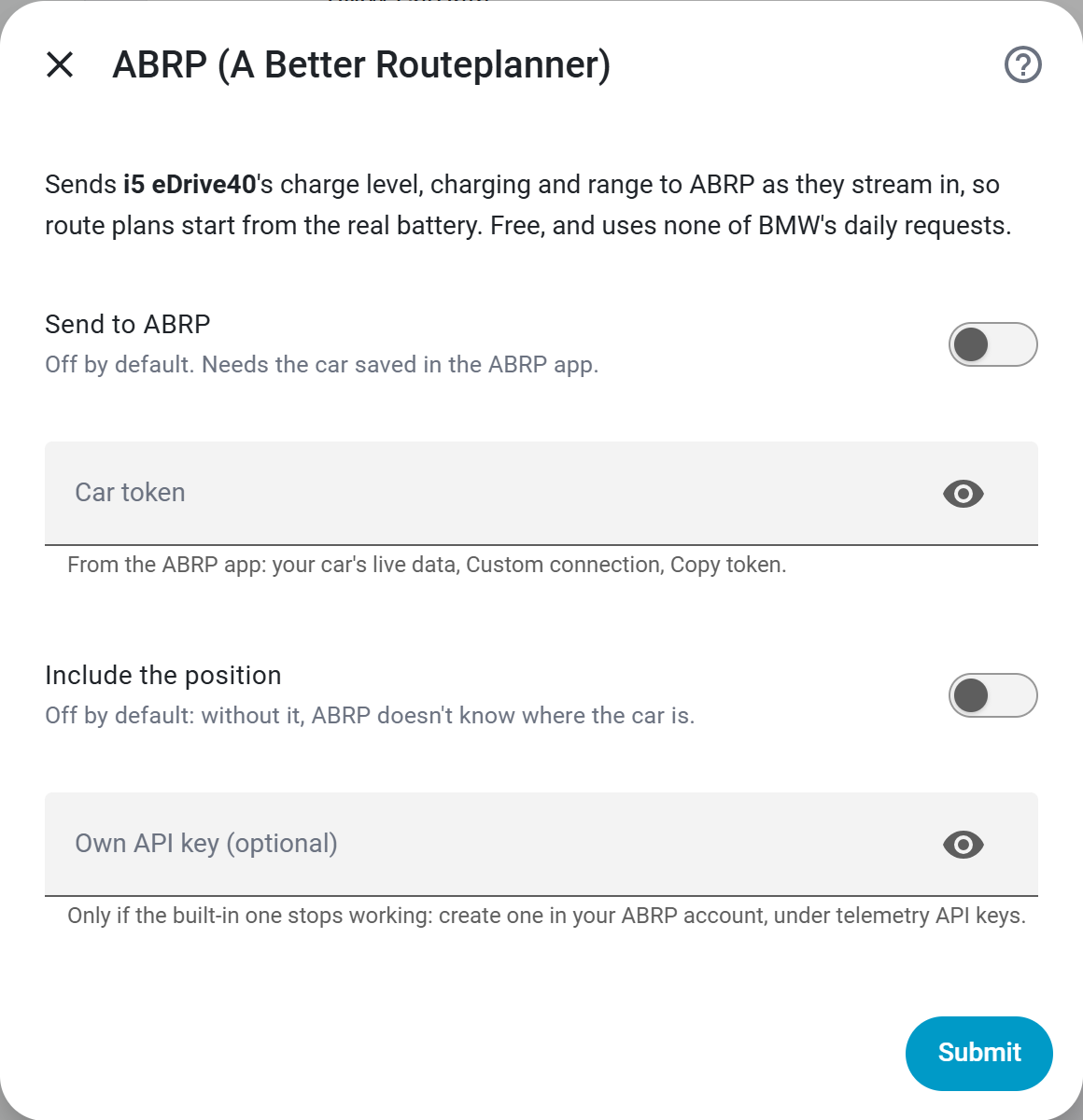
Every field is described in the settings reference.
A free ABRP account holds one saved car. With a second car saved, the app asks for Premium before it gives out a live-data token. Remove the other car, or use one ABRP account per car.
Only if you switch on Include the position, which is off by default. Without it, ABRP gets the battery, charging and odometer, but no location from BavarianData.
Each car has its own token and its own switches; a car added later doesn't inherit them. See multiple cars.
- The log says ABRP refused the car token or the API key: copy the token again from the app, as in step 1.
- The car has never reported a charge level since Home Assistant started: then there is nothing to send yet. The next reading starts it.
- Releases carry BavarianData's own ABRP API key. If ABRP ever stops accepting it, create your own key in your ABRP account, under telemetry API keys, and enter it in Own API key (optional).
No. BavarianData sends what your Home Assistant receives from BMW CarData, with your own client ID. No other server sits between BMW and Home Assistant, and ABRP receives only the values in the table above.