Settings
Only the super admin sees this page, under Host Controls in the sidebar.
This page manages your servers, your admins, backups, and startup behavior.
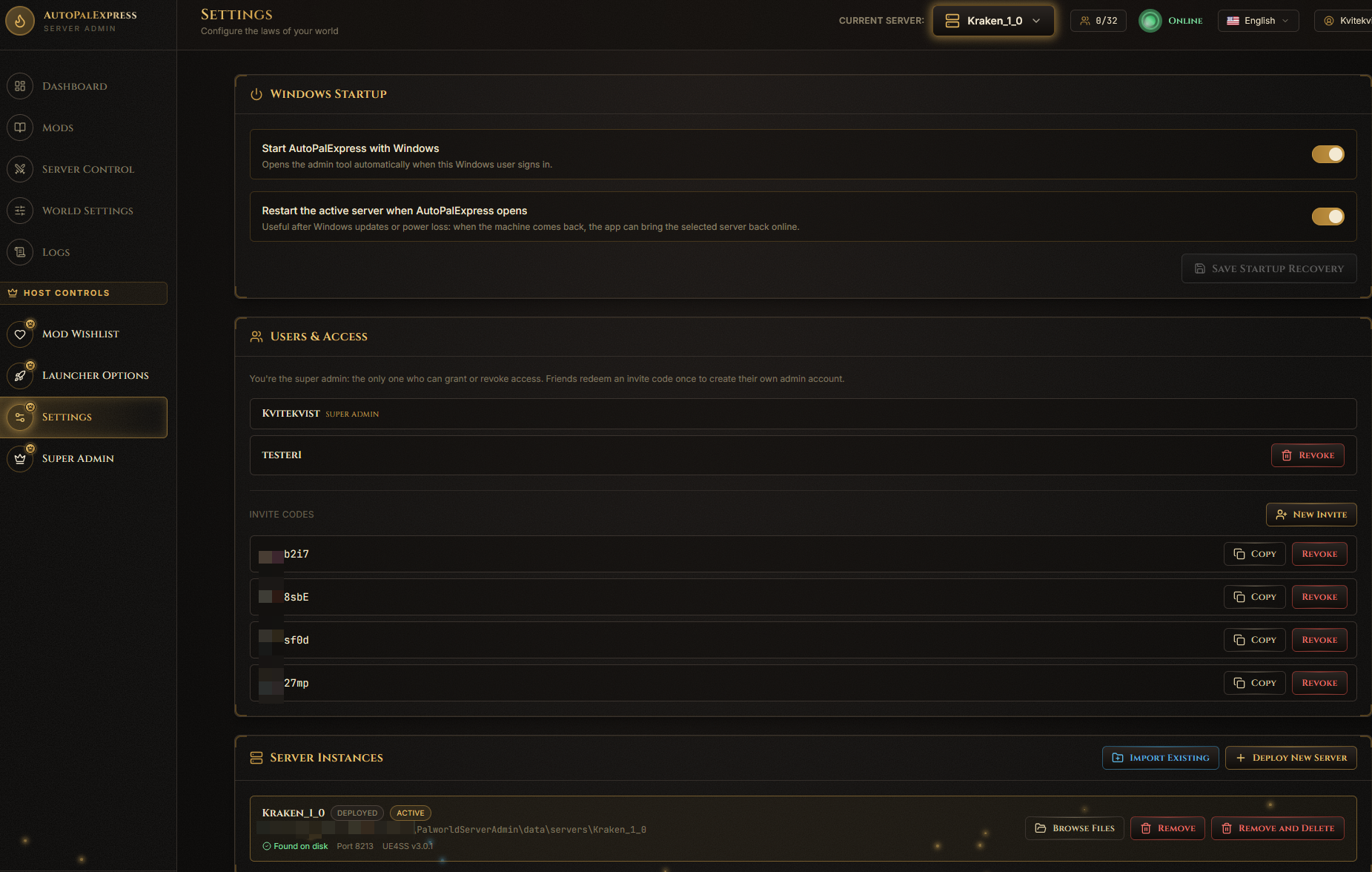
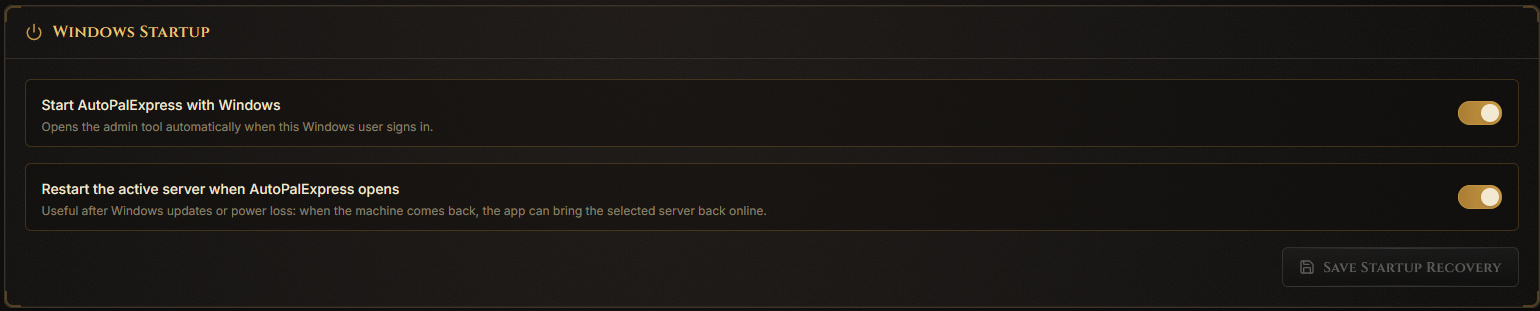
In the Startup Recovery panel, turn on starting AutoPalExpress with Windows, and auto-starting the active server.
In the Users panel, click Generate Invite Code. Share that code with your friend - they use it to register their own account.
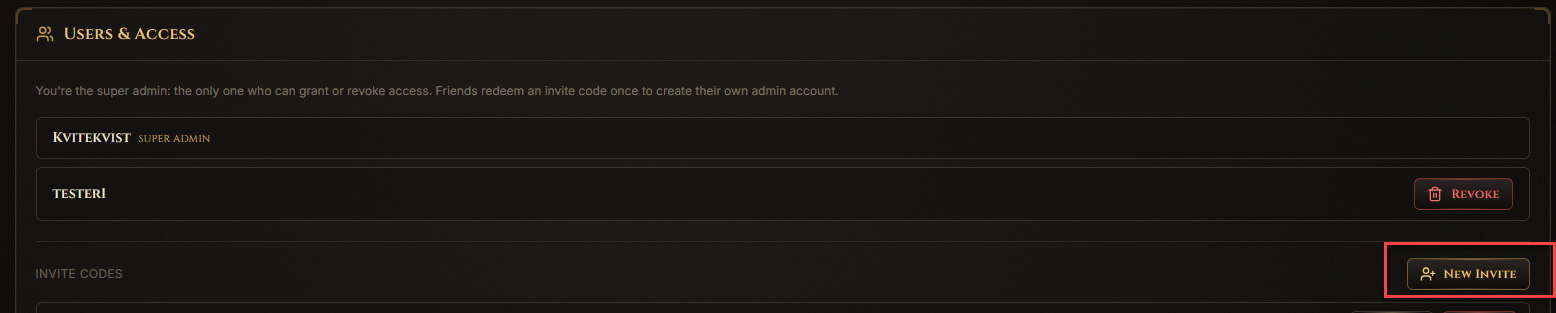
Only invite people you trust. Regular admins can't touch the dangerous stuff (ports, server folders, mods folder, startup) - that stays locked to you.
In the Server Instances panel, click Deploy New Server to create one from scratch, or Import Existing if you already have server files somewhere.

Each server in the list has its own menu with Switch To, Browse Files, Remove, and Remove and Delete.

"Remove" just un-lists it - your files stay untouched. "Remove and Delete" actually deletes the server folder, and only works while that server is stopped.
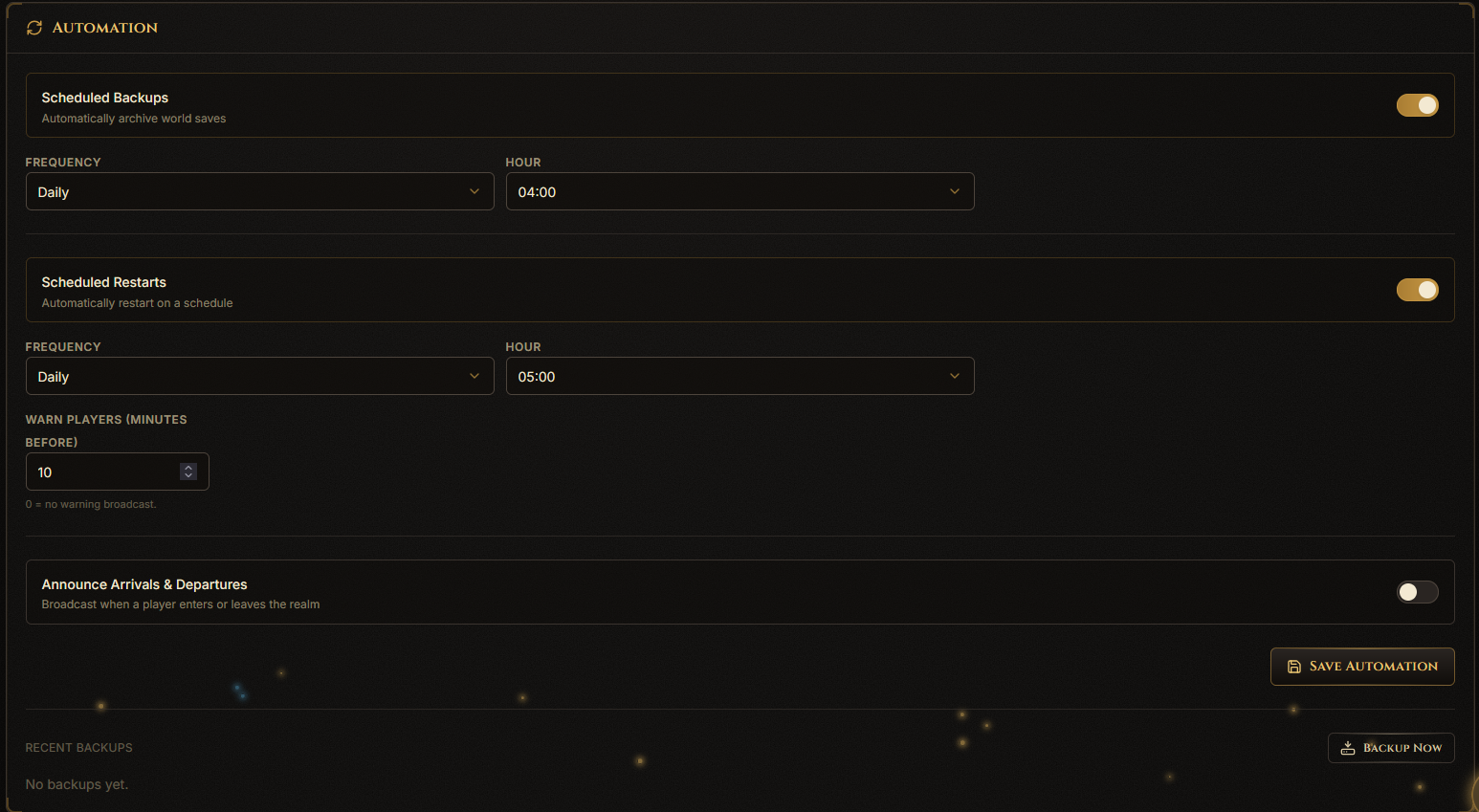
In the Automation panel, set up your backup and scheduled restart times.