Repository navigation
Real time CSG
In Chisel you build your level out of simple shapes (brushes) that you add to, or cut out of, the level. Chisel turns them into the finished level while you work: what you see in the scene view is always the end result, and you can keep changing any shape at any time.
- Edits show up straight away, even in large levels: only the part of the level you changed is rebuilt.
- The result is ordinary Unity meshes and colliders, so it works with Unity's lighting (lightmaps), occlusion culling and navigation.
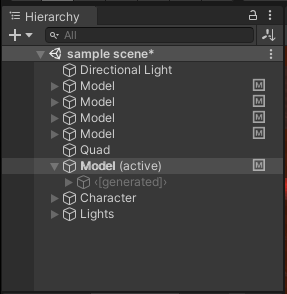
- You never edit the generated meshes yourself; they are kept under the model's <[generated]> GameObject.
- Shapes that touch or overlap meet exactly, without gaps or cracks.
At the root of your hierarchy is a Chisel Model. A model turns the brushes and generators under it into the level's meshes and colliders. A model is created for you when you create your first brush or generator, and new ones go into the active model.
See also Operations, Generators and Chunking.