Install and first run
BakaLoader is a single folder you unzip and run. There is no installer, nothing is written to Program Files, and uninstalling is deleting the folder.
Windows 10 or 11, 64 bit.
The .NET 6 Desktop Runtime. Windows offers it on first run if you do not have it.
Valheim Dedicated Server, which is free in your Steam library under Tools. You do not need to own Valheim on the machine running the server, but you do need a Steam account to install the tool.


You do not need Valheim itself installed on that machine, you do not need a second Steam account, and you do not need to be logged into Steam while the server runs.
Download the latest release, unzip it anywhere you can write to, run ValheimBakaLoader.exe.
Somewhere in your user folder or a data drive is fine. Program Files is not, because the app writes beside itself when it updates.
Windows SmartScreen may warn on first run. The release is not code signed, because a certificate costs money every year and this is free. Check the download against the release page, then More info and Run anyway if you are happy. See Privacy and network.
The first launch runs a short wizard. Five steps, under a minute.
Welcome says what it needs: the path to valheim_server.exe, and the folder your worlds live in.

Find the server executable. Paste the full path, or press Detect and let it search your drives. A typical path looks like D:\SteamLibrary\steamapps\common\Valheim dedicated server\valheim_server.exe.
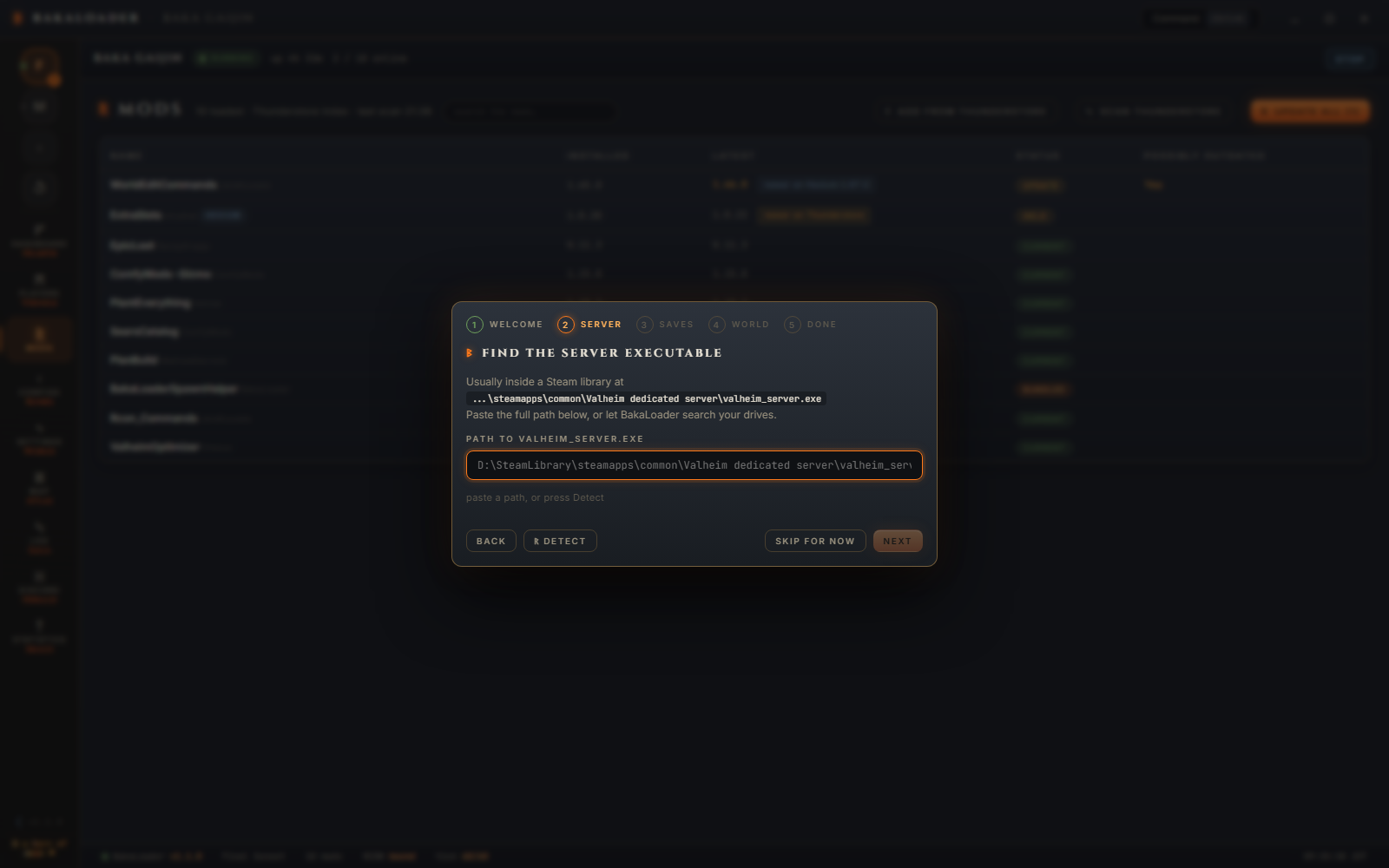
The status line under the box checks as you type. "ᛉ found · that's the one" means it is valid. "ᚦ not found · the path must point at an existing valheim_server.exe" means it is not. Detect lists what it found as buttons you can click. If it finds nothing: "ᚦ no install found · install the Valheim Dedicated Server tool on Steam, or paste the path by hand".
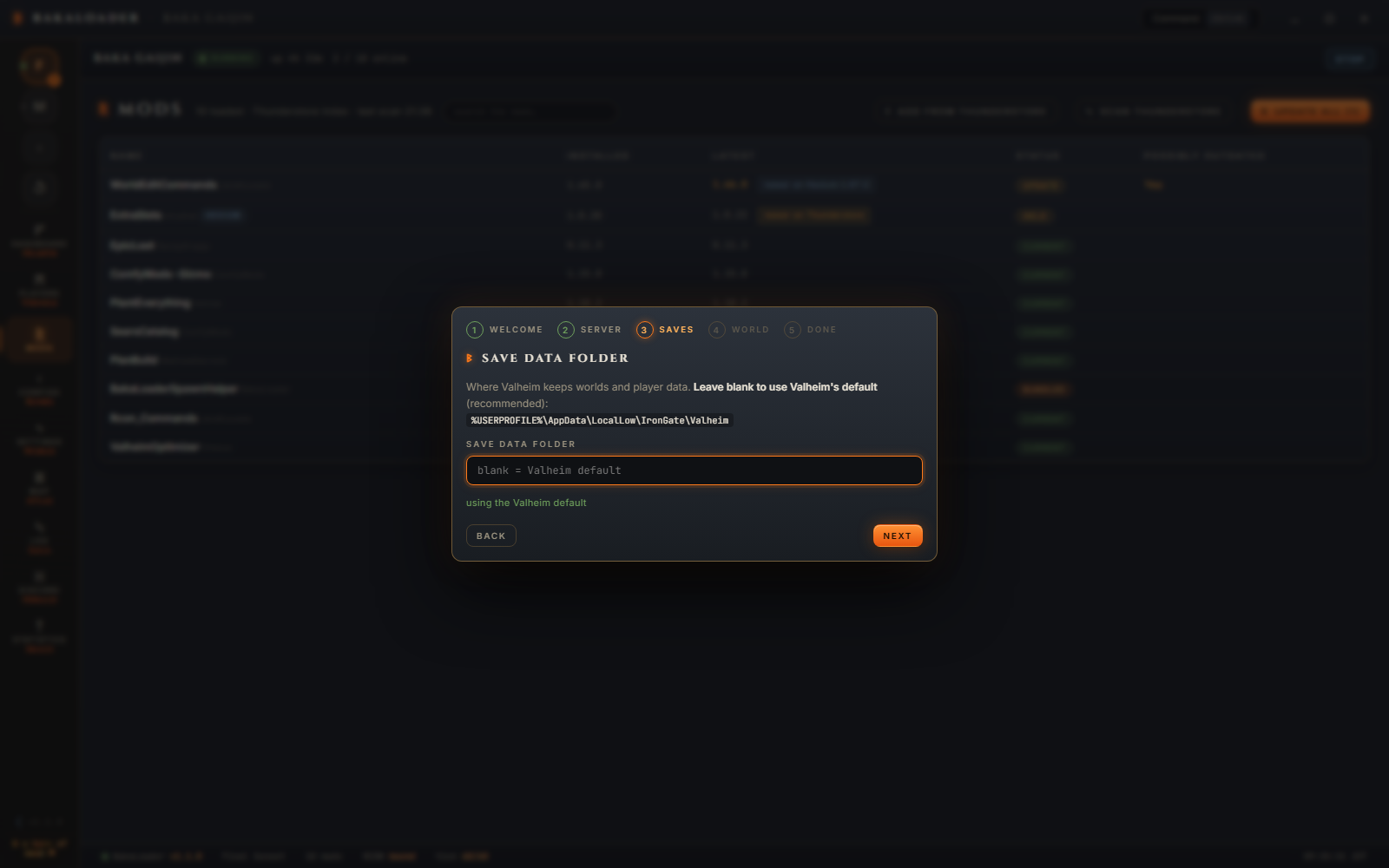
Save data folder. Blank keeps Valheim's default, %USERPROFILE%\AppData\LocalLow\IronGate\Valheim, which is what most people want. Point it elsewhere if your worlds live on another drive.
World rules. The world modifier dials: combat, death penalty, resources, raids, portals. All Normal is the classic game. You can change them later on the Settings screen.

If the world you are about to use does not exist yet, a World seed field appears here too. A world's seed is fixed forever once it is created, so this is the only chance.
All set shows what you picked.

Skip for now at any point leaves the paths unset. You can fill them in on the Settings screen, and run the wizard again from the red button at the bottom of that screen.
Open Settings. Give the server a name that is not the same as the world name, set a password, pick or type a world.
Decide how people join. Public lists it in the in game community browser. Crossplay gives you a join code that works from any platform.
Press Save Config, then Start in the header.
When the status says Running, press Copy join info on the Dashboard and paste it to your friends. That copies the name, the world, the address, the password and the crossplay code in one block.
Friends outside your network need UDP 2456 and 2457 forwarded, unless you are using crossplay. See Privacy and network.
%USERPROFILE%\AppData\LocalLow\BakaLoader\ValheimBakaLoader\ holds:
userprefs.json, every setting for the app and every server profile.
analytics.json, the Statistics journal.
players.json, the player records the roster is built from.
logs\, with ApplicationLogs_<date>.txt for the app and ServerLogs-<profile>-<stamp>.txt for each server session. Both kept 30 days.
%LocalAppData%\ValheimBakaLoader\ holds its own copy of steamcmd, if it ever downloaded one, and the rendered map cache.
Your worlds are wherever you pointed the save data folder, which by default is %USERPROFILE%\AppData\LocalLow\IronGate\Valheim\worlds_local.
BakaLoader looks for a valheim_server.exe running from the path it is configured for. If it finds one it asks whether to adopt it or kill it.
Adopting works, but it has limits, because BakaLoader did not start that process and cannot read its output. See Running the server.
If you have been starting the server with a batch file, the cleaner path is to stop doing that and start it from BakaLoader instead. The wizard's path is the same server, launched by the app so it can watch it.
Two switches in the Upkeep card on the Dashboard, and they do different jobs. Check for BakaLoader updates asks GitHub whether a newer release exists, at launch and then every six hours while the app is open. Auto-update BakaLoader is the one that installs, the next time you close the app. Checking on its own never installs anything.
When a release turns up, a pill appears on the Server card, the version at the foot of the sidebar glows, and a row on the condition bar says what will happen next. Any of them opens a dialog that tells you what installing would cost before it does anything. With every server stopped it offers to install and relaunch there and then. With a world up the only offer is the next restart, because installing means closing the app, and that would take the server down with it.
The update downloads the release zip, waits for the app to exit, copies the new files over the folder and starts it again. Any profile with Autostart on comes back up as usual. If the app is somehow still running when the copy is due, the install is abandoned rather than written over a live process.
Full detail, including every refusal it can give you: Updating BakaLoader.
Delete the folder you unzipped.
If you want it fully gone, also delete %USERPROFILE%\AppData\LocalLow\BakaLoader\, %LocalAppData%\ValheimBakaLoader\, and the Run key entry if you turned on Start with Windows.
Your worlds, your mods and your Valheim install are untouched by any of that. They were never inside BakaLoader's folder.
Do I need Valheim installed? Not on the server machine. You need the free Valheim Dedicated Server tool from the Tools section of your Steam library.
Does it work on Linux or in Docker? No. It is a Windows desktop app built around the Windows server binary, and it uses a Windows job object to tie the server to itself. There is no Linux build.
Can I put it on a headless machine? It has a window and it wants one. It runs fine on a machine you remote into, and it can minimise to the tray, but it is not a service.
Do my friends need to install anything? No, unless you run mods that need a client side part, in which case they install those themselves.
Can I move my setup to another machine? Copy the BakaLoader folder, copy %USERPROFILE%\AppData\LocalLow\BakaLoader\, and copy your worlds. Paths in the settings will need pointing at the new locations.