Map (Atlas)
The Map screen draws your actual world. Not a generic Valheim map, not a screenshot from someone else's seed. It takes the seed out of the world file, generates the same terrain the game generates, then reads the save and puts your portals, altars, bases and explored ground on top of it.
No mod is needed and nothing is sent anywhere. The whole thing runs on your machine off files you already have.
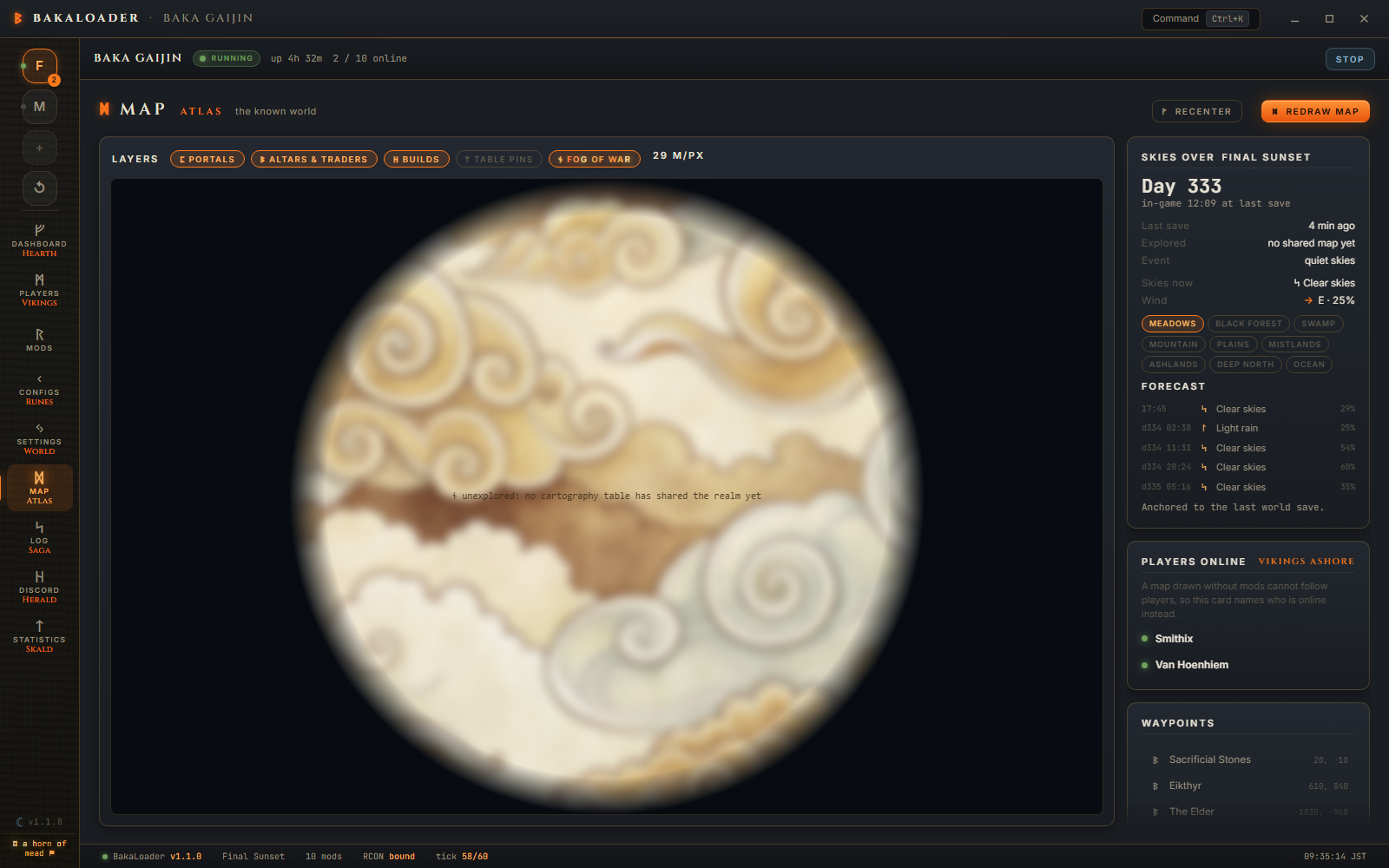
Recenter fits the whole world in the window. Double clicking the map does the same.
Redraw map re-renders the terrain from scratch and ignores the cached image. Use it after you change a world size mod, or if the picture looks wrong.
A pill appears left of those buttons when a world altering mod is detected, saying what it found and what it did about it.
Five chips above the map turn parts of the overlay on and off.
portals reads every portal in the save and marks it with its tag.
altars & traders marks the eleven places worth marking: Sacrificial Stones, Eikthyr, The Elder, Bonemass, Moder, Yagluth, The Queen, Fader, Haldor, Hildir and the Bog Witch. Only ones actually placed in your world. The save holds around 19,000 location records, most of them dungeons and ruins that would be noise at map scale, so the rest are skipped.
builds finds pieces with a creator stamp, groups them into 32 metre cells and draws a circle for any cluster of 8 pieces or more. That is your bases, not every stray workbench.
table pins shows the pins from a cartography table. Off by default.
fog of war veils everything nobody has recorded on a cartography table. On by default, because that is what people asked for.

There is no way to know what a player has explored without asking the game, and BakaLoader does not run inside the game. The one place exploration is written down is a cartography table: when someone uses one, their explored area is stored in the world save.
So fog of war is the union of every cartography table's explored area. A world where nobody has ever used a table stays fully veiled. That is not a bug, it is the only honest answer available.
Pins are a smaller story. The explored areas of every table are merged, but only the first table's pin list is read. If your pins are on a second table, you will see the fog they contributed but not their pins.

The note in the middle of the veil says it plainly: "unexplored: no cartography table has shared the realm yet".
Drag to pan. Wheel to zoom, 1.18x per notch, toward the cursor so the point under the pointer stays put. Zoom is clamped between half the fit level and 8x. The bottom corner shows the world coordinate under the mouse.
Skies over <world> shows the in game day, the world clock, the last save time, how much of the world has been explored, and the current random event.
Under it, when a save has been read, is the weather. Skies now and Wind with an arrow pointing the way the wind blows, a row per biome, and a forecast of the next five weather periods. Valheim rerolls weather every 666 in game seconds, so that is a bit under an hour ahead.
The note under the forecast says which clock it is anchored to. "Time stands still: no vikings ashore." means nobody is online, so world time is paused and the forecast is frozen where the last save left it. "Anchored to the last world save." means time is running.
Players online lists who is connected. It is a list of names rather than dots on the map, and the card says why: a map drawn without mods cannot follow players.
Waypoints lists every altar, trader, portal and pin with its coordinates. Clicking one jumps the camera there.
The terrain has one failure message: "The map could not be drawn. Set a seed or start the server once first." That means there is no .fwl yet, so there is no seed to draw from.
The side panel is more specific, and 1.0.1 made it say which of these is true rather than showing one blank line for all of them.
"No world chosen yet. Pick one in the World hall." No world is selected in Settings.
"No save file yet. The clock starts with the first launch." The world exists but has never saved.
"Reading the world file…" It is working on it.
"There is a save on disk, but this reader could not make sense of it." There is a save, and the reader could not parse it, with no more specific reason available.
"The save could not be read: <reason>" The reader had something to say. Real examples: world version 44 is outside the supported range 9-41, Midgard is 402653184 bytes, past the 256 MB ceiling, chunk version 12 is not supported, file ended after 18332 of 41112 bytes, a world scan is already running.
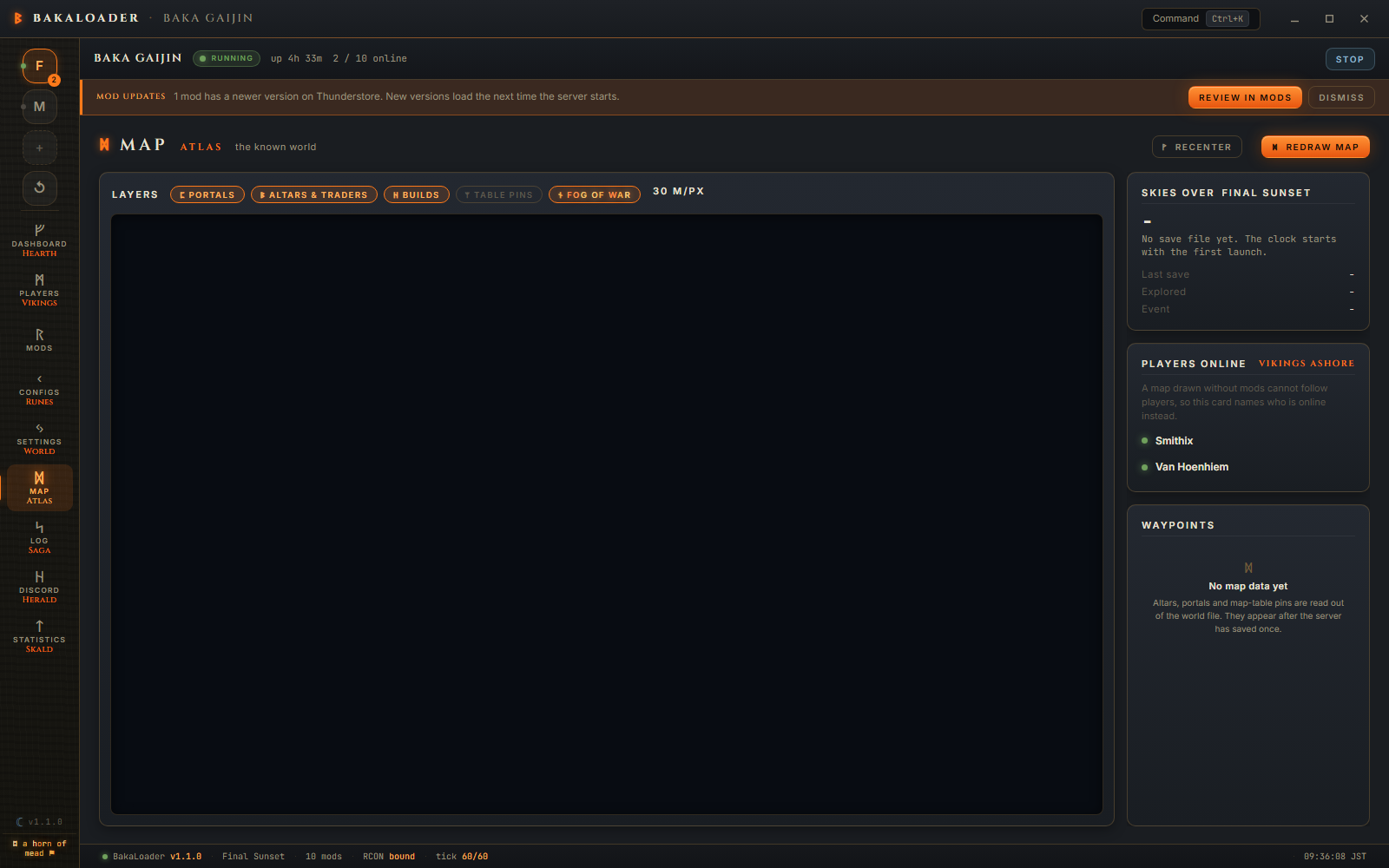
A save that rotated while it was being read is not an error. The reader notices, re-reads the newer generation once, and says nothing.
You want to know where the Elder altar is on a fresh world so you can tell your friends which way to sail.
Open Settings, pick the world, then open Map. The first draw takes a moment and the message reads "Charting the realm from its seed… 42%". When it finishes, the coast appears.
The Elder has not been found yet, so nothing is drawn for it. Turn off fog of war and the whole world is visible, but altars come out of the save and the save has no location marked for it until the world has generated that zone.
Once someone has sailed there and the server has saved, altars & traders shows a diamond, the Waypoints list gains a row reading The Elder -1180, 2044, and clicking that row jumps to it.
The terrain is computed, not read. Tools/Atlas/WorldGen.cs is a port of Valheim's own world generator: the same biome placement, the same base height noise, the same rivers and streams, the same per biome height formulas. Feed it the seed from the .fwl and it produces the same shapes the game does.
Everything on top of the terrain is read from the save. Portals, locations, build pieces, cartography data, the in game clock and the current event all come out of the .db for a legacy world, or the chunk files for a 1.0 one.
There is a wrinkle 1.0 introduced. The location list used to store a name string and now stores a hash, so the app carries a lookup table of 178 location name hashes, built and checked against a real 1.0 save.
For what changed in the Deep North and Ashlands terrain, and how the cache works, see How the map is drawn.
Does this need a webmap mod? No. Nothing is installed in the server and nothing is served over the network. It reads files.
Can I see players moving on the map? No. Positions in the Players roster come from the server over RCON, but there is no mod-free way to draw a live player on a map that the app generated itself. The Players online card names who is on instead.
Why is most of my map grey? Fog of war. Nobody has recorded discoveries on a cartography table yet. Turn the fog of war chip off to see the whole world.
My map looks nothing like my world. A mod that changes world size or biome placement will do that. The pill in the toolbar says whether one was detected. If nothing is detected and the map is still wrong, open an issue with the seed.
How long does a redraw take? It depends on the pixel count and the CPU. Progress is reported as a percentage while it runs. Ashlands pixels are the expensive ones.