Repository navigation
Log and Shutdown
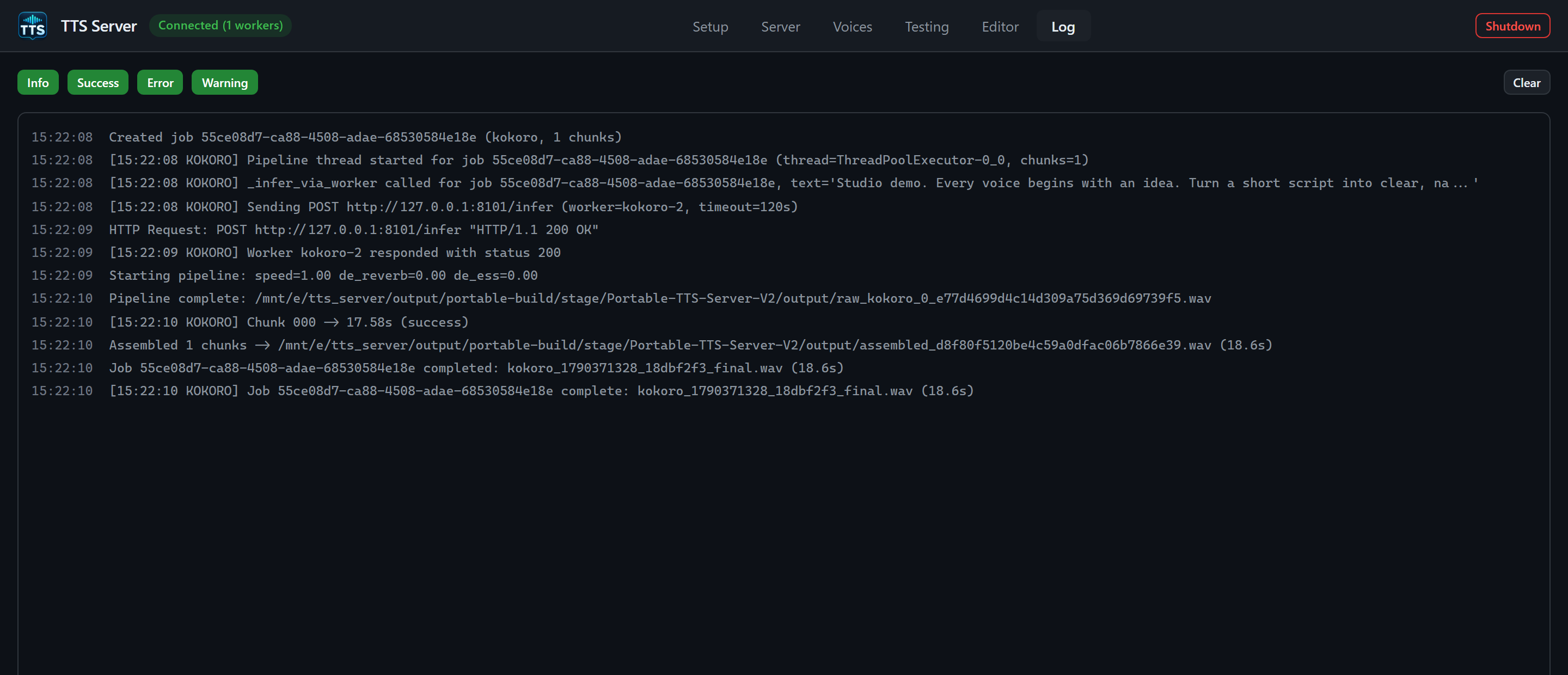
The displayed log was cleared before the demo to exclude unrelated activity. Clear only removes the visible log history.
The Log tab is a live viewer over the SSE stream GET /api/logs/stream. app.js keeps a ring buffer of 500 entries (MAX_LOGS). The token is passed as ?token= because EventSource cannot send X-TTS-API-Token. Do not copy that EventSource URL into a browser bookmark; it contains the secret.
Four filter toggles, all on by default (primary styling when enabled):
- Info
- Success
- Error
- Warning
Click a toggle to hide that level. The list re-renders from the in-memory buffer.
Clear wipes App.state.logs and the DOM. It does not truncate E:\tts_server\output\logs\ or output\run\tts_server_setup.log. Persistent tails are CLI/API:
tts.cmd logs tail --file server --lines 200
tts.cmd logs tail --file bridge --lines 200
tts.cmd logs tail --file setup --lines 500
tts.cmd logs tail --file startup --lines 200
tts.cmd logs follow --filter "XTTS" --reconnect
file must be one of server, bridge, setup, startup. logs follow is the SSE stream with an optional regex filter.
Each line is timestamp + message, colored by level (log-info, log-success, log-error, log-warning). Auto-scroll stays on while you are within 40px of the bottom; scrolling up freezes the pin so you can read. New lines while pinned-to-bottom keep following.
Malformed SSE frames are dropped with a console.debug on the WebView side; they are not silently the only copy of a failure — check logs tail if the GUI missed a line.
- After Install / Install All (Setup switches you here on purpose).
- During a long Spawn Worker (qwen/higgs/voxtral cold loads).
- When Generate fails with a short toast; the worker traceback is here or in
output\logs\.
Red header control, tooltip: Stop all workers, unload models, and close the app.
Click path (from App.initShutdownButton):
- Button disabled, label Shutting down....
- Worker poll interval cleared (dying server should not toast disconnect spam).
- SSE log stream closed.
-
POST /api/shutdownwith the API token. - Native
window.closeApp()if the launcher injected it; otherwisewindow.close(). - If step 4 fails: console error, toast
Shutdown failed: ..., button restored to Shutdown, and connection polling resumed.
Gateway behavior for /api/shutdown:
- Unload all workers (full process groups).
- Unpublish discovery (registry file removed).
- Tell the bridge to suppress backend restart and exit.
- Acknowledge the UI.
- Write the shutdown marker and exit the gateway.
- The native host closes its own window; it does not kill other launcher instances.
This is the supported way to stop the linux distro for windows users session without wsl --shutdown (which would also kill other Linbox distros).
-
tts.cmd healthshould fail with exit code 2 (server unreachable). -
E:\tts_server\output\run\registry\tts_server.jsonshould be gone. - GPU VRAM used by this app should release (confirm with
nvidia-smiinside this copy's distro (get its name withStart-TTSServer.ps1 -VerifyOnly) only if you still have a reason to enter the distro; a clean Shutdown already killed workers). - The VHDX stays registered. Next double-click of
Start-TTSServer.cmdis a warm start, not a re-import.
Do not use Shutdown to unload a single engine. Use Server tab Kill or tts.cmd model unload <id>.
- Start, stop, and portability
- Setup tab (install logs)
- Server tab
- Troubleshooting