Repository navigation
Releases: akilluminati47/RIPPS2
Release list
Rip it: RIPPS2 v1.1.3 beta (build 113)

Rip it: RIPPS2 v1.1.3 beta (build 113)
Download RIPPS2.elf (one file, 2.7 MB now) and put it in place of your old one. Your settings stay where they were. RIPPS2-languages.zip puts RIPPS2 in your language. The theme pack is edition 113: get it for the sidebar.
The sidebar
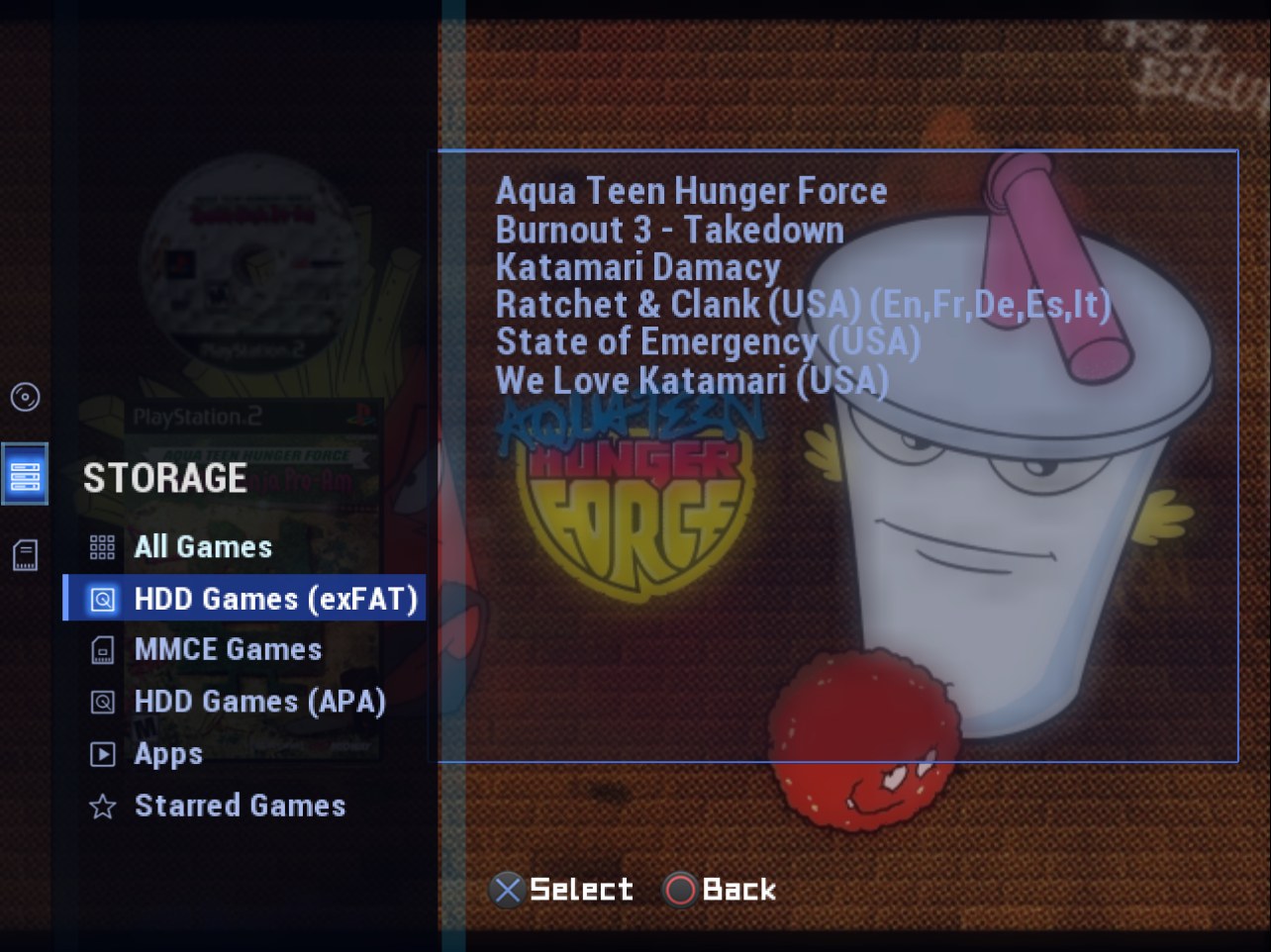
- Adapt and Adapt Rx put the three categories in their side bar, as glyphs. Press Left on the list: the game is let go, Up and Down open each category's drawer beside its glyph, Cross enters it and Cross on an item goes there. Storage's drawer lists your sources (the two HDD pages read HDD Games (exFAT) and HDD Games (APA)); Circle on Storage opens it straight on the source you are on. On Launch Disc and Memory Files the bar runs the full height, and the cancel button opens it.
- Any theme, your choice: Settings > Interface > Colors and More > Category Layout (Theme, Across the Top, Sidebar). Themes set it with
category_layout=sidebar(the keys).
Themes made for OPL
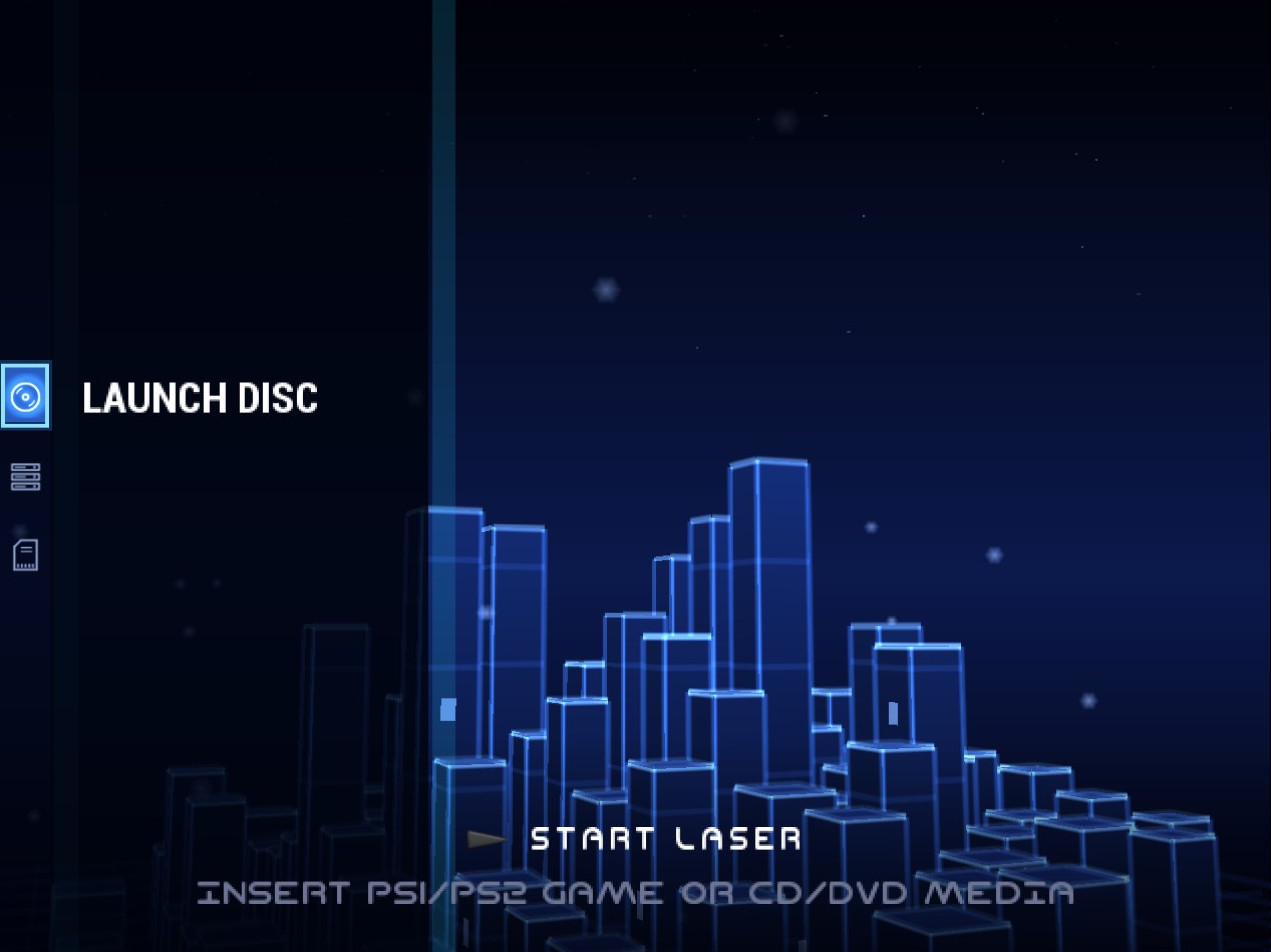
- Shown as they were made. A theme with none of RIPPS2's keys (one made for Open PS2 Loader) shows Storage alone: no category bar, Launch Disc and Memory Files first in the START menu, the cancel button back to Storage from either, and L1 / R1 turning the list's pages as in OPL. RIPPS2's own themes, the Adapt pack and any theme from before the key that uses RIPPS2's keys keep all three. A theme can say which with
categories=threeorstorage.
A smaller ELF: the launchers you already have
- POPSTARTER and Ember are no longer carried (RIPPS2.elf went from 3.2 MB to 2.7 MB). A PS1 game starts with your own copy, found where RIPPS2 always looked: POPSTARTER at the Settings path, in POPS, APPS or the top folder, as the game's own XX..ELF, or on a memory card; Ember in the drive's EMBER folder. A missing one names the path it looked at. Neutrino and BIBLE still ride inside. Both launchers stay credited in About and the README, with where to get them.
Settings, moved where they belong
- Interface: Hints and Glyphs (from Controller Settings), with Button Hints and D-pad Glyphs in it; Video Mode beside Widescreen and the offsets.
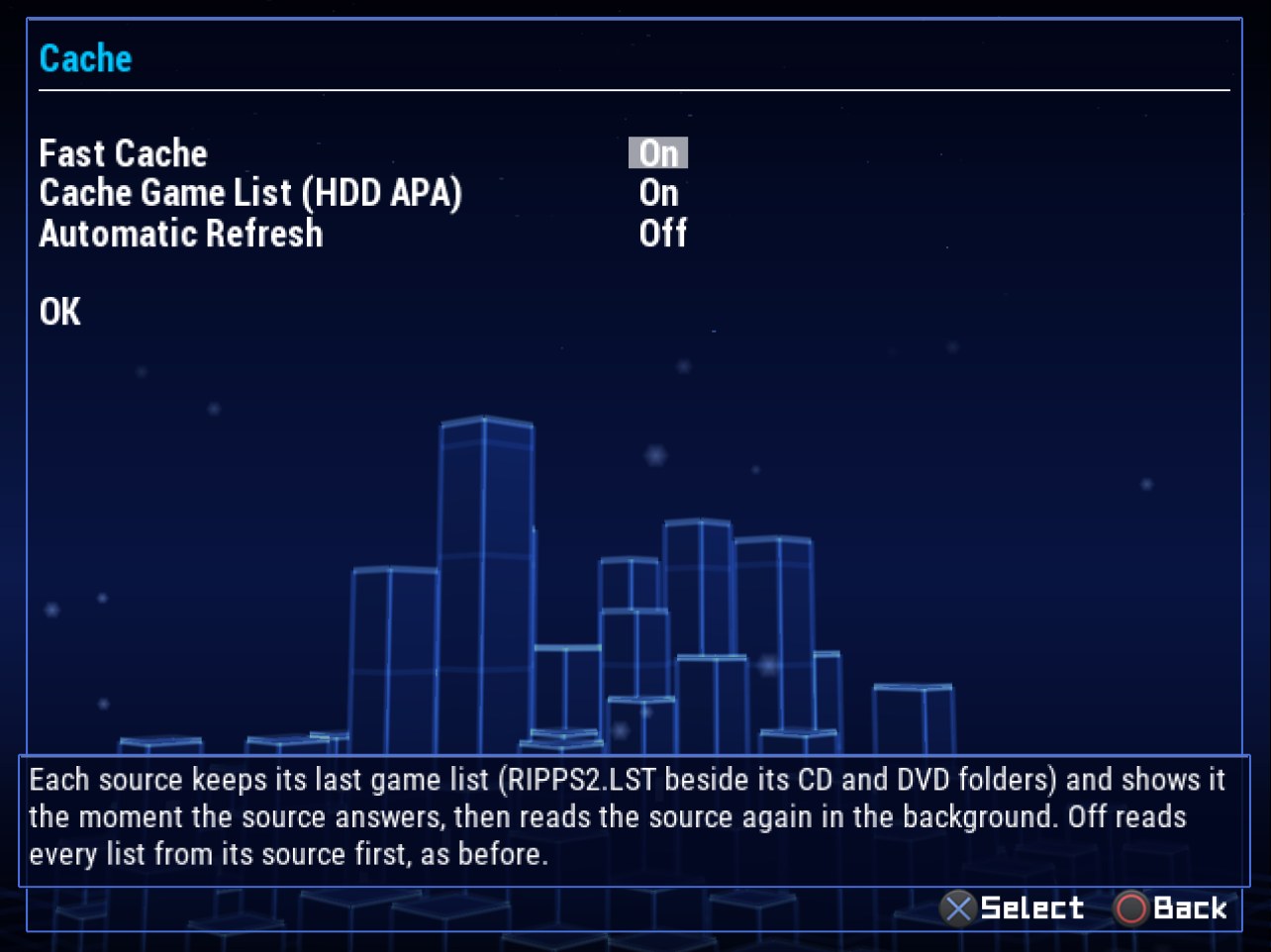
- Game Sources: Show Recents beside the Starred Games rows, the prefix paths and HDD Spindown, and a Cache page: Fast Cache (your saved game lists, on by default; off reads every list from its drive first, as before build 110), Cache Game List (HDD APA) and Automatic Refresh, each saying what it does.
- Game Launching: the In-Game Menu with IGR Path, RIPSHOT and Develop Shots, GSM Defaults, and the BDM / HDD / SMB read-ahead caches (they work while a game runs, not on the lists).
RIPDISC
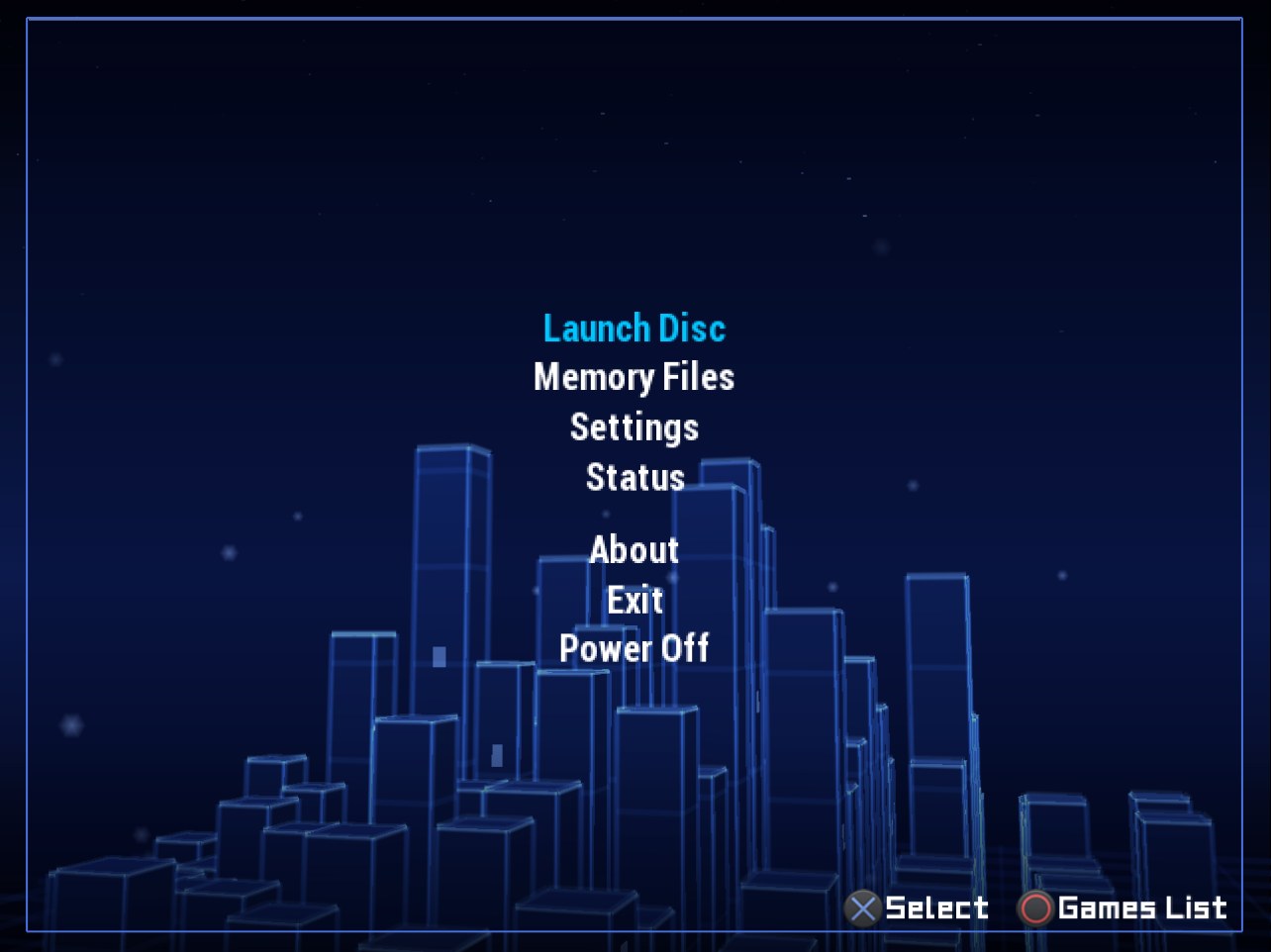
- The SELECT hold fills twelve notches clockwise, the one filling fading in, and HOLD sits clear of them.
The new words are in all 33 languages.
Full changelog | Watch the v1.1.0 reel | Talk about it on psx-place | RIPPCSX2 for seeing a theme in true 720p and 1080i
Beta: keep your usual loader close by, and tell us what breaks in the psx-place thread or an issue. This one wants consoles: do your PS1 games still start with your own POPSTARTER and Ember, and does the sidebar open smoothly?
Rip it: RIPPS2 v1.1.2 beta (build 112)
Rip it: RIPPS2 v1.1.2 beta (build 112)
Download RIPPS2.elf (one file, about 3 MB) and put it in place of your old one. Your settings stay where they were. RIPPS2-languages.zip puts RIPPS2 in your language. The theme pack is still edition 108.
The sounds walkthrough
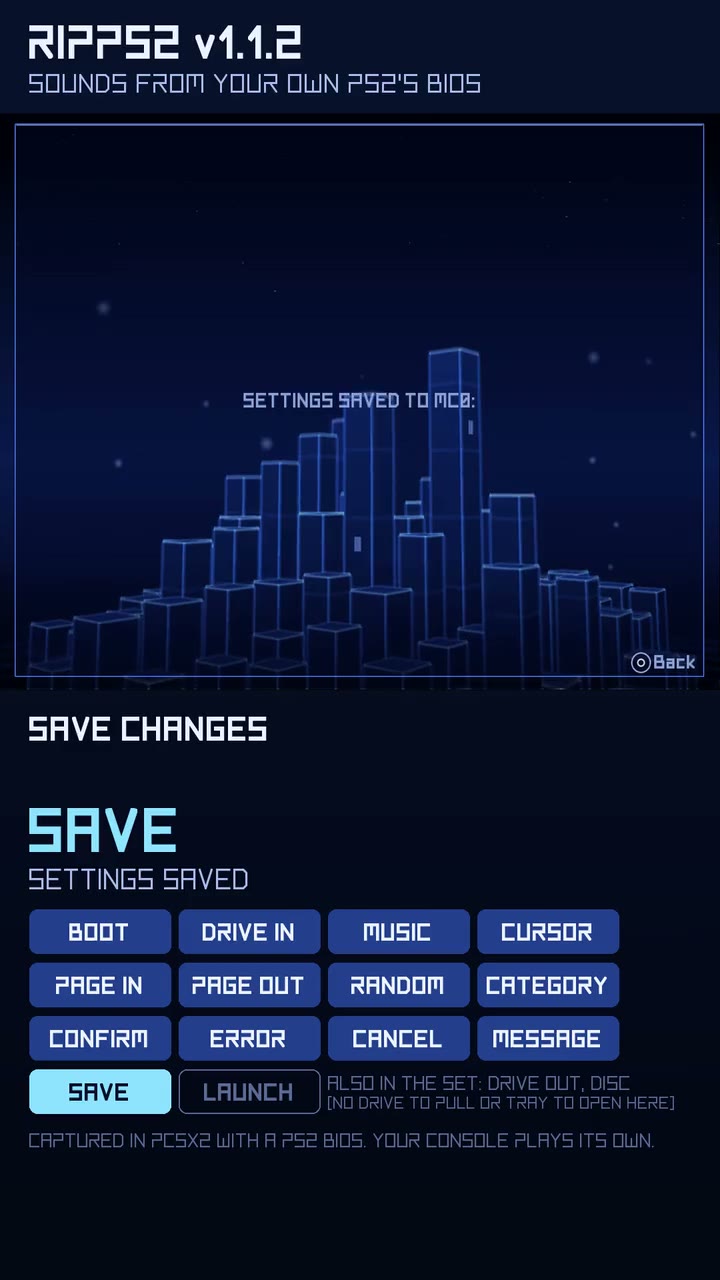
Play it (it opens in your browser). One take, no cuts, the console's own audio: the boot sound, the drive answering, the menu music under everything, then every sound as you browse, in the order of the badges, and a game launching last.
BIOS Music: the menu's own piece
- The menu music is the menu's now. Since build 100, BIOS Music ripped the red screen's music ("Please insert a PlayStation or PlayStation 2 format disc": the tense opening, then waves). The browser's main menu plays the clock's piece (5:04), and that is what BIOS Music rips first now.
- Choose which: the menu music (the clock), the red screen music (the disc warning), or both. The menu's is
bgm_00 Menu.wav, the track RIPPS2 plays when no other is picked; the red screen's isbgm_01 Red Screen.wav, listed as Red Screen in Audio Settings > Music. - Ripped before? Your
bgm_00 Menu.wavis the red screen's piece: rip again with THE MENU MUSIC, or BOTH to keep the red screen's as its own track.
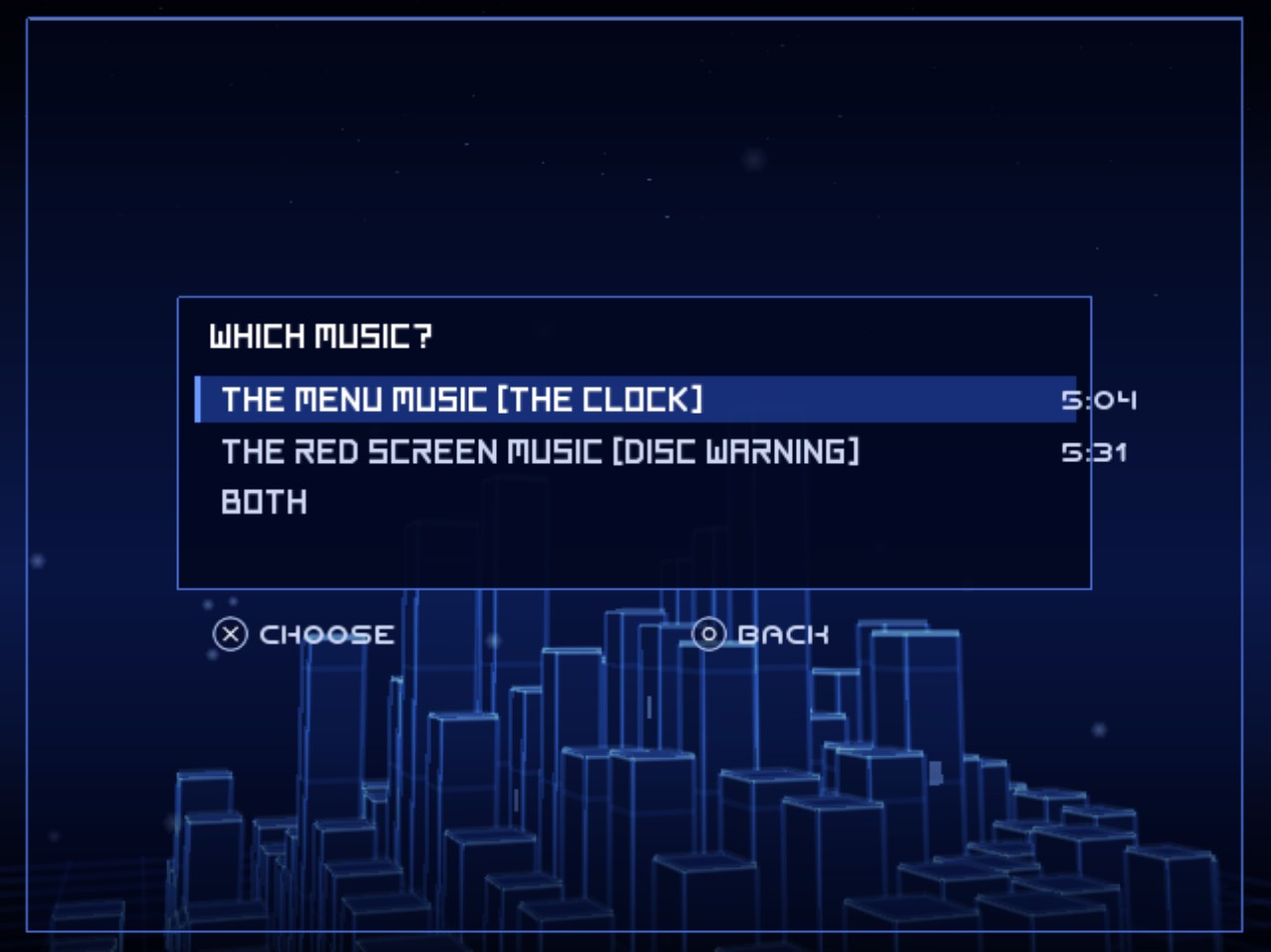
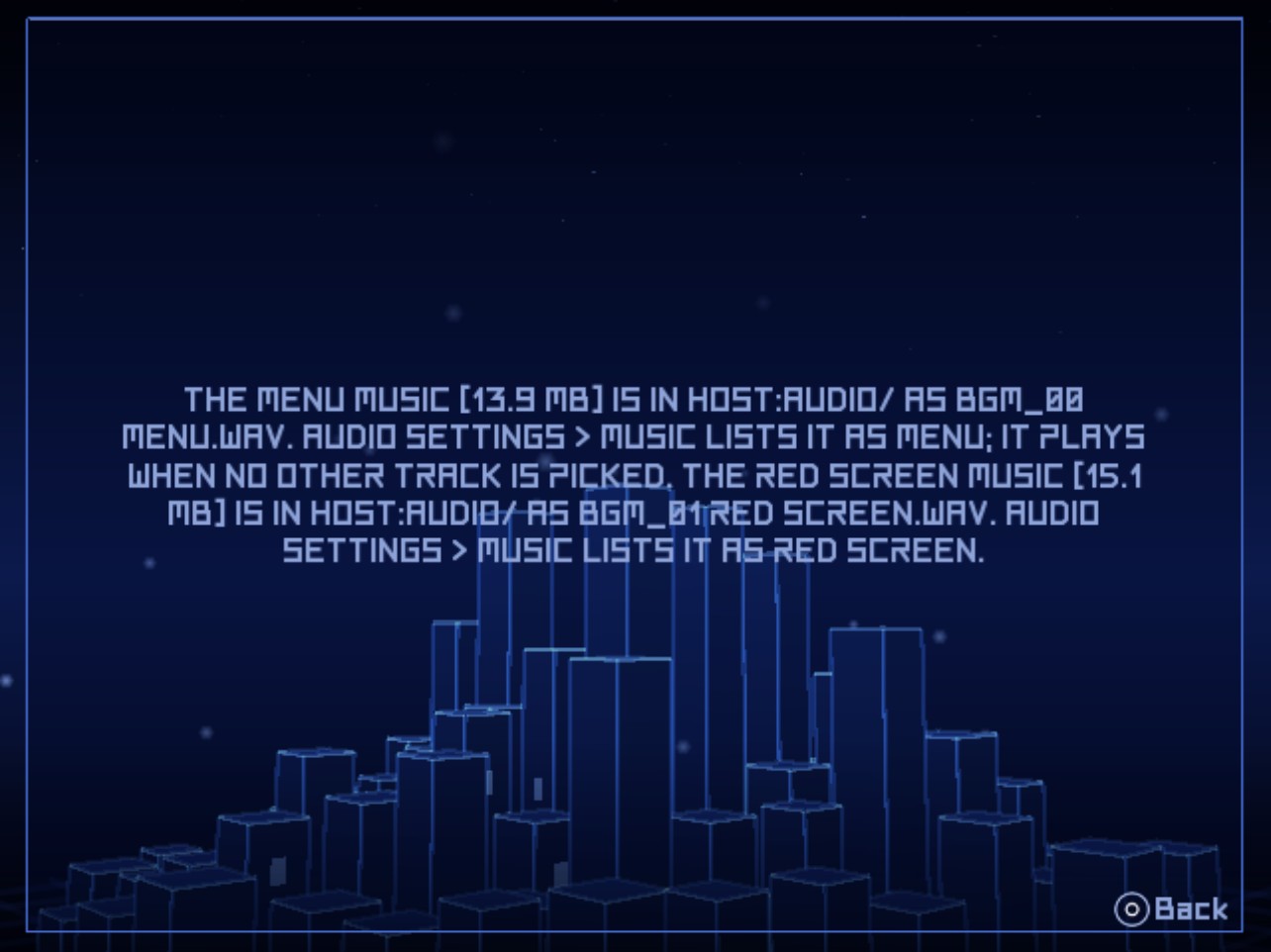
Hotfix (10/22): the lengths in the BIOS Music chooser ran out of its box; they sit inside it now (RIPPS2.elf replaced, still build 112).
Build 111 is in this release too: the ripped menu music plays at all (any 16-bit WAV, as 48 kHz stereo), music on every theme, sounds that no longer reload on every theme change, Save Settings To that keeps a drive with a memory card in, and the star and Settings highlight on their words. Thanks to lukeatmynose for the reports from a real console.
Full changelog | Watch the v1.1.0 reel | Talk about it on psx-place | RIPPCSX2 for seeing a theme in true 720p and 1080i
Beta: keep your usual loader close by, and tell us what breaks in the psx-place thread or an issue. This one wants consoles: does the menu music you rip sound like your PS2's main menu, and does it loop cleanly?
Rip it: RIPPS2 v1.1.1 beta (build 111)
Rip it: RIPPS2 v1.1.1 beta (build 111)
Download RIPPS2.elf (one file, about 3 MB) and put it in place of your old one. Your settings stay where they were. RIPPS2-languages.zip puts RIPPS2 in your language (copy its LNG folder to the top of a USB drive, the HDD's OPL partition or an MMCE card, then Settings > Display Settings > Language). The theme pack is still edition 108; RIPGRID and RIPFLOW are built in.
The sounds lesson
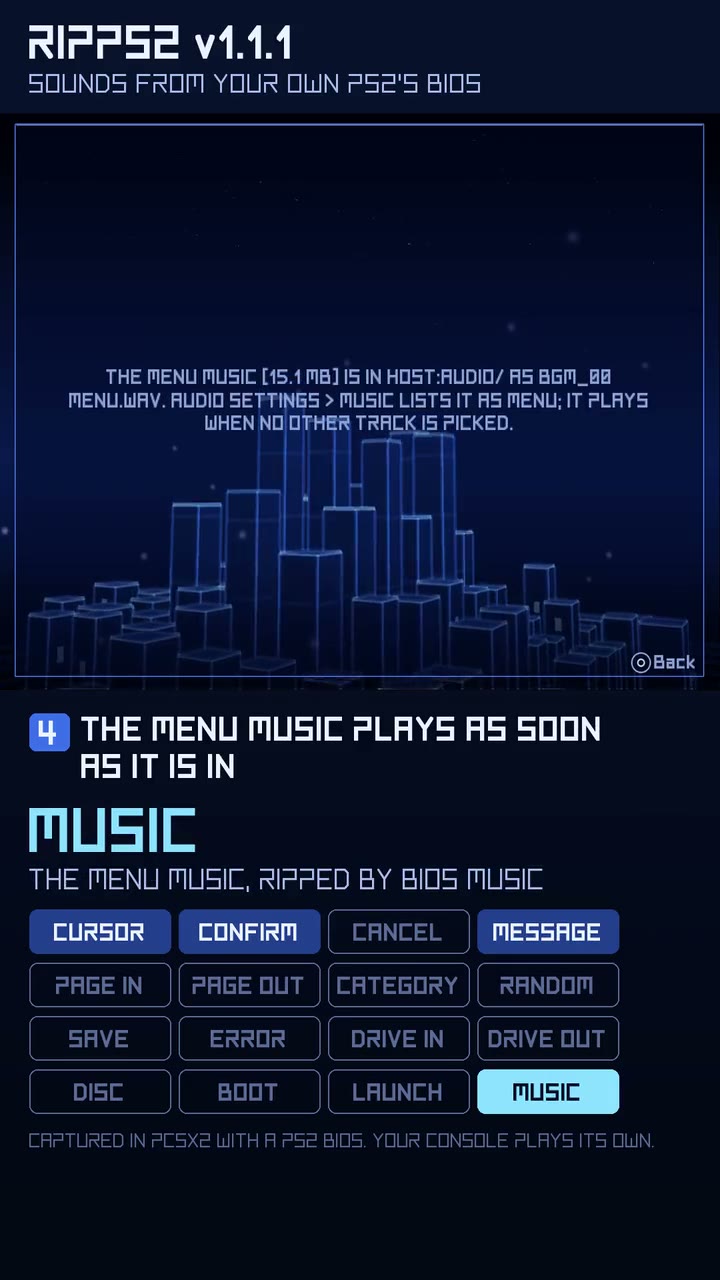
Play it (it opens in your browser). Both BIOS rips on a fresh RIPPS2, then every sound in the order you meet it (2:29, the lab's own audio, no music bed): Settings > Audio Settings > BIOS Sounds, START to rip, and BIOS Music beside it for the menu music.
Music
- The menu music you rip plays. BIOS Music writes this console's menu music as a 24 kHz mono WAV, and the PS2's audio driver plays neither that rate nor one channel, so the rip was there (15 MB) and the menu stayed silent. RIPPS2 now turns any 16-bit WAV in your AUDIO folder into 48 kHz stereo as it plays it.
- Your music plays on every theme. Adapt and Adapt Rx, which have no
bgm.oggof their own, played nothing; now they play the track picked in Audio settings > Music, or the one called Menu. A theme's ownbgm.oggand a Default Theme Music file still come first.
Sounds
- The same sounds are not loaded again. Every theme change, the SELECT hold included, silenced every voice and wrote all 15 sounds back one by one: seconds from a memory card. RIPPS2 now checks which file each sound comes from (path, size and date) and loads the set only when one changed.
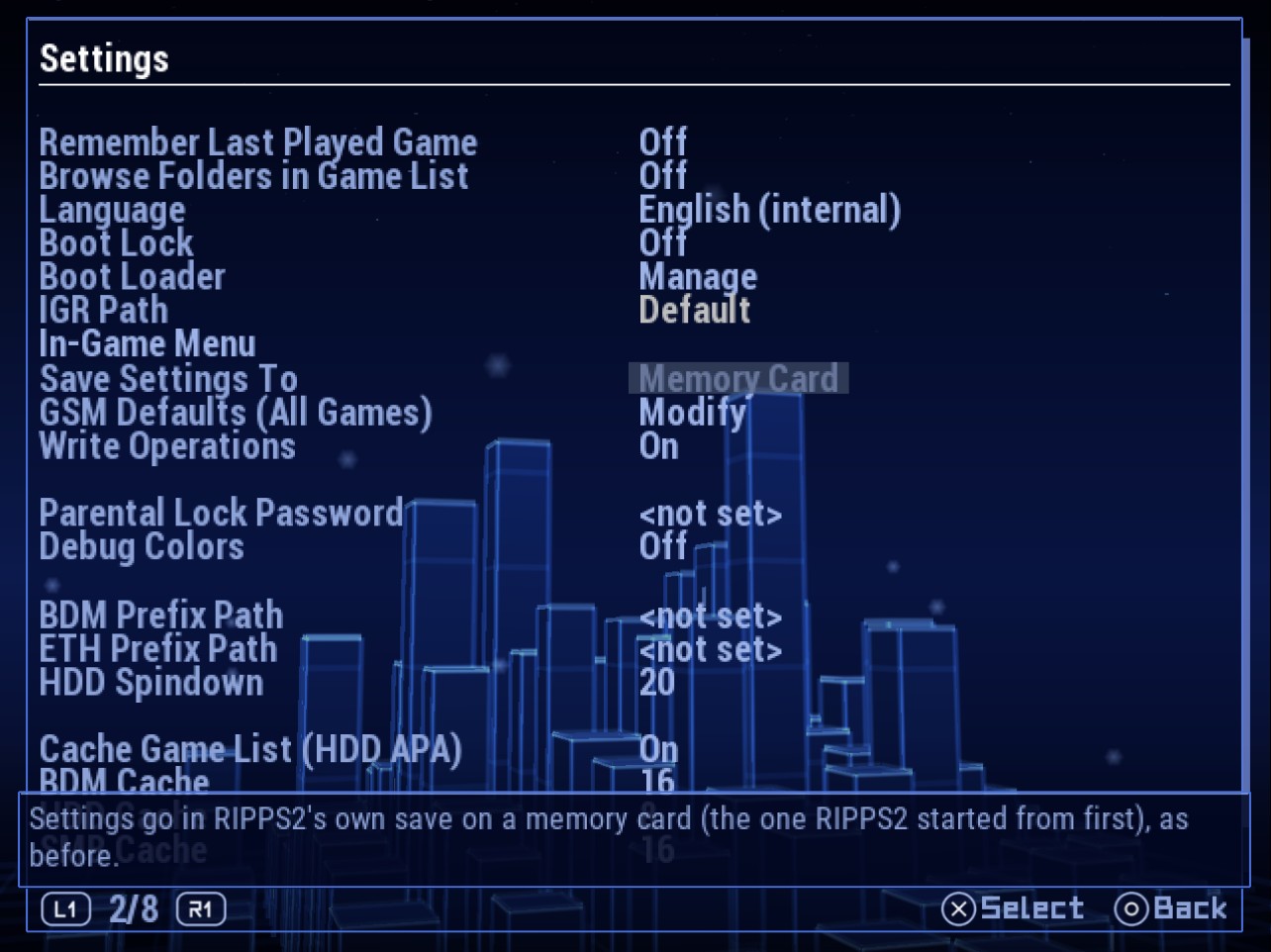
Save Settings To
- A drive you chose stays chosen with a memory card in. At boot the card's old settings could win when
config.pathbeside the ELF was out of reach, and the next save went back to the card. A save to a drive now leaves the same pointer in the card's RIPPS2 save. - Choosing Memory Card again sticks: the pointer to the drive is removed with it.
Look
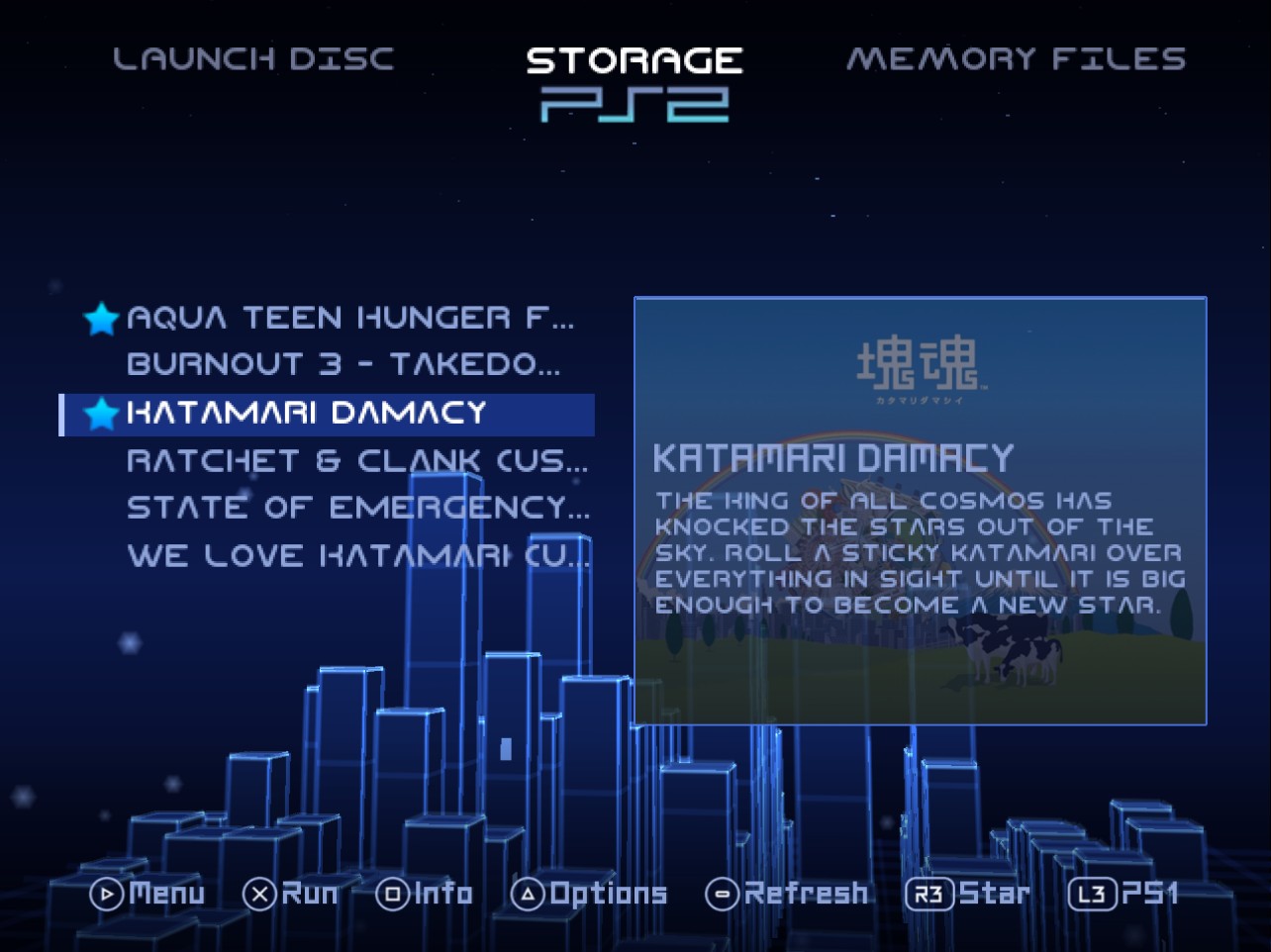
- The favourites star sits on its title's centreline on every theme, and the Settings highlight is centred on the choice's word.
Thanks to lukeatmynose, who joins the testers on the About page, for the reports from a real console that this build answers.
Full changelog | Watch the v1.1.0 reel | Talk about it on psx-place | RIPPCSX2 for seeing a theme in true 720p and 1080i
Beta: keep your usual loader close by, and tell us what breaks in the psx-place thread or an issue. This one wants consoles above all: does the ripped menu music start and loop, do theme changes keep every sound, and do settings saved to a drive come back with a memory card in?
Rip it: RIPPS2 v1.1.0 beta (build 110)
Rip it: RIPPS2 v1.1.0 beta (build 110)
Download RIPPS2.elf (one file, about 3 MB) and put it in place of your old one. Your settings stay where they were. RIPPS2-languages.zip puts RIPPS2 in your language (copy its LNG folder to the top of a USB drive, the HDD's OPL partition or an MMCE card, then Settings > Display Settings > Language). The theme pack is still edition 108; RIPGRID and RIPFLOW are built in.
Every source lists at once
- Every source shows its last list the moment it answers. Build 109 kept an MMCE card's game list on the card; now MMCE, USB, the internal exFAT HDD, MX4SIO, iLink and SMB all keep
RIPPS2.LSTbeside their CD and DVD folders. The drive is read again the next time you are idle on Storage, and the list follows whatever changed. With Write Operations Off no list is written. - The APA HDD's own list cache is on (Cache Game List (HDD APA), switched on once for older settings), and the APA table is read again the next time you are idle, so a game installed from a PC still appears without a refresh.
- MX4SIO pauses for the pads while it is read, as MMCE does: both share the controllers' bus.
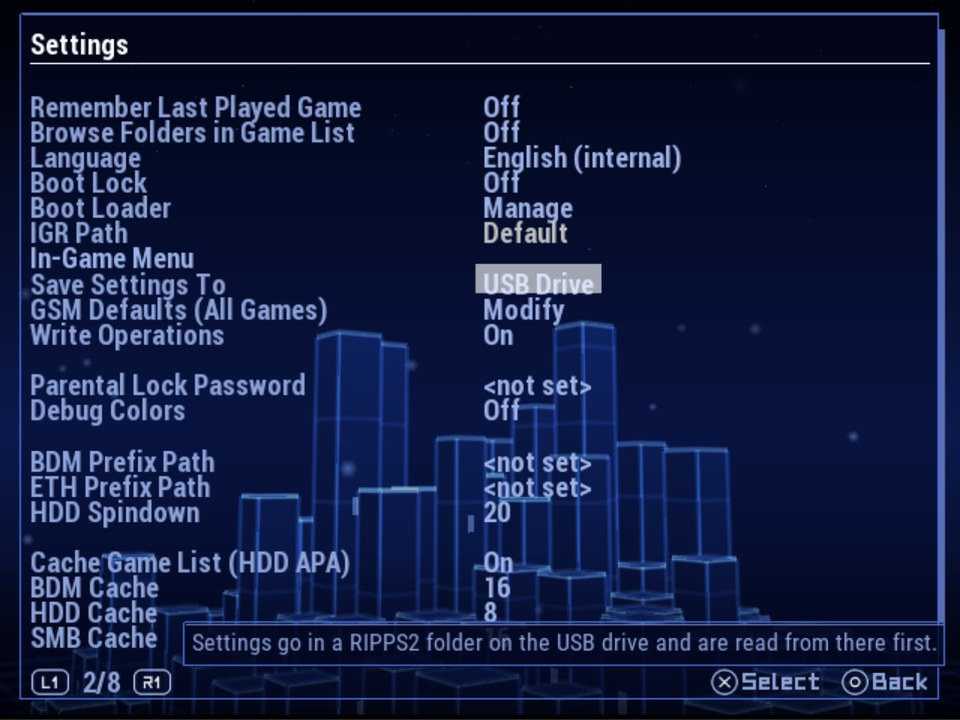
Save Settings To, every drive
- Settings > General > Save Settings To offers USB Drive, MX4SIO, iLink and MMCE as well as Memory Card, Internal HDD and Custom Path, each with its own hint. A drive is saved by its type (
usb0:/RIPPS2,mx4sio0:/RIPPS2,ilink0:/RIPPS2,mmce0:/RIPPS2) with its RIPPS2 folder made for it, so at boot only that drive's driver loads. A drive that is not connected says so and nothing changes. - SMB and UDPBD cannot hold the settings: reaching them needs the settings.
Info page
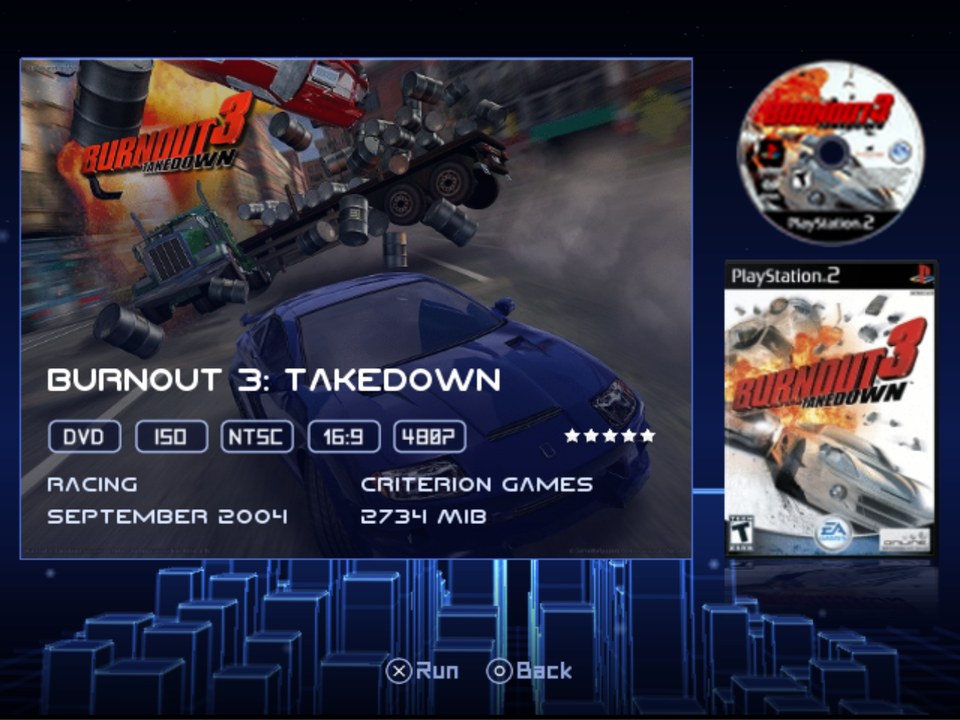
- A game reached with the d-pad on the info page shows its size (every game after the first read 0 MiB).
Underneath
- The new words in all 33 languages.
Full changelog | Watch the v1.1.0 reel | Talk about it on psx-place | RIPPCSX2 for seeing a theme in true 720p and 1080i
Beta: keep your usual loader close by, and tell us what breaks in the psx-place thread or an issue. This one wants big libraries on real drives above all: how fast does your list show on the second boot, and do settings saved to a USB drive, MX4SIO, iLink or MMCE come back after a power cycle?
Rip it: RIPPS2 v1.0.9 beta (builds 108 and 109)
Rip it: RIPPS2 v1.0.9 beta (builds 108 and 109)
Download RIPPS2.elf (one file, about 3 MB) and put it in place of your old one. Your settings stay where they were. RIPPS2-languages.zip puts RIPPS2 in your language (copy its LNG folder to the top of a USB drive, the HDD's OPL partition or an MMCE card, then Settings > Display Settings > Language). The theme pack has a new edition (v108: Adapt and Adapt Rx show every screenshot): replace your Adapt folders. RIPGRID and RIPFLOW are built in.
Build 109: from testers' reports
- A big MMCE library lists at once. The card keeps RIPPS2's last list of its games (
RIPPS2.LST, beside its CD and DVD folders): at boot the games show from it straight away, then the card is read again in the background and the list follows whatever changed. A tester's 180 games took about 5 minutes to list on every boot, with nothing to press until then. - The pads keep working while an MMCE card is read. The card shares its bus with the controllers; the scan now pauses after each game, and a frame after each disc it has to open.
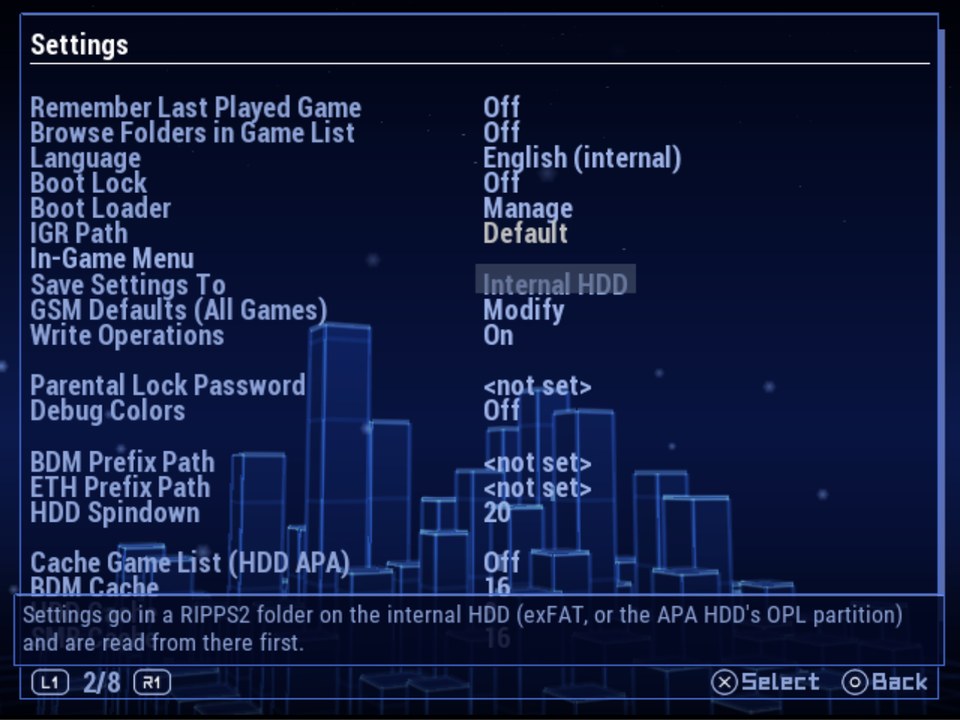
- Settings > General > Save Settings To: Memory Card (RIPPS2's own save, as before), Internal HDD (a RIPPS2 folder on the internal exFAT HDD, else the APA HDD's OPL partition; settings are read from there first) or Custom Path (the Custom Settings Path row shows only for this one). Every choice has its own hint; with no internal HDD it says so and changes nothing.
- A settings page's title stands clear of the line under it (it sat on the line, which cut its descenders).
- Hotfix (10/21, still build 109): Internal HDD is saved by the drive's type (
ata0:/RIPPS2), not its mass slot, so a USB stick can't take its place and the boot loads only the HDD's driver. If you chose Internal HDD on the first v1.0.9 ELF, choose it again and Save Changes.
Build 108: RIPSHOT, screenshots from the in-game menu
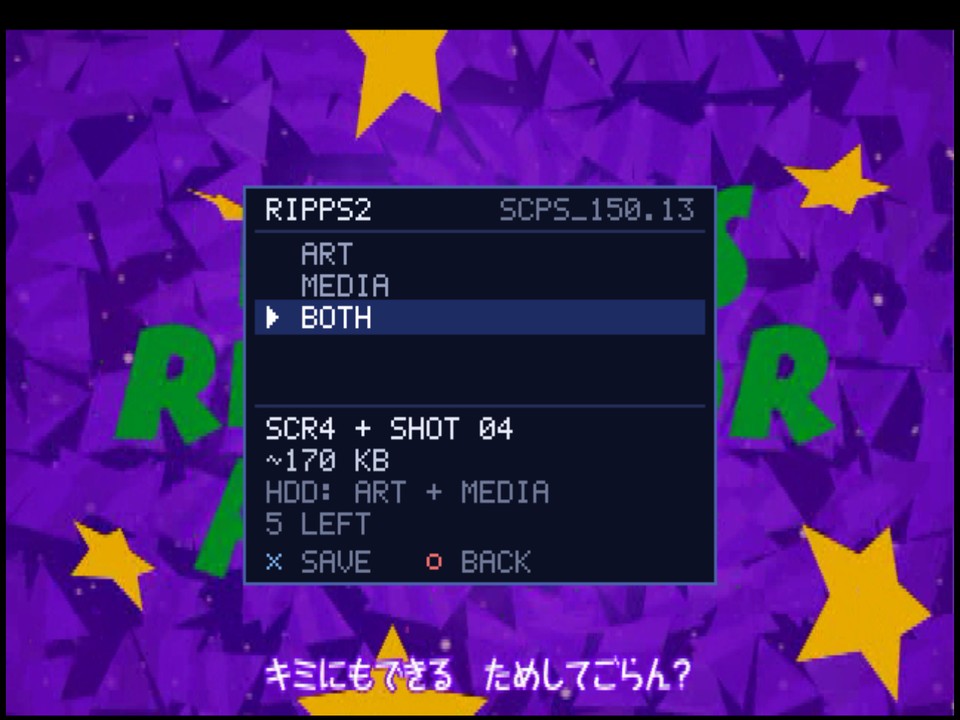
- SCREENSHOT is the in-game menu's third choice (L1+L2+R1+R2+SELECT+START). It takes the exact frame that was up when the menu opened, with no menu in it.
- ART, MEDIA or BOTH: ART is the game's screenshot art for your themes (250 x 188,
_SCR,_SCR2,_SCR3...), MEDIA a full-size PNG in a folder named for the game. Each choice shows the file it becomes, its size, the drive and the shots left. SAVE fades the menu off, then KEEP or DELETE. - 6 shots a game wait on its roll in
MEDIA/RIPSHOTuntil developed into 8-bit PNGs. Develop Shots: Manual (the default) does it from Memory Files (openMEDIA/RIPSHOT: VIEW a shot, ACTIONS to develop it); Auto does it in the background once you are back in RIPPS2. - Themes show every shot with the new
SCRnkey: RIPPS2's info page slideshow, RIPGRID, RIPFLOW, Adapt and Adapt Rx use it, so a shot appears as soon as it is developed (THEME_KEYS.md). - For now: games on USB, the internal exFAT HDD, MX4SIO and iLink. The APA HDD, MMCE, SMB and discs say NOT FOR THIS GAME.
The in-game menu
- Silent, and RESUME gives back the exact frame: the game's sound holds still while the menu is open and goes on where it was, so nothing skips, loops or drifts out of sync.
- On by default, no longer experimental (a config from an older build gets it switched on once). Settings > General > In-Game Menu is its own page: In-Game Menu, RIPSHOT and Develop Shots, every choice with its own hint. A setting another one switches off now reads dimmed on every settings page.
- Fixed in the lab: a game that sets a picture taller than the TV put the menu off screen; GSM's data breakpoint froze the menu.
Found while making the reel
- The info page no longer blinks when a device rescan rebuilds the game list under it: it knows a game by its id and title, not by its row.
- Shots developed while RIPPS2 runs show at once, and a developed PNG is checked on the drive and written again if it did not hold.
Underneath
- Games launch in PCSX2 with its host filesystem on (the launch used to hang there).
- The new words in all 33 languages.
Full changelog | Watch the beta reel | Talk about it on psx-place | RIPPCSX2 for seeing a theme in true 720p and 1080i
Beta: keep your usual loader close by, and tell us what breaks in the psx-place thread or an issue. This one wants real consoles above all: an MMCE with a big library, settings on an internal HDD after a power cycle, and RIPSHOT on USB, MX4SIO, iLink and the HDD in 480p, 1080i and PAL games.
Rip it: RIPPS2 v1.0.7 beta (build 107)
Rip it: RIPPS2 v1.0.7 beta (build 107)
Download RIPPS2.elf (one file, about 3 MB) and put it in place of your old one. Your settings stay in your memory card's RIPPS2 save. New: RIPPS2-languages.zip puts RIPPS2 in your language (copy its LNG folder to the top of a USB drive, the HDD's OPL partition or an MMCE card, then Settings > Display Settings > Language). The theme pack has a new edition (v107: Adapt and Adapt Rx with the new list keys): replace your Adapt folders. RIPGRID and RIPFLOW are built in.
RIPDISC: your discs, kept (build 105)
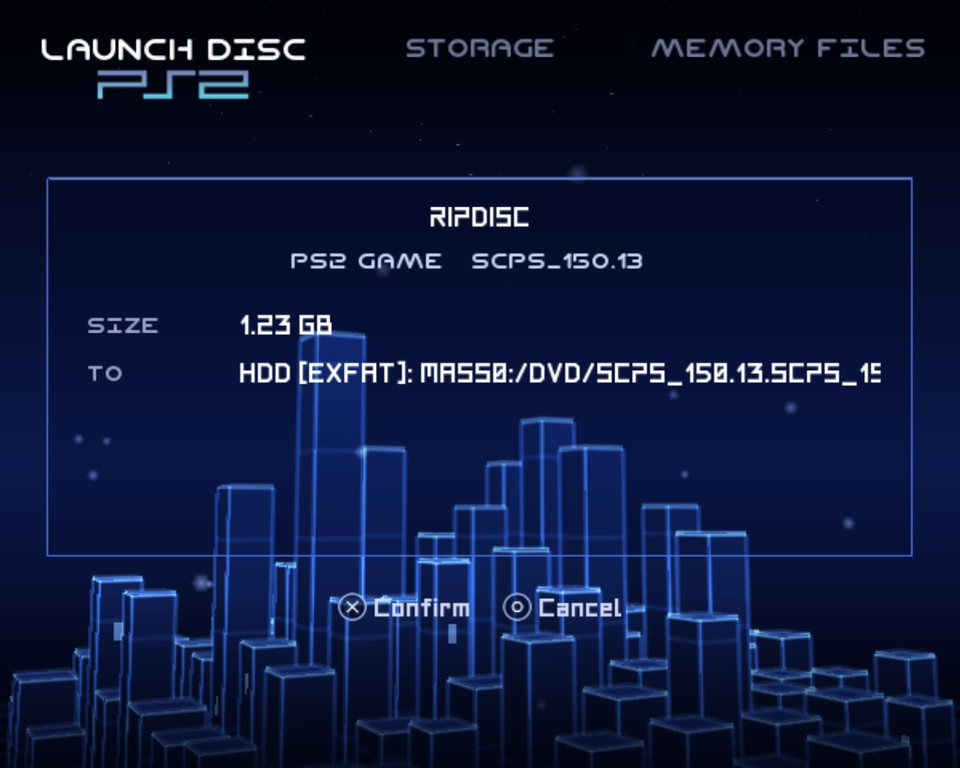
- Launch Disc rips the disc in the drive. After 4.2 seconds a glass panel fades in: RIPDISC. Hold SELECT for 4.2 seconds (a ring fills round it) and the confirm step says what the disc is, its size, how long it should take and where it goes. Confirm, then START. Cancelling asks first, then removes everything written.
- PS2 games become an ISO in the drive's DVD or CD folder, in your games list. Over 4 GB on a drive that may be FAT32 (USB, MX4SIO, iLink), Open PS2 Loader's 1 GB parts with ul.cfg instead; the internal exFAT HDD keeps one ISO. Left / Right picks the drive. Dual-layer DVDs and ESR discs too.
- PS1 games become a BIN and CUE in
EMBER/games/<Title>/, for Ember. - Audio CDs and DVD videos go to your files: Memory Files opens on a new MEDIA folder beside AUDIO, the clipboard reading RIPPED; PASTE anywhere rips it there. A CD lands as WAVs and the keyboard asks for the folder's name; a DVD you made as its VIDEO_TS files (bought films are copy protected and the drive will not read them).
- How long, up front. The PS2's USB is USB 1.1, about 1 MB a second: a 4 GB DVD to a stick is over an hour, to the internal exFAT HDD far less. After your first rip RIPPS2 remembers the speed your console really got and the next estimate is its own.
- AUDIO takes any .ogg or .wav as music by its own name (a ripped track needs no
bgm_04), and AUDIO and MEDIA get a README.txt explaining themselves. - Checked in the lab: a 1.2 GB PS2 game ripped from PCSX2's drive to an exFAT HDD came out byte for byte the source.
RIPPS2 in your language (build 104)
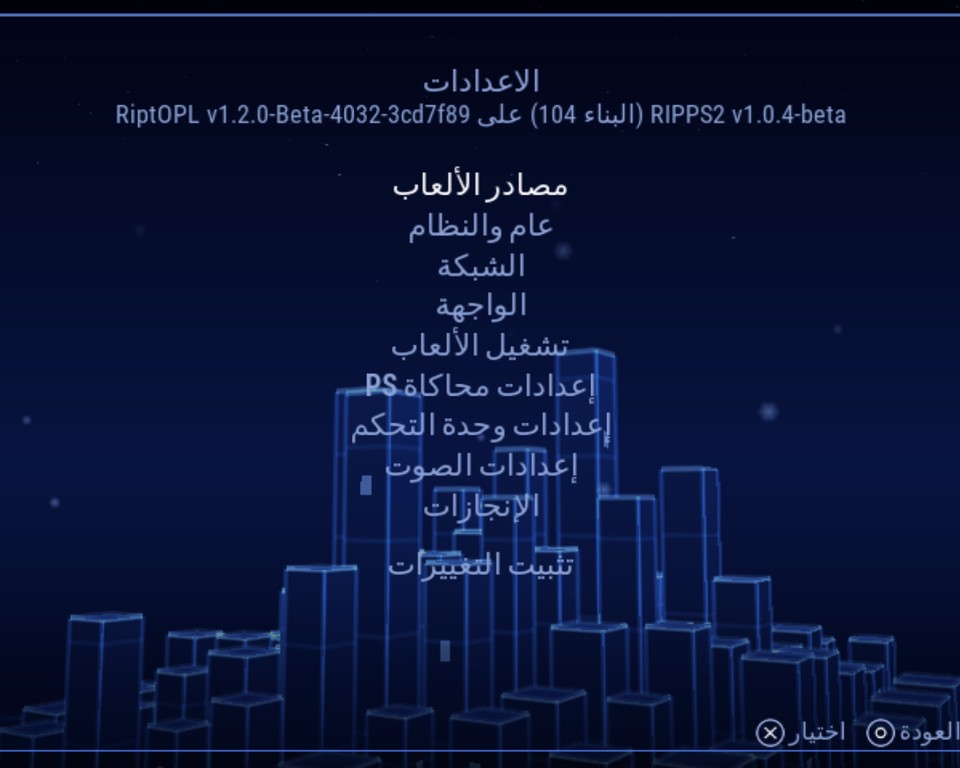
- 33 languages read all of RIPPS2, not only Open PS2 Loader's settings: French, Spanish, German, Italian, Portuguese (both), Dutch, Danish, Swedish, Polish, Czech, Hungarian, Romanian, Croatian, Serbian, Albanian, Galician, Greek, Russian, Bulgarian, Turkish, Indonesian, Vietnamese, Filipino, Cebuano, Lao, Chinese (both), Japanese, Korean, Ryukyuan, Arabic and Persian right to left with their letters joined.
- Every script draws: a language that needs other letters has its font in the pack (Lao in Noto Sans Lao, Arabic and Persian in DejaVu Sans), Chinese, Japanese, Korean and Lao lines break where they should, and long words fit (a hint row a translation overfills reads a size smaller).
In game, Storage and Memory Files (builds 106 and 107)
- POWER OFF is the in-game menu's last choice: the second press turns the PS2 off right there (a disc game keeps the power button).
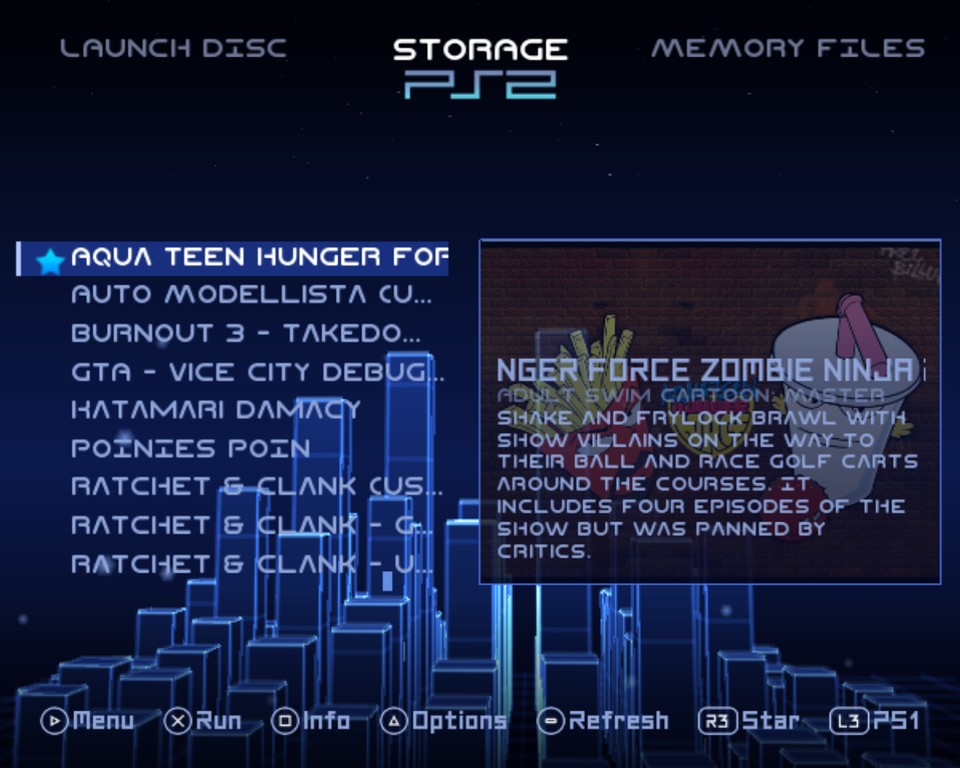
- The star sits at the start of the row, titles lined up. Settings > Game Sources > Starred Games Star: Theme, Left, Right or Hidden. A theme's row icon moves to the row's end out of its way.
- SEARCH FILES replaces MC EXPLOIT INSTALLER in Memory Files' settings grid: any file or folder by name on every started drive, opened in the tree where it is.
- New theme keys for the games list:
star,star_image,highlight(bar, line, none),decorator_all,decorator_ps2/_ps1/_app(THEME_KEYS.md).
Underneath (build 103)
- RiptOPL brought up to 10/18/2026 (548 upstream commits): in-game reset input a busy game can no longer starve, settings saves that survive a failed write, safer IOP resets and VMCs, RetroAchievements fixes, CFG Titles in the lists, a CJK title fallback font, per-game parental locks. RIPPS2's own look and features stay as they were.
- The version line tells the truth: About, Settings and the boot screen show
RIPPS2 v1.0.7-beta (build 107) on RiptOPL v1.2.0-Beta-4032-3cd7f89.
Full changelog | Watch the beta reel | Talk about it on psx-place | RIPPCSX2 for seeing a theme in true 720p and 1080i
Beta: keep your usual loader close by, and tell us what breaks in the psx-place thread or an issue. RIPDISC wants real drives above all: big DVDs, dual-layer games, audio CDs and PS1 discs, and how long they took on your console. POWER OFF in the in-game menu could not be shown in the emulator: tell us how it goes on hardware.
Kill it: RIPPS2 v1.0.2 beta (build 102)
Kill it: RIPPS2 v1.0.2 beta (build 102)
Download RIPPS2.elf (one file, about 3 MB) and put it in place of your old one. Your settings stay in your memory card's RIPPS2 save. The theme pack has a new edition (v102: Adapt and Adapt Rx): replace your Adapt folders. RIPGRID and RIPFLOW are built in.
Sound
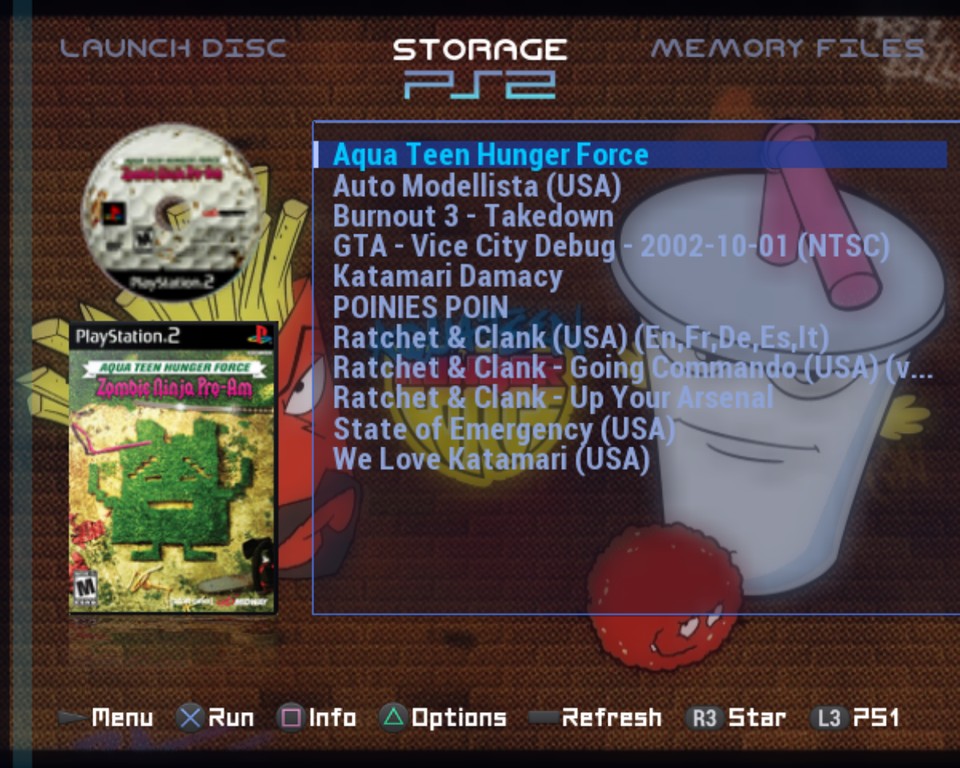
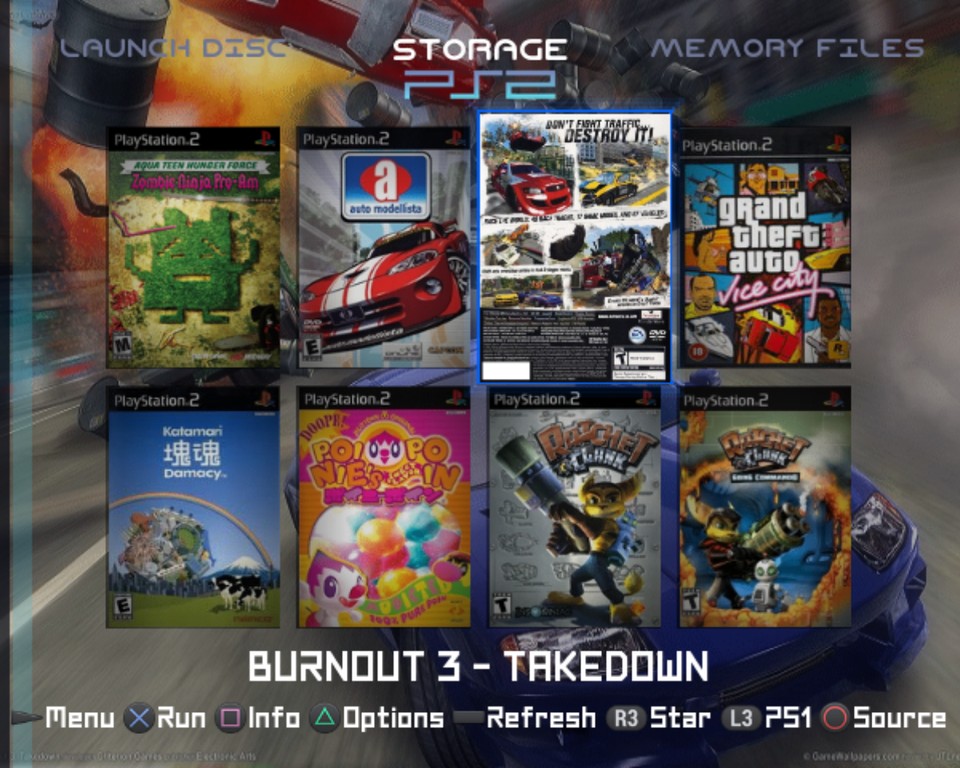
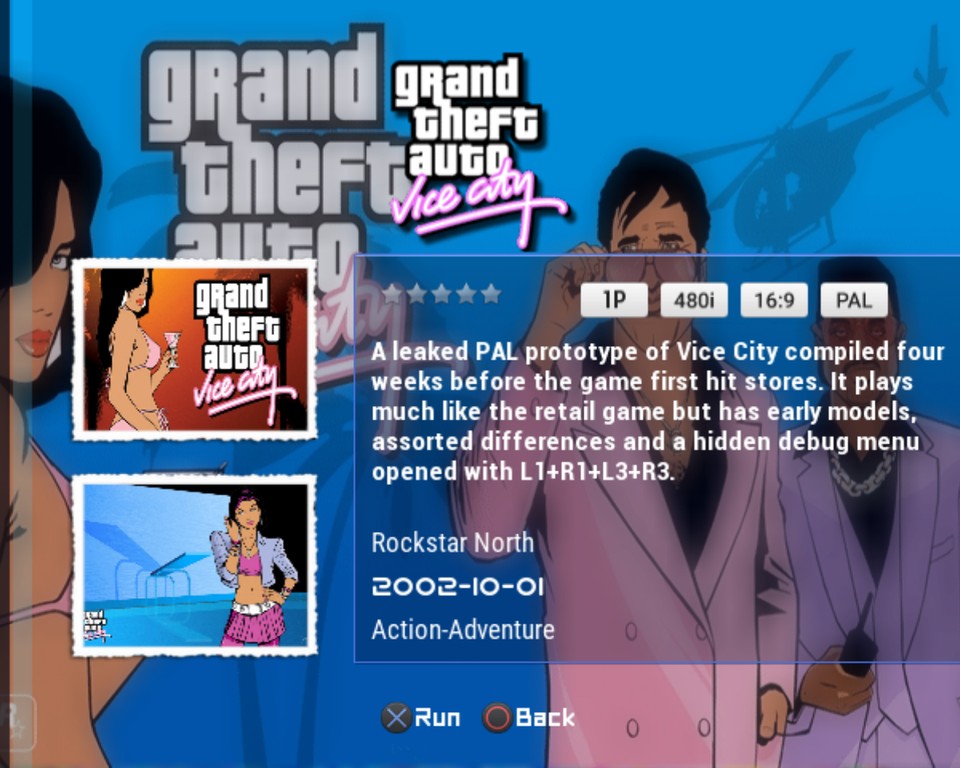
- No more beeping while a load is stuck. When the music's read stalled (a drive coming back after an in-game reset, a busy card, the ripped menu music read from a drive), the PS2's sound driver ran out and played its last tenth of a second over and over. The music now fills the gap with silence until its next piece arrives.
- Switching away from stuck music no longer freezes the menu for seconds while the read finishes.
- The console boot sound starts with the towers, not the moment it has loaded.
- Adapt plays your ripped sounds (a new theme key,
sounds=audio), even copied over an older Adapt that shipped sounds of its own.
Every theme
- No info page switches the source. Left, Right, Up and Down go through the games on every theme.
- Colors and More edits every theme's colours. On RIPGRID and themes from a drive the colour rows were greyed out and the cursor skipped them. Now they change that theme's own colours, kept for it alone; Reset gives its own back.
- Apps show a square PS1 case by default. Triangle on an app: Case Shape PS1, PS2 or Theme, kept for that app.
- Reflections and cased covers fade with their page, long text slides smoothly a pixel at a time, and About and STATUS read in RIPPS2's own type on every theme, About's credits wrapping evenly inside the panel.
Memory Files
- A game started from the file browser starts its drive's games itself. A drive opened only with START DRIVES could not launch a game until it was opened once in Storage.
Themes
- RIPGRID: Standard glyphs (L3 and R3 included); the grid raised so the space above and below it match; the info page lined up, its logo just above the text; the CD player and file tree like RIPFLOW's, Launch Disc and Memory Files like RIPPS2's.
- RIPFLOW: White glyphs, hints in RIPPS2 Sleek Case, badges and stars at their true shapes in one row.
- Adapt and Adapt Rx (edition 102): the disc and case at real-life proportions (a 120 mm disc over a 135 x 190 mm case), lined up with the list's box; logos just above the info box (
valign=bottom); readable hints on every page; the apps page under the category bar with a square case.
Full changelog | Watch the beta reel | Talk about it on psx-place | RIPPCSX2 for seeing a theme in true 720p and 1080i
Beta: keep your usual loader close by, and tell us what breaks in the psx-place thread or an issue. The sound fixes especially want ears on a real console.
Kill it: RIPPS2 v1.0.1 beta (build 101)
Kill it: RIPPS2 v1.0.1 beta (build 101)
The first beta, fixed up from what turned up on a real PS2.
Download RIPPS2.elf (one file, about 3 MB) and put it in place of your old one. Your settings stay in your memory card's RIPPS2 save. The theme pack is unchanged (v100: Adapt and Adapt Rx; RIPGRID and RIPFLOW are built in).
Fixed in build 101
- Sounds stay where they belong. Changing the theme (in Interface or by holding SELECT), an IOP reboot, a BIOS rip and the AUDIO folder found late on a drive all load the sounds again. The PS2 keys every voice off and writes the sounds back one by one, which takes seconds when your rips are on a memory card. Until now the menu kept playing through that: cursor and page sounds were asked of a half-loaded set, and a confirm caught by the load waited until it ended and sounded seconds later, outside the menu it came from. Now nothing touches a voice while a load runs. A cursor tick is dropped, and the newest confirm, cancel or page sound plays when the set is in only if it was pressed within the last 0.3 seconds. Every load also forgets which voice earlier sounds took, and turns the voices down before its reset turns them all up.
- RIPFLOW's info page: Left and Right go through the games, as on its carousel, and the info page stays. They no longer switch drives there. Other themes keep Left and Right for the drives.
Also since v1.0.0
- RIPGRID's info page draws its rating stars and badges (480P, 16:9, NTSC...) side by side instead of on top of each other. This was the hotfix of 10/12, already in the v1.0.0 download since then.
For theme makers
RIPPCSX2 is PCSX2 v2.9.96 with HDTV output. It shows a front end's 720p and 1080i the way a TV does: 16:9, with screenshots and recordings at 1280 x 720 and 1920 x 1080, and 1080i placed where the console puts it. It works for OPL and RiptOPL themes as well as RIPPS2's.
Watch the beta reel | Talk about it on psx-place | Changelog
Beta: keep your usual loader close by, and tell us what breaks in the psx-place thread or an issue. The sound fix especially wants ears on a real console.
Kill it: RIPPS2 v1.0.0 beta (build 100)
Kill it: RIPPS2 v1.0.0 beta (build 100)
RIPPS2 leaves alpha. A hundred builds in, tested on consoles and in PCSX2, RIPPS2 is a beta: a PS2 front end in one .elf that launches your games, plays your discs, manages your memory cards and files, and draws glass towers and orbits behind it all, live on the PS2.
Download RIPPS2.elf (one file, about 3 MB), and the theme pack if you like (Adapt and Adapt Rx; RIPGRID and RIPFLOW are built in). Copy it to a USB stick or memory card and start it from FreeMcBoot, PS2BBL, wLaunchELF or whatever you already use. In PCSX2: System > Start File.
Watch the beta reel: 9:45 of RIPPS2 on the beta, every chapter in the description.
Talk about it on psx-place: the beta's thread, for questions, reports and what you would like next.
What RIPPS2 is
- LAUNCH DISC boots PS2, PS1 and DVD video discs, names the game in the drive before you start it, and plays audio CDs with the towers as a spectrum analyzer.
- STORAGE is your library: every drive in one list (USB, HDD, iLink, MX4SIO, MMCE, network), art and an info page whose art crossfades with the screenshots, per-game settings, Starred Games and Recents, and a random pick on L2 + R2.
- MEMORY FILES is a full file manager: copy, move and delete across memory cards, USB and HDD; VMC card images open like folders; PSU export and import; a text editor; pictures, AVI video and 3D save icons; games start right from the browser. Square on a card opens MCKILLA, the card manager.
- Themes: RIPGRID (a cover grid whose cases turn over to their back covers) and RIPFLOW (a cover carousel) built in, Adapt and Adapt Rx in the pack, six color themes, four glyph sets and your own button hints. Make your own with the theme kit.
- Everything on board: Neutrino 1.8.0, POPSTARTER and Ember ride inside the
.elfand install themselves where your games are. BIBLE sets up PS2BBL so the console boots straight into RIPPS2. SpiritofRA brings RetroAchievements through xeRAbora on your PC. - Sound from your own console: BIOS Sounds and BIOS Music rip the PS2's own browser sounds and menu music from its BIOS (nothing from any BIOS ships with RIPPS2), and RIPPS2 Audio Studio makes sounds and music from anything on a PC.
New in build 100
- Clean sound. The ripped boot and launch music no longer pop (three instruments were misread as the SPU2's noise), the startling beep after saving settings is gone, every press makes one sound, and nothing sounds without a press: no sound when art loads, none for drive scans.
- The menu music, ripped on its own: Audio settings > BIOS Music > RIP writes your console's ambient menu piece (5:31) as a WAV. Its size (15.1 MB) is shown first and you pick the folder: beside RIPPS2, or OPL's AUDIO folder on a drive. The music list now reads OPL's AUDIO folder on every started drive too.
- RIPPS2's own memory card save,
mc0:/RIPPS2: the dead elf's hat ringing its bell, the settings, nothing else (about 55 KB). No more settings shared with another OPL beside the ELF. - Memory Files: replace is a clean erase, copy and check; an ISO or ZSO starts wherever it is; the text editor reads in RIPPS2 Sleek; the 3D icon viewer turns the way you press.
- Storage: POPSTARTER from USB remembers your drive's format, cases turn over from the side you push, and the START menu and Settings read in one clear face on every theme.
Full list: CHANGELOG.md. Thanks to ripto, nuno6573, zackcage6, eliminator1403, FifthFox and Mr.sus.60 for a hundred builds of testing. RIPPS2 is built on RiptOPL (Open PS2 Loader), Neutrino, POPSTARTER, Ember and PS2BBL. Beta: keep your usual loader close by, and tell us what breaks in the psx-place thread or an issue.
Kill it: RIPPS2 build 99 (alpha)
Kill it: RIPPS2 build 99 (alpha)
Four builds since 95. The music gets a road of its own (and half of all music, which never played, plays now), Memory Files grows into a real file manager with games, 3D save icons and its own icon on your card, the Grid and Flow catch up with HD screens, and RIPPS2 calls your drives by what they are.
Download RIPPS2.elf, and the theme pack if you like (Adapt and Adapt Rx, each with its full key glossary; RIPGRID and RIPFLOW are built in).
Watch the 60-second Short: build 99 in under a minute.
Music
- Half of all music never played. The PS2's Vorbis library refuses an Ogg stream whose serial number has its top bit set, and encoders pick that number at random. RIPPS2 fixes it as it reads, and RIPPS2 Audio Studio no longer writes such files.
- The music no longer waits in line for the drive: it is read into memory in big pieces (about 16 seconds of music per request instead of a request every few hundred milliseconds), so loading covers cannot starve it. In the lab a pilot tone ran 90 seconds through a button storm without a dropout.
Memory Files
- Both memory cards stay after START DRIVES, named MEMORY CARD 0 and MEMORY CARD 1. Paste asks YES, REPLACE IT / NO, KEEP IT / YES TO ALL; a full card says so before writing; deletes are checked and explained.
- Games start right here: ISO or ZSO in a drive's CD or DVD folder, as from Storage (your Loader Core, VMCs, cheats), and CUE or BIN in
EMBER/games/<game>/with Ember. - 3D save icons open textured and animated; RIP 3D ICON writes OBJ, MTL and PNG for a PC. RIPPS2's own card folder now has an icon (the dead elf's hat ringing its bell) instead of showing as corrupted data.
- Rest on a file for its details, hold to scroll, the text editor keeps files exactly as they were, and the picture viewer stays sharp zoomed in.
Grid and Flow
- RIPGRID's 720p freeze is fixed (a pad command waited on a controller still starting up). Lists always show a full page.
- Widescreen Grid layout for 720p, 1080i and widescreen; L2 / R2 turn a whole page; Vignette Other Covers Off / Weak / Full; Background art blur; RIPFLOW tilts and flips like RIPGRID.
- The game's background fades in right behind its cover; the info page fades in as one again.
Settings and names
- Back lands on the row you came from, settings read in one plain face on every theme, auto start can be Last Used, page buttons L1 / R1 or L2 / R2.
- Drives are named by what they are: USB, HDD, iLINK, MX4SIO, not "USB" for every
mass0:. STATUS > DRIVES lists them and what became of MX4SIO. - From RiptOPL: PS1 games flash their real disc ID for Pixel FX / RetroGEM (#869), and a slow-spinning iLink drive is waited for at start.
Full list: CHANGELOG.md. Alpha: keep your usual loader close by.