-
Notifications
You must be signed in to change notification settings - Fork 1
en How to Connect Cursor
Prerequisites: a server already created in Arthur, with its MCP endpoint URL available from the Connect tab.
-
Open the server's Connect tab and copy the MCP endpoint URL. If the server requires authentication, also copy an Access Key — see How to Protect a Server with an Access Key.
Open the capture server to document Connect Cursor.
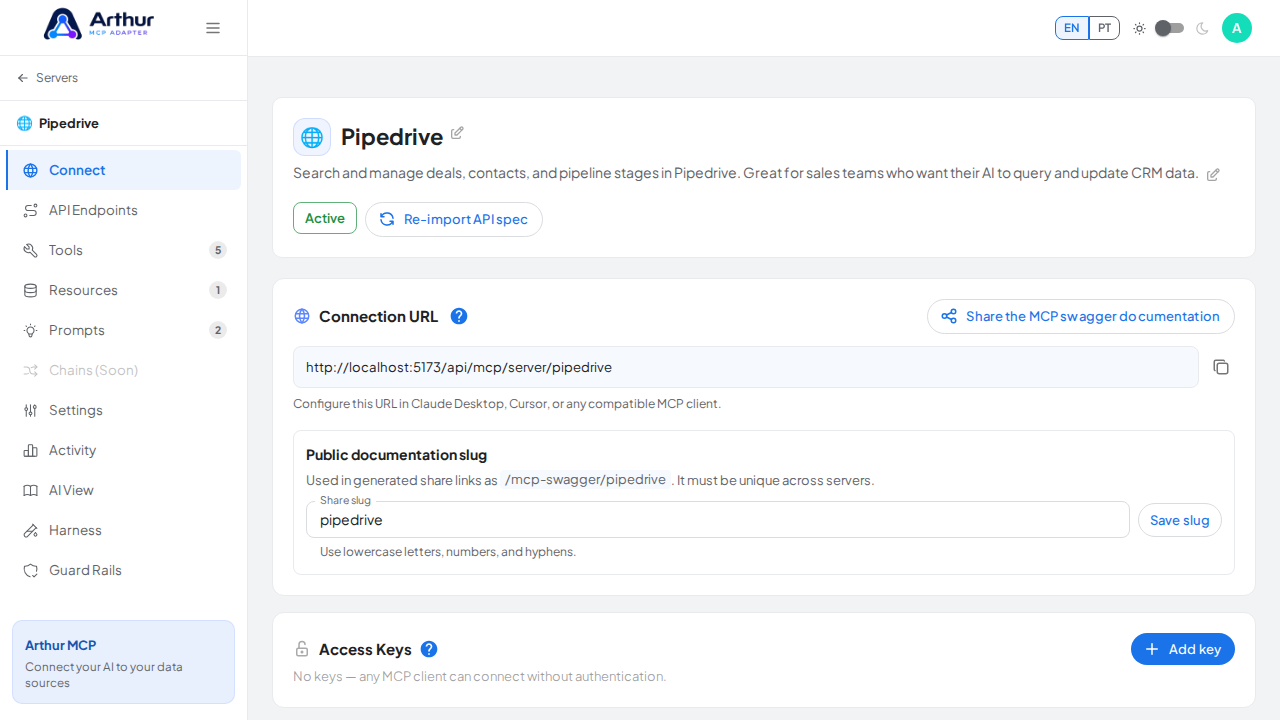
-
In Cursor, open Settings → Features → MCP Servers → Add new MCP server.
-
Choose HTTP transport and paste the endpoint URL.
Open the Connect tab, which contains the interface used by this procedure.
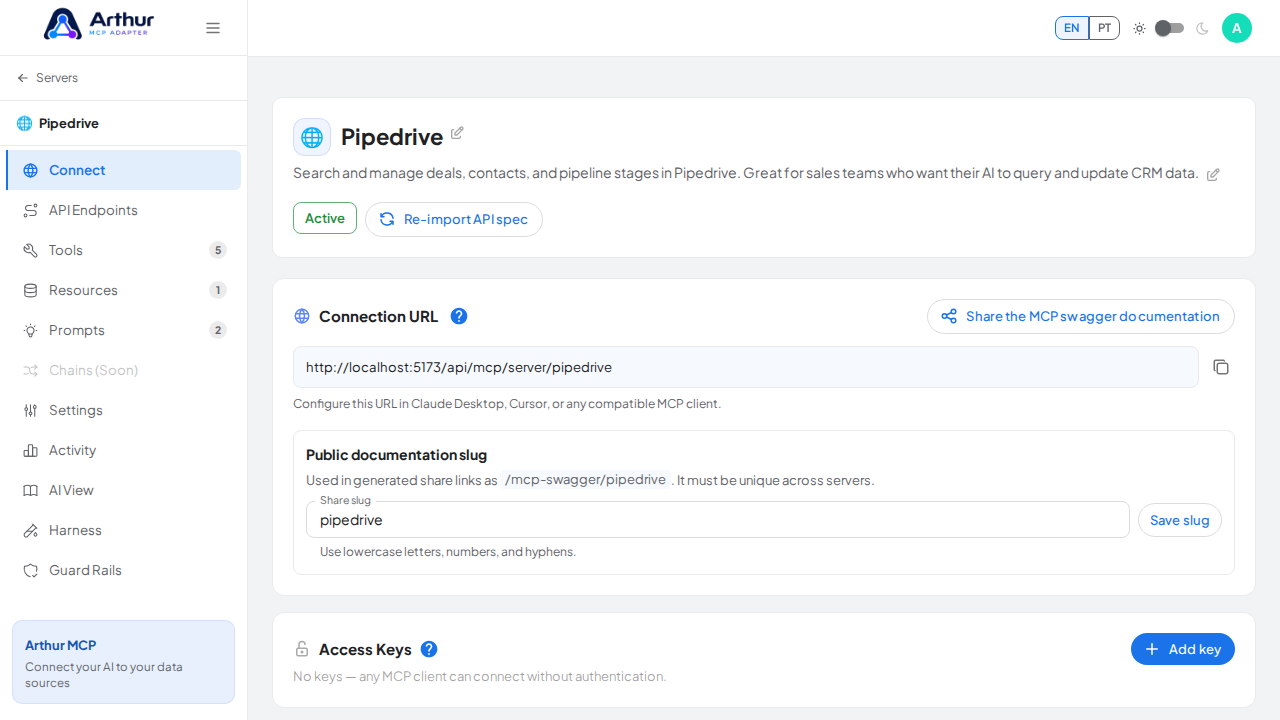
-
If the server requires a key, add a custom header:
auth: <your-api-key>. -
Save.
Bring the Connection URL panel into the screenshot viewport.
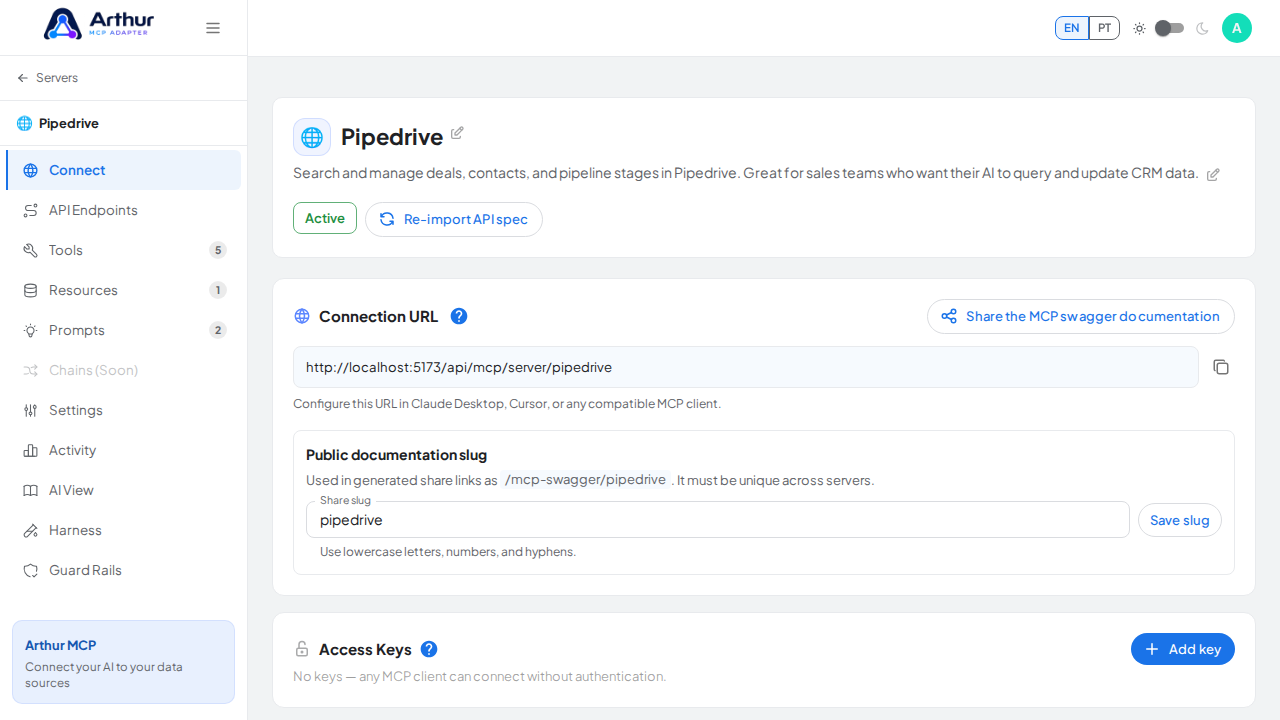
The new server appears in Cursor's MCP Servers panel with its tools listed underneath it.
Arthur MCP Wiki
Home · Getting Started · FAQ
⚙️ Features
Servers & Tools
Security & Access
Platform
Operations
Coming Soon
📚 Guides (46)
Connect AI Clients
Security & Access
- Configure API Credentials
- Configure Secrets
- Create a Custom Role
- Generate an Access Key
- Protect a Server with an Access Key
- Rotate the JWT Signing Secret
- Share a Server Publicly (and Revoke Access)
- Store and Reference a Secret
Harness & Limits
- Configure Execution Hooks
- Configure Input Constraints
- Configure Multi-Tenant Parameters
- Configure Output Filtering
- Configure Request Limit
- Configure Response Limits
- Configure Retry Policy
- Configure Timeout Settings
- Configure Tool Restrictions
- Set Global Request Headers
Platform & Operations
- Configure AI Providers
- Connect an Error Tracking Provider
- Enable Error Alerts
- Import the Grafana Dashboard
- Set Up Error Alerts
Tools, Resources & Prompts
- Add HTML Output to a Tool
- Add a Resource
- Build a Chain
- Create Prompts
- Create a Resource
- Create a Tool
- Create an HTML Template in a Resource
- Create and Link a Prompt
- Return an HTML Template from a Tool
- Test a Tool
- Use AI-Assisted Tool Generation
Servers & Import
🔌 API Integrations (230)
AI (28)
- AI/ML API
- Anthropic (Claude)
- Chatwith
- Clarifai
- Cohere
- CustomGPT.ai
- Dialogflow
- Eden
- ElevenLabs
- Gladia
- Groq
- HOL Registry Broker
- Hugging Face
- Imagga
- Irisnet
- MessengerX.io
- Mistral AI
- NLP Cloud
- OpenAI
- Perplexity AI
- Perspective
- Replicate
- Roboflow Universe
- Stability AI
- Summarize Text with AI
- Together AI
- Unplugg
- WolframAlpha
Animals (19)
Anime (14)
Anti-Malware (10)
Art & Design (23)
Books (16)
Business (27)
Calendar (14)
Cloud Storage & File Sharing (10)
Communication (9)
Continuous Integration (5)
Data (15)
Database (3)
Development (8)
E-commerce (5)
Government & Legal (1)
Music & Media (5)
Testing (2)
✨ Prompt Templates (90)
Analysis (6)
Code (9)
Customer Support (6)
Data Extraction (6)
DevOps (5)
Education (5)
Finance (5)
HR & Recruiting (5)
Legal (4)
Product Management (5)
Research (5)
Sales (5)
SEO & Marketing (5)
Social Media (5)
Summarization (6)
💡 Concepts (37)
Connect AI Clients
Security & Access
- Do I Have Swagger Documentation for My MCP Routes?
- How Do Access Keys Work?
- Should I Have a Separate Access Key per AI Client?
- What Are Access Keys For?
- What Are Secrets For?
- What Is API Credentials For?
- What Is API Credentials?
- What Is the "Share the MCP Swagger Documentation" Feature?
- What Do I Do with the QR Code on the Share Page?
Harness & Limits
- What Are Multi-Tenant Parameters For?
- What Are Response Limits For?
- What Is Execution Hooks For?
- What Is Execution Hooks?
- What Is Input Constraints For?
- What Is Input Constraints?
- What Is Output Filtering For?
- What Is Output Filtering?
- What Is Request Limit For?
- What Is Request Limit?
- What Is Retry Policy For?
- What Is Retry Policy?
- What Is Timeout Settings For?
- What Is Timeout Settings?
- What Is Tool Restrictions For?
- What Is Tool Restrictions?
Platform & Operations
Tools, Resources & Prompts
Servers & Import
Início · Primeiros Passos · FAQ
⚙️ Funcionalidades
Servidores & Ferramentas
- Gerenciamento de Servidores MCP
- Galeria de Templates de API REST
- Ferramentas Dinâmicas
- Cadeias
- Recursos
- Prompts
Segurança & Acesso
Plataforma
Operações
Em Breve
📚 Guias (46)
Conectar Clientes de IA
Segurança & Acesso
- Armazenar e Referenciar um Segredo
- Configurar Credenciais da API
- Configurar Secrets?
- Criar um Papel Personalizado
- Gerar uma Access Key?
- Rotacionar o Segredo de Assinatura JWT
Harness & Limites
- Configurar Execution Hooks?
- Configurar Input Constraints?
- Configurar Limites de Resposta
- Configurar Output Filtering?
- Configurar Parâmetros Multi-Tenant
- Configurar Request Limit?
- Configurar Retry Policy?
- Configurar Timeout Settings?
- Configurar Tool Restrictions?
- Definir Cabeçalhos Globais de Requisição
Plataforma & Operações
- Conectar um Provedor de Rastreamento de Erros
- Configurar AI Providers?
- Configurar Alertas de Erro
- Habilitar os Error Alerts?
- Importar o Dashboard do Grafana
Ferramentas, Recursos & Prompts
- Adicionar Saída HTML a uma Ferramenta
- Adicionar um Recurso
- Construir uma Cadeia
- Criar Meus Prompts?
- Criar e Vincular um Prompt
- Criar um Resource?
- Eu Crio um Template de HTML em um Resource?
- Criar uma Tool?
- Retornar um Template HTML em uma Tool?
- Testar uma Ferramenta
- Usar Geração de Ferramentas Assistida por IA
Servidores & Importação
- Compartilhar um Servidor Publicamente (e Revogar o Acesso)
- Deixar Meu Servidor Disponível Apenas em Alguns Dias e Horários?
- Criar um Servidor a partir de um Template
- Criar um Slug
- Gerenciar o Slug do Seu Servidor
- Importar uma Coleção do Postman
- Importar uma Especificação OpenAPI
- Pausar e Reativar um Servidor
- Proteger um Servidor com uma Chave de Acesso
- Reimportar uma Especificação de API Atualizada
🔌 Integrações de API (230)
AI (28)
- AI/ML API
- Anthropic (Claude)
- Chatwith
- Clarifai
- Cohere
- CustomGPT.ai
- Dialogflow
- Eden
- ElevenLabs
- Gladia
- Groq
- HOL Registry Broker
- Hugging Face
- Imagga
- Irisnet
- MessengerX.io
- Mistral AI
- NLP Cloud
- OpenAI
- Perplexity AI
- Perspective
- Replicate
- Roboflow Universe
- Stability AI
- Summarize Text with AI
- Together AI
- Unplugg
- WolframAlpha
Animals (19)
Anime (14)
Anti-Malware (10)
Art & Design (23)
Books (16)
Business (27)
Calendar (14)
Cloud Storage & File Sharing (10)
Communication (9)
Continuous Integration (5)
Data (15)
Database (3)
Development (8)
E-commerce (5)
Government & Legal (1)
Music & Media (5)
Testing (2)
✨ Templates de Prompt (90)
Analysis (6)
Code (9)
Customer Support (6)
Data Extraction (6)
DevOps (5)
Education (5)
Finance (5)
HR & Recruiting (5)
Legal (4)
Product Management (5)
Research (5)
Sales (5)
SEO & Marketing (5)
Social Media (5)
Summarization (6)
💡 Conceitos (37)
Conectar Clientes de IA
Segurança & Acesso
- Como Funcionam as Access Keys?
- Tenho uma Documentação de Swagger para as Minhas Rotas MCP?
- O que É API Credentials?
- O que É a Funcionalidade "Share the MCP Swagger Documentation"?
- Para que Serve API Credentials?
- O que Eu Faço com o QR Code do Share the MCP Swagger Documentation?
- Para que Servem as Access Keys?
- Para que Servem as Secrets?
- Devo Ter uma Access Key para Cada Cliente de IA que Eu Integrar?
Harness & Limites
- O que É Execution Hooks?
- O que É Input Constraints?
- O que É Output Filtering?
- O que É Request Limit?
- O que É Retry Policy?
- O que É Timeout Settings?
- O que É Tool Restrictions?
- Para que Serve Execution Hooks?
- Para que Serve Input Constraints?
- Para que Serve Output Filtering?
- Para que Serve Retry Policy?
- Para que Serve Timeout Settings?
- Para que Serve Tool Restrictions?
- Para que Serve o Request Limit?
- Para que Servem os Multi-Tenant Parameters?
- Para que Servem os Response Limits?
Plataforma & Operações
- Para que Serve a Aba de Activity Log?
- Para que Servem AI Providers?
- Para que Servem os Error Alerts?
Ferramentas, Recursos & Prompts
Servidores & Importação