-
Notifications
You must be signed in to change notification settings - Fork 1
en How to Integrate Spotify Using MCP
Music search, playlists and playback. This guide creates an MCP server from Arthur's Spotify template — tools preconfigured against https://api.spotify.com/v1 — and finishes by sharing the server's MCP swagger documentation.
-
Open the Secrets vault and create a secret named
SPOTIFY_API_KEYholding your access token. Get an OAuth2 access token from the Spotify Developer Dashboard.Open the Secrets vault to store the Spotify credential before using the template.
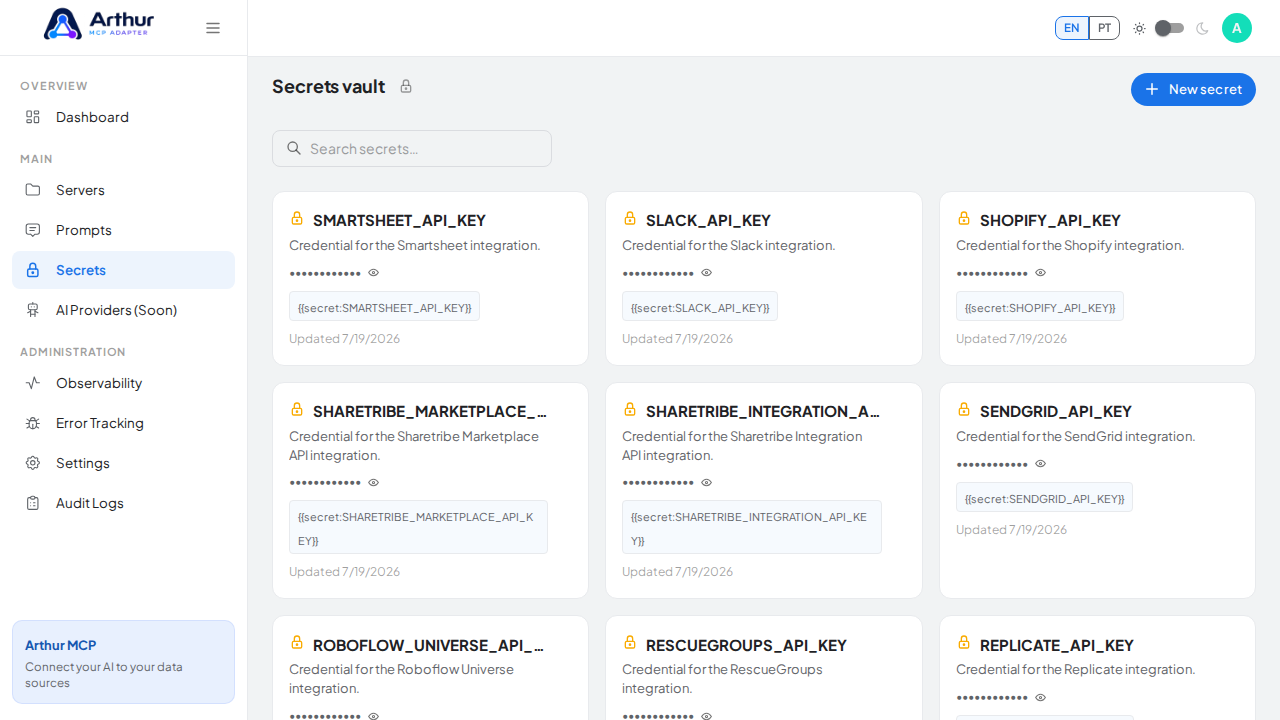
Start the New secret wizard.
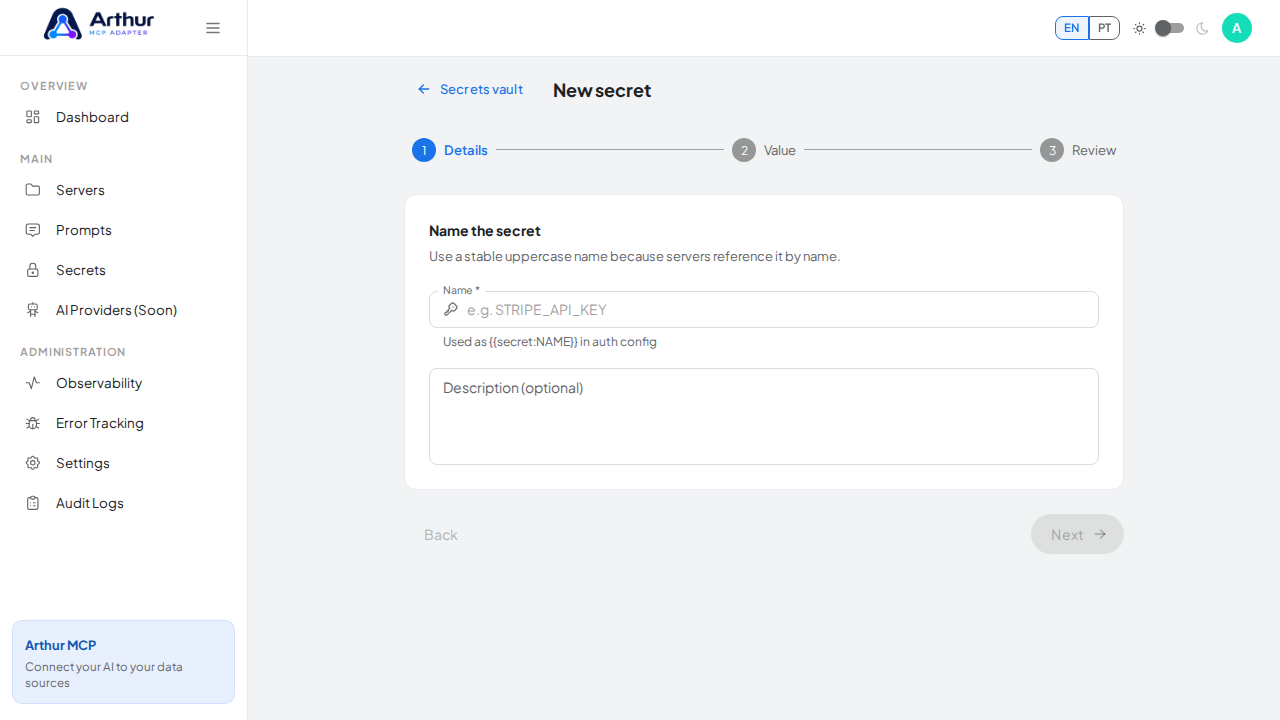
Name the secret SPOTIFY_API_KEY — servers reference it by this name.
-
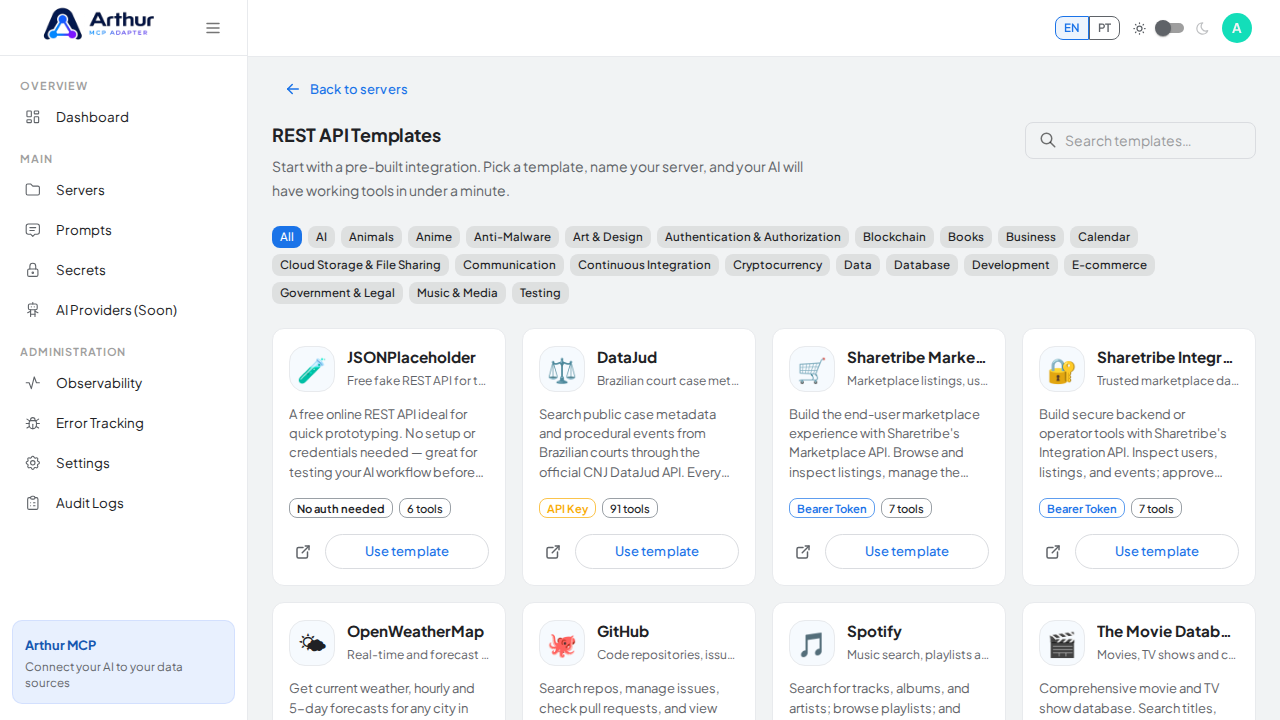
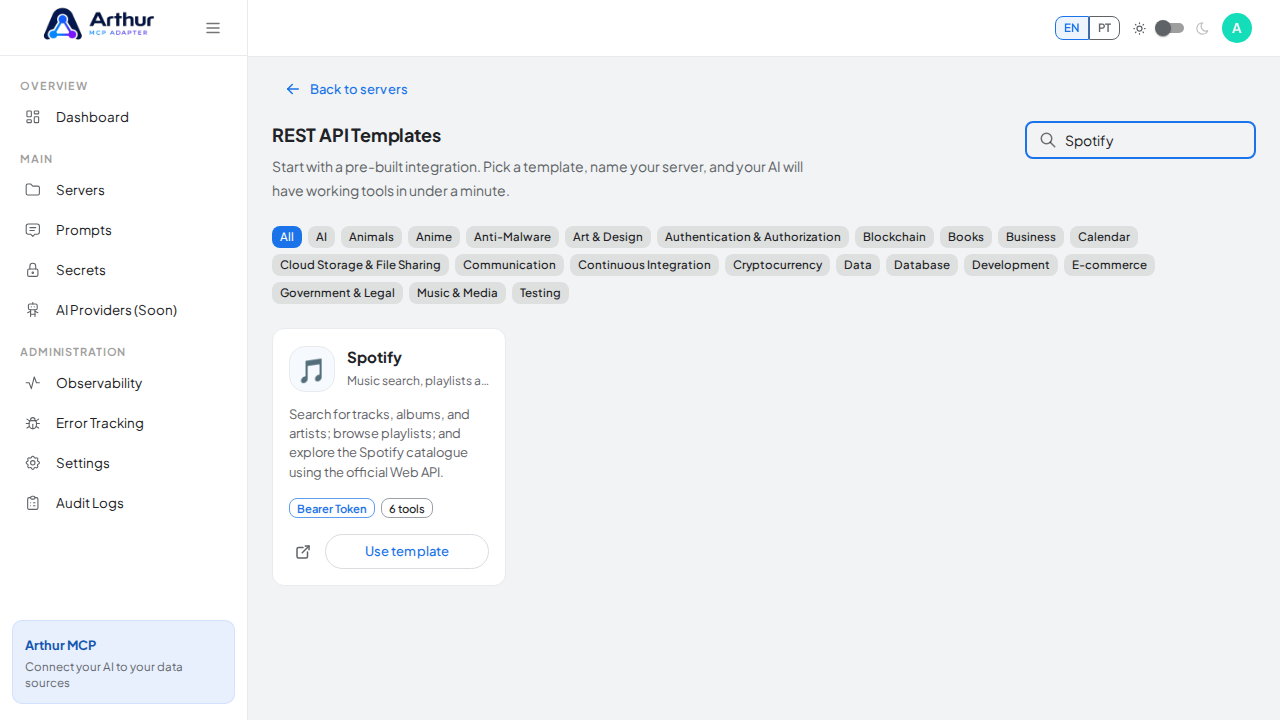
Go to the REST API Templates gallery and search for Spotify.
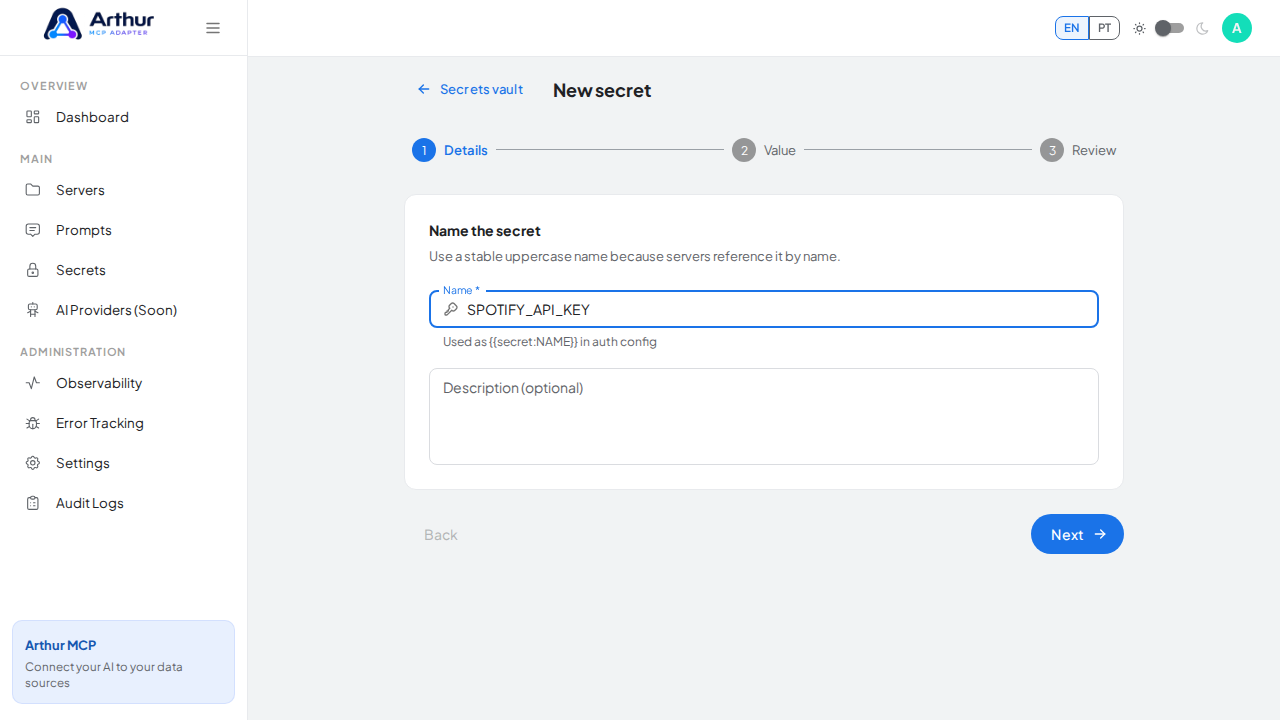
Record what the credential is for so it stays recognizable.
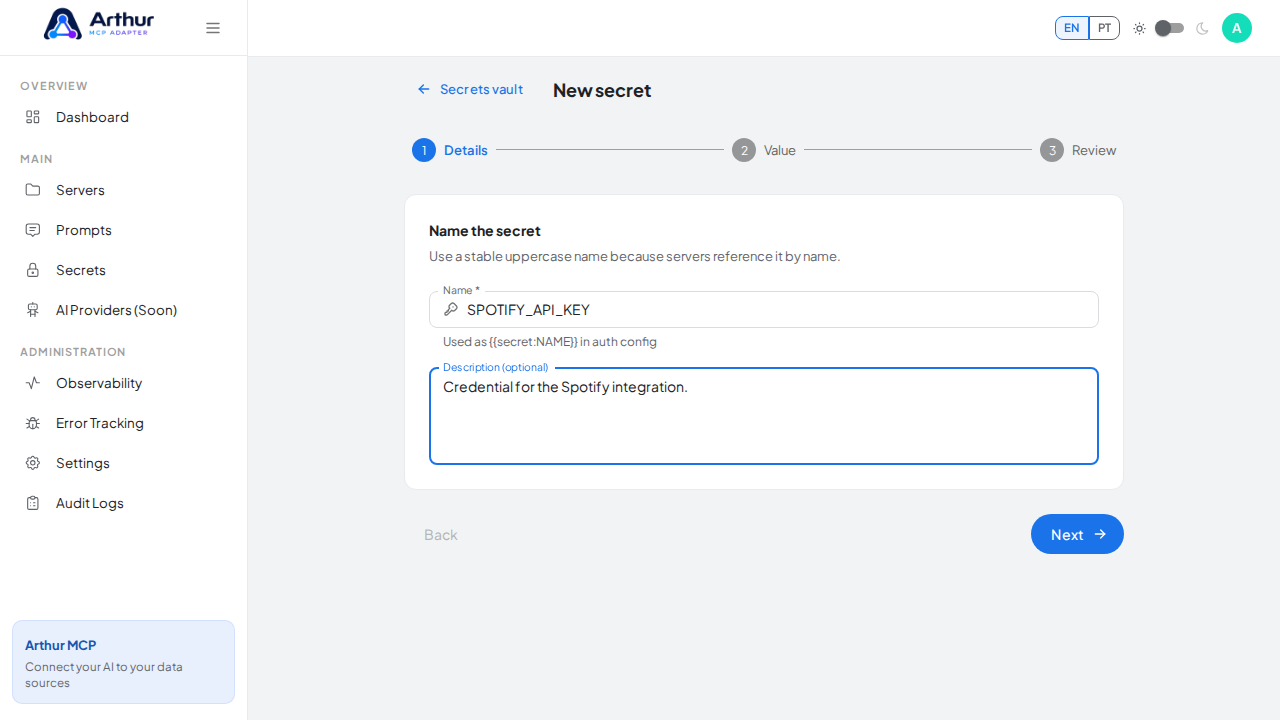
Continue to the protected value step.
-
Click Use template on the Spotify card to open the server-creation dialog.
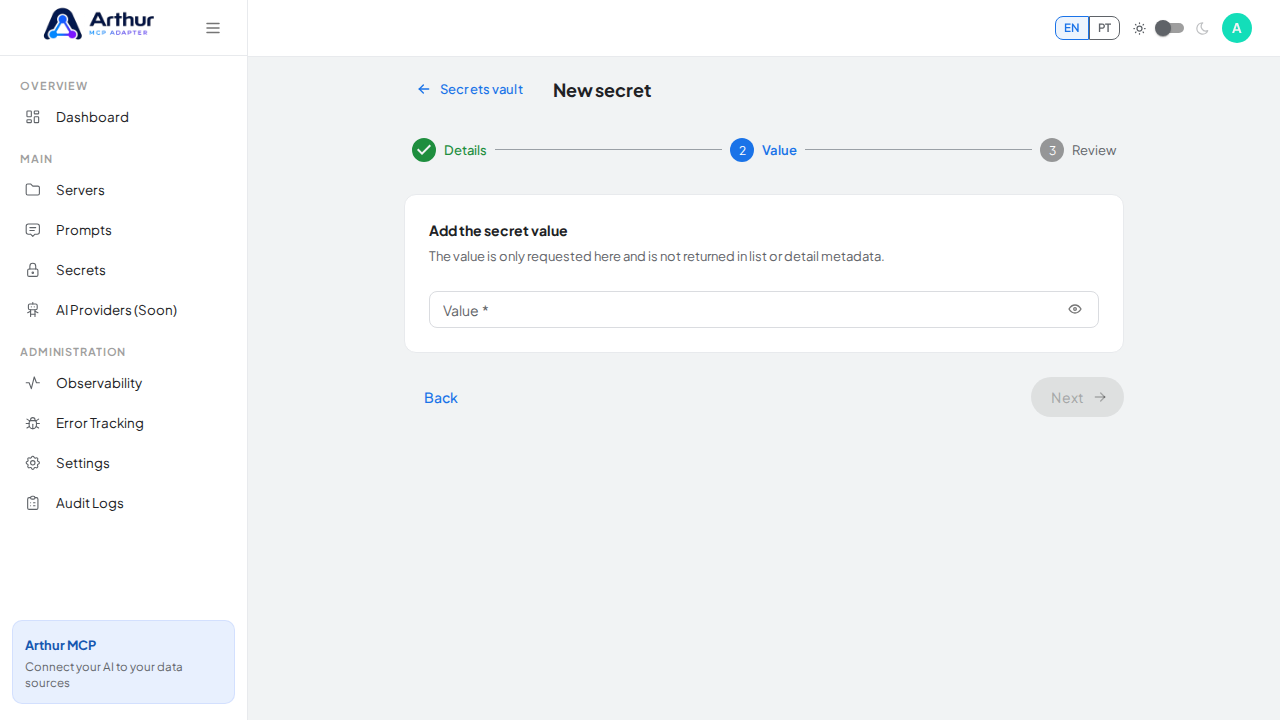
Enter the credential value — a demo value here; use your real key when adopting the integration.
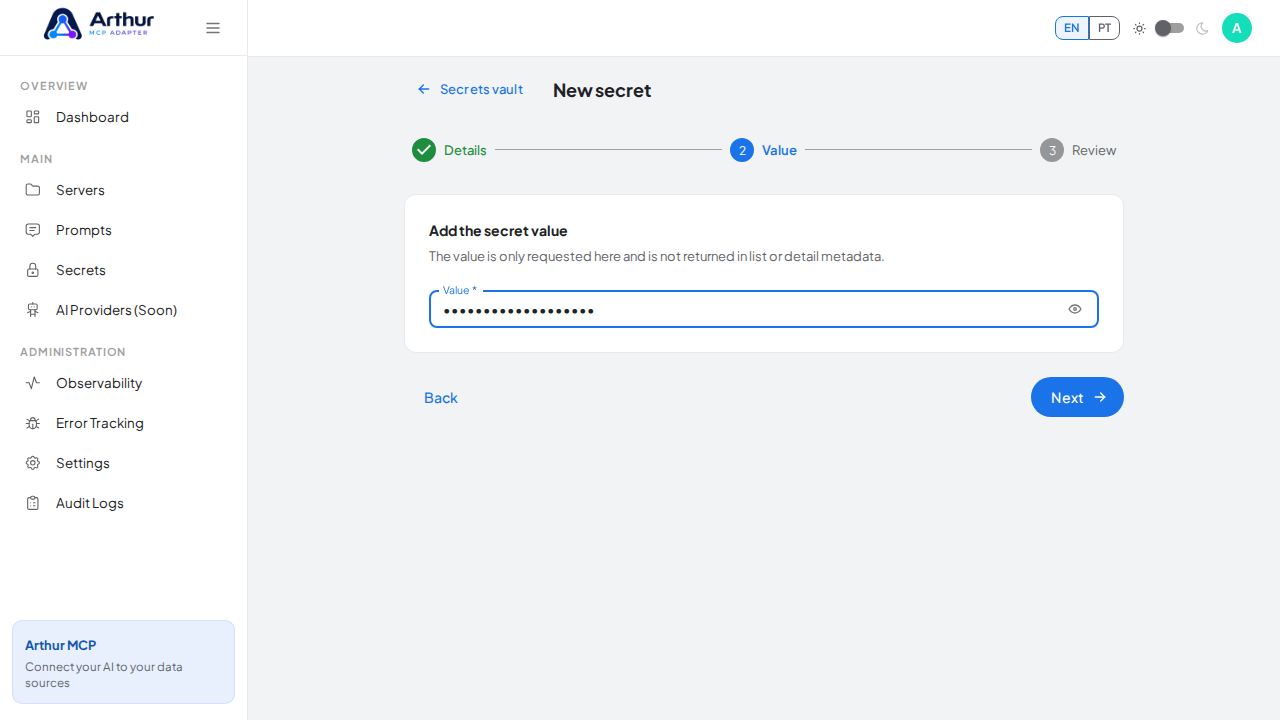
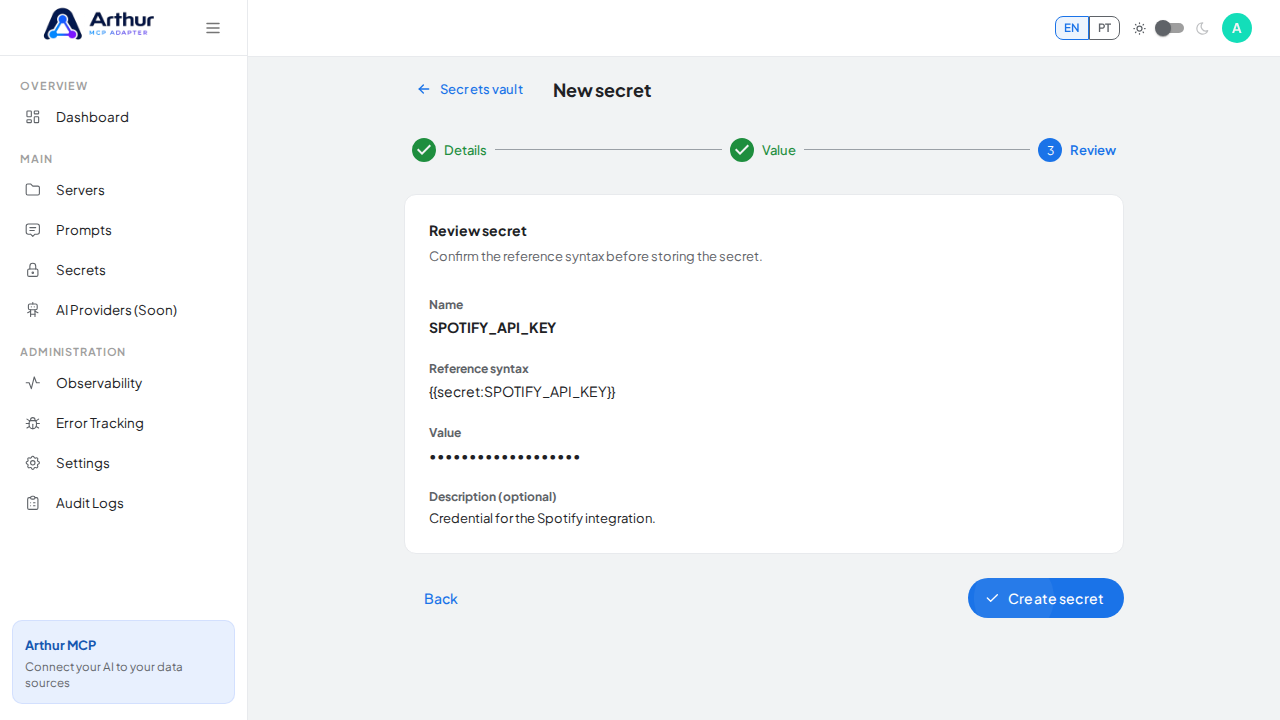
Review the generated secret reference syntax.
-
Review the server name and select
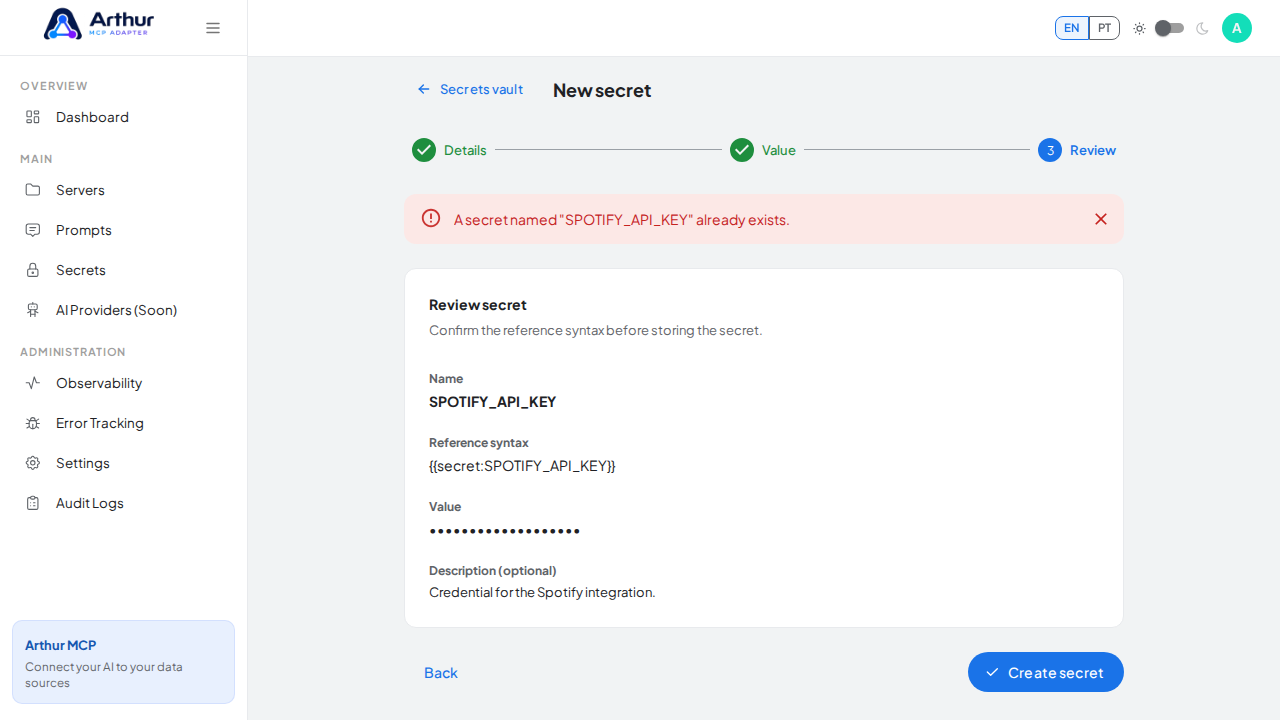
SPOTIFY_API_KEYin the credential field — the dialog only accepts vault secrets, and it lists every tool that will be created.Store the SPOTIFY_API_KEY secret in the vault.
Open the REST API template gallery.
Search the gallery for the Spotify integration.
-
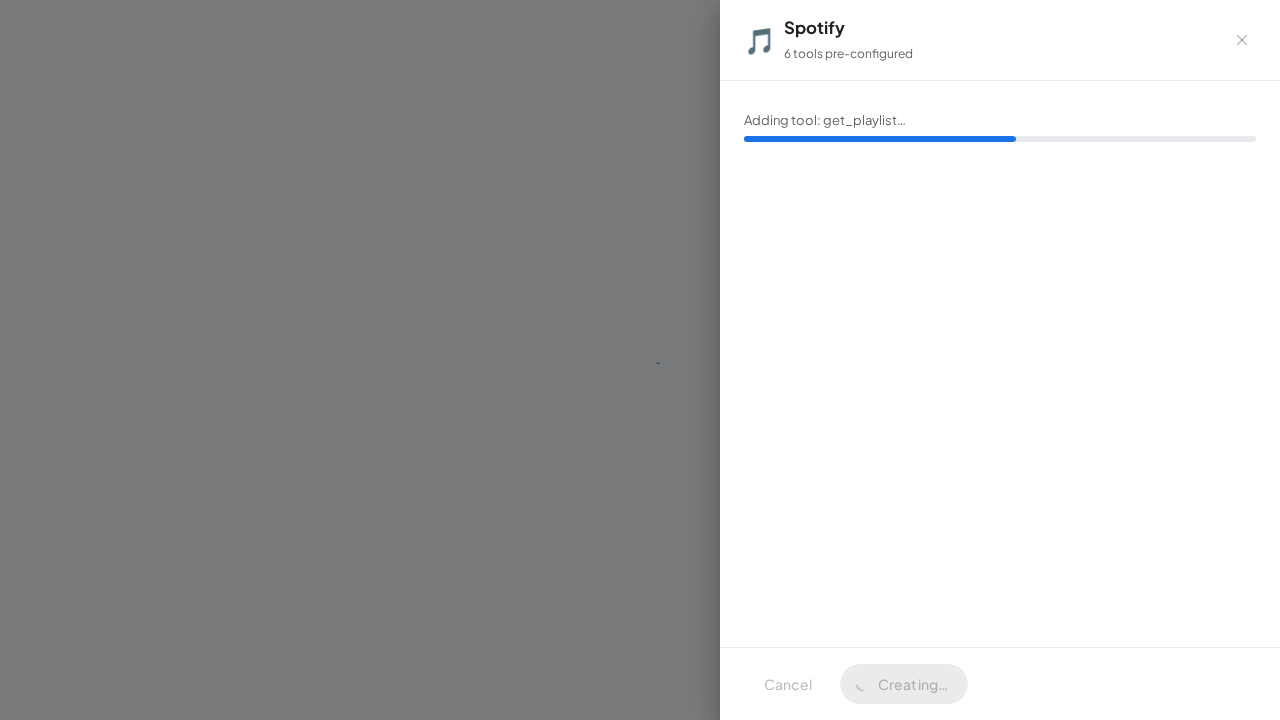
Click Create server. Arthur creates the server, applies the authentication, and generates all the tools.
Open the Spotify template with its preconfigured tools.
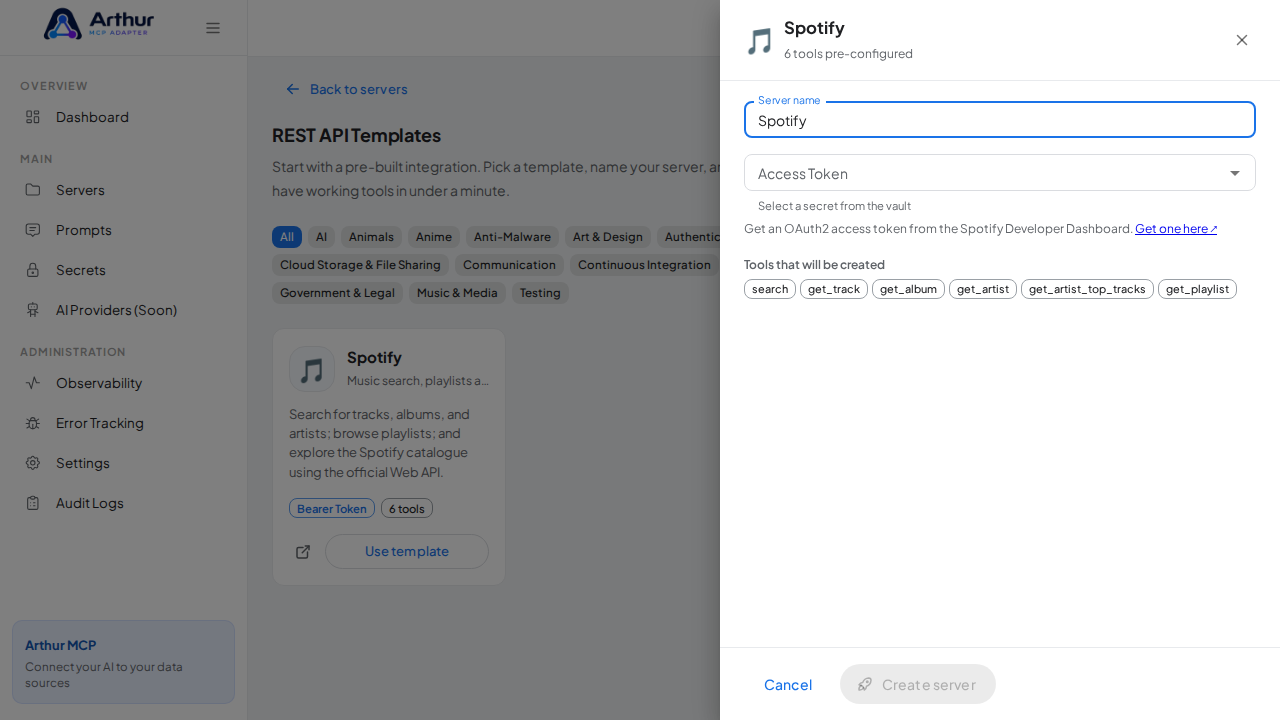
Name the server after the integration it provides.
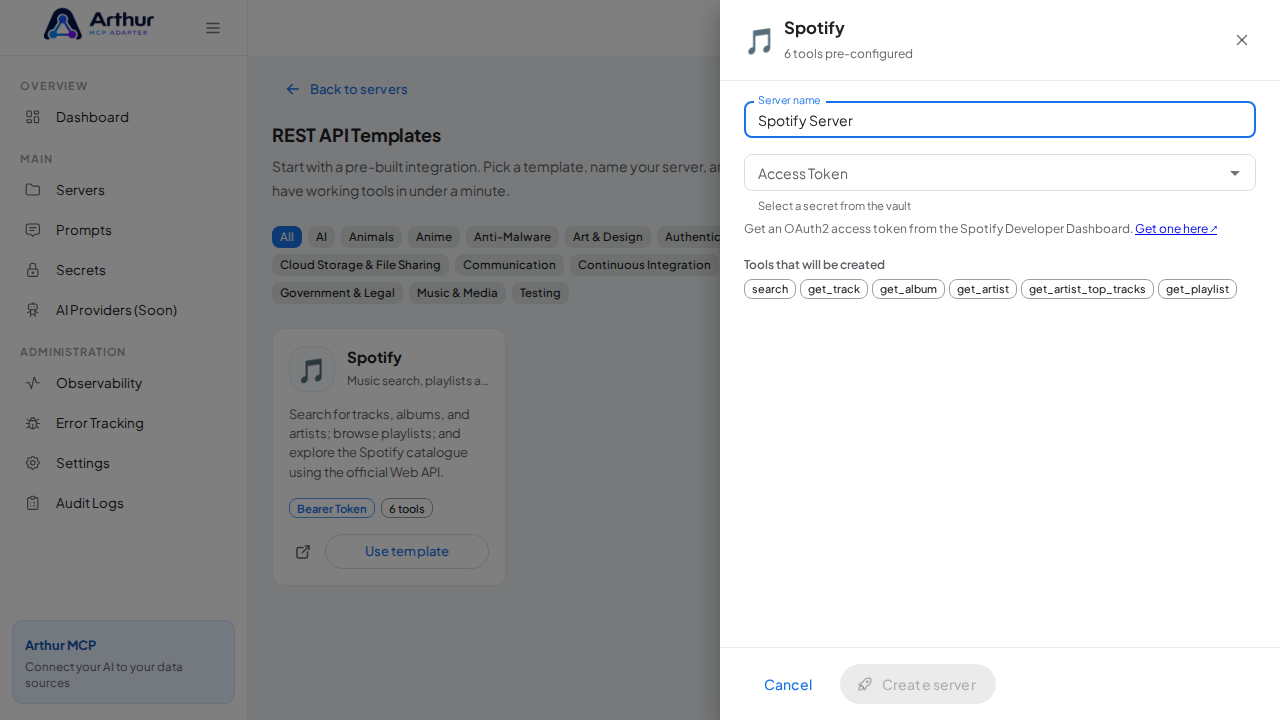
Pick the SPOTIFY_API_KEY secret from the vault suggestions.
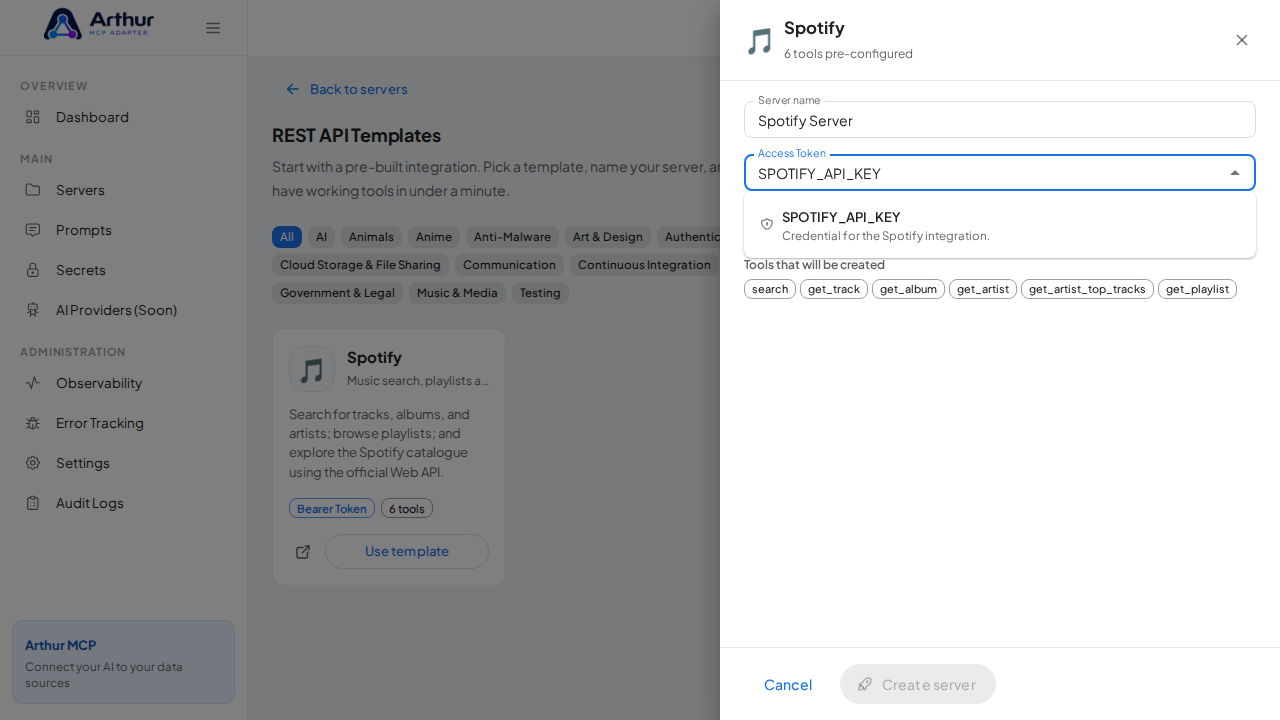
Select the stored credential.
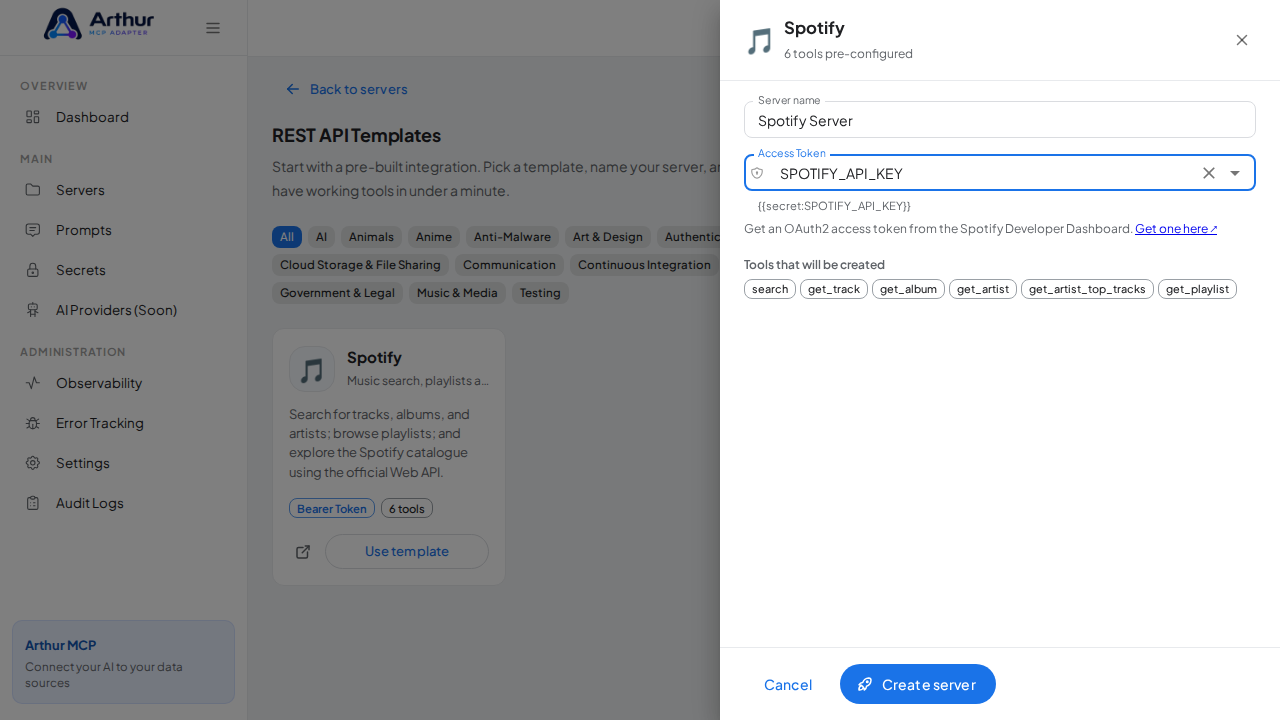
Create the Spotify server with its preconfigured tools.
-
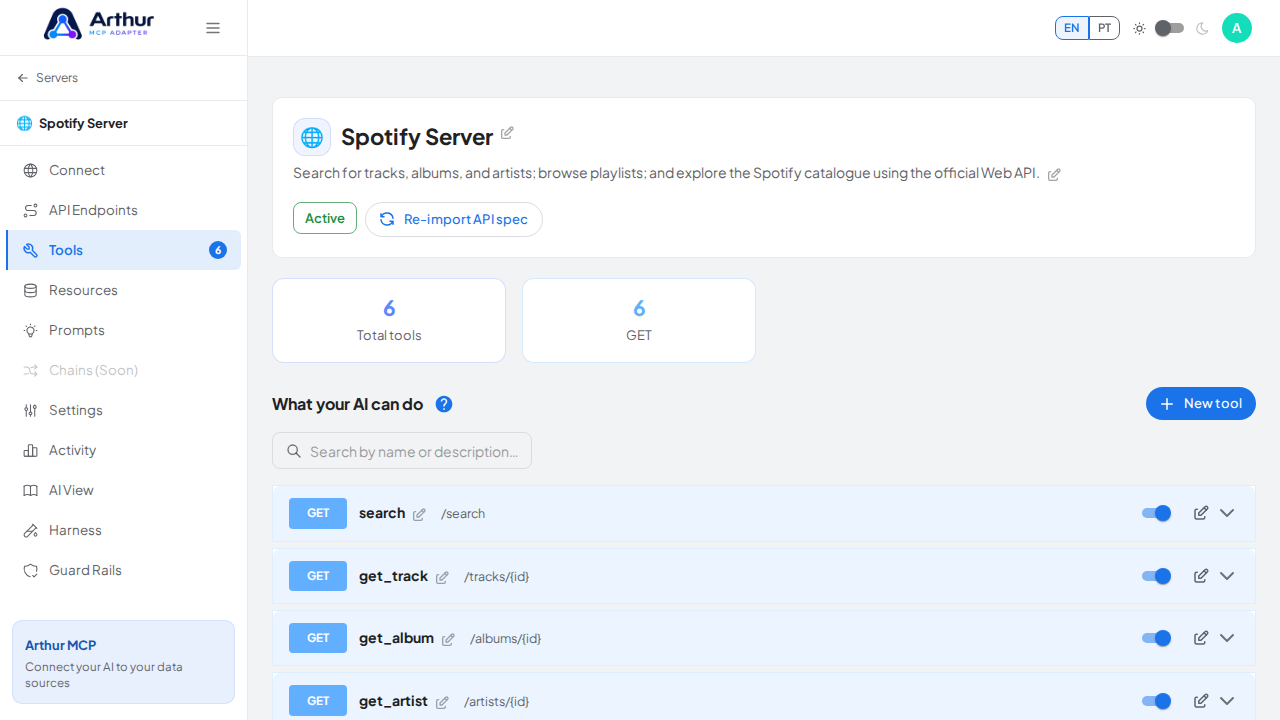
Open the server's Tools tab to review the generated tools.
Review the tools generated from the Spotify template.
-
Open the server's Connect section and click Share the MCP swagger documentation — Arthur generates the public documentation link and QR code for this server.
Open the server's Connect section, where the MCP endpoint and its documentation live.
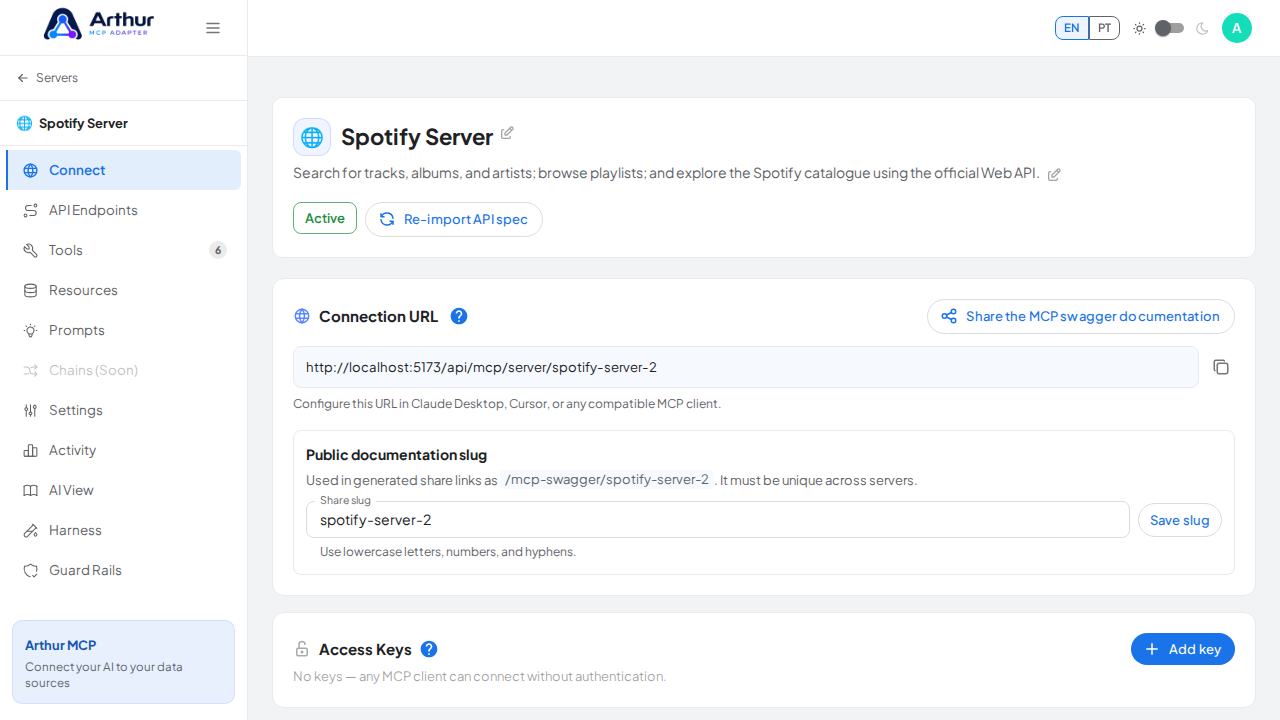
Open the MCP swagger documentation share panel.
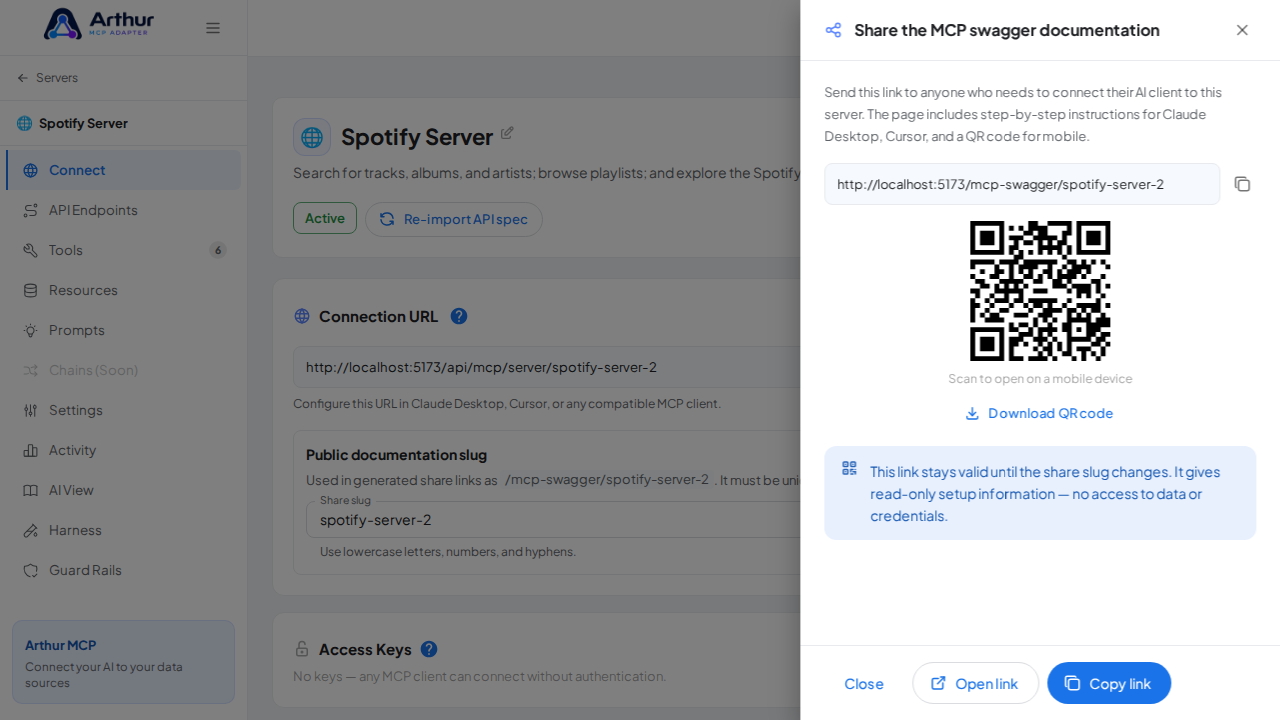
Show the generated swagger documentation link and QR code for this server.
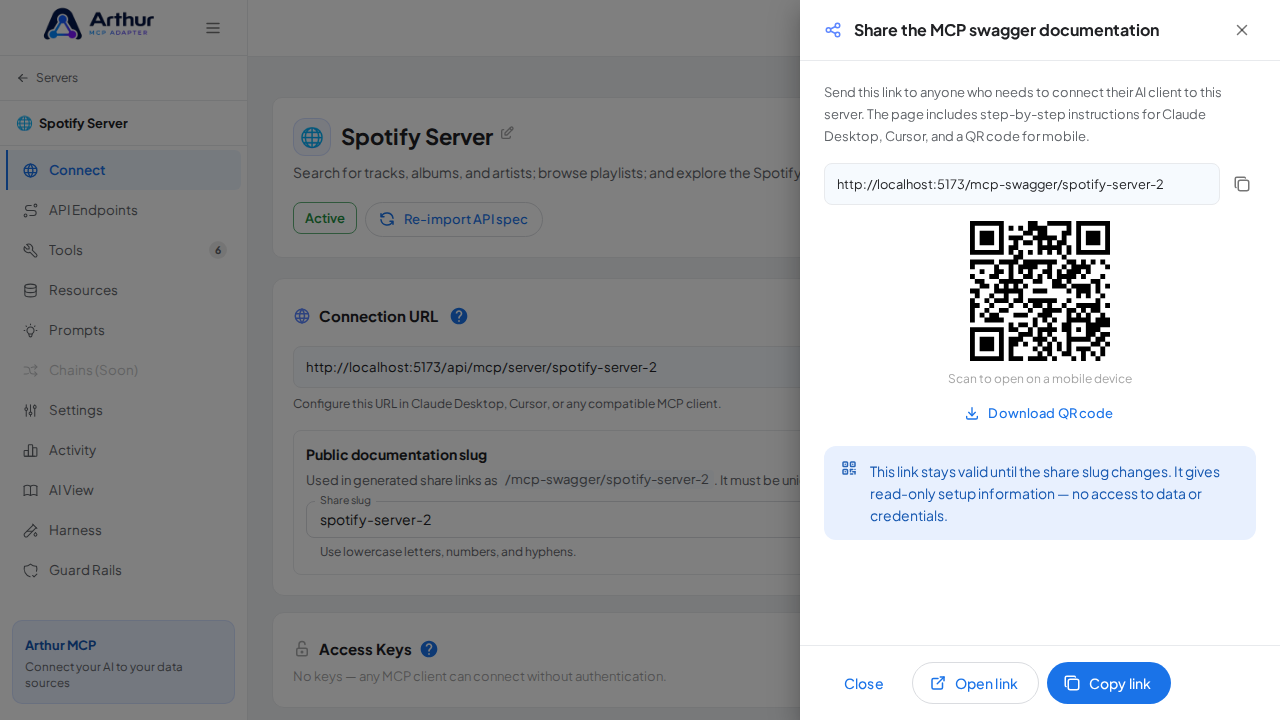
The server appears with 6 preconfigured tool(s): search, get_track, get_album, get_artist, get_artist_top_tracks, get_playlist. The Connect section offers the MCP swagger documentation — a shareable page with setup instructions for any AI client.
- Search for tracks, albums, and artists; browse playlists; and explore the Spotify catalogue using the official Web API.
- This integration requires a credential (bearer). Get one at https://developer.spotify.com/dashboard.
- Official API documentation: https://developer.spotify.com/documentation/web-api
- Editing a tool later never changes the template — templates are starting points, and the server is fully yours after creation.
Arthur MCP Wiki
Home · Getting Started · FAQ
⚙️ Features
Servers & Tools
Security & Access
Platform
Operations
Coming Soon
📚 Guides (46)
Connect AI Clients
Security & Access
- Configure API Credentials
- Configure Secrets
- Create a Custom Role
- Generate an Access Key
- Protect a Server with an Access Key
- Rotate the JWT Signing Secret
- Share a Server Publicly (and Revoke Access)
- Store and Reference a Secret
Harness & Limits
- Configure Execution Hooks
- Configure Input Constraints
- Configure Multi-Tenant Parameters
- Configure Output Filtering
- Configure Request Limit
- Configure Response Limits
- Configure Retry Policy
- Configure Timeout Settings
- Configure Tool Restrictions
- Set Global Request Headers
Platform & Operations
- Configure AI Providers
- Connect an Error Tracking Provider
- Enable Error Alerts
- Import the Grafana Dashboard
- Set Up Error Alerts
Tools, Resources & Prompts
- Add HTML Output to a Tool
- Add a Resource
- Build a Chain
- Create Prompts
- Create a Resource
- Create a Tool
- Create an HTML Template in a Resource
- Create and Link a Prompt
- Return an HTML Template from a Tool
- Test a Tool
- Use AI-Assisted Tool Generation
Servers & Import
🔌 API Integrations (230)
AI (28)
- AI/ML API
- Anthropic (Claude)
- Chatwith
- Clarifai
- Cohere
- CustomGPT.ai
- Dialogflow
- Eden
- ElevenLabs
- Gladia
- Groq
- HOL Registry Broker
- Hugging Face
- Imagga
- Irisnet
- MessengerX.io
- Mistral AI
- NLP Cloud
- OpenAI
- Perplexity AI
- Perspective
- Replicate
- Roboflow Universe
- Stability AI
- Summarize Text with AI
- Together AI
- Unplugg
- WolframAlpha
Animals (19)
Anime (14)
Anti-Malware (10)
Art & Design (23)
Books (16)
Business (27)
Calendar (14)
Cloud Storage & File Sharing (10)
Communication (9)
Continuous Integration (5)
Data (15)
Database (3)
Development (8)
E-commerce (5)
Government & Legal (1)
Music & Media (5)
Testing (2)
✨ Prompt Templates (90)
Analysis (6)
Code (9)
Customer Support (6)
Data Extraction (6)
DevOps (5)
Education (5)
Finance (5)
HR & Recruiting (5)
Legal (4)
Product Management (5)
Research (5)
Sales (5)
SEO & Marketing (5)
Social Media (5)
Summarization (6)
💡 Concepts (37)
Connect AI Clients
Security & Access
- Do I Have Swagger Documentation for My MCP Routes?
- How Do Access Keys Work?
- Should I Have a Separate Access Key per AI Client?
- What Are Access Keys For?
- What Are Secrets For?
- What Is API Credentials For?
- What Is API Credentials?
- What Is the "Share the MCP Swagger Documentation" Feature?
- What Do I Do with the QR Code on the Share Page?
Harness & Limits
- What Are Multi-Tenant Parameters For?
- What Are Response Limits For?
- What Is Execution Hooks For?
- What Is Execution Hooks?
- What Is Input Constraints For?
- What Is Input Constraints?
- What Is Output Filtering For?
- What Is Output Filtering?
- What Is Request Limit For?
- What Is Request Limit?
- What Is Retry Policy For?
- What Is Retry Policy?
- What Is Timeout Settings For?
- What Is Timeout Settings?
- What Is Tool Restrictions For?
- What Is Tool Restrictions?
Platform & Operations
Tools, Resources & Prompts
Servers & Import
Início · Primeiros Passos · FAQ
⚙️ Funcionalidades
Servidores & Ferramentas
- Gerenciamento de Servidores MCP
- Galeria de Templates de API REST
- Ferramentas Dinâmicas
- Cadeias
- Recursos
- Prompts
Segurança & Acesso
Plataforma
Operações
Em Breve
📚 Guias (46)
Conectar Clientes de IA
Segurança & Acesso
- Armazenar e Referenciar um Segredo
- Configurar Credenciais da API
- Configurar Secrets?
- Criar um Papel Personalizado
- Gerar uma Access Key?
- Rotacionar o Segredo de Assinatura JWT
Harness & Limites
- Configurar Execution Hooks?
- Configurar Input Constraints?
- Configurar Limites de Resposta
- Configurar Output Filtering?
- Configurar Parâmetros Multi-Tenant
- Configurar Request Limit?
- Configurar Retry Policy?
- Configurar Timeout Settings?
- Configurar Tool Restrictions?
- Definir Cabeçalhos Globais de Requisição
Plataforma & Operações
- Conectar um Provedor de Rastreamento de Erros
- Configurar AI Providers?
- Configurar Alertas de Erro
- Habilitar os Error Alerts?
- Importar o Dashboard do Grafana
Ferramentas, Recursos & Prompts
- Adicionar Saída HTML a uma Ferramenta
- Adicionar um Recurso
- Construir uma Cadeia
- Criar Meus Prompts?
- Criar e Vincular um Prompt
- Criar um Resource?
- Eu Crio um Template de HTML em um Resource?
- Criar uma Tool?
- Retornar um Template HTML em uma Tool?
- Testar uma Ferramenta
- Usar Geração de Ferramentas Assistida por IA
Servidores & Importação
- Compartilhar um Servidor Publicamente (e Revogar o Acesso)
- Deixar Meu Servidor Disponível Apenas em Alguns Dias e Horários?
- Criar um Servidor a partir de um Template
- Criar um Slug
- Gerenciar o Slug do Seu Servidor
- Importar uma Coleção do Postman
- Importar uma Especificação OpenAPI
- Pausar e Reativar um Servidor
- Proteger um Servidor com uma Chave de Acesso
- Reimportar uma Especificação de API Atualizada
🔌 Integrações de API (230)
AI (28)
- AI/ML API
- Anthropic (Claude)
- Chatwith
- Clarifai
- Cohere
- CustomGPT.ai
- Dialogflow
- Eden
- ElevenLabs
- Gladia
- Groq
- HOL Registry Broker
- Hugging Face
- Imagga
- Irisnet
- MessengerX.io
- Mistral AI
- NLP Cloud
- OpenAI
- Perplexity AI
- Perspective
- Replicate
- Roboflow Universe
- Stability AI
- Summarize Text with AI
- Together AI
- Unplugg
- WolframAlpha
Animals (19)
Anime (14)
Anti-Malware (10)
Art & Design (23)
Books (16)
Business (27)
Calendar (14)
Cloud Storage & File Sharing (10)
Communication (9)
Continuous Integration (5)
Data (15)
Database (3)
Development (8)
E-commerce (5)
Government & Legal (1)
Music & Media (5)
Testing (2)
✨ Templates de Prompt (90)
Analysis (6)
Code (9)
Customer Support (6)
Data Extraction (6)
DevOps (5)
Education (5)
Finance (5)
HR & Recruiting (5)
Legal (4)
Product Management (5)
Research (5)
Sales (5)
SEO & Marketing (5)
Social Media (5)
Summarization (6)
💡 Conceitos (37)
Conectar Clientes de IA
Segurança & Acesso
- Como Funcionam as Access Keys?
- Tenho uma Documentação de Swagger para as Minhas Rotas MCP?
- O que É API Credentials?
- O que É a Funcionalidade "Share the MCP Swagger Documentation"?
- Para que Serve API Credentials?
- O que Eu Faço com o QR Code do Share the MCP Swagger Documentation?
- Para que Servem as Access Keys?
- Para que Servem as Secrets?
- Devo Ter uma Access Key para Cada Cliente de IA que Eu Integrar?
Harness & Limites
- O que É Execution Hooks?
- O que É Input Constraints?
- O que É Output Filtering?
- O que É Request Limit?
- O que É Retry Policy?
- O que É Timeout Settings?
- O que É Tool Restrictions?
- Para que Serve Execution Hooks?
- Para que Serve Input Constraints?
- Para que Serve Output Filtering?
- Para que Serve Retry Policy?
- Para que Serve Timeout Settings?
- Para que Serve Tool Restrictions?
- Para que Serve o Request Limit?
- Para que Servem os Multi-Tenant Parameters?
- Para que Servem os Response Limits?
Plataforma & Operações
- Para que Serve a Aba de Activity Log?
- Para que Servem AI Providers?
- Para que Servem os Error Alerts?
Ferramentas, Recursos & Prompts
Servidores & Importação