Skip to content

en How to Create Learning Objective Writer Using MCP

Alexandre edited this page Jul 20, 2026 · 5 revisions

How to create Learning Objective Writer using MCP

Write SMART learning objectives using Bloom's taxonomy. This guide creates the Learning Objective Writer prompt from Arthur's template catalog, sets up a blank MCP server, and links the prompt so any connected AI client can use it.

Steps

  1. Go to Prompt Templates and search for Learning Objective Writer.

    Open the Prompt Templates catalog.
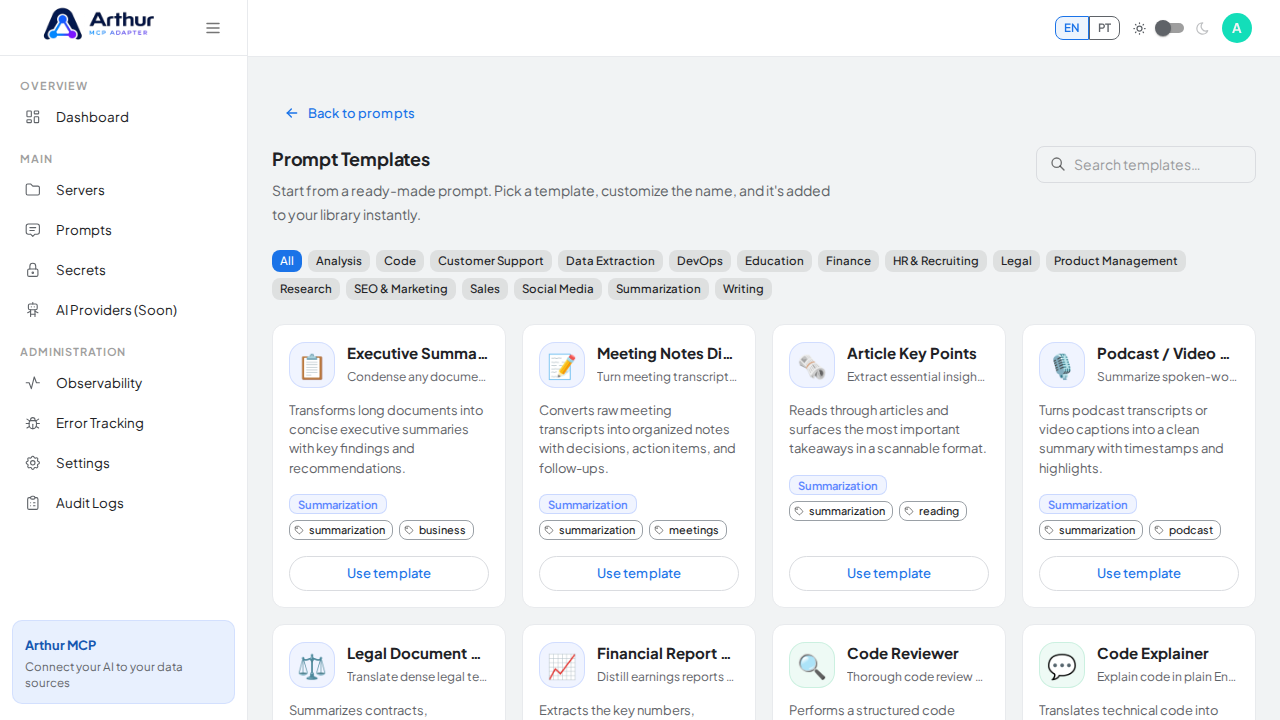
    Open the Prompt Templates catalog

    Search the catalog for the Learning Objective Writer template.
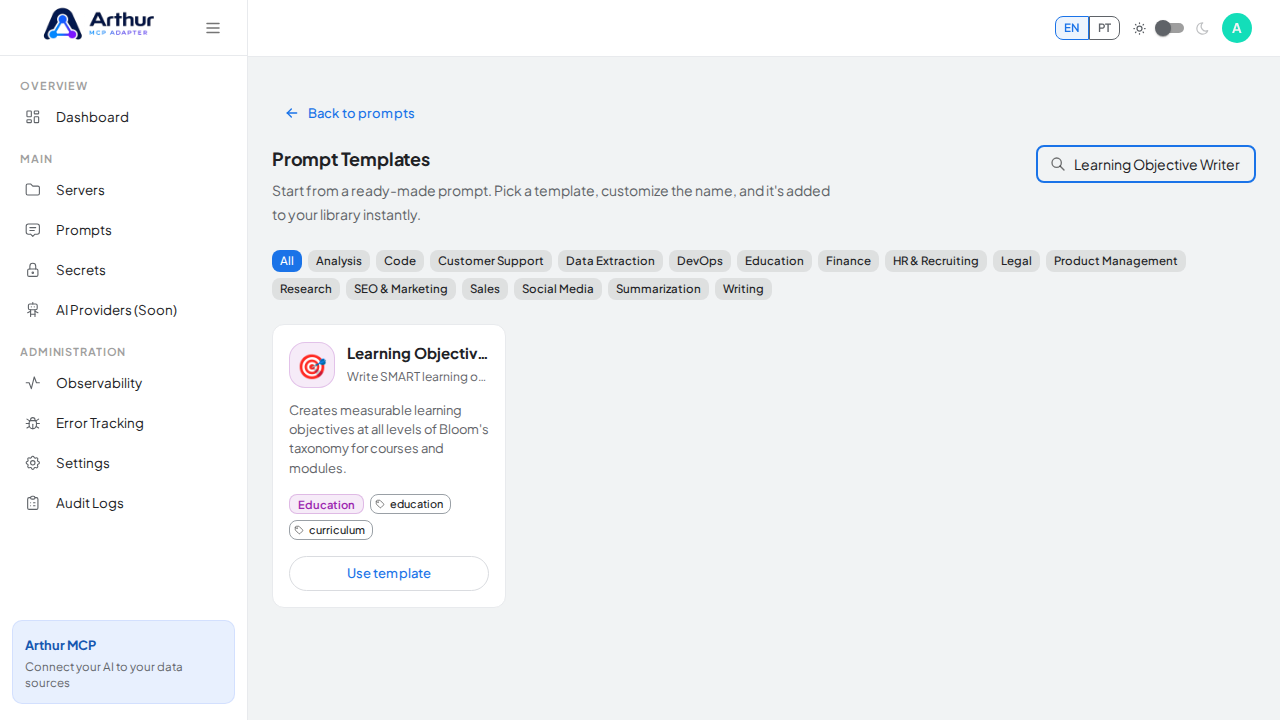
    Search the catalog for the Learning Objective Writer template

  2. Click Use template on the Learning Objective Writer card and review the prefilled name, description, and content preview.

    Open the Learning Objective Writer template with its prefilled name and content preview.
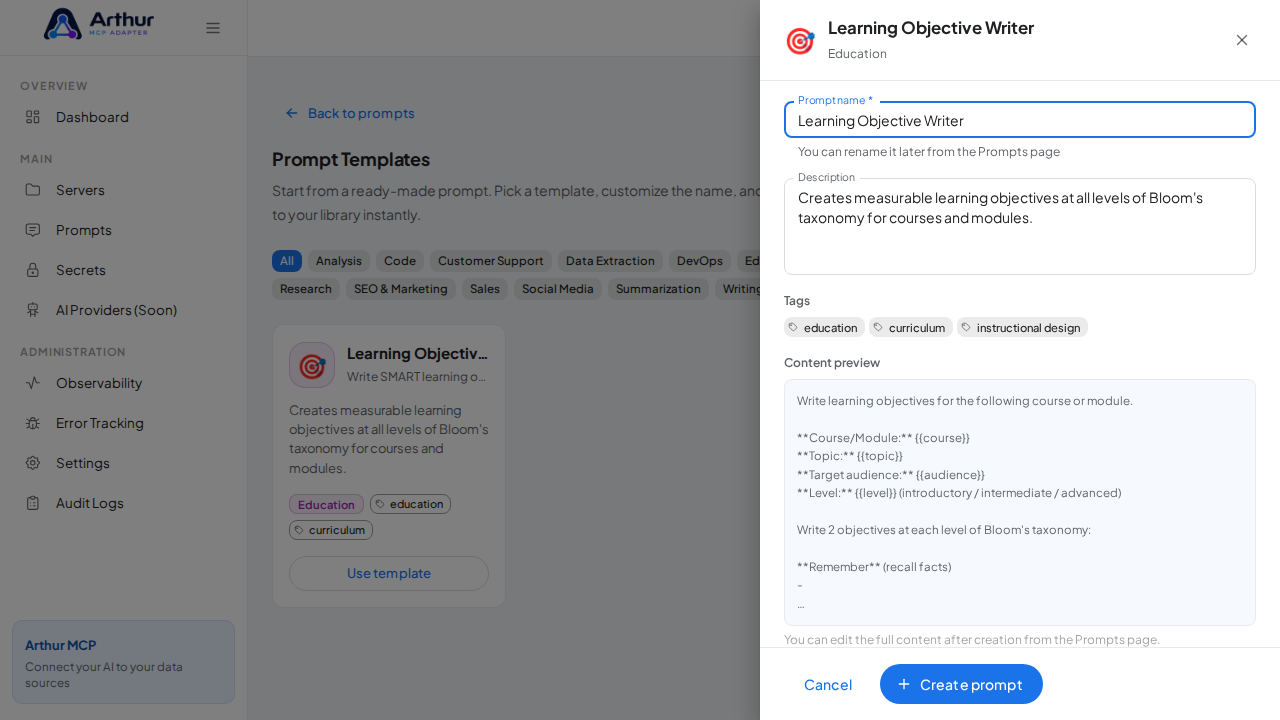
    Open the Learning Objective Writer template with its prefilled name and content preview

    Create the Learning Objective Writer prompt in the shared library.
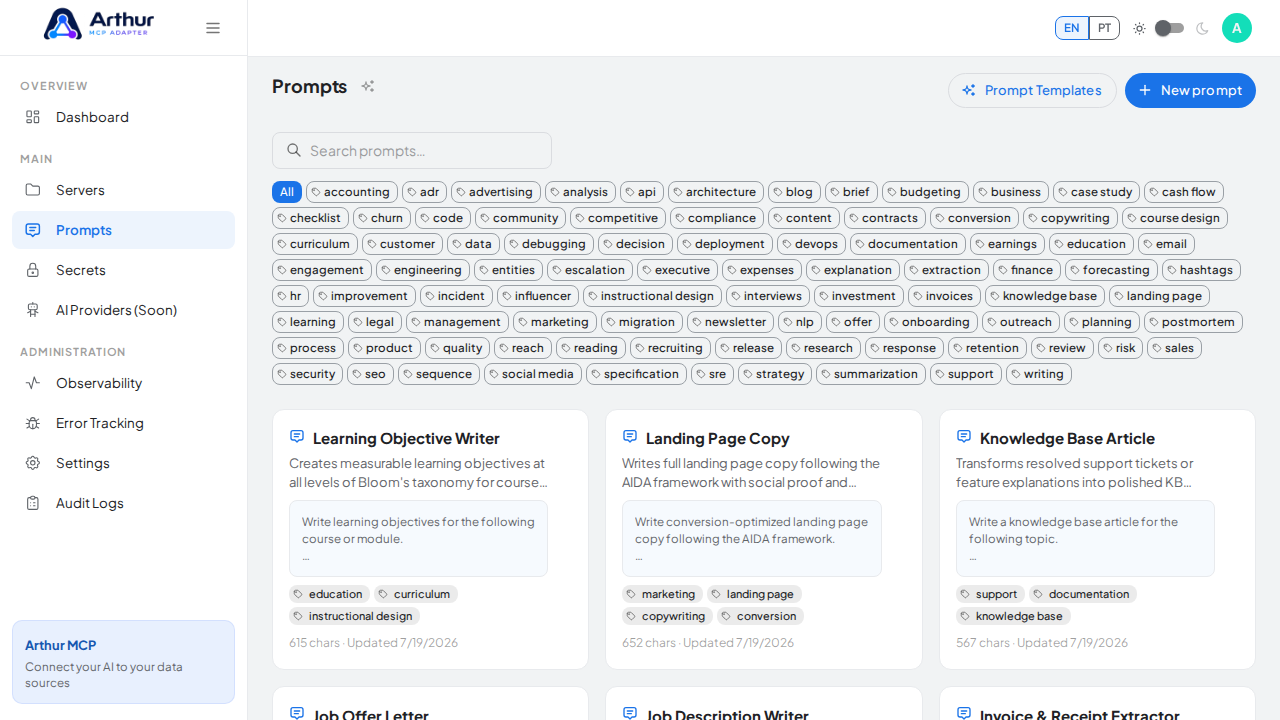
    Create the Learning Objective Writer prompt in the shared library

  3. Click Create prompt — the prompt is added to your shared library.

    Start creating the MCP server that will expose the prompt.
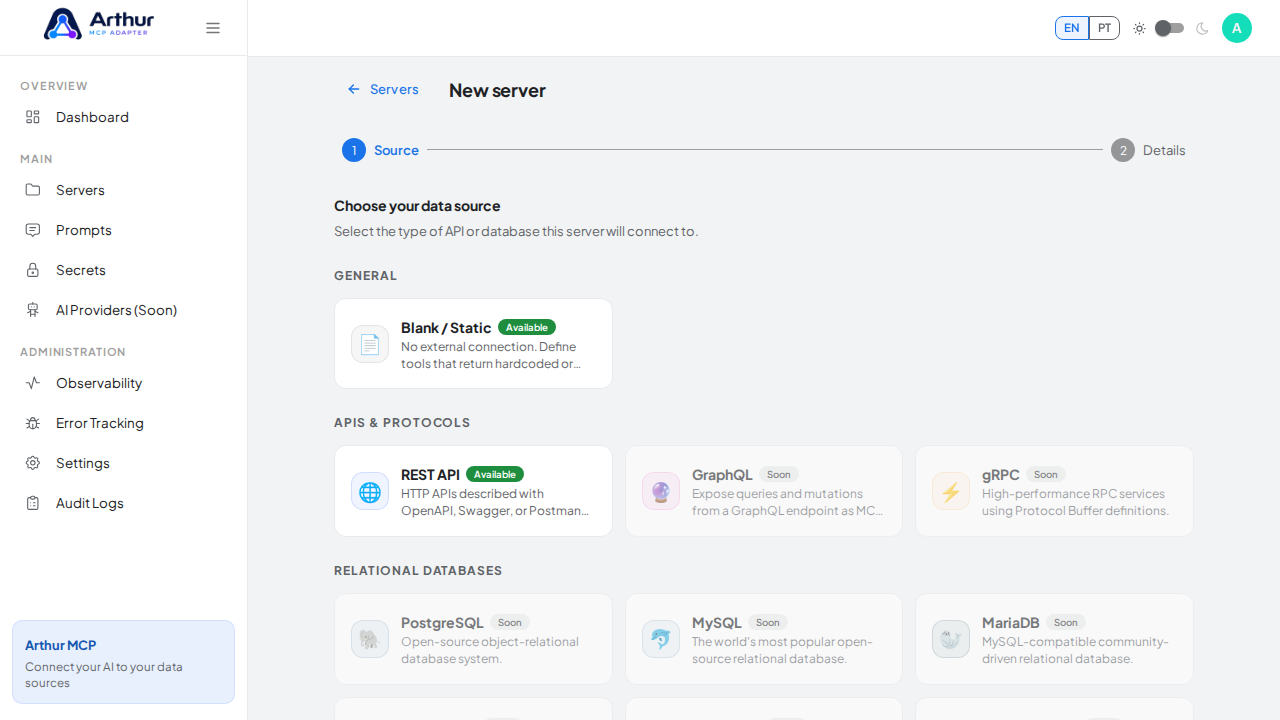
    Start creating the MCP server that will expose the prompt

  4. Go to New server, choose Blank / Static as the source, and click Next.

    Choose the Blank / Static source — no external connection is needed for a prompt-only server.
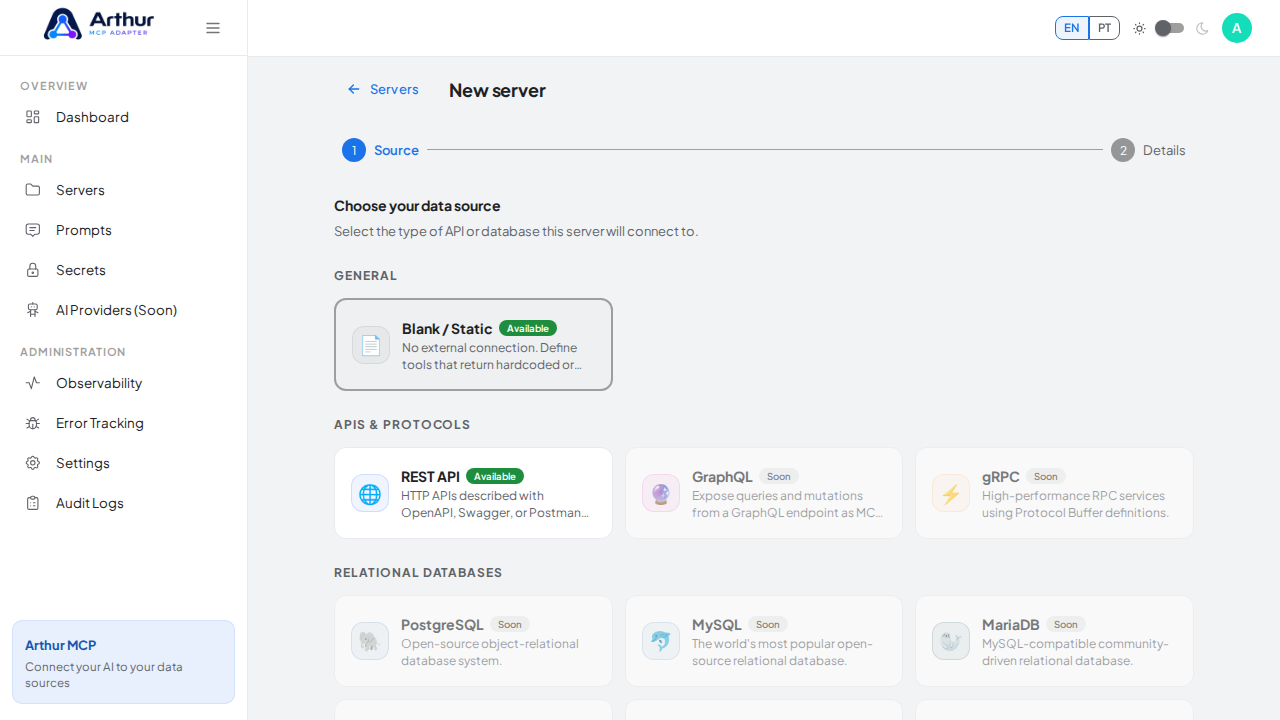
    Choose the Blank / Static source — no external connection is needed for a prompt-only server

    Advance to the server details step.

    Advance to the server details step

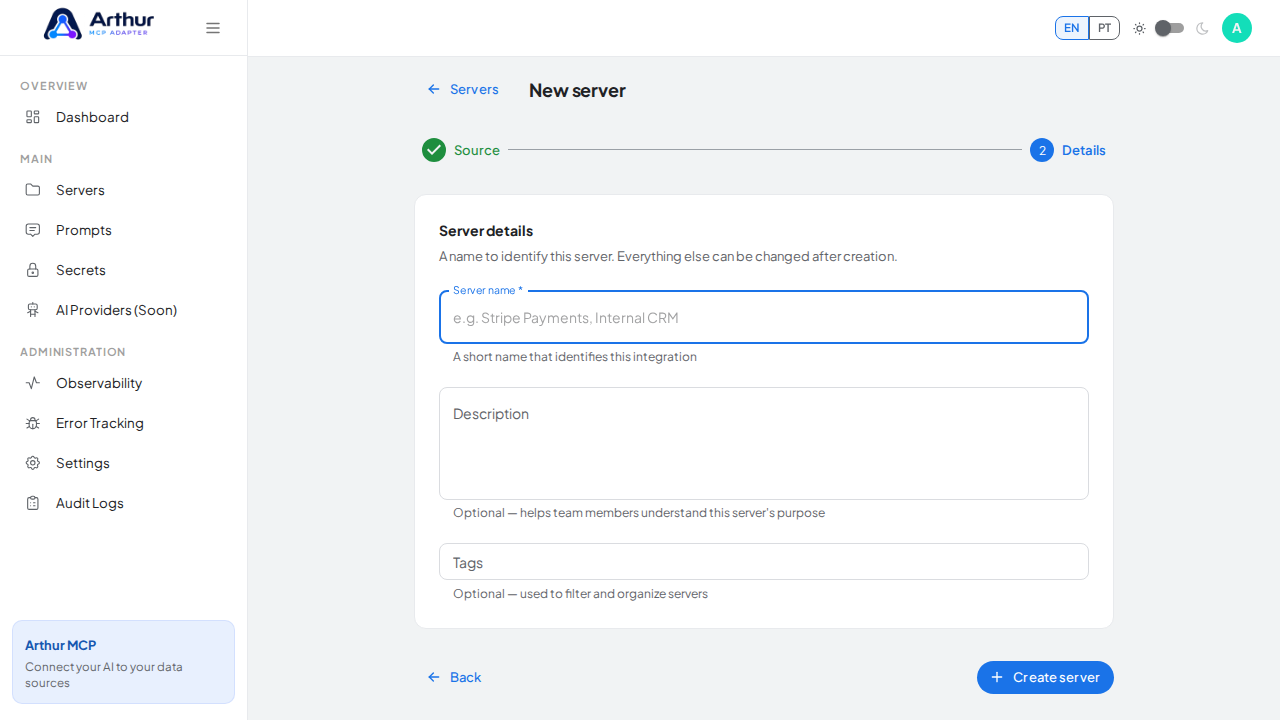
    Name the server after the prompt it will expose.
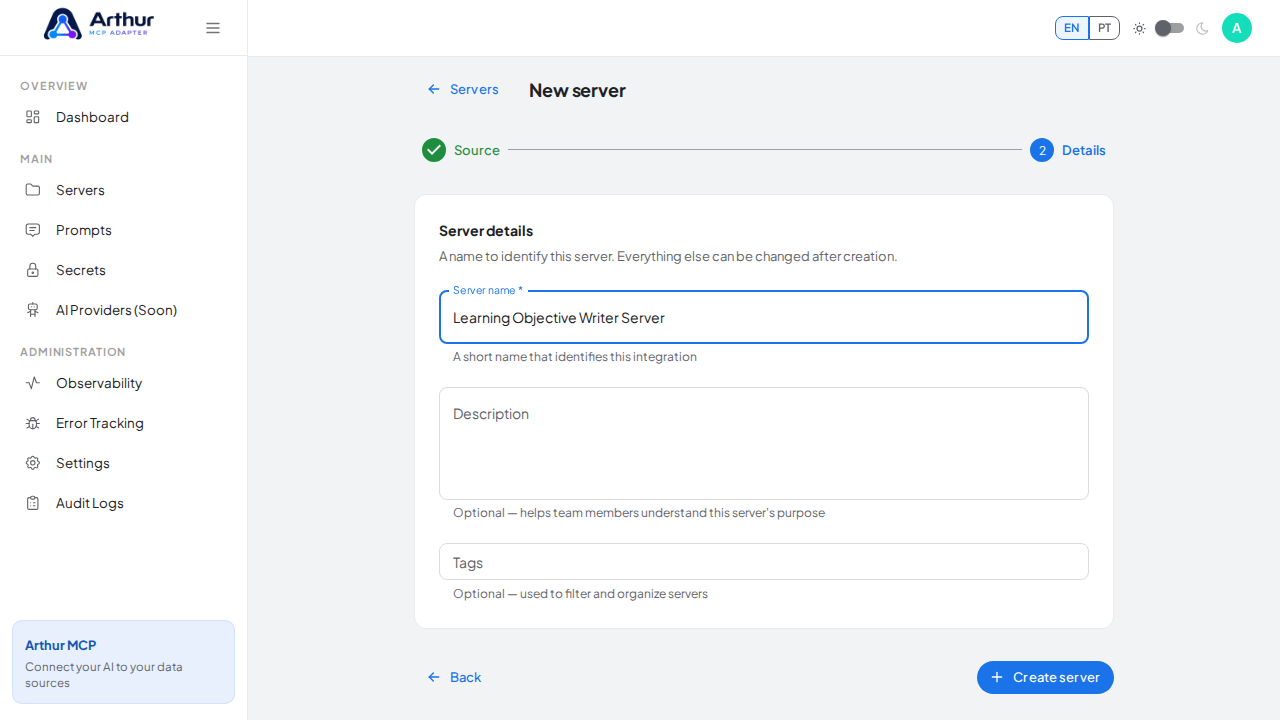
    Name the server after the prompt it will expose

    Create the blank MCP server.

    Create the blank MCP server

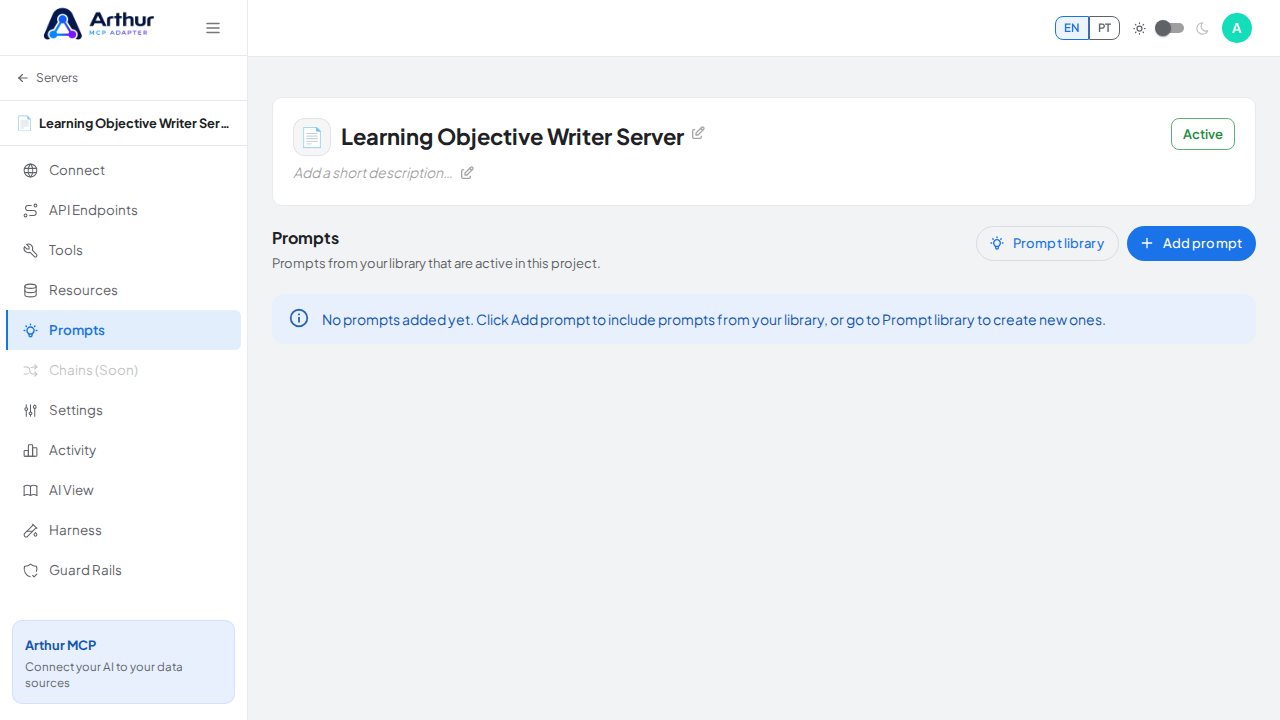
    Open the server's Prompts tab.

    Open the server's Prompts tab

  5. Name the server (for example, Learning Objective Writer Server) and click Create server.

    Open the prompt-library picker.
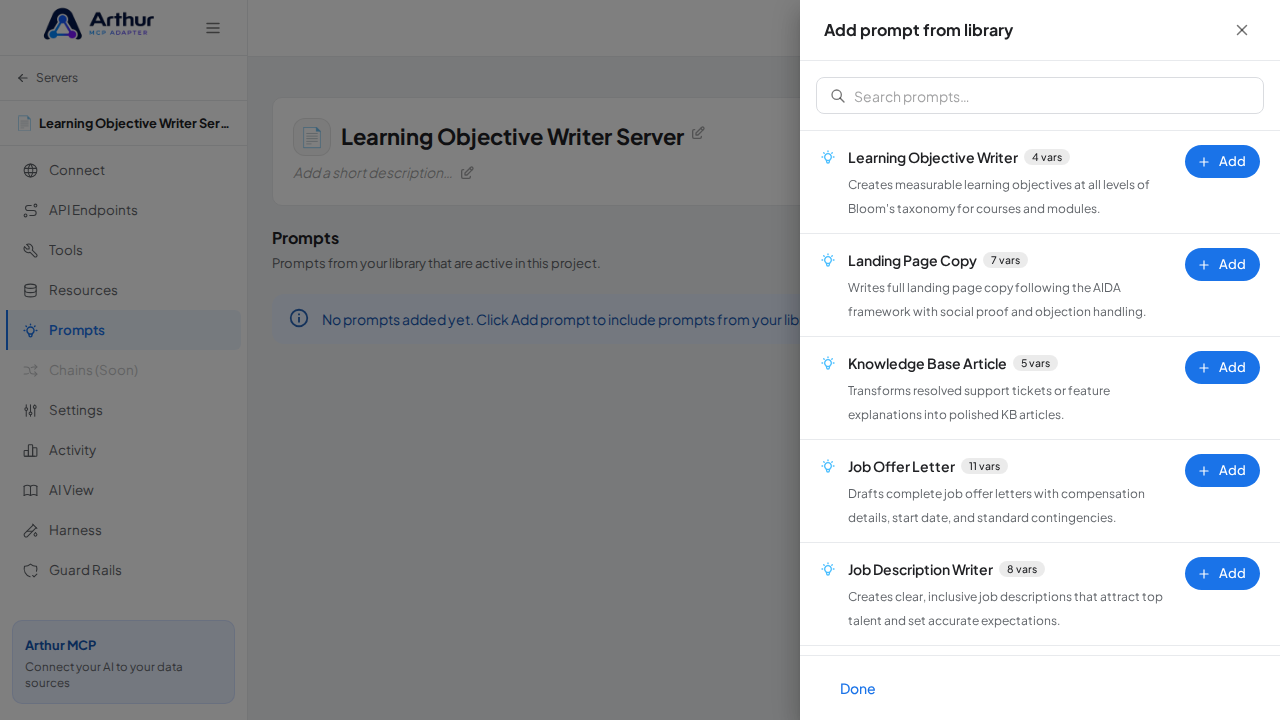
    Open the prompt-library picker

  6. On the server's Prompts tab, click Add prompt, search for Learning Objective Writer, and click Add.

    Search the library for the Learning Objective Writer prompt.
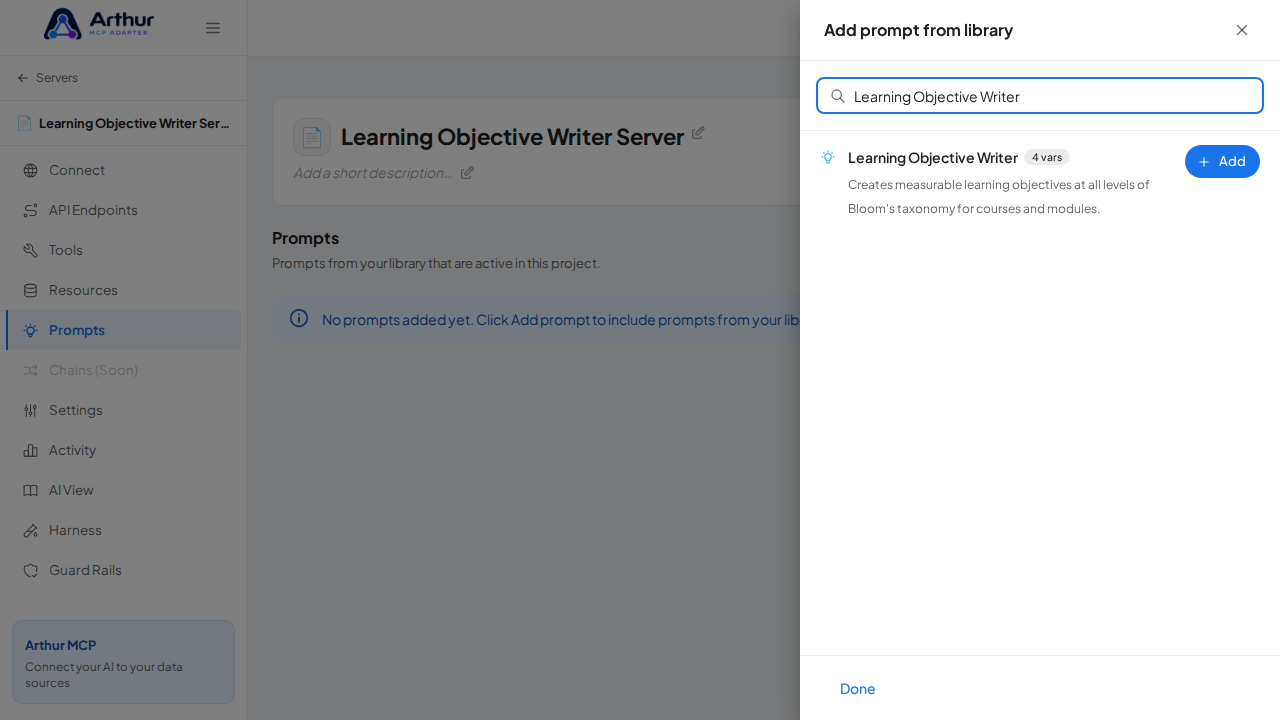
    Search the library for the Learning Objective Writer prompt

    Link the Learning Objective Writer prompt to the server.
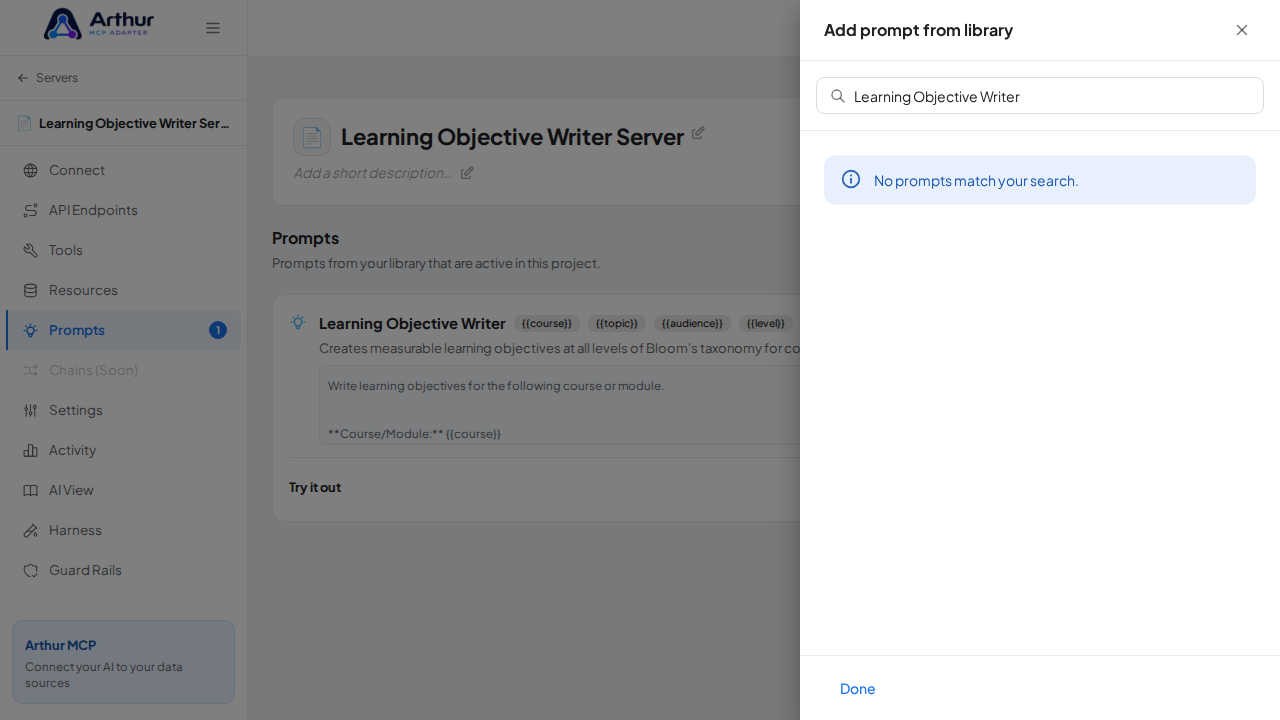
    Link the Learning Objective Writer prompt to the server

    Close the picker and show the linked prompt on the Prompts tab.
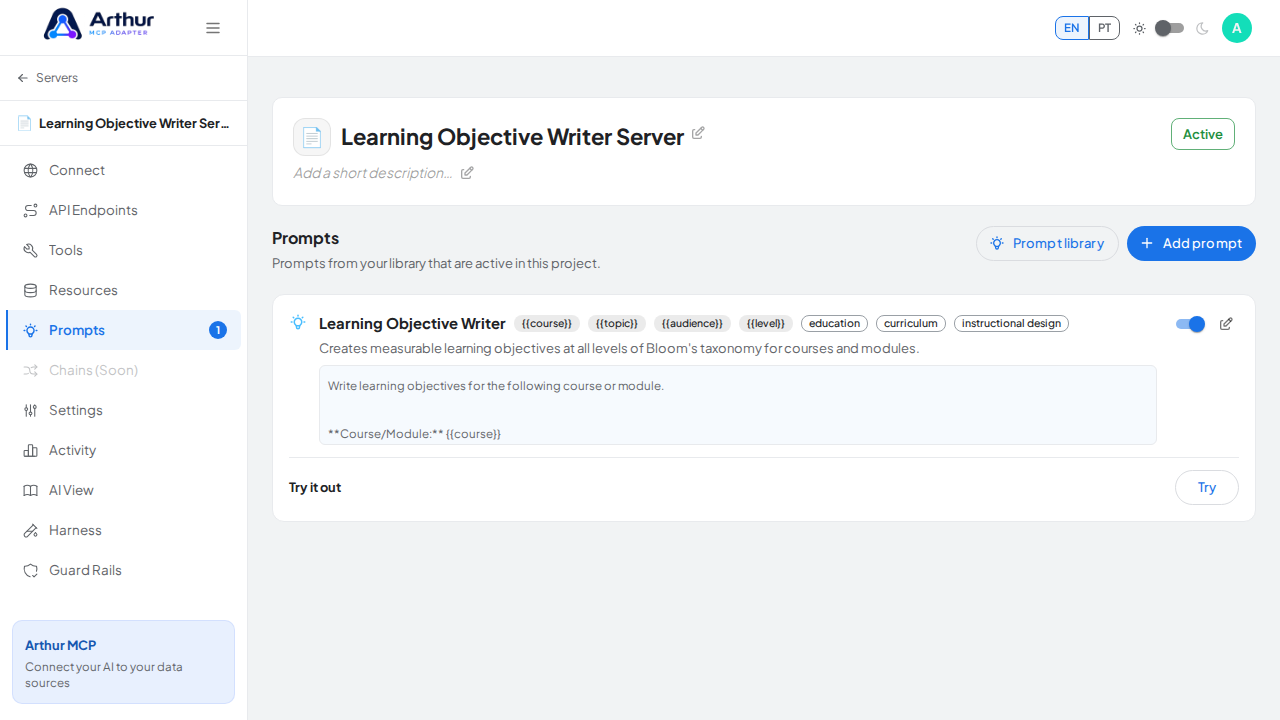
    Close the picker and show the linked prompt on the Prompts tab

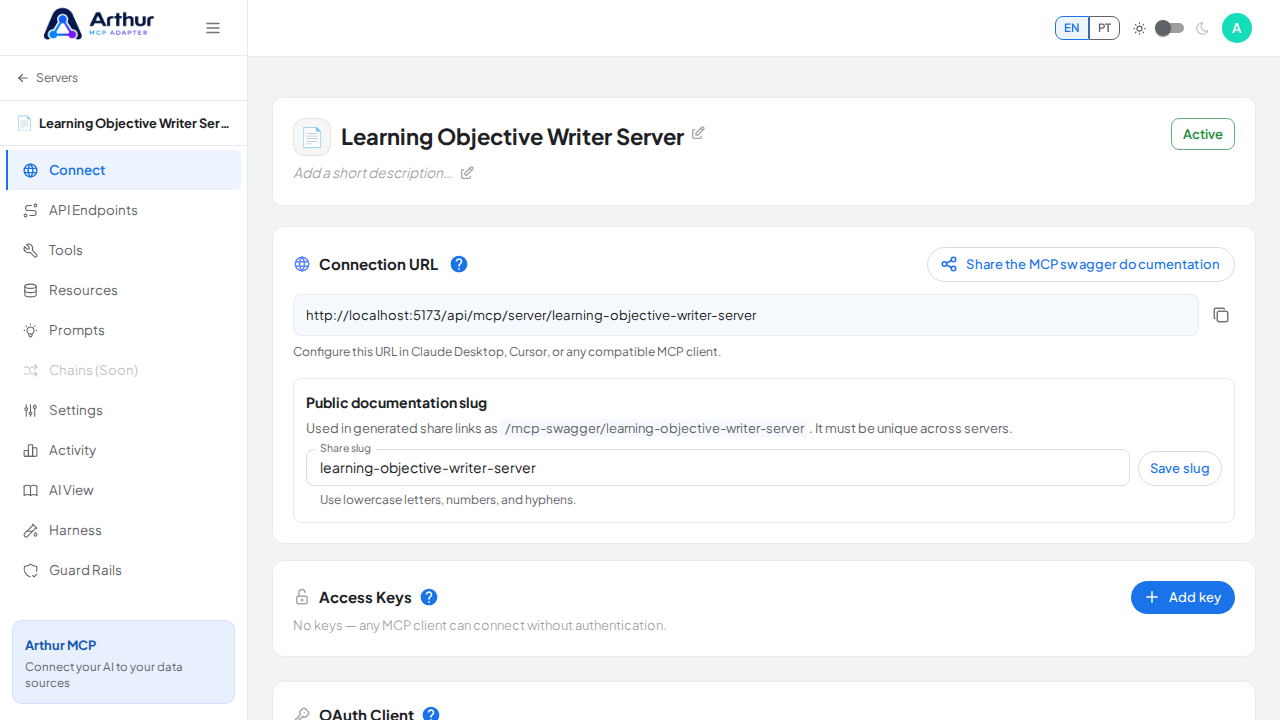
  7. Open the server's Connect section and click Share the MCP swagger documentation — Arthur generates the public documentation link and QR code for this server.

    Open the server's Connect section, where the MCP endpoint and its documentation live.
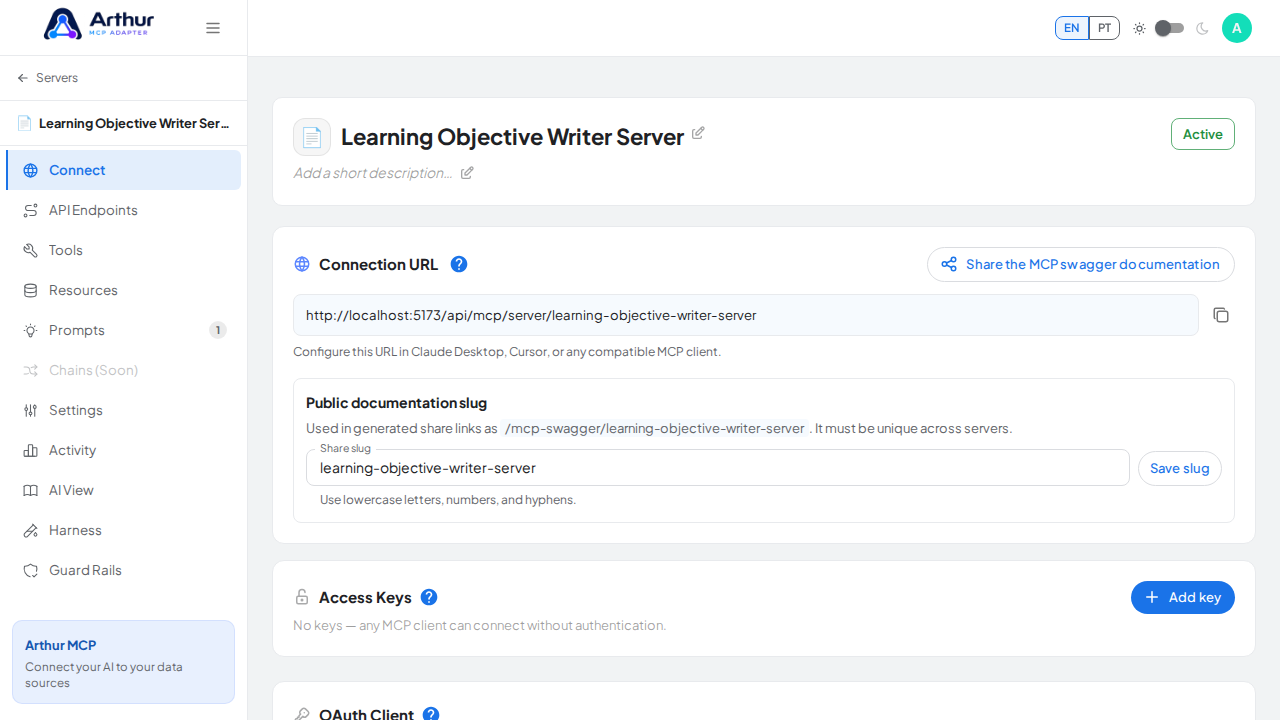
    Open the server's Connect section, where the MCP endpoint and its documentation live

    Open the MCP swagger documentation share panel.
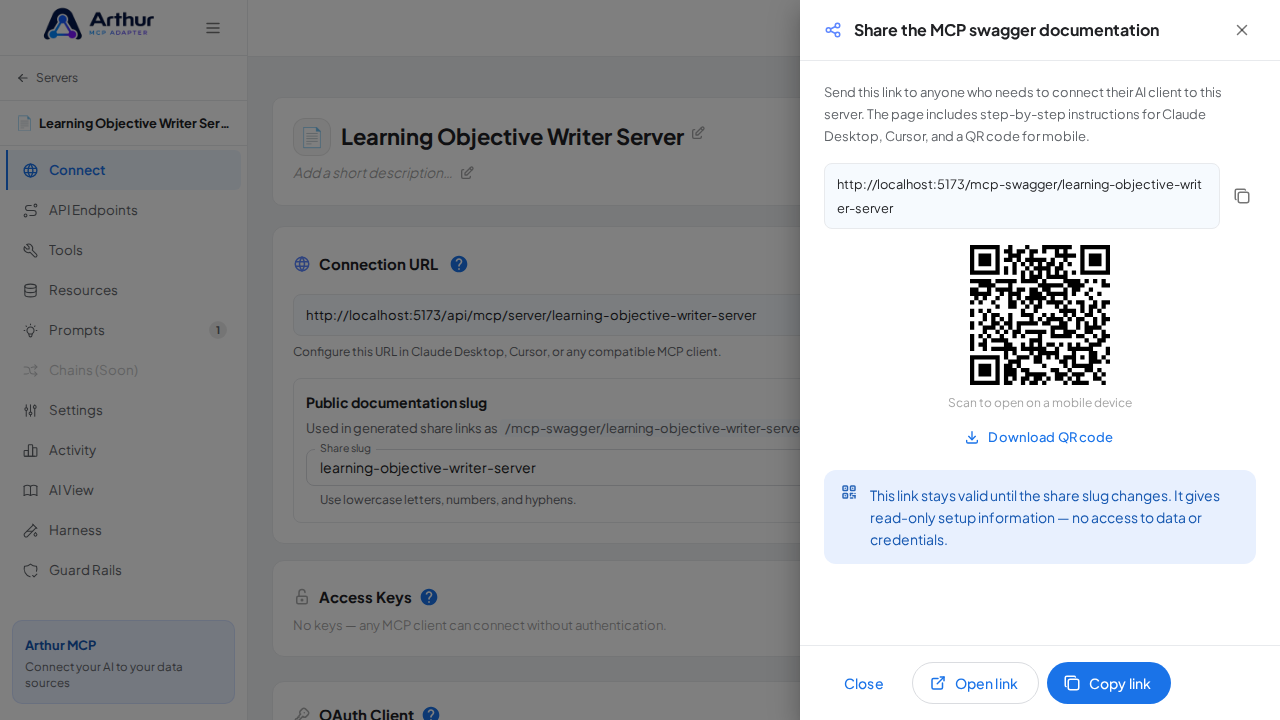
    Open the MCP swagger documentation share panel

    Show the generated swagger documentation link and QR code for this server.
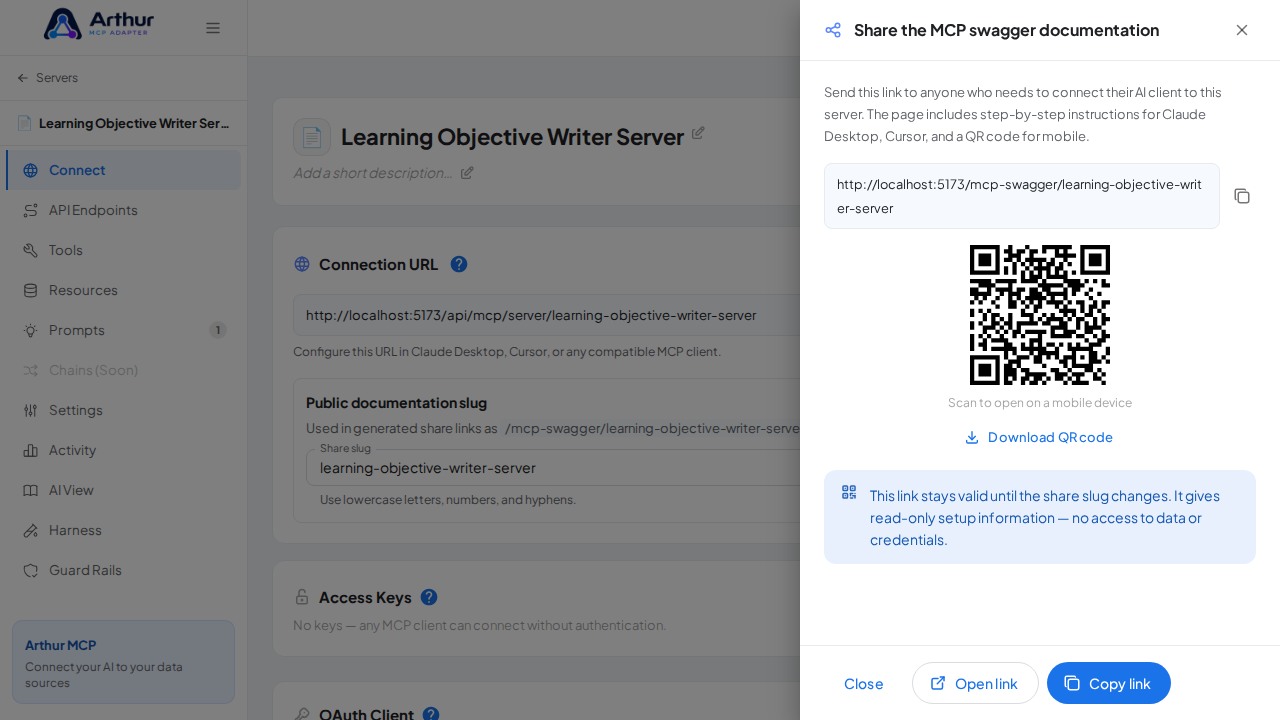
    Show the generated swagger documentation link and QR code for this server

Confirm it worked

The Learning Objective Writer prompt appears on the server's Prompts tab, and the Connect section offers the server's MCP swagger documentation — a shareable page with setup instructions for any AI client. A connected client can now fetch the prompt through this server.

Good to know

  • Creates measurable learning objectives at all levels of Bloom's taxonomy for courses and modules.
  • Arguments detected from the template: {{course}}, {{topic}}, {{audience}}, {{level}} — callers fill these in when invoking the prompt.
  • Editing the prompt in the shared library updates it on every server where it's linked.

Related

Your browser does not support the video tag.

Arthur MCP Wiki

Home


🇬🇧 English

Home · Getting Started · FAQ

⚙️ Features

Servers & Tools

Security & Access

Platform

Operations

Coming Soon

📚 Guides (46)

Connect AI Clients

Security & Access

Harness & Limits

Platform & Operations

Tools, Resources & Prompts

Servers & Import

🔌 API Integrations (230)
AI (28)
Animals (19)
Anime (14)
Anti-Malware (10)
Art & Design (23)
Authentication & Authorization (5)
Blockchain (9)
Books (16)
Business (27)
Calendar (14)
Cloud Storage & File Sharing (10)
Communication (9)
Continuous Integration (5)
Cryptocurrency (2)
Data (15)
Database (3)
Development (8)
E-commerce (5)
Government & Legal (1)
Music & Media (5)
Testing (2)
✨ Prompt Templates (90)
Analysis (6)
Code (9)
Customer Support (6)
Data Extraction (6)
DevOps (5)
Education (5)
Finance (5)
HR & Recruiting (5)
Legal (4)
Product Management (5)
Research (5)
Sales (5)
SEO & Marketing (5)
Social Media (5)
Summarization (6)
Writing (8)
💡 Concepts (37)

Connect AI Clients

Security & Access

Harness & Limits

Platform & Operations

Tools, Resources & Prompts

Servers & Import


🇧🇷 Português

Início · Primeiros Passos · FAQ

⚙️ Funcionalidades

Servidores & Ferramentas

Segurança & Acesso

Plataforma

Operações

Em Breve

📚 Guias (46)

Conectar Clientes de IA

Segurança & Acesso

Harness & Limites

Plataforma & Operações

Ferramentas, Recursos & Prompts

Servidores & Importação

🔌 Integrações de API (230)
AI (28)
Animals (19)
Anime (14)
Anti-Malware (10)
Art & Design (23)
Authentication & Authorization (5)
Blockchain (9)
Books (16)
Business (27)
Calendar (14)
Cloud Storage & File Sharing (10)
Communication (9)
Continuous Integration (5)
Cryptocurrency (2)
Data (15)
Database (3)
Development (8)
E-commerce (5)
Government & Legal (1)
Music & Media (5)
Testing (2)
✨ Templates de Prompt (90)
Analysis (6)
Code (9)
Customer Support (6)
Data Extraction (6)
DevOps (5)
Education (5)
Finance (5)
HR & Recruiting (5)
Legal (4)
Product Management (5)
Research (5)
Sales (5)
SEO & Marketing (5)
Social Media (5)
Summarization (6)
Writing (8)
💡 Conceitos (37)

Conectar Clientes de IA

Segurança & Acesso

Harness & Limites

Plataforma & Operações

Ferramentas, Recursos & Prompts

Servidores & Importação

Clone this wiki locally