Image Recognition
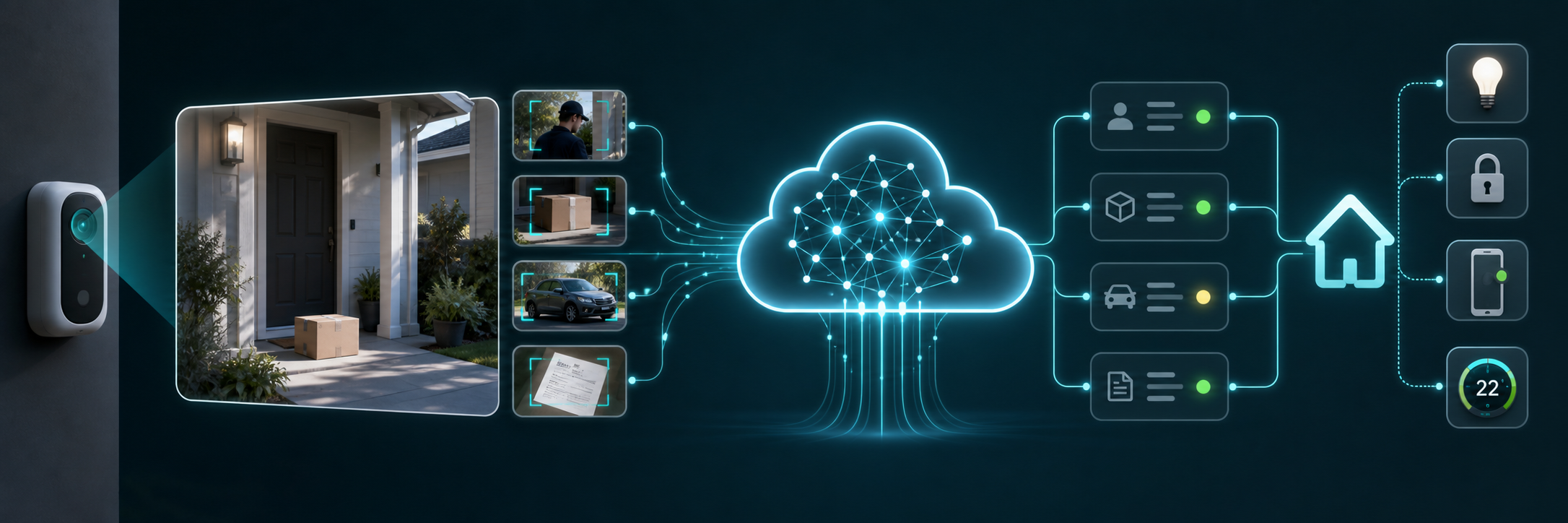
Use this page to configure Groq Image Recognition services for camera snapshots, Home Assistant media images, allowlisted local files, image URLs, and OCR-style prompts.
- Open the Groq integration page.
- Choose Add Image Recognition.
- Enter a friendly service name.
- Select a vision-capable model.
- Optionally set a system prompt to guide answers.
- Enable free-tier protection if you want this service paused locally after Groq reports a limit reset time.
| View | Screenshot |
|---|---|
| Image Recognition setup | 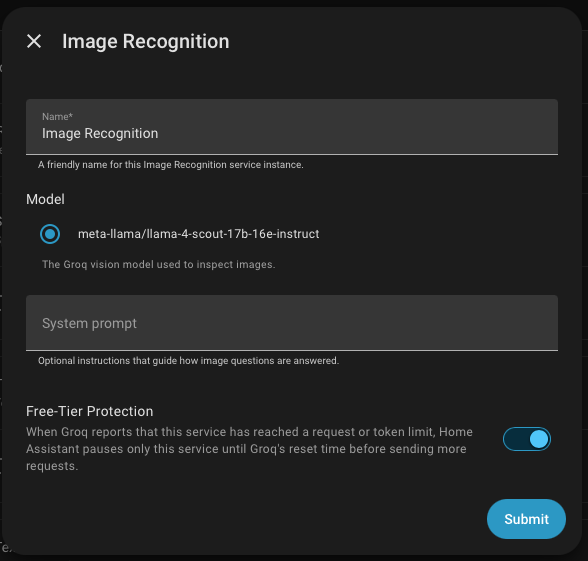 |
| Analyze Image action | 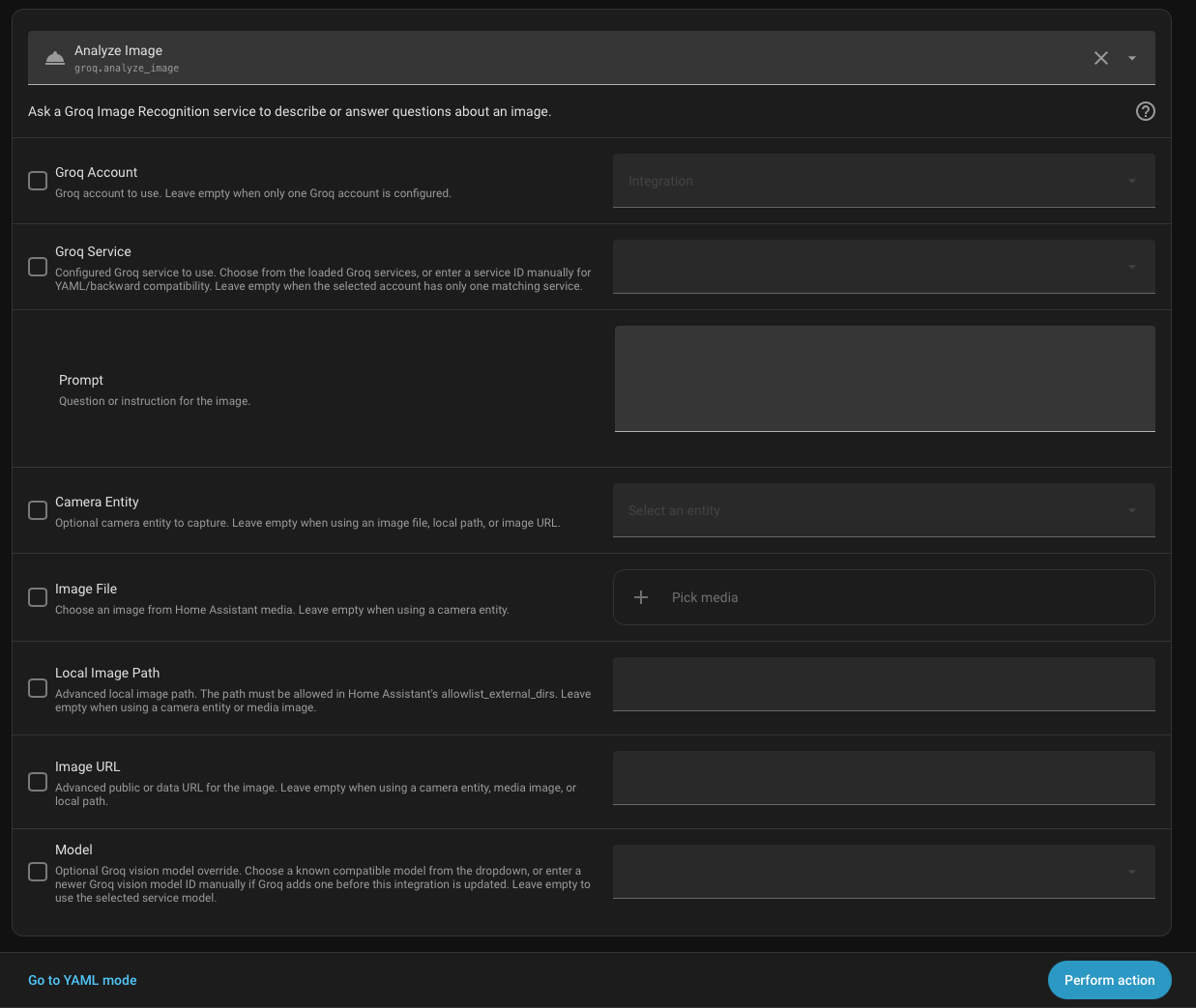 |
Use groq.analyze_image when you want the model to answer a question about an image. The action requires the Image Recognition service_id.
action: groq.analyze_image
data:
  service_id: Front Camera Vision
  prompt: Describe anything unusual in this camera image.
  camera_entity_id: camera.front_yard
  model: meta-llama/llama-4-scout-17b-16e-instruct
response_variable: groq_image
You can also pass an image URL:
action: groq.analyze_image
data:
  service_id: Front Camera Vision
  prompt: Describe anything unusual in this camera image.
  image_url: https://example.com/snapshot.jpg
response_variable: groq_imageUse groq.extract_text_from_image when you want OCR-style output from the configured Image Recognition service. The action requires the Image Recognition service_id.
action: groq.extract_text_from_image
data:
  service_id: Entry OCR
  camera_entity_id: camera.entry_table
  prompt: Extract all visible text. Return only the text.
response_variable: groq_ocr
The image actions support these input sources:
| Input | Use it for | Notes |
|---|---|---|
camera_entity_id |
Current Home Assistant camera snapshot | Best for automations and security/event workflows. |
image_file |
Home Assistant media image | Use the media selector from Developer Tools -> Actions. |
image_path |
Advanced local file path | The path must be allowed in Home Assistant allowlist_external_dirs. |
image_url |
Public or data URL | Useful for webhook or externally hosted snapshots. |
Provide one image source per call.
The setup flow prefers live Groq model discovery. If discovery is unavailable, the integration has built-in fallback model IDs:
meta-llama/llama-4-scout-17b-16e-instructqwen/qwen3.6-27bmeta-llama/llama-4-maverick-17b-128e-instruct
The model registry also detects Qwen vision models with qwen/qwen3.6- IDs and vision-capability metadata returned by Groq model discovery.