Text Generation

Use this page for Assist, AI Tasks, Home Assistant LLM tools, direct response actions, structured outputs, reasoning-capable models, prompt caching, and Groq Compound models.
- Common tasks
- Setup
- Entities and actions
- Service calls
- Advanced request options
- Built-in fallback models
- Related pages
- Use the generated Conversation entity with Assist.
- Use the generated AI Task entity for data generation.
- Call
groq.generate_textfrom scripts and automations with an explicit Text Generationservice_id. - Call
groq.generate_structuredwhen an automation needs JSON that follows a schema. - Use
groq.clear_cachewith an explicit Groq accountconfig_entry_idwhen cached text-generation responses need to be cleared.
- Open the Groq integration page.
- Choose Add Text Generation.
- Enter a friendly service name.
- Select a compatible Groq chat model.
- Configure defaults such as system prompt, Home Assistant LLM API access, temperature, token limits, streaming, reasoning, structured output, prompt caching, Compound built-in tools, and free-tier protection.
| View | Screenshot |
|---|---|
| Basic Text Generation setup |  |
| Advanced Text Generation setup | 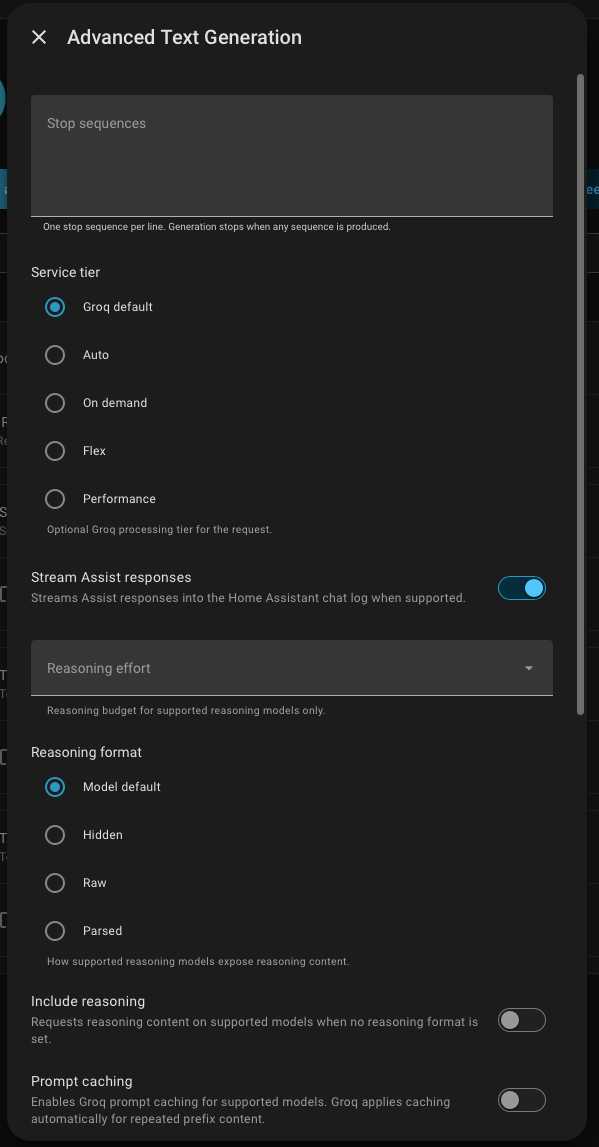 |
| Generated Conversation and AI Task entities | 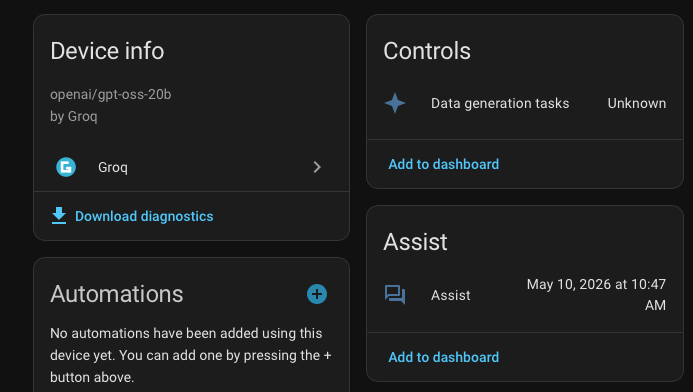 |
| Surface | Use it for |
|---|---|
| Conversation entity | Home Assistant Assist conversations backed by the configured Groq service. Can use selected Home Assistant LLM APIs on models that support tool calls. |
| AI Task entity | Home Assistant data-generation tasks that can use structured schemas, image attachments, and Home Assistant tools when available. |
groq.generate_text |
Direct text generation from scripts, automations, dashboards, or Developer Tools -> Actions. Requires service_id. |
groq.generate_structured |
Text generation with an optional JSON Schema and strict structured-output mode. Requires service_id. |
groq.clear_cache |
Clear cached text-generation responses for a Groq account. Requires config_entry_id. |
action: groq.generate_text
data:
  service_id: Home Summary
  prompt: Summarize the current home status for a dashboard notification.
  model: llama-3.1-8b-instant
  temperature: 0.2
response_variable: groq_textThe service_id field is required for Text Generation response actions.
action: groq.generate_text
data:
  service_id: Home Summary
  prompt: Write a short status update for the hallway dashboard.
response_variable: groq_textUse groq.generate_structured when you want the response to follow a JSON Schema.
action: groq.generate_structured
data:
  service_id: Home Summary
  prompt: Extract the room, device, and requested action from "turn off the kitchen lights".
  model: openai/gpt-oss-20b
  strict: true
  schema_name: home_intent
  schema:
    type: object
    properties:
      room:
        type: string
      device:
        type: string
      action:
        type: string
    required:
      - room
      - device
      - action
    additionalProperties: false
response_variable: groq_structured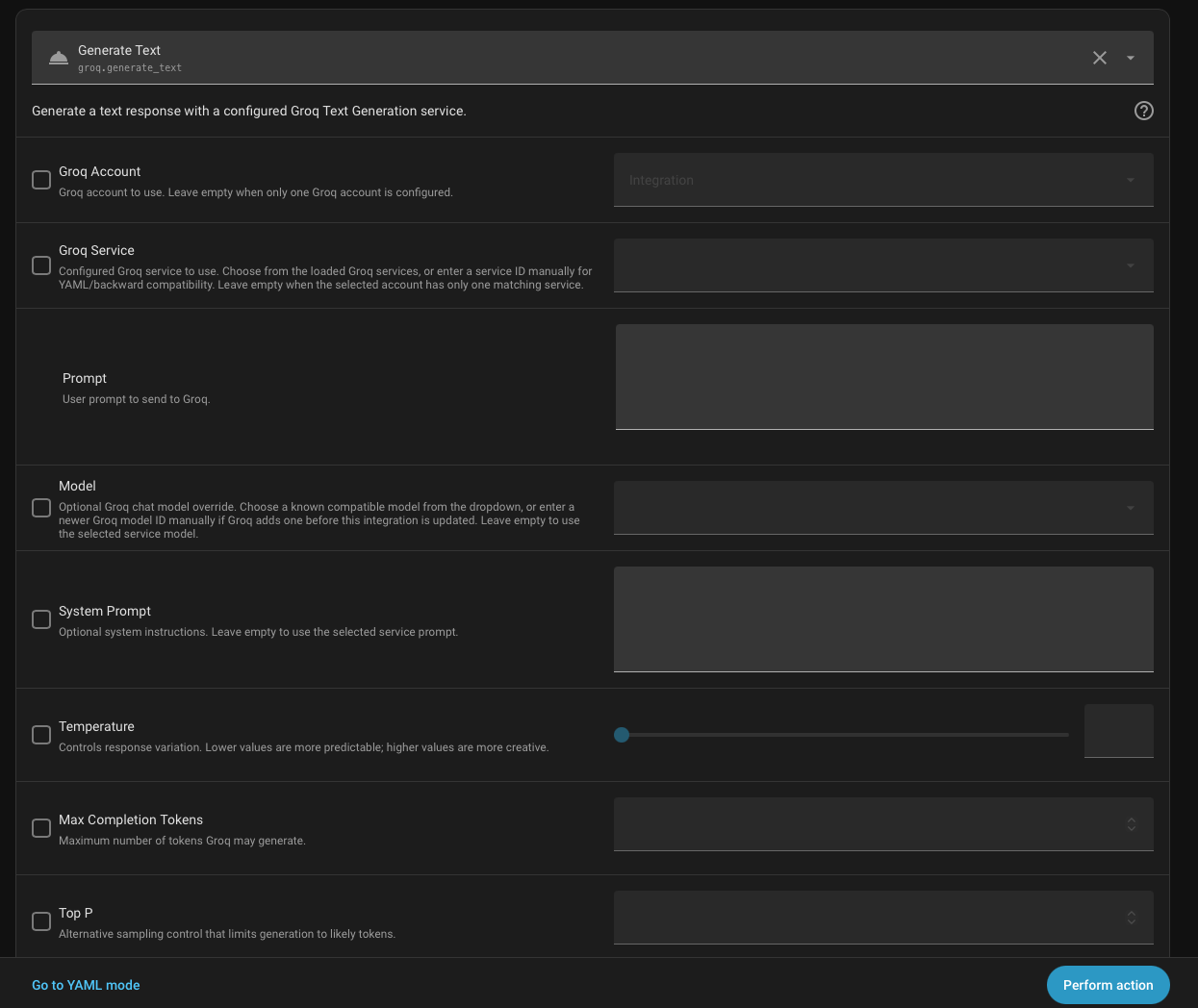
The Text Generation setup flow and services support:
- model
- system prompt
- temperature
- maximum completion tokens
- top-p
- stop sequences
- seed
- service tier
- streaming Assist responses
- reasoning effort, reasoning format, and include-reasoning for supported models
- prompt caching for supported models
- Compound built-in tools for
groq/compoundandgroq/compound-mini - structured outputs for supported models
- additional request body options
Use request_body_options for Groq chat completion fields that are not exposed as dedicated Home Assistant controls.
action: groq.generate_text
data:
  service_id: Bedtime Writer
  prompt: Create a short goodnight message.
  model: openai/gpt-oss-20b
  request_body_options:
    user: home-assistant
    metadata:
      workflow: bedtime
response_variable: groq_text
Reasoning, prompt caching, structured-output controls, and Home Assistant tool calls are gated by model capability. If an option is unavailable or rejected, choose a model that supports that capability.
Compound built-in tools are opt-in for groq/compound and groq/compound-mini. Leave the option empty to send an explicit empty allow-list and block Groq server-side web search, website visits, browser automation, code execution, and Wolfram Alpha.
Supported built-in tool IDs are:
web_searchvisit_websitebrowser_automationcode_interpreterwolfram_alpha
browser_automation requires web_search. Enabling visit_website, browser_automation, or wolfram_alpha requests Groq's latest Compound system version.
The setup flow prefers live Groq model discovery. If discovery is unavailable, the integration has built-in fallback model IDs including:
llama-3.1-8b-instantllama-3.3-70b-versatilemeta-llama/llama-4-scout-17b-16e-instructopenai/gpt-oss-20bopenai/gpt-oss-120bopenai/gpt-oss-safeguard-20bqwen/qwen3-32bgroq/compoundgroq/compound-mini
Structured output is available only for compatible models. Reasoning and prompt caching options are also only offered for models known to support them.