Repository navigation
Conversions
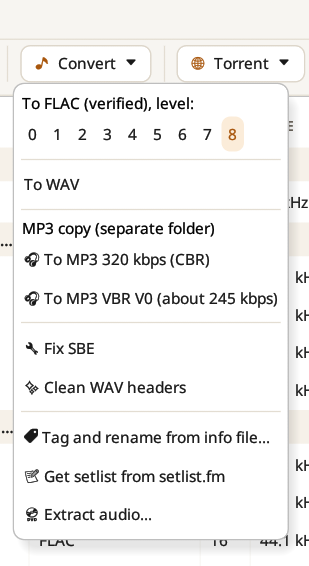
Every conversion writes new files next to the originals, and each new file is checked before anything else happens.
- To FLAC (verified), at the compression level of your choice, from level 0 (fastest) to level 8 (smallest); level 5 is flac's default. Each new file is decoded again and compared with the source.
- To WAV.
- MP3 copy (separate folder): To MP3 320 kbps (CBR) or To MP3 VBR V0 (about 245 kbps), for a car or a phone. The copies go to a separate folder (see Settings), so they never mix with the lossless show.
- Fix SBE: fixes sector boundary errors disc by disc, with the same audio as shntool fix.
- Clean WAV headers: see below.
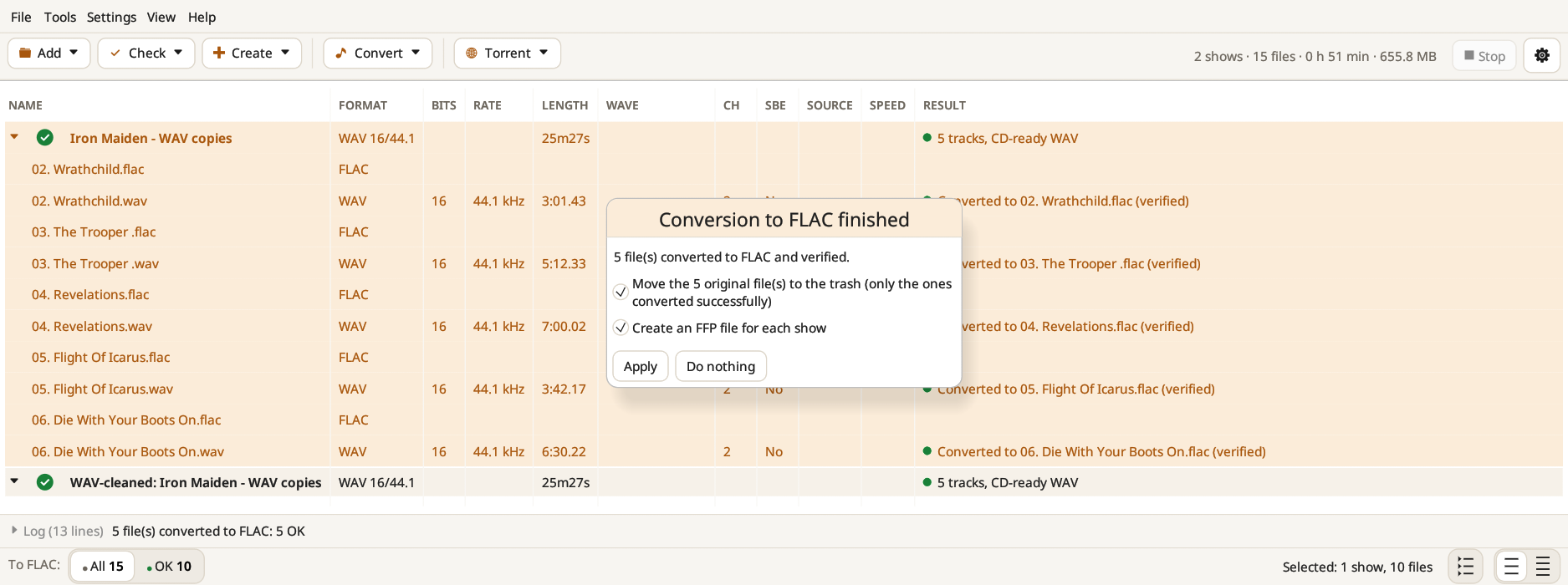
When a conversion to FLAC is finished, Bootleg Toolbox asks what to do next. It can move the original files to the trash (only the ones converted successfully), move the old checksum files that list them to the trash, and create an FFP file for each show. Untick what you want to keep, or choose Do nothing. Files go to the trash, never straight to deletion.
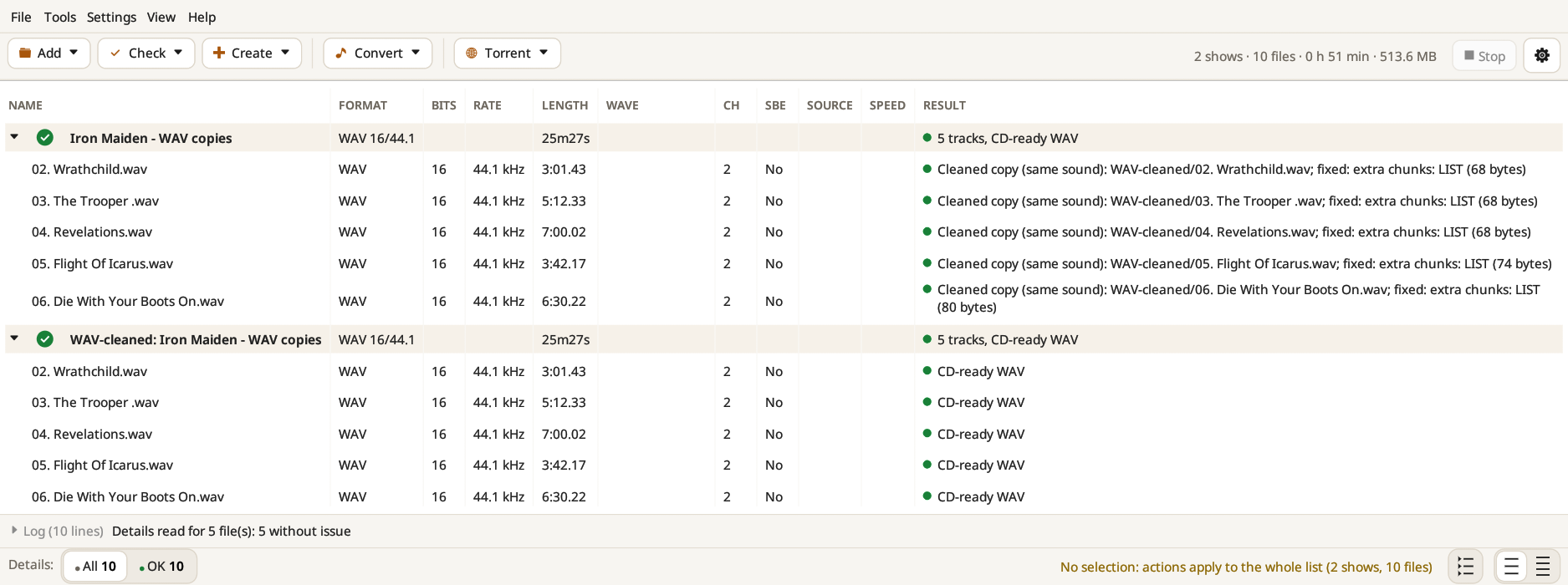
Some burning and SBE tools stumble on WAV files that are not canonical. Clean WAV headers rewrites them with only their format and their sound, in the canonical layout: extra chunks (LIST, id3, bext…), non-standard headers and stray bytes are left out. The copies go to a WAV-cleaned folder and are checked to hold the same sound; the originals are not touched. The Result column lists what was removed from each file.
The Convert menu also holds Tag and rename from info file… and Get setlist from setlist.fm (see Tag and rename), and Extract audio… (see DVDs and videos).
MP3, MP2, AAC and Vorbis files are never converted to FLAC: that would only make a "fake lossless" copy of a lossy file.