Repository navigation
Share Card
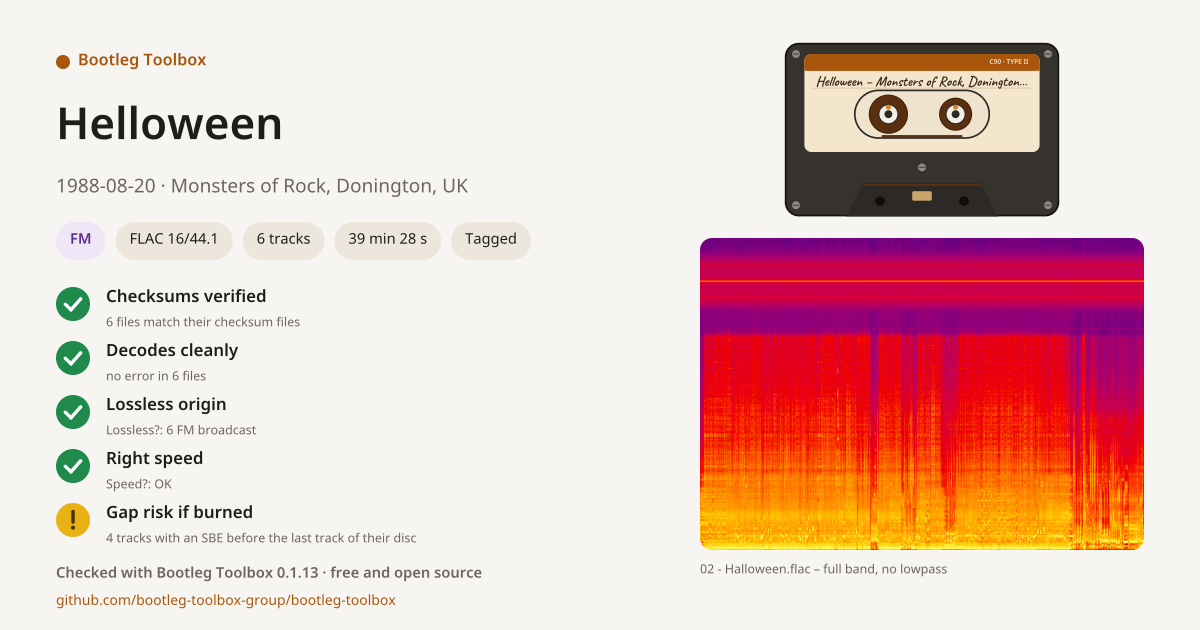
A share card is a picture of a show to post with it, on a tracker, a forum or in a message: what it is, and what was checked on it. Share card… is at the top of the right-click menu, in the Tools menu, and on the band shown at the end of a long task.
-
The show: artist, date and venue, read from the info file, the folder name or the tags.
-
Badges: the recording source (SBD, AUD, FM…) when the folder name or the info file gives it, the format, the number of tracks and the length, and Tagged when every track is a FLAC file with its artist, title and track number in its tags.
-
The checks run on the show in this session, each with its outcome in green, yellow or red:
- Lossless?, with the show's verdict ("Lossless origin", "Origin to check", "Lossy origin");
- Speed? ("Right speed", "Speed to check");
- Checksums verified, once Verify checksums has run on every file of the show;
- Decodes cleanly, once the decode test has run on every file of the show;
- CD-ready, or Gap risk if burned when tracks have a sector boundary error before the last track of their disc.
A check that was not run is left out: the card never shows a check as passed when it was not done. Run the checks first, then make the card.
-
The cassette, with the show written on its label, and the spectrogram of the longest track, with the lowpass found by Lossless? drawn on it ("full band, no lowpass" when there is none).
-
At the bottom, the version of Bootleg Toolbox that made it.
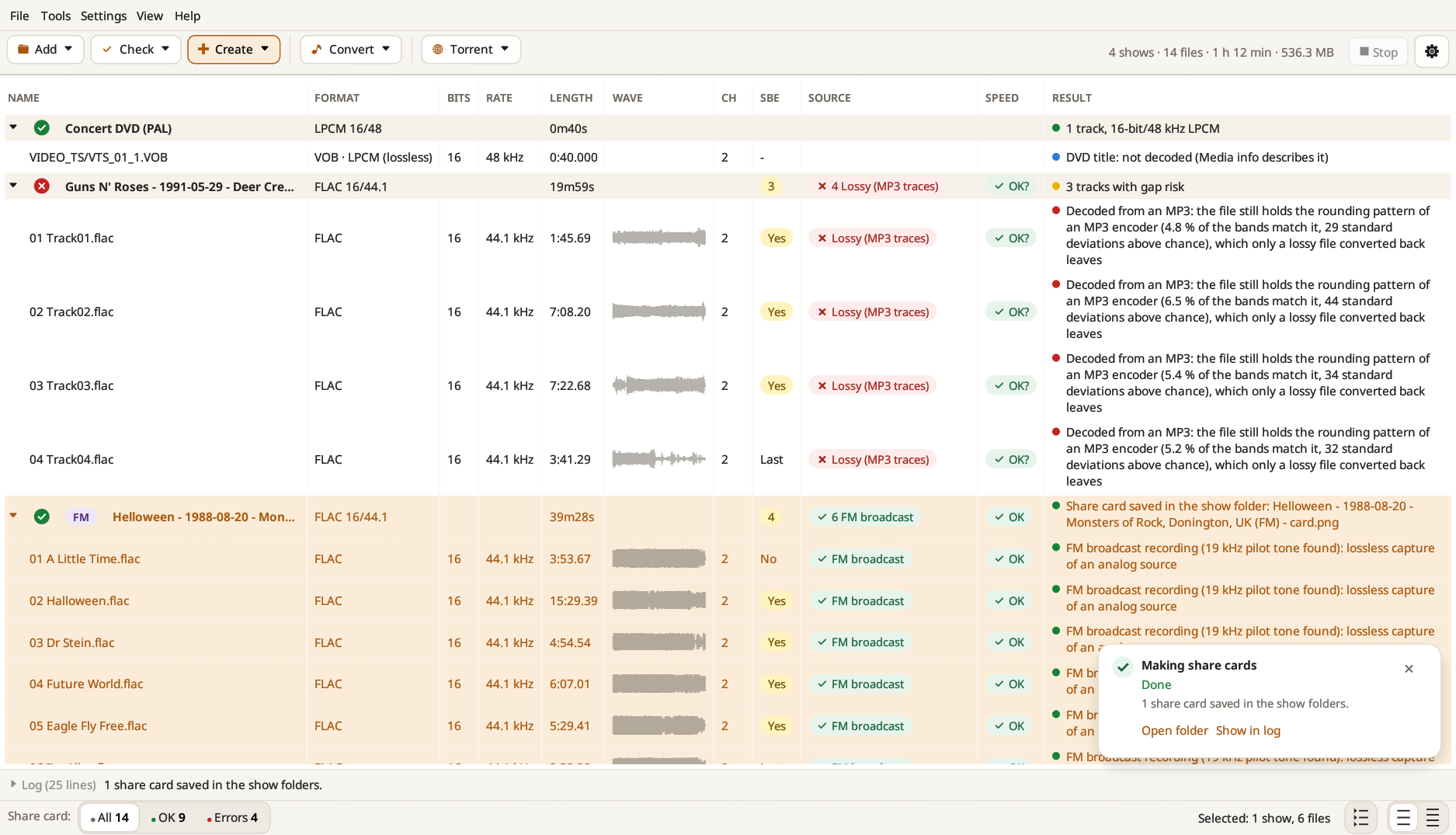
The card is a 1200 × 630 PNG, saved in the show folder as <folder> - card.png, next to the tracks, so that it goes with the show into its torrent (the checksum files only list the audio). Open folder in the notification opens the folder with the card selected. Cards can be made for up to 20 shows at once.