Repository navigation
Settings
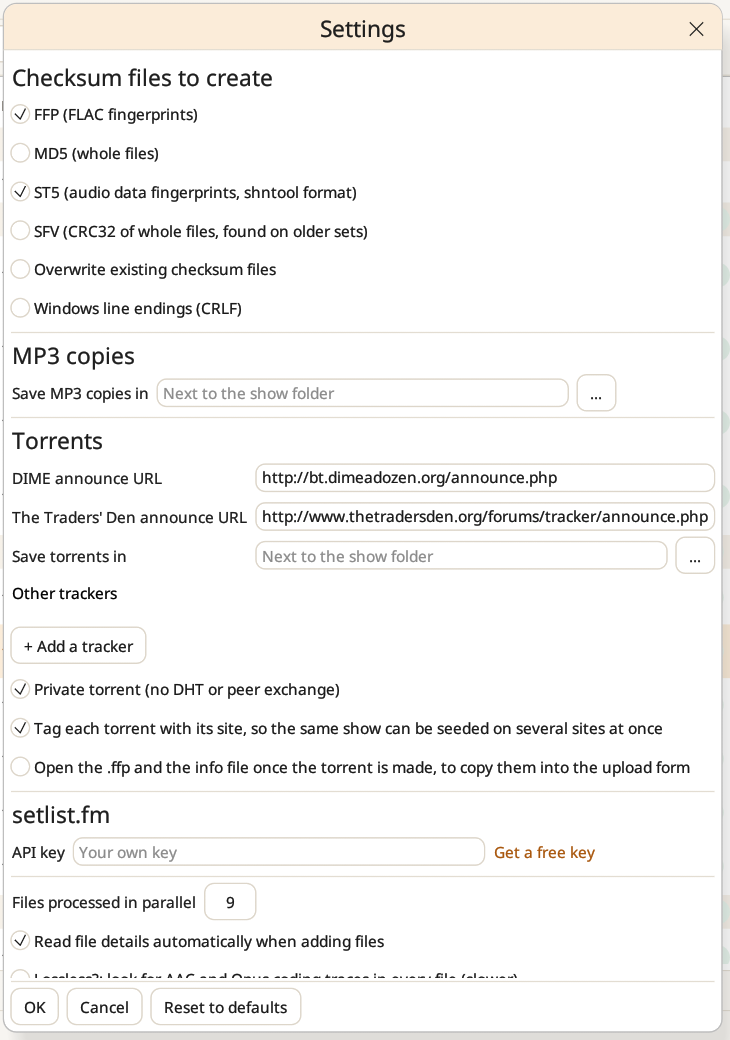
Everything is set once, in Settings (the gear button at the top right, or the Settings menu), and Reset to defaults brings back the original choices.
Checksum files to create. Choose which files Create checksums writes: FFP (FLAC fingerprints), MD5 (whole files), ST5 (audio data fingerprints, in shntool's format) and SFV (CRC32 of whole files, found on older sets). Tick Overwrite existing checksum files to replace the ones already there. Windows line endings (CRLF) writes the files the way Windows tools do.
MP3 copies. Where the MP3 copies go: next to the show folder by default, or in a folder of your choice.
Torrents. The announce URLs for Dime a Dozen and The Traders' Den, the folder where new torrents are saved, and Add a tracker for any other site. Private torrent turns off DHT and peer exchange, as private trackers require. Tag each torrent with its site gives every torrent its own source tag, so the same show can be seeded on several sites at once. Open the .ffp and the info file once the torrent is made opens both in your text editor, ready to copy into the upload form.
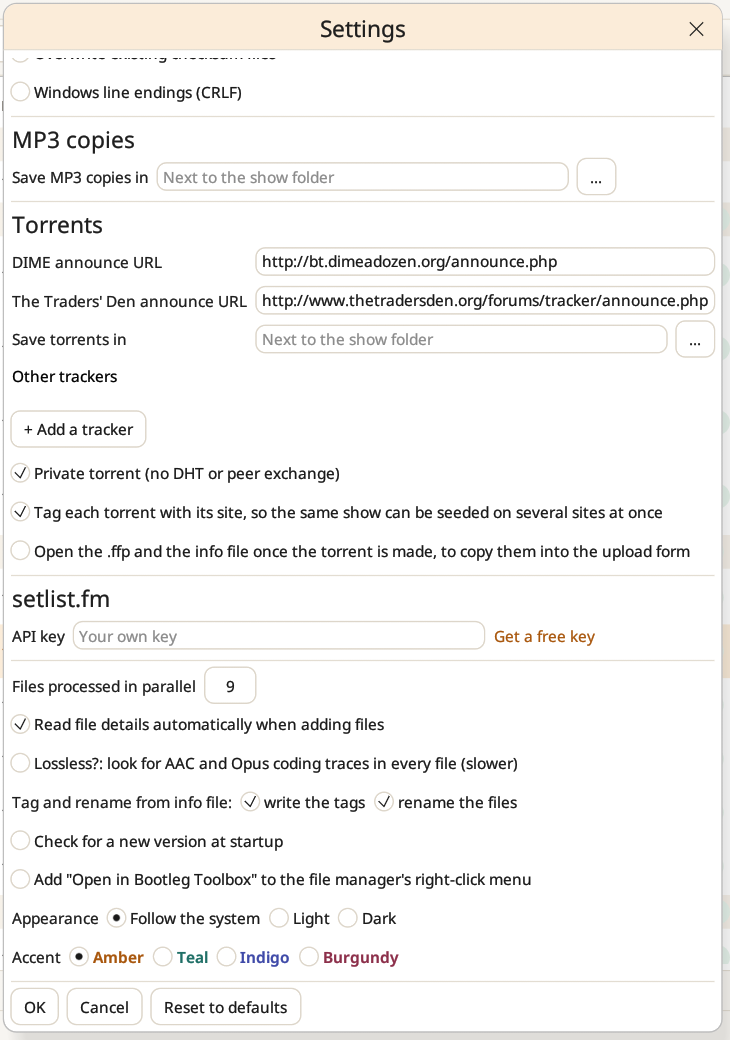
setlist.fm. Your API key for fetching setlists. Get a free key opens setlist.fm's page to create one.
General.
- Files processed in parallel: by default, one less than your processor's physical cores (at least 2). The analyses run at a lower priority, so the computer stays usable.
- Read file details automatically when adding files.
- Lossless?: look for AAC and Opus coding traces in every file (slower). Without it, they are still looked for in the doubtful verdicts.
- What Tag and rename from info file does by default: write the tags, rename the files, or both.
- Check for a new version at startup: off by default. It asks GitHub once at each start, sending nothing but the program's name and version.
- Add "Open in Bootleg Toolbox" to the file manager's right-click menu, for folders and audio files: Explorer on Windows, Dolphin, Nautilus and Nemo on Linux. Untick it to remove the entry.
Appearance. Follow the system's theme, or always light or dark (also in the View menu). Accent sets the colour of buttons, links, selection and progress: amber (the default), teal, indigo or burgundy. Green, yellow and red keep their meaning whatever the accent.