Repository navigation
DVDs
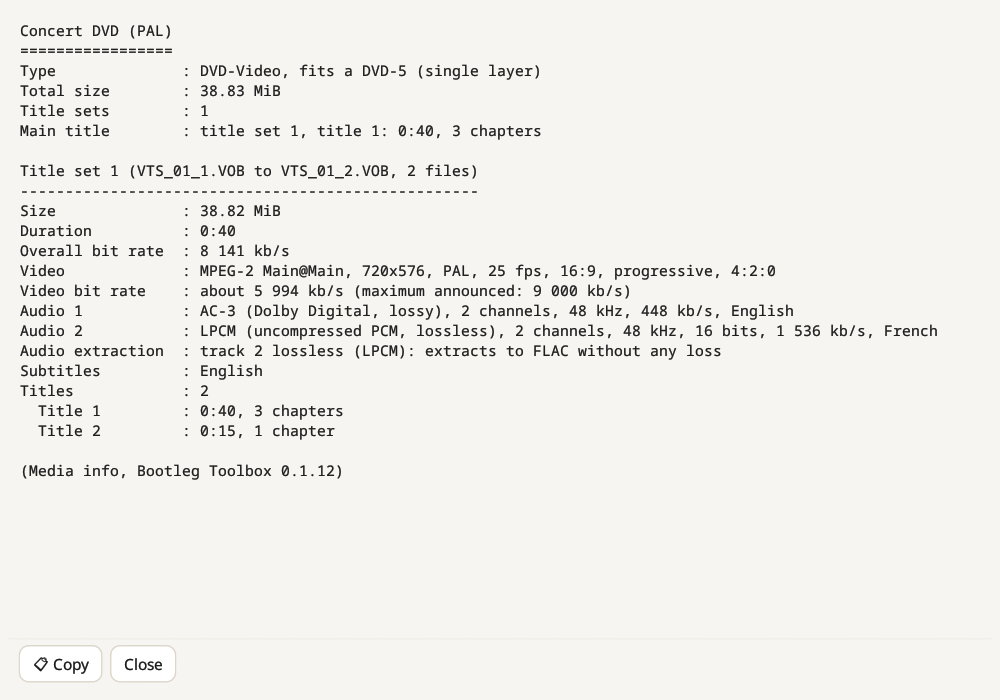
Add a VIDEO_TS folder and the DVD joins the list, one row per title. MKV and MP4 concert videos are listed like audio files: their sound is read, checked and analysed like any track. Media info (Ctrl+I) gives a technical summary in the style of MediaInfo, ready to paste into a post:
- the type of disc and whether it fits a DVD-5 (single layer) or needs a DVD-9 (dual layer);
- for each title set, its VOB files, size, duration and bitrate;
- the video stream: codec, resolution, PAL or NTSC, frame rate, aspect ratio and bitrate;
- every audio track with its codec, channels, sample rate, bitrate and language, clearly marked lossless (LPCM) or lossy (AC-3, DTS, MPEG);
- what can be done with the audio: a lossless track can be extracted to WAV or FLAC without any loss, while lossy-only audio is best kept as its original stream;
- subtitles, titles and chapters.
Copy puts the summary on the clipboard.
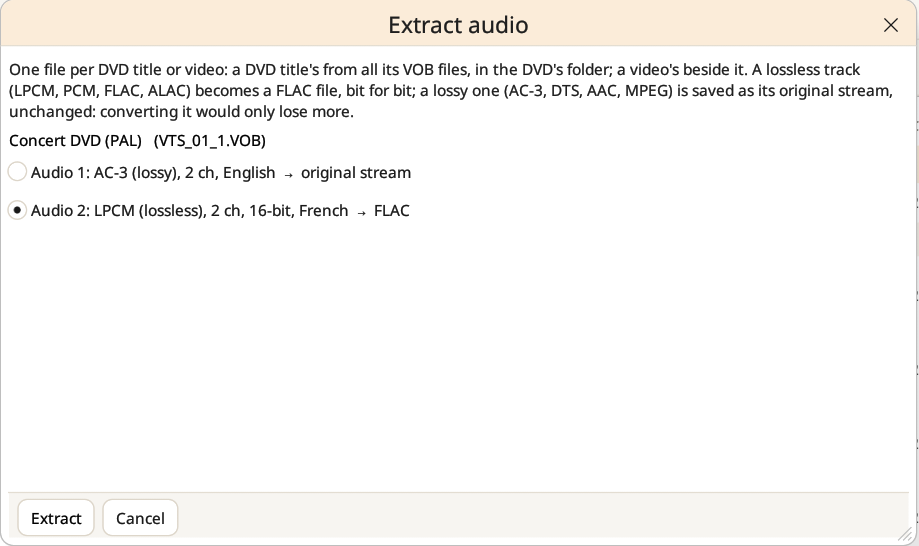
Extract audio… (Convert menu) lists the audio tracks of each selected DVD title or video and lets you pick one. For a DVD, it gathers that track from all the VOB files of the title and writes one file per title in the DVD's folder; for an MKV or MP4 video, the file goes beside the video.
- A lossless track (LPCM, PCM, FLAC, ALAC) becomes a FLAC file, bit for bit, checked by reading it back.
- A lossy track (AC-3, DTS, AAC, MPEG) is saved as its original stream, unchanged (AAC as an ADTS file). Converting it would only lose more.