AboutKeyMode
English | Japanese
| < Shortcuts | Types and Functions of Keymodes | How to set up and play on a local server > |
- Dancing☆Onigiri (CW Edition) comes with 24 different key modes (play styles) by default.
- Each mode has its own unique characteristics, allowing you to enjoy a wide variety of gameplay styles.
- You can also create your own custom key configurations.

-> Click here for the explanation page on traditional keymode systems
The bold text indicates keymodes listed in the Dancing☆Onigiri difficulty chart.
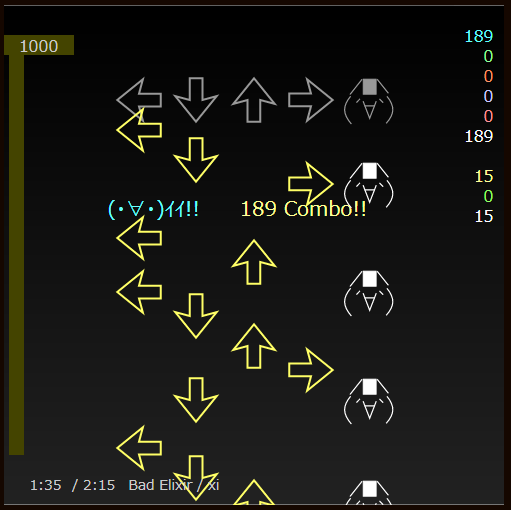
- This is a standard-style key that allows scrolling only from bottom to top and from top to bottom.
5key* | 7key* | 7ikey* | 8key | 9Akey* | 9Bkey* | 9dkey | 11ikey | 11jkey | 12ikey | 17key
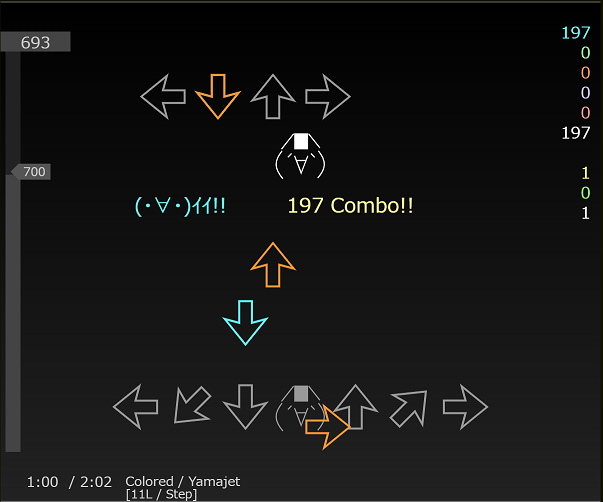
- These keys are designed with the assumption that notes will scroll in from both the top and bottom.
- They are typically characterized by the presence of multiple lanes of different types, requiring you to move or stretch your hands midway through.
9ikey | 9hkey | 11key* | 11Lkey* | 11Wkey | 12key* | 13key | 14key | 14ikey | 15Akey | 15Bkey | 16ikey | 23key
-> For examples, see Custom Key Templates.
- Depending on the key definition, multiple key patterns may be available.
- Some key patterns have different assigned keys, while others have different step zone layouts.
- These are extensions designed to make the game easier to play. Even if a certain key pattern is difficult, another one might be easier, so it’s a good idea to try out different key patterns to find the one you prefer.


- As shown below, you can also play a certain key mode as different keymodes.
- This is a unique feature of Dancing☆Onigiri (CW Edition), which offers a wide variety of play styles.

| < Shortcuts | Types and Functions of Keymodes | How to set up and play on a local server > |