Repository navigation
EN 02 equipment
Version française : Équipements
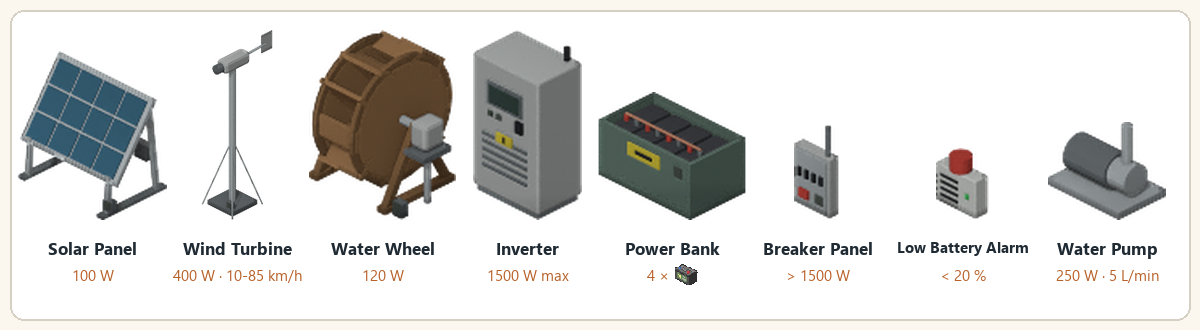
All devices with their key figures.
Every device is a real mod tile, placed like vanilla furniture. Each recipe gives a placeable furniture item named Base.Mov_LiveWire_*.
| Device | Role | Placement | Electrical level |
|---|---|---|---|
| Solar panel | Source, 100 W | Outdoors, open sky; a flat roof is fine | 3 |
| Wind turbine | Source, 400 W; the blades turn with the wind | Outdoors; +15 % wind per floor up to the 3rd | 2 |
| Water wheel | Source, 120 W day and night | Ground floor, next to a river | 2 |
| Inverter | Heart of the network, 1,500 W | Any floor tile, indoors included | 5 |
| Power bank | Storage, 4 batteries counted; opens like a crate (capacity 50) | Anywhere; picked up only when empty | 2 |
| Breaker panel | Safety, optional | On a wall (north or west) | 3 |
| Low battery alarm | Alert, optional | On a wall | 2 |
| Water pump | Feeds the house taps from water barrels, 250 W while pumping | Anywhere, next to its barrels | 6 |
Batteries never go on the floor: drag them into the power bank with the vanilla inventory.
| Battery | Nominal capacity | Life |
|---|---|---|
Car battery Base.CarBattery1
|
0.40 kWh | 150 cycles |
Car battery Base.CarBattery2
|
0.60 kWh | 150 cycles |
Car battery Base.CarBattery3
|
0.90 kWh | 150 cycles |
Deep-cycle battery LiveWire.DeepCycleBattery
|
1.50 kWh | 600 cycles |
Effective capacity = nominal x (0.4 + 0.6 x condition / 100) x BatteryCapacityMultiplier.
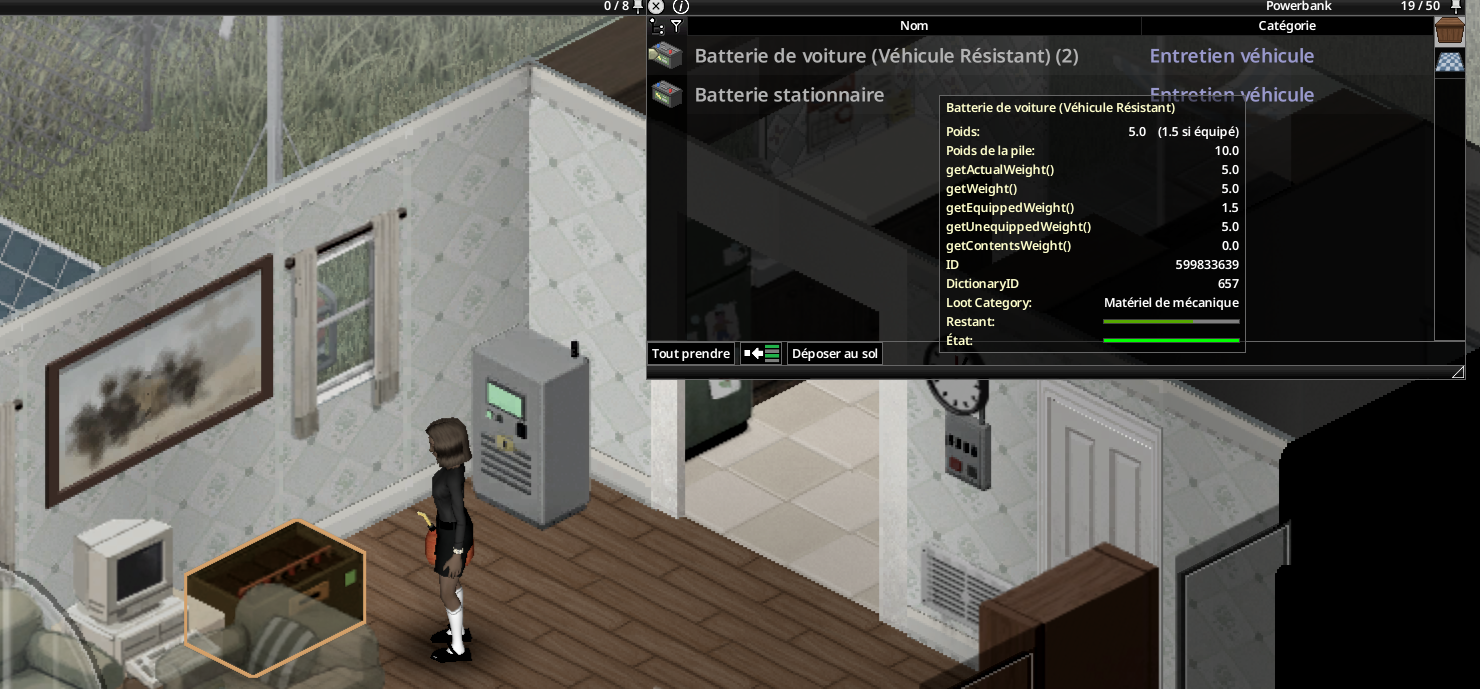
Use the native furniture placement cursor to place a second bank on the same square as the first. Its ghost should appear above it. A stack holds two banks at most: eight battery slots, four per bank, within each container's weight limit.
Each bank keeps its own container and inverter connection. The LCD's Bank 1/2 or Bank 2/2 button switches between the lower and upper bank and selects its loot container. The wiring list also identifies each bank. No batteries or energy are created by stacking. Empty and remove the upper bank before moving, rotating or salvaging the lower one.
- Inverter screen: lit when on, red light on fault.
- Sources and power bank: green "connected" light.
- Breaker: green when distribution is powered, red when tripped. A green lamp does not indicate safe electrical isolation.
- Alarm: beacon lit while ringing.
- Water pump: blue light whenever powered, including while idle.
- Place, rotate and pick up with the vanilla furniture cursor (ghost, 4 facings, 2 for wall objects).
- The tile requires a screwdriver and the Electrical level shown above, also to pick it up.
- A picked-up device keeps its condition.
- Solar panel and wind turbine: outdoors (open sky).
- Water wheel: river bank, ground floor, next to river water. Lakes and ponds are refused.
- Water pump: anywhere; its barrels must stand on the 8 squares around it (see Water Pump).
- A refused square shows the reason in red in the cursor panel.
Wiring - Recipes - Optional Equipment - Electrical skill and maintenance