feature advisor
- 🔐 Security Advisor

Overview Use Advisor as your daily starting point. Review score and recommendations, prioritize high-impact items, then open the relevant tab to resolve each risk.
Description: Use this dashboard as your operational security cockpit. Review score and category counters, then execute recommendations in priority order.
| List View | Detail View |
|---|---|
 |
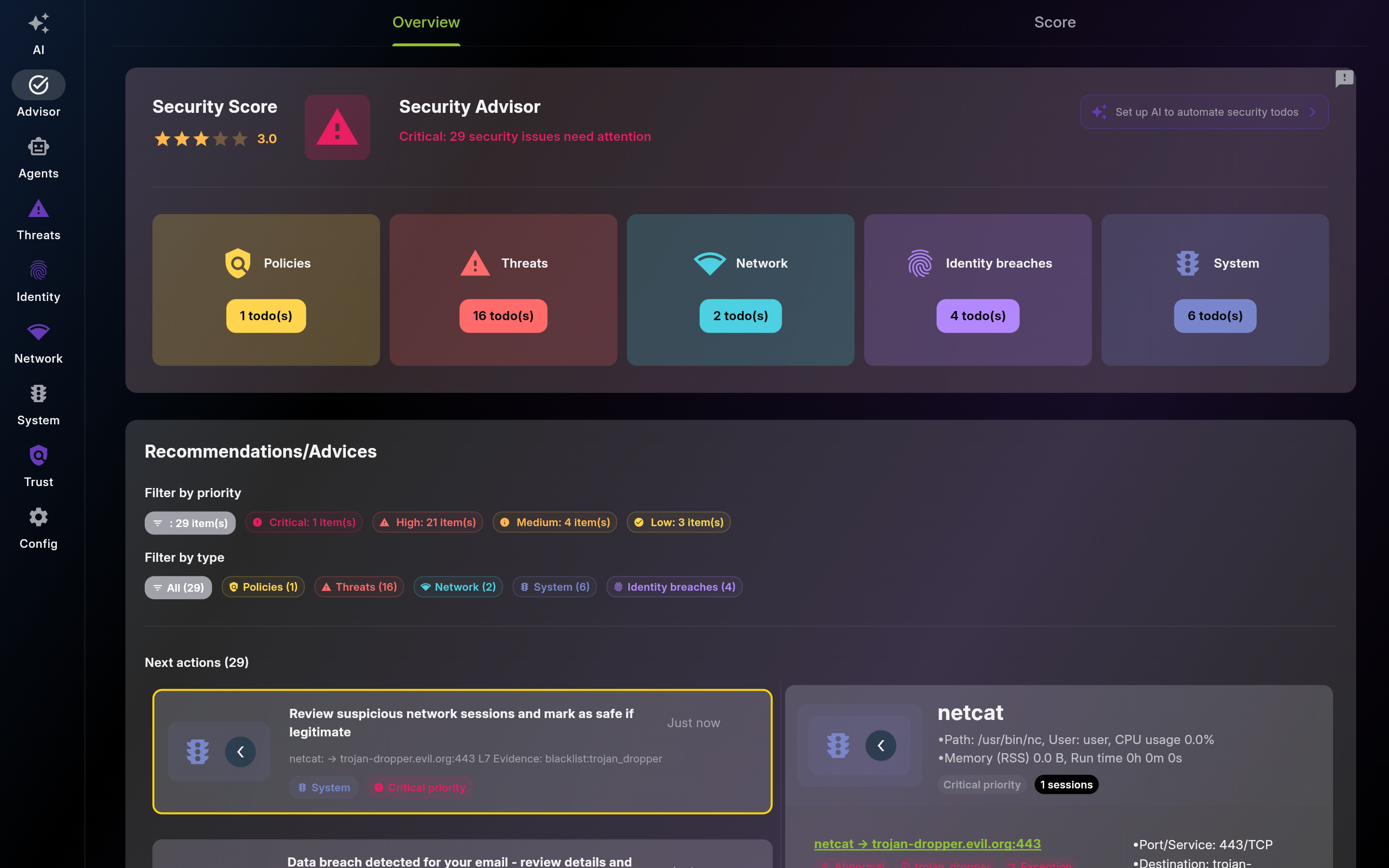 |
Screenshot of Dashboard – Real-Time Security Overview - Multi-pane layout showing list and detail views
Use this score as a trend indicator, not a one-time value. Recheck after each remediation wave.
Treat this counter as your remaining security backlog. Reduce it by clearing highest-priority items first.
Jump from here to unresolved threats and handle critical/high severity first.
Use failed policies to identify blocked controls or access paths. Fix dependencies and verify pass state.
Review exposed devices and suspicious services before trust decisions. Investigate unknown hosts immediately.
Use this alert to trigger credential hygiene: password rotation, MFA checks, and account hardening.
Investigate flagged sessions before dismissal. Validate process, destination, and timing against expected behavior.
Description: Treat recommendations as your execution queue. Open each card, validate context, apply action, and clear or defer explicitly.
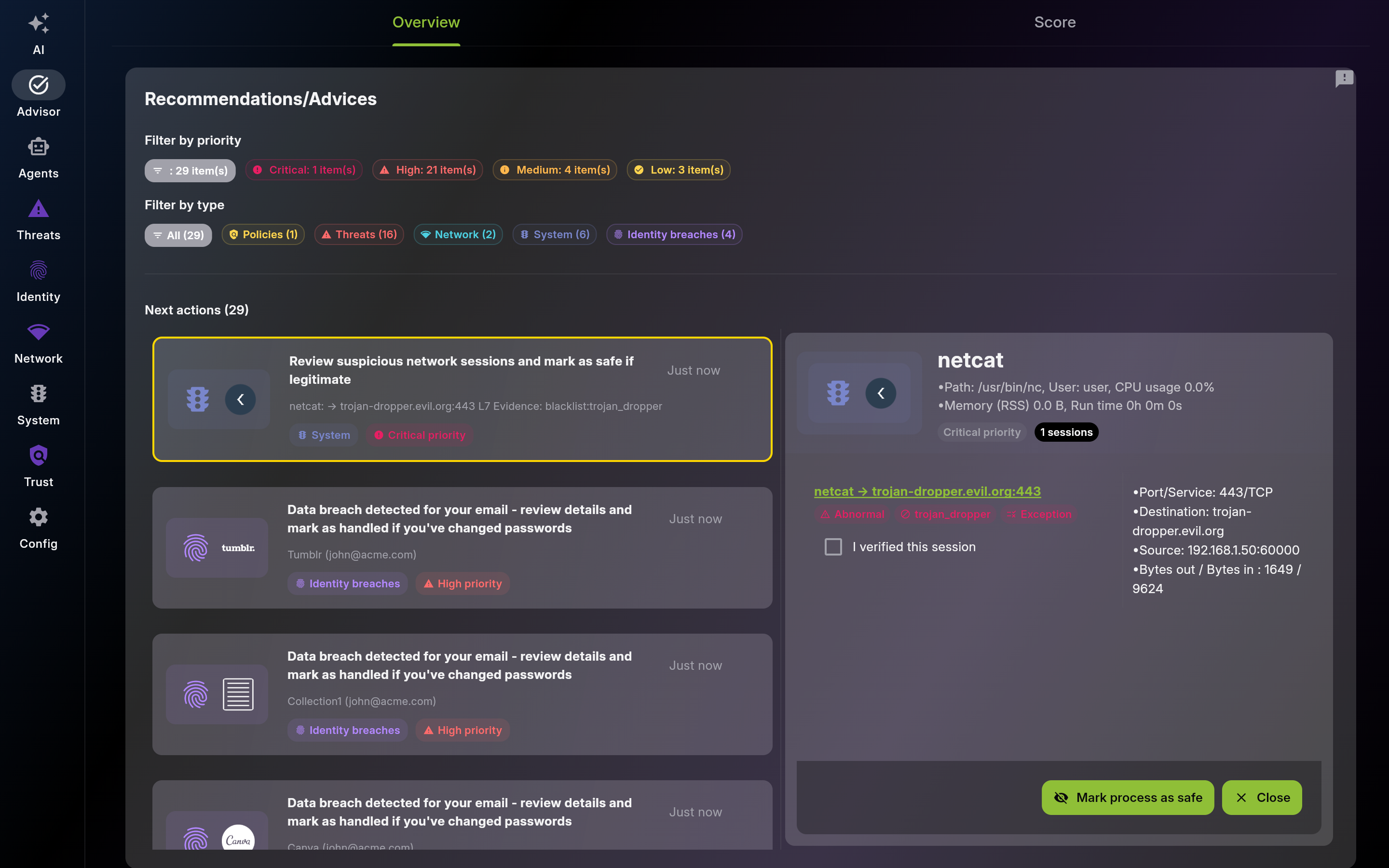
Screenshot of Recommendations – Prioritized Action Steps
Description: Use the radar to find weakest security domains quickly. Prioritize remediation on the lowest axes and re-check score improvement.
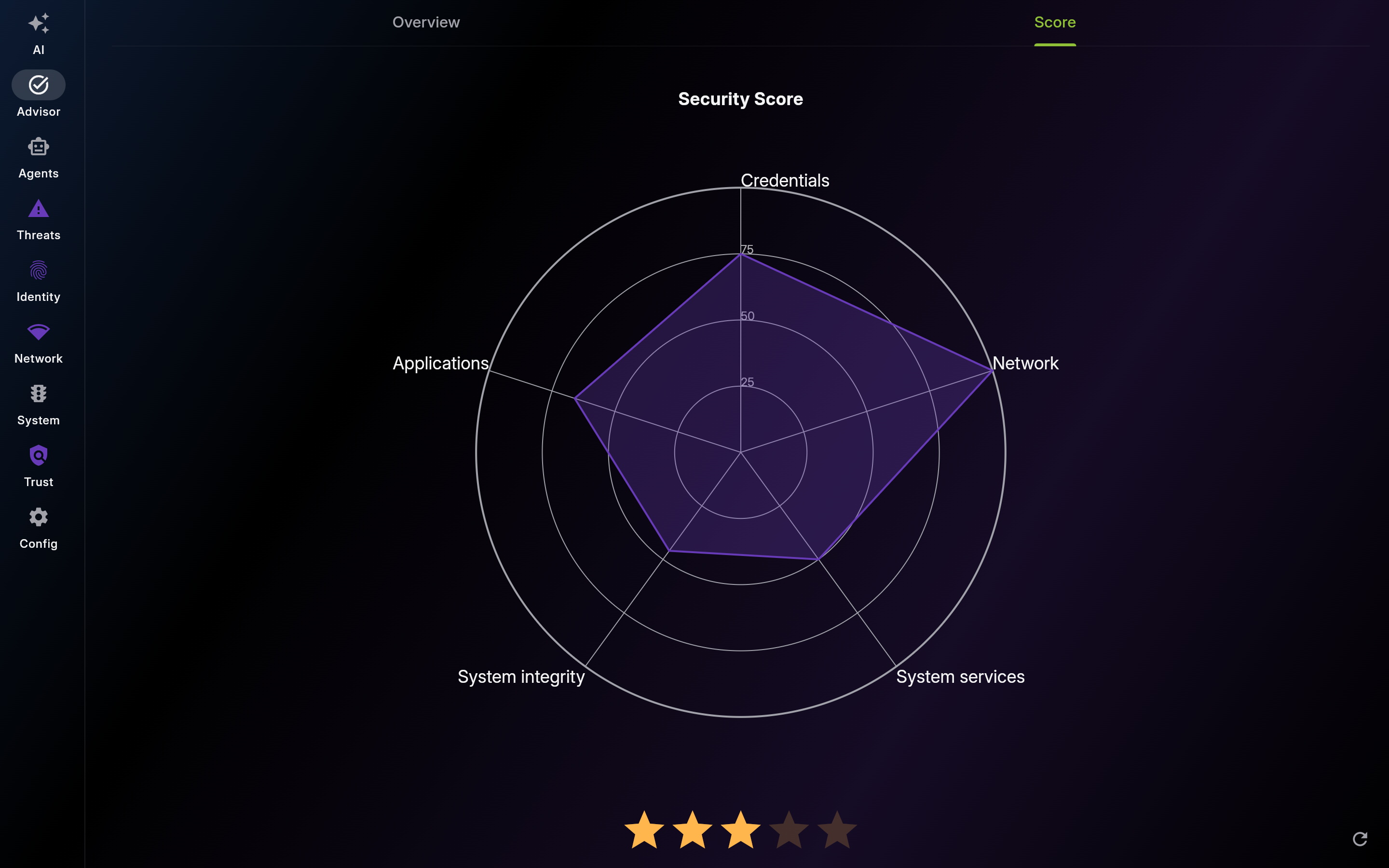
Screenshot of Score – Multi-Dimensional Security Assessment
Track this overall score weekly to measure durable improvement in posture.
Use this domain score to prioritize firewall, exposure, and segmentation fixes.
Raise this score by enabling core OS protections and staying current on updates.
Lower attack surface by disabling unnecessary privileged and background services.
Improve this score through patch discipline and removal of risky software.
Improve credential resilience with unique passwords, MFA, and breach follow-up.
This page was automatically generated from feature definitions.