feature agents
-
🔐 Agents
- 🖼️ Feature Overview
-
⚙️ Sub-Features
- 1. 🔧 Agent Visibility – Easy View (Radial Governance Map)
-
2. 🔧 Agent Visibility – Advanced View (Full Structural Page)
- Host Blast Radius and Exposure – Sandboxes Sorted by Danger
- Agent Inventory – Discovered Agents and Approve / Acknowledge
- MCP Servers – Discovery, Risk, and Capability Graph
- Agent SBOM – Supply Chain Projection and Diff
- Critical Subprocess Usage – Sensitive Spawns (LLM-Free)
- Recursive Delegation – Depth, Cycles, and Privilege
- Flight Recorder – Structural Session Lifecycle (LLM-Free)
- 3. 🔧 Agent History – Metrics Trends and Model Usage
- 📋 Contents

Overview Use Agents to see which AI agents exist on this machine, which are actively observed, and what each is exposed to -- entirely without any LLM. The Inventory subtab (default) is the approve/acknowledge surface: start at the validate banner, confirm the inventory shows every on-disk agent as observed, and approve or acknowledge per row. Inventory MCP endpoints and toggle the capability graph to spot over-provisioned reach, diff the agent supply chain against an approved baseline, catch recursive-delegation abuse and critical subprocess usage, review host blast radius sorted by danger with confinement remediation for unconfined agents, and drill into tool errors in the structural Flight Recorder. The History subtab is a read-only time-series view over the durable per-agent metrics history and the cross-agent model/provider usage summary -- token and call volume, estimated cost, LLM/MCP calls, network bytes, and file events over a selectable range. Enable/disable and run-now observer controls live in AI / Config; this tab keeps only the LLM-free approve/acknowledge and history surfaces. Security state is owned by EDAMAME, never by the agent.
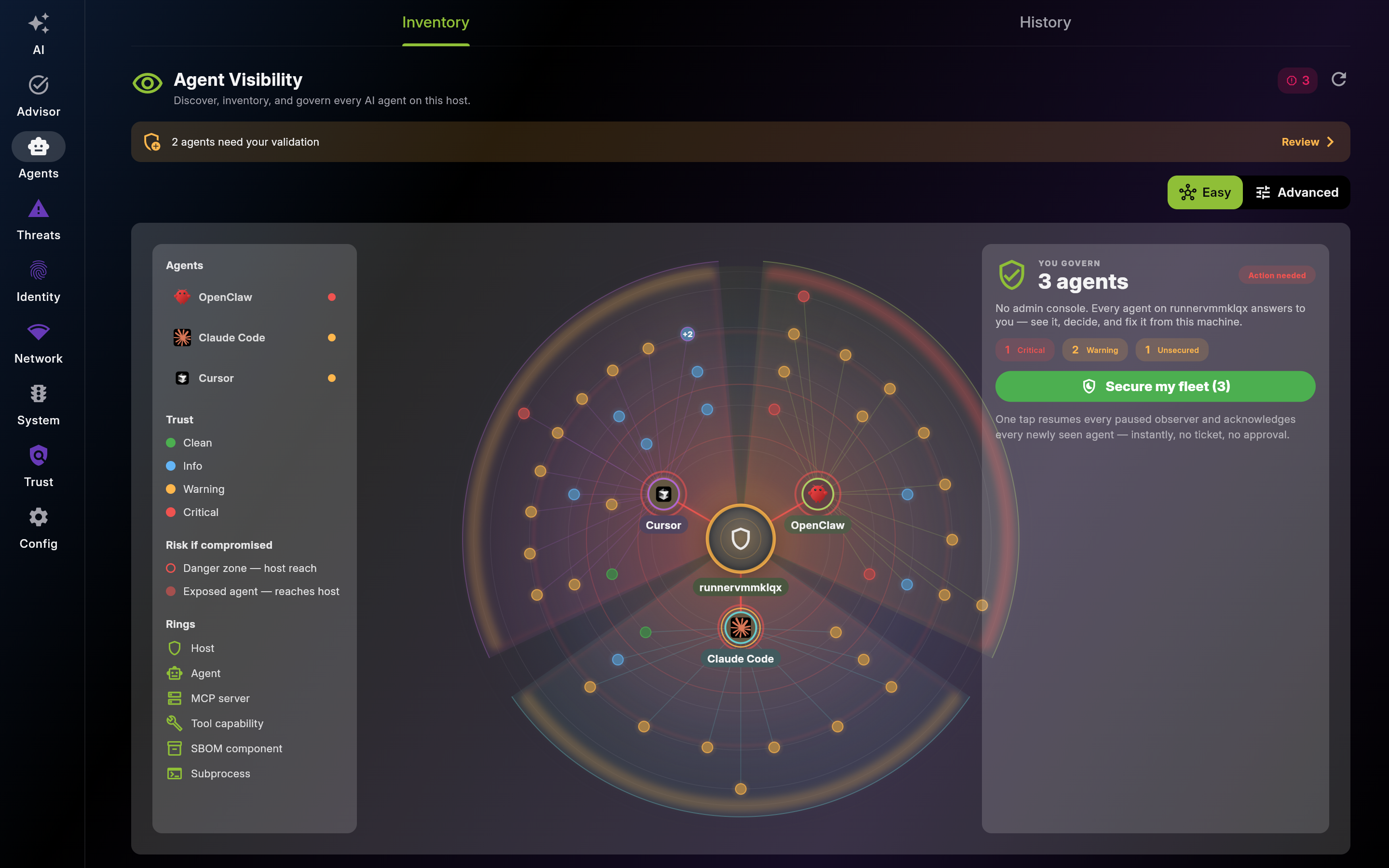
Main interface for Agents
Description: Use the Easy view to govern every AI agent on this host at a glance: read the radial map to see which agents reach the host and how far, start at the validate banner, then use 'Secure my fleet' to resume paused observers and acknowledge newly seen agents in a single action. Flip to Advanced for the full structural breakdown of every panel. The concepts the rings encode are detailed below. Security state is owned by EDAMAME, never by the agent.
Screenshot of Agent Visibility – Easy View (Radial Governance Map)
Description: Switch the Agents tab to Advanced to review the full structural surface in one continuous page. Scroll from the inventory at the top down through MCP, SBOM, recursive delegation, critical subprocess usage, host blast radius, and the flight recorder. The wiki renders this view as a multi-part scroll gallery.
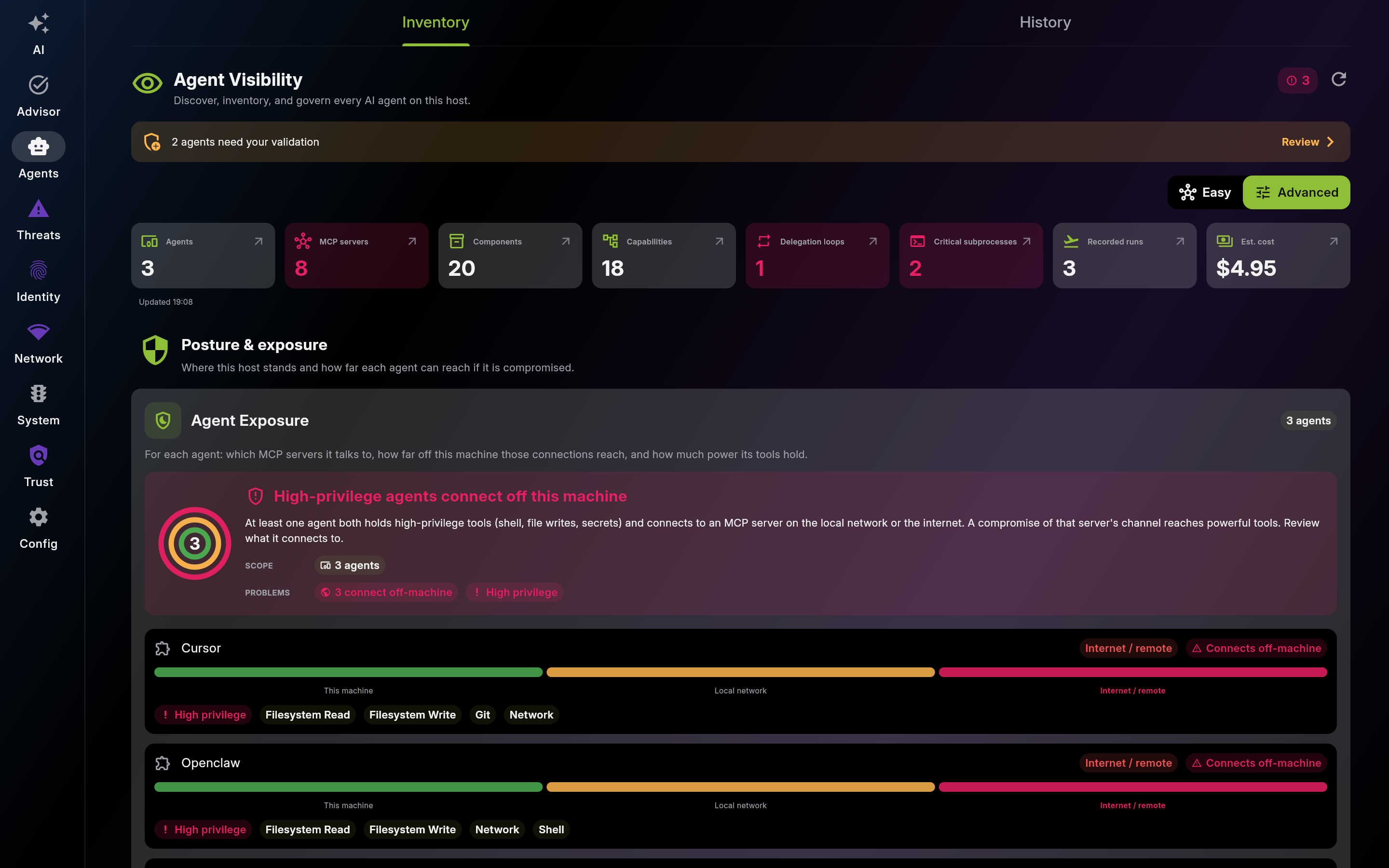
Screenshot of Agent Visibility – Advanced View (Full Structural Page)
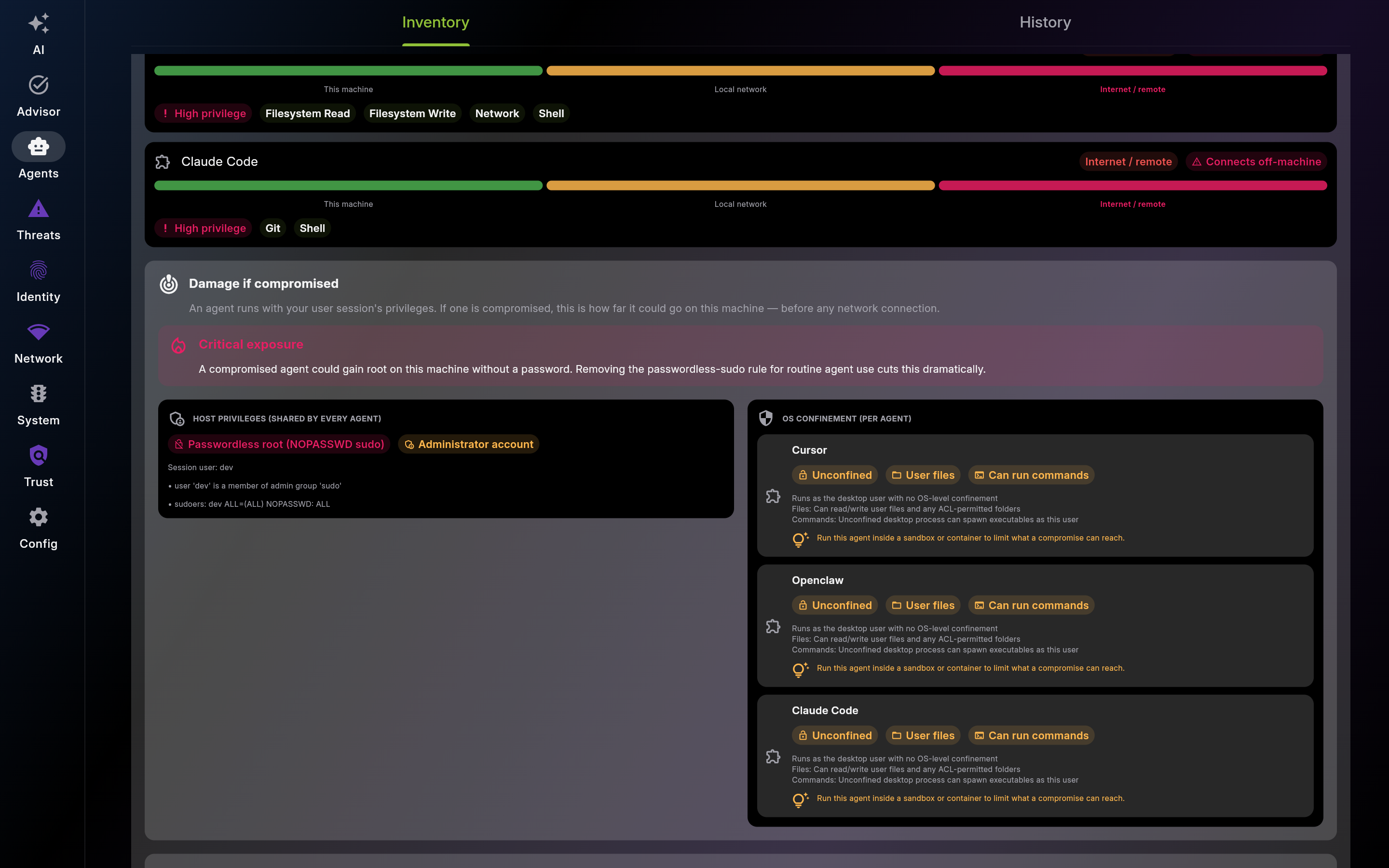
Use Host Blast Radius to see which agents can reach the most of the host and to confine the unconfined ones first. An unsandboxed agent that also has passwordless sudo or touches critical subprocesses raises a dedicated posture threat so the risk is tracked alongside the system threats. The same panel context covers the AI-SDLC governance gap: if agents are present with no detected harness (AgentField, Rippletide, ...), adopt and install one for the user that launches the agents so policy, identity, budgets, tool allow-lists, and audit trails wrap every agent action and the 'AI agents run without a governance harness' threat clears.
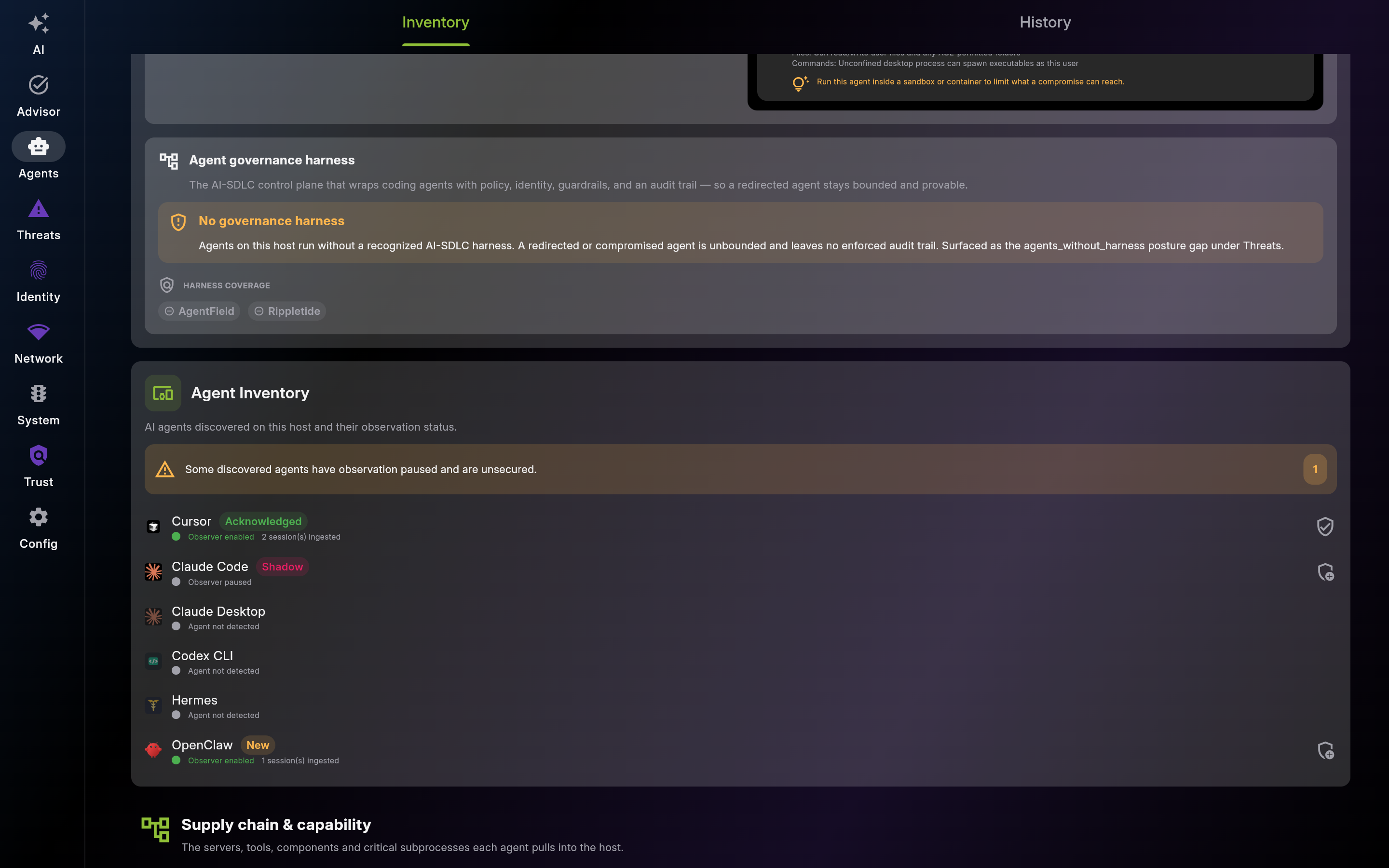
Use the inventory to confirm coverage at a glance: any agent present on disk should be observed. Approve or acknowledge per row; resume a paused observer from AI / Config to clear its 'unsecured' state.
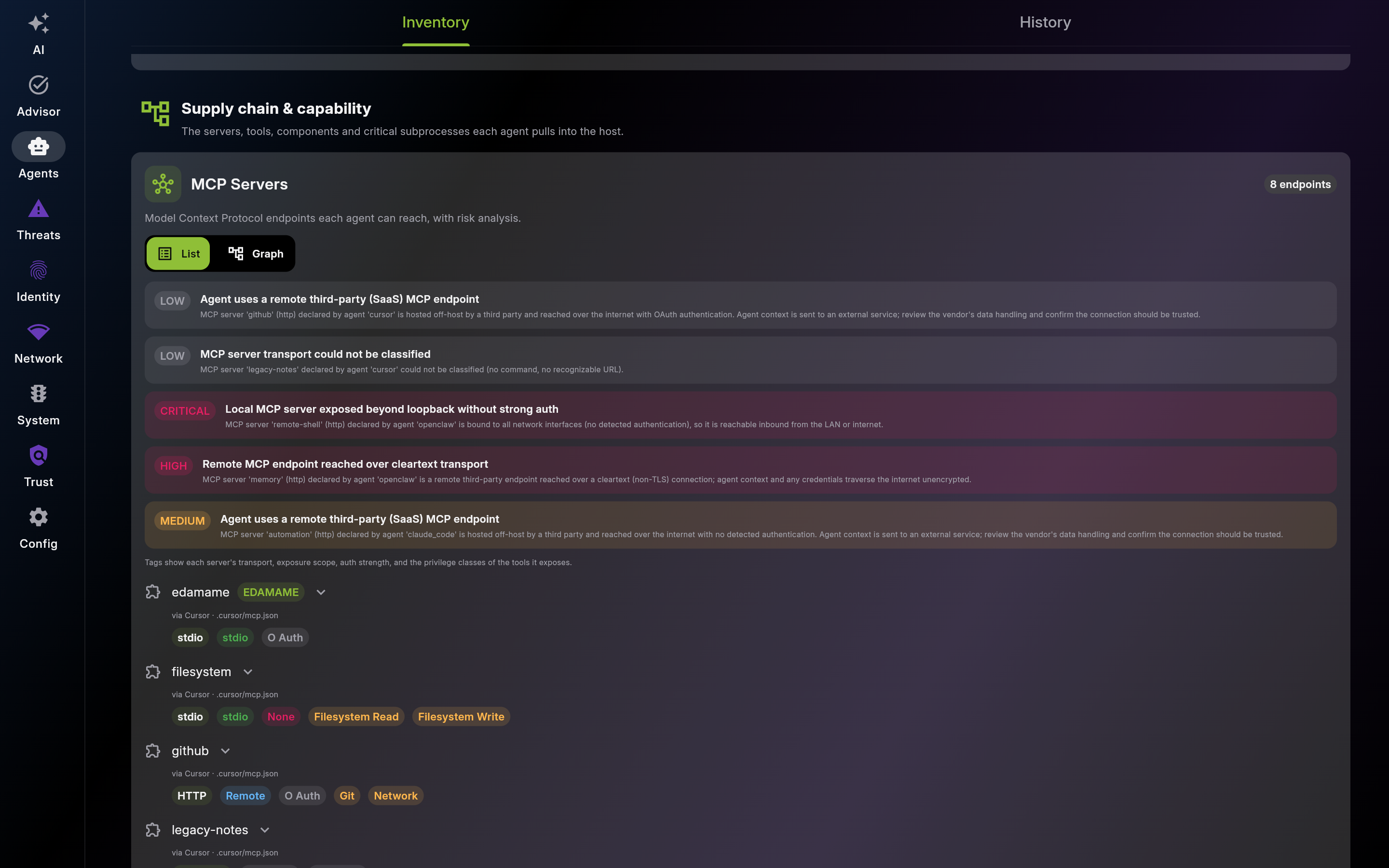
Use MCP Servers to inventory every MCP endpoint an agent can reach, triage the risky ones, and flip to the graph to spot over-provisioned reach.
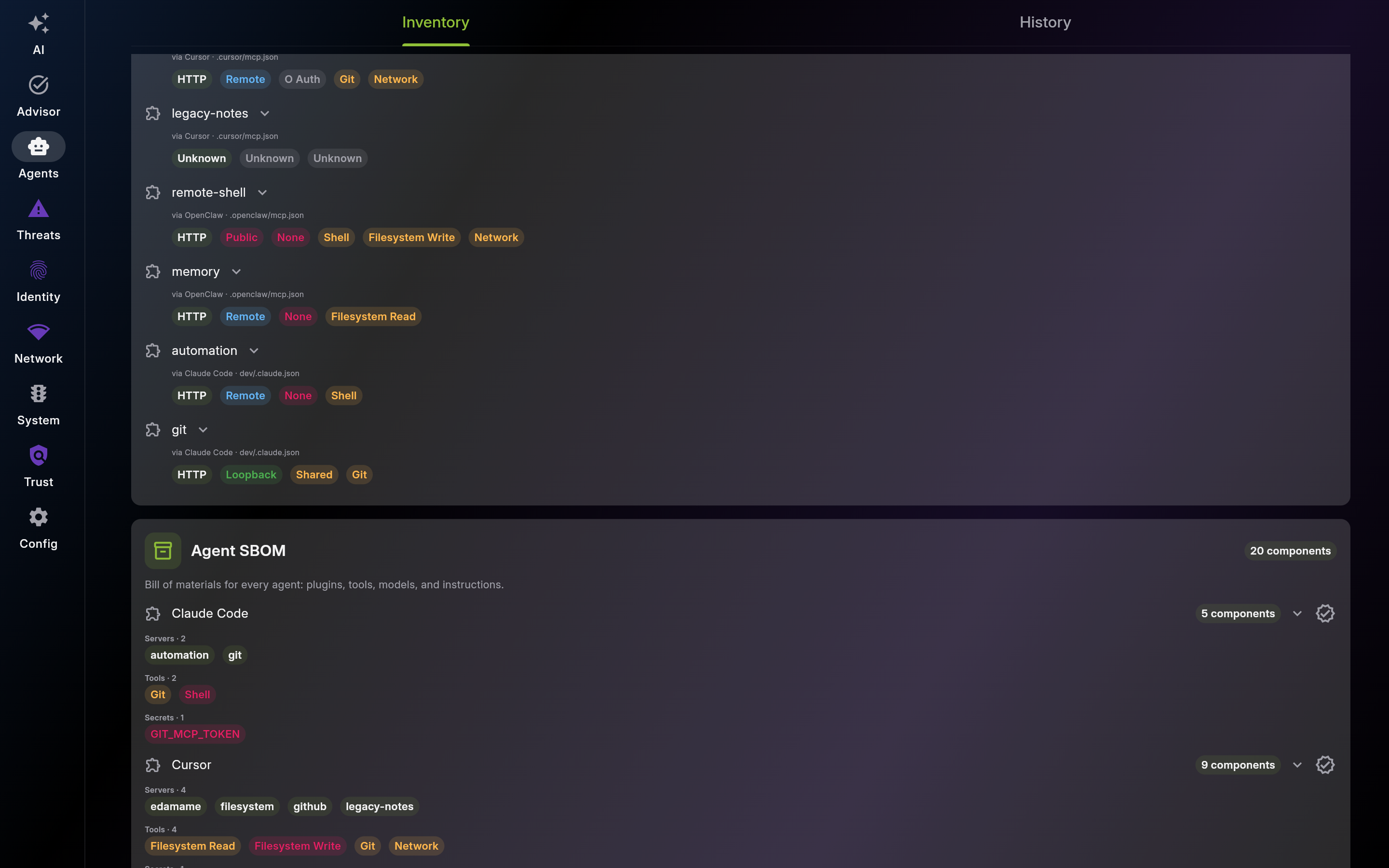
Use the Agent SBOM to approve a known-good component set and get alerted when the live composition drifts from it.
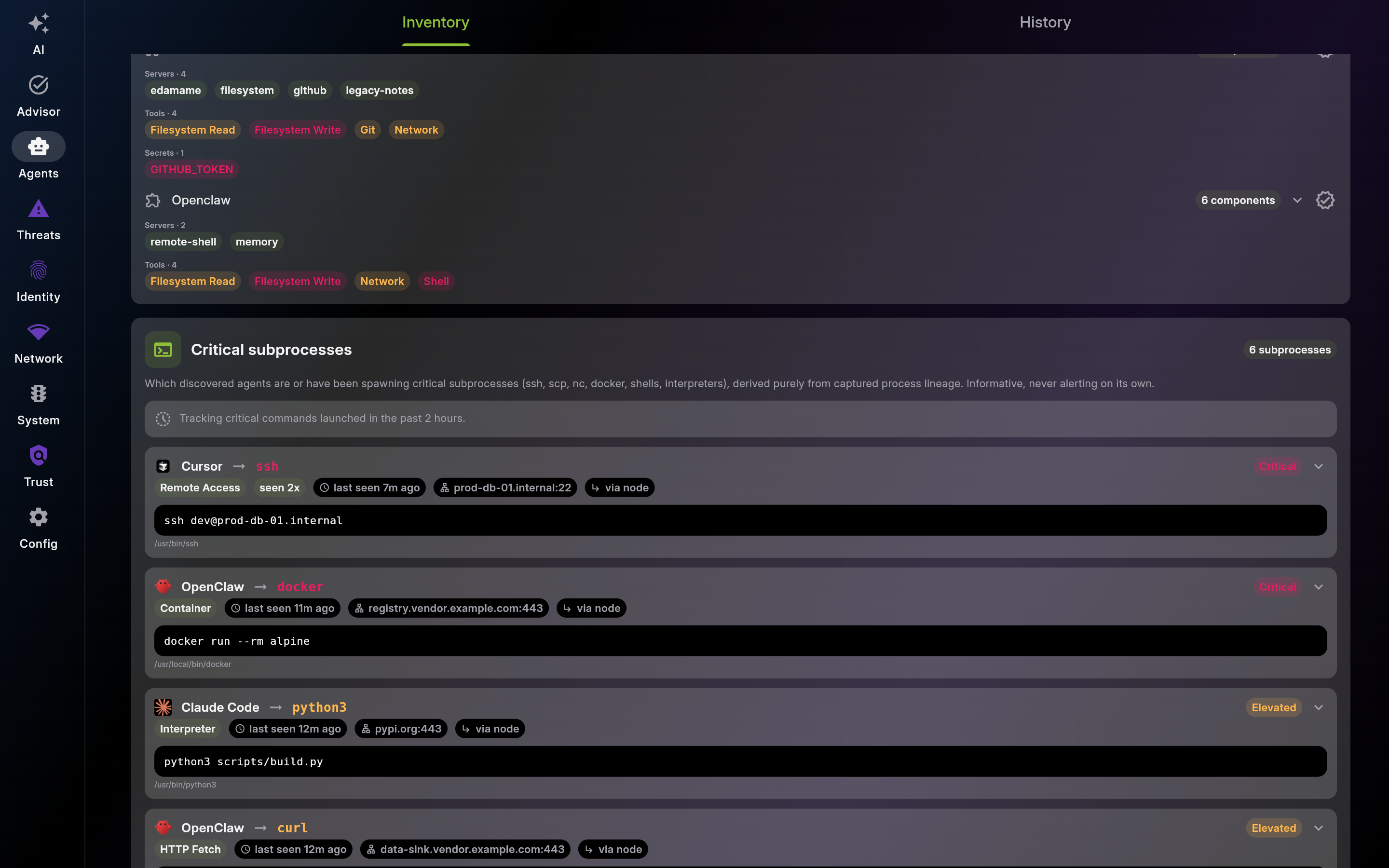
Use Critical Subprocess Usage to catch an agent reaching for a shell or package manager when its task never called for one.
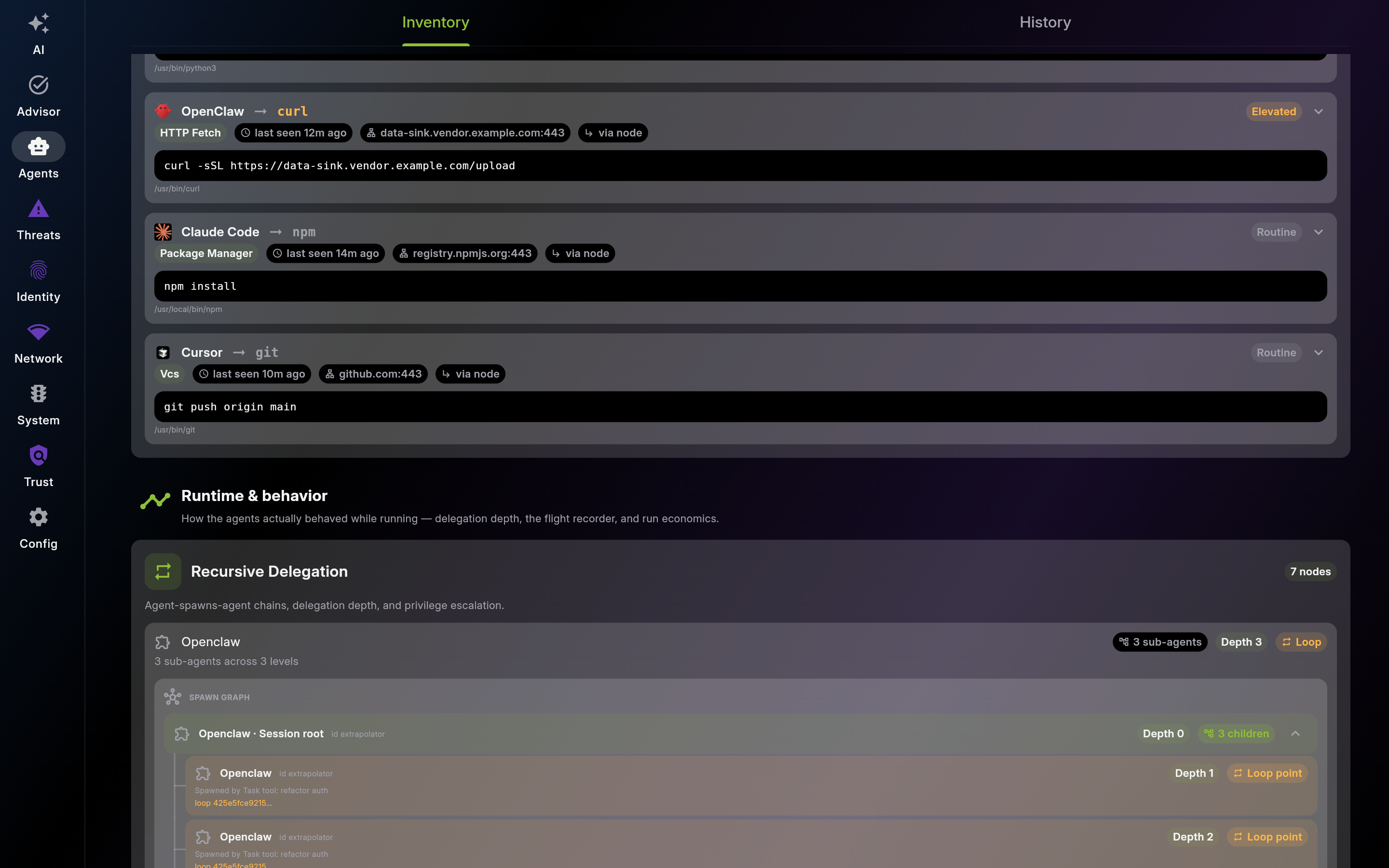
Use Recursive Delegation to catch agents that spawn agents in unbounded loops or escalate privilege across the chain.
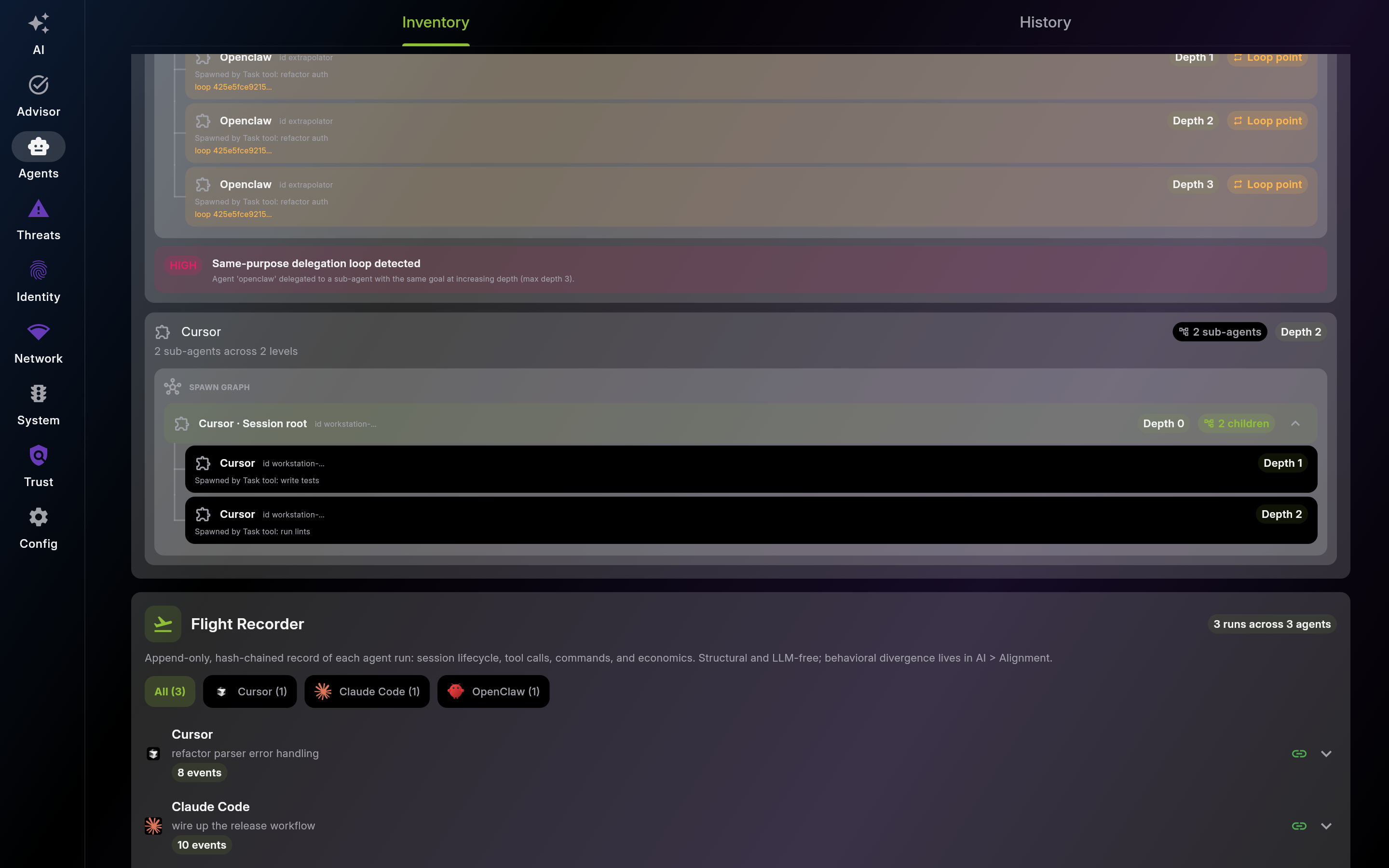
Use the Flight Recorder to reconstruct exactly what a session did and drill into any tool error -- structurally, without depending on an LLM.
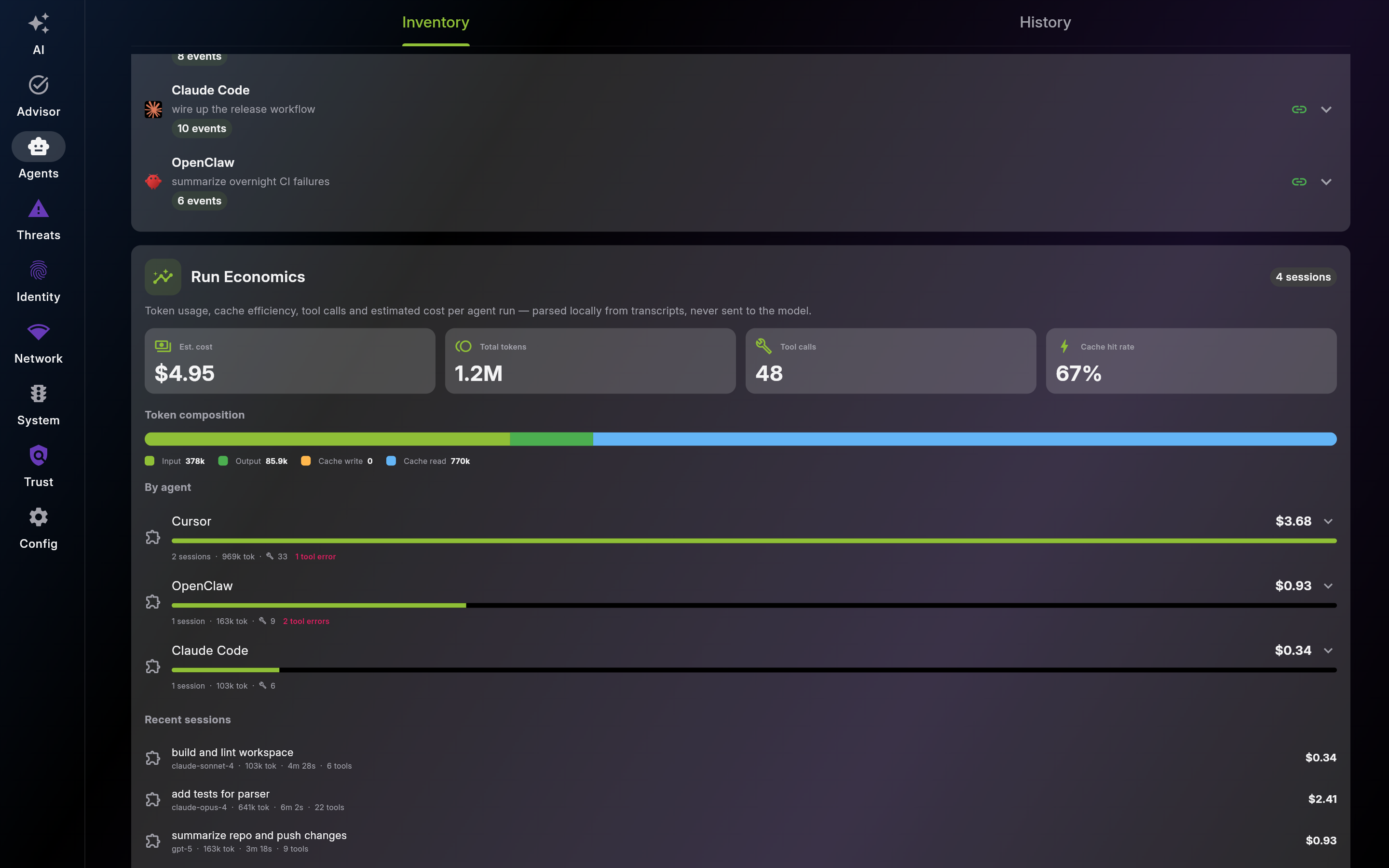
Description: Use History to track how much each model and agent has consumed over time without any LLM in the loop: pick a range, read the Model Usage table to see token/call volume and estimated cost per model (measured versus estimated), and scan the Trends charts for tokens, cost, LLM and MCP calls, network bytes, and file events with their top contributors. Refresh to pull the latest projection. The wiki renders this view as a multi-part scroll gallery. Security and usage state is owned by EDAMAME, never by the agent.

Screenshot of Agent History – Metrics Trends and Model Usage
This page was automatically generated from feature definitions.