feature system
- 🔐 System

Overview Use System for real-time network visibility, file-event review, and anomaly investigation on desktop. Start capture during analysis windows, inspect suspicious sessions deeply, and review sensitive file changes before dismissing activity as benign.
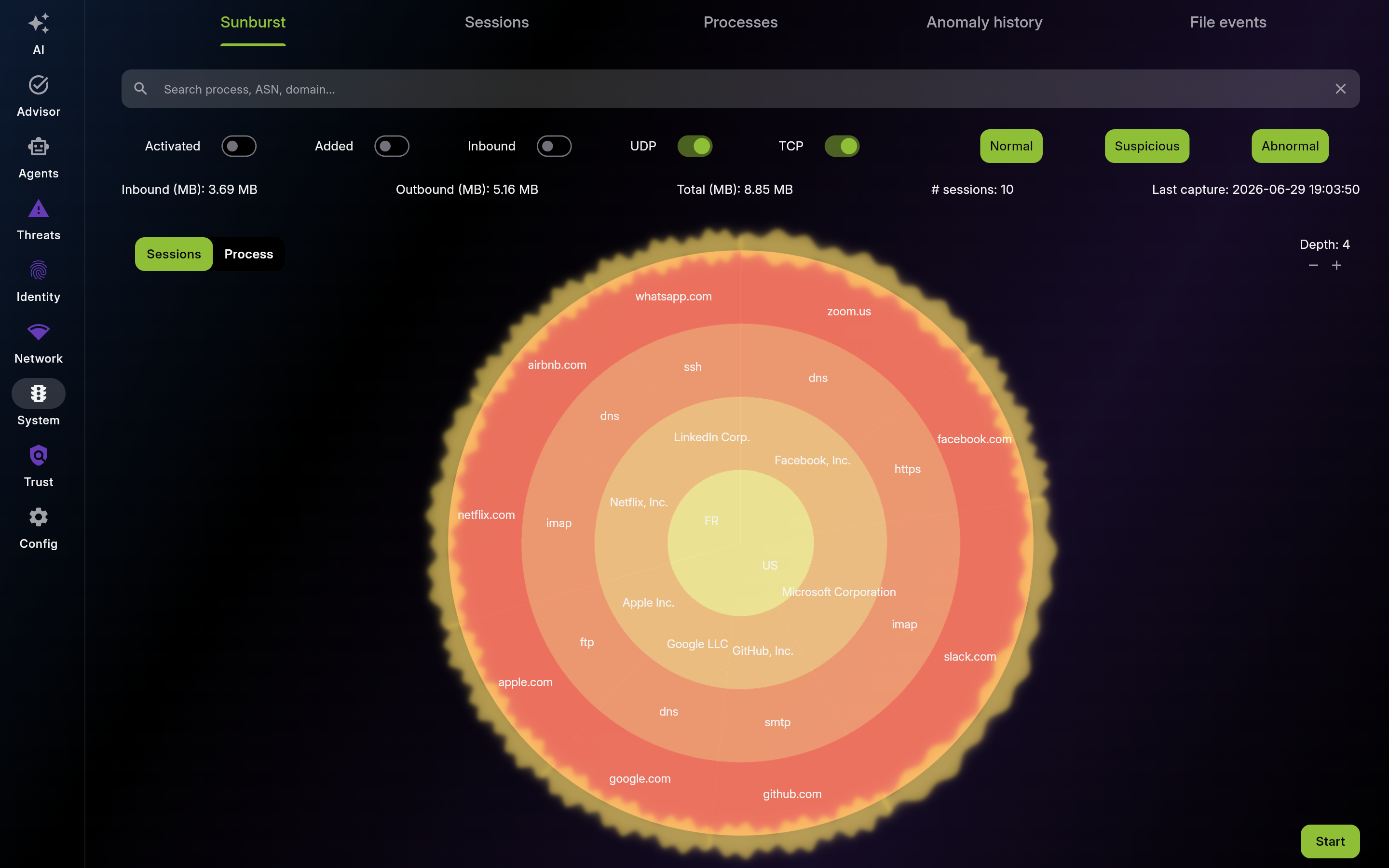
Description: Use Sunburst for live macro traffic awareness. Start capture, filter by protocol/status, and drill into suspicious clusters.
| List View | Detail View |
|---|---|
 |
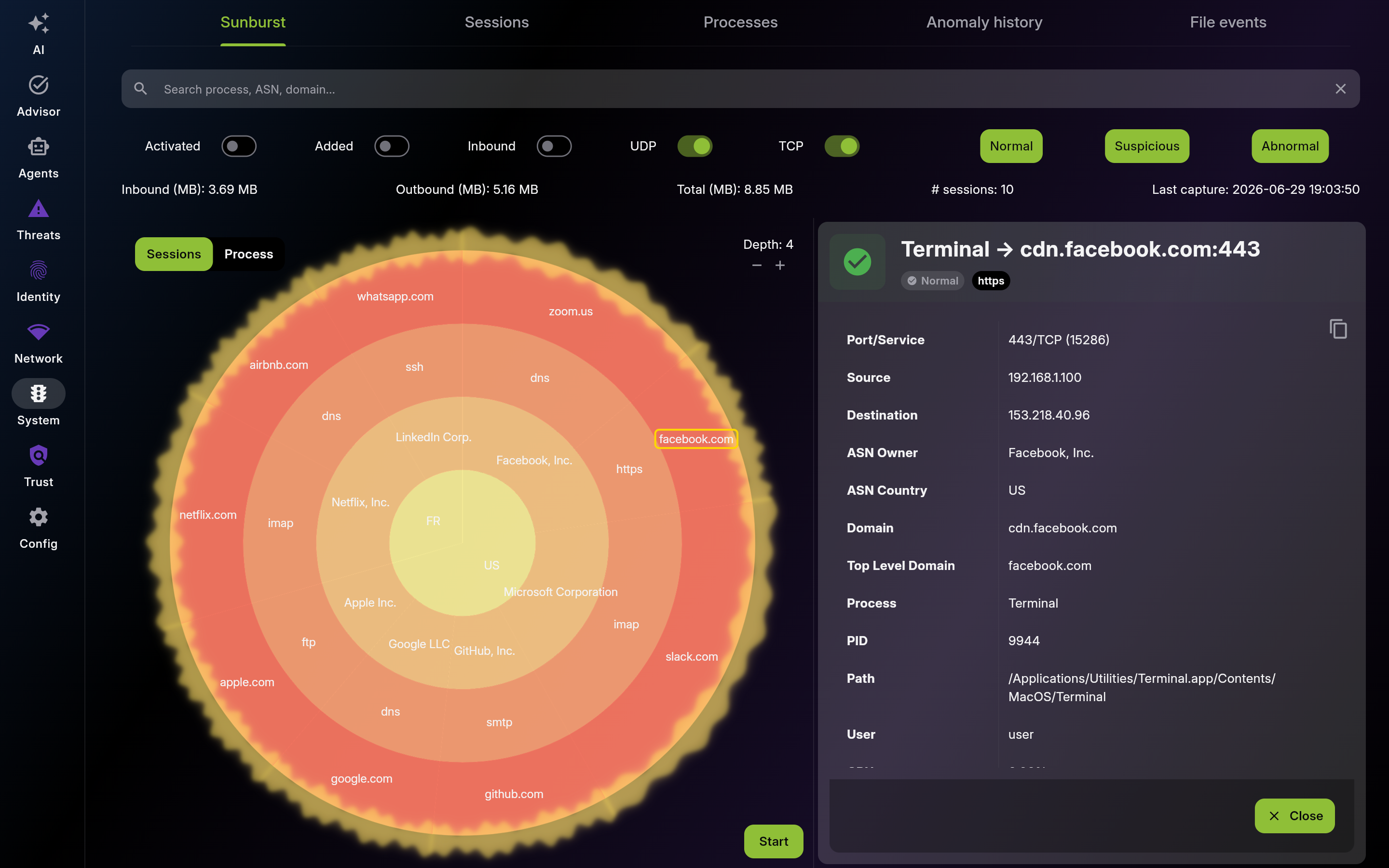 |
Screenshot of Sunburst – Live Network Visualization - Multi-pane layout showing list and detail views
Start/stop capture intentionally during investigation windows and confirm prerequisites first.
Treat anomaly scores as triage signals, then validate context before taking action.
Use whitelist profiles to encode expected traffic and reduce false positives safely.
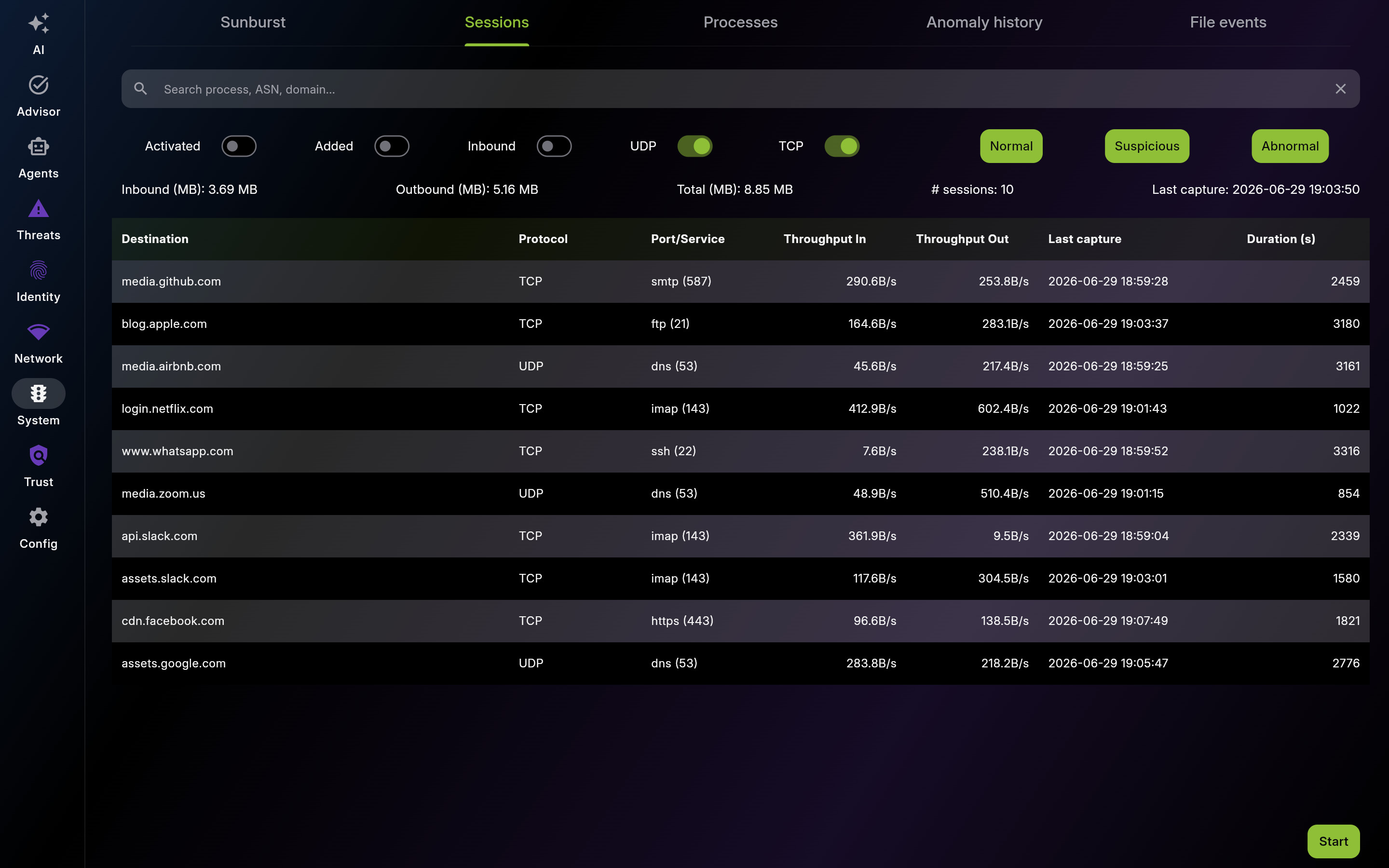
Description: Use Sessions for forensic-level review of individual connections. Inspect details deeply before deciding to dismiss or escalate.
| List View | Detail View |
|---|---|
 |
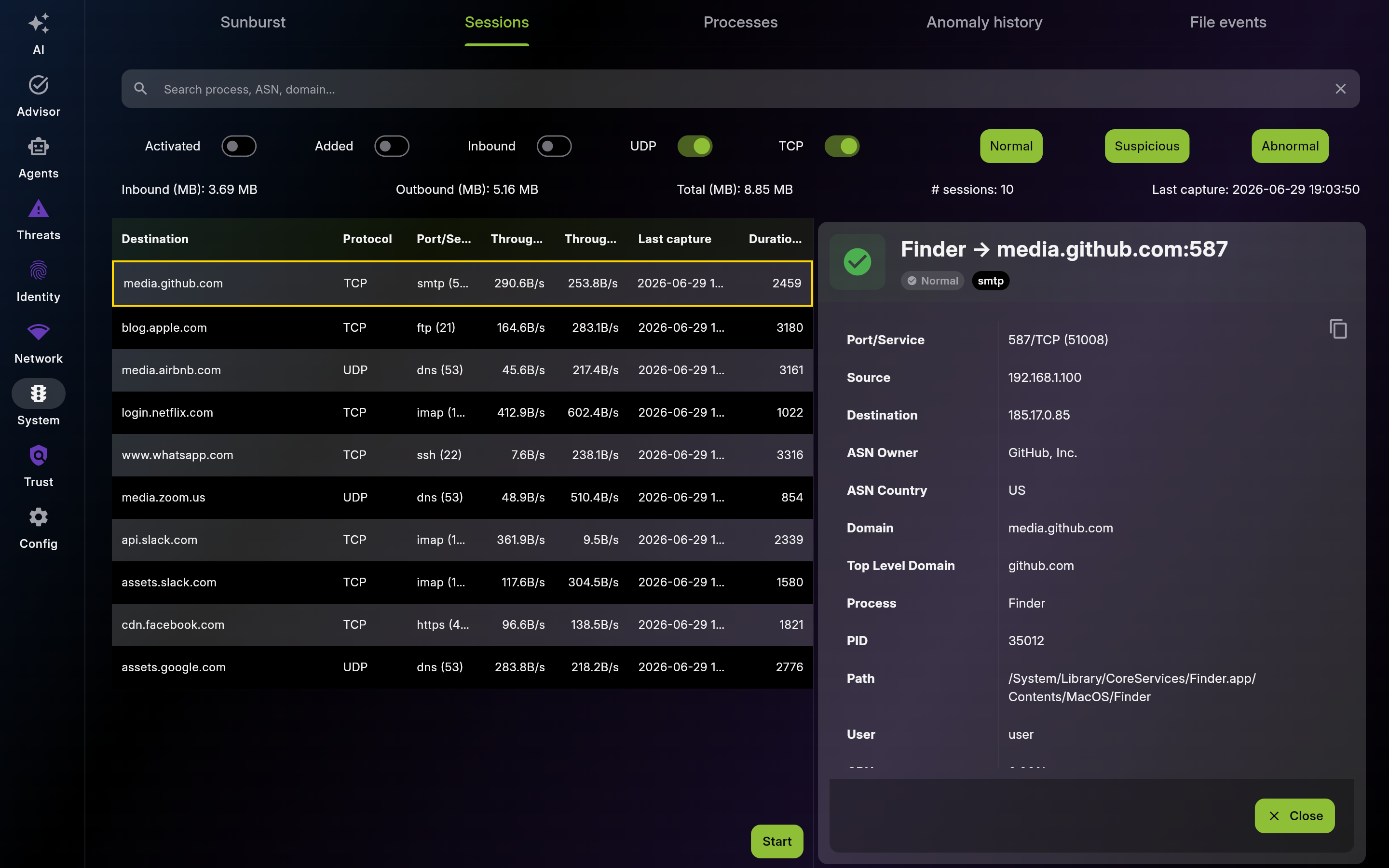 |
Screenshot of Sessions – Connection Details Table - Multi-pane layout showing list and detail views
Use deep session details to confirm who connected, to what, and why before decisions.
Dismiss only sessions positively verified as legitimate, and prefer narrow dismissal scope.
Description: Use this view to baseline network behavior by application. Investigate processes with unusual volume or unexpected destinations.
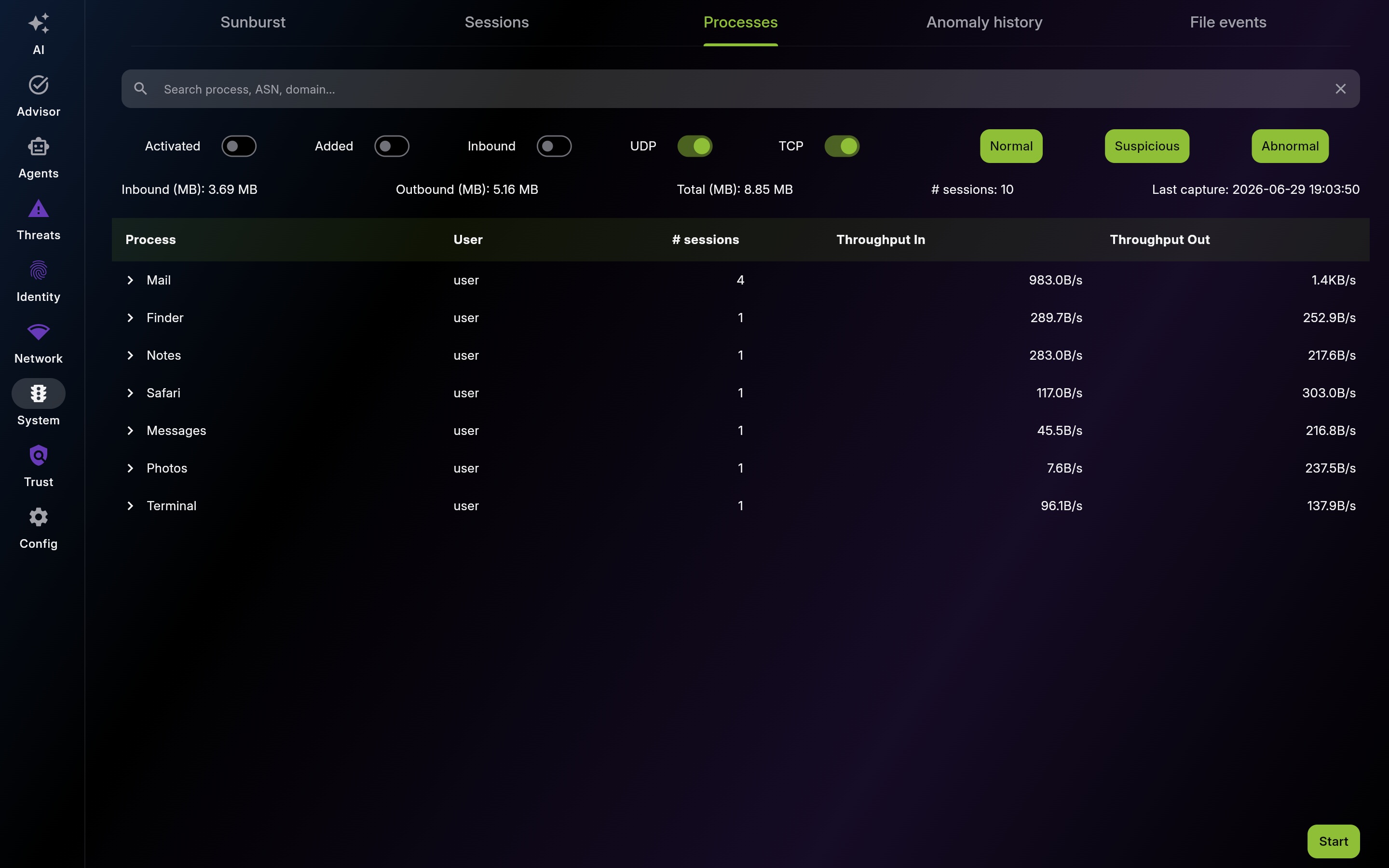
Screenshot of Processes – Per-Application Traffic
Description: Use anomaly history as your investigation queue. Work recent abnormal events first and dismiss only with supporting evidence.
| List View | Detail View |
|---|---|
 |
 |
Screenshot of Anomaly history – Flagged Sessions - Multi-pane layout showing list and detail views
Description: Use File Events to detect unauthorized file modifications, credential harvesting, and supply chain tampering. Filter for sensitive events to focus on security-critical changes.
| List View | Detail View |
|---|---|
 |
 |
Screenshot of File Events – File Integrity Monitoring - Multi-pane layout showing list and detail views
This page was automatically generated from feature definitions.