feature lan
- 🔐 Network

Overview Use Network to discover devices and detect risky exposure on local environments. Scan regularly, investigate high-critical hosts and unusual ports, and validate findings before dismissal.
Description: Use Radar for fast situational awareness of your LAN perimeter. Trigger scans, inspect new or critical devices, then pivot to detail views.
| List View | Detail View |
|---|---|
 |
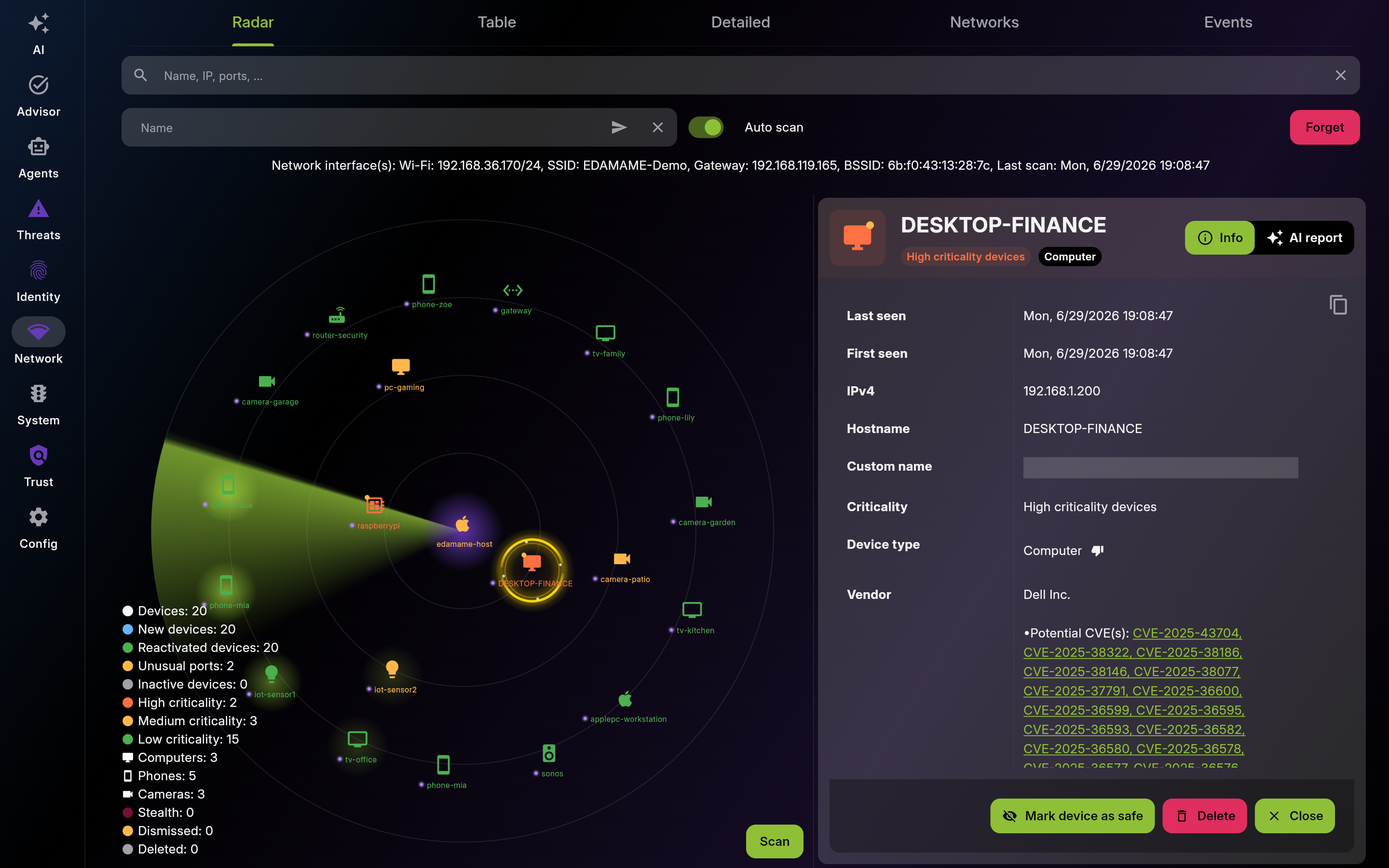 |
Screenshot of Radar – Interactive Device Map - Multi-pane layout showing list and detail views
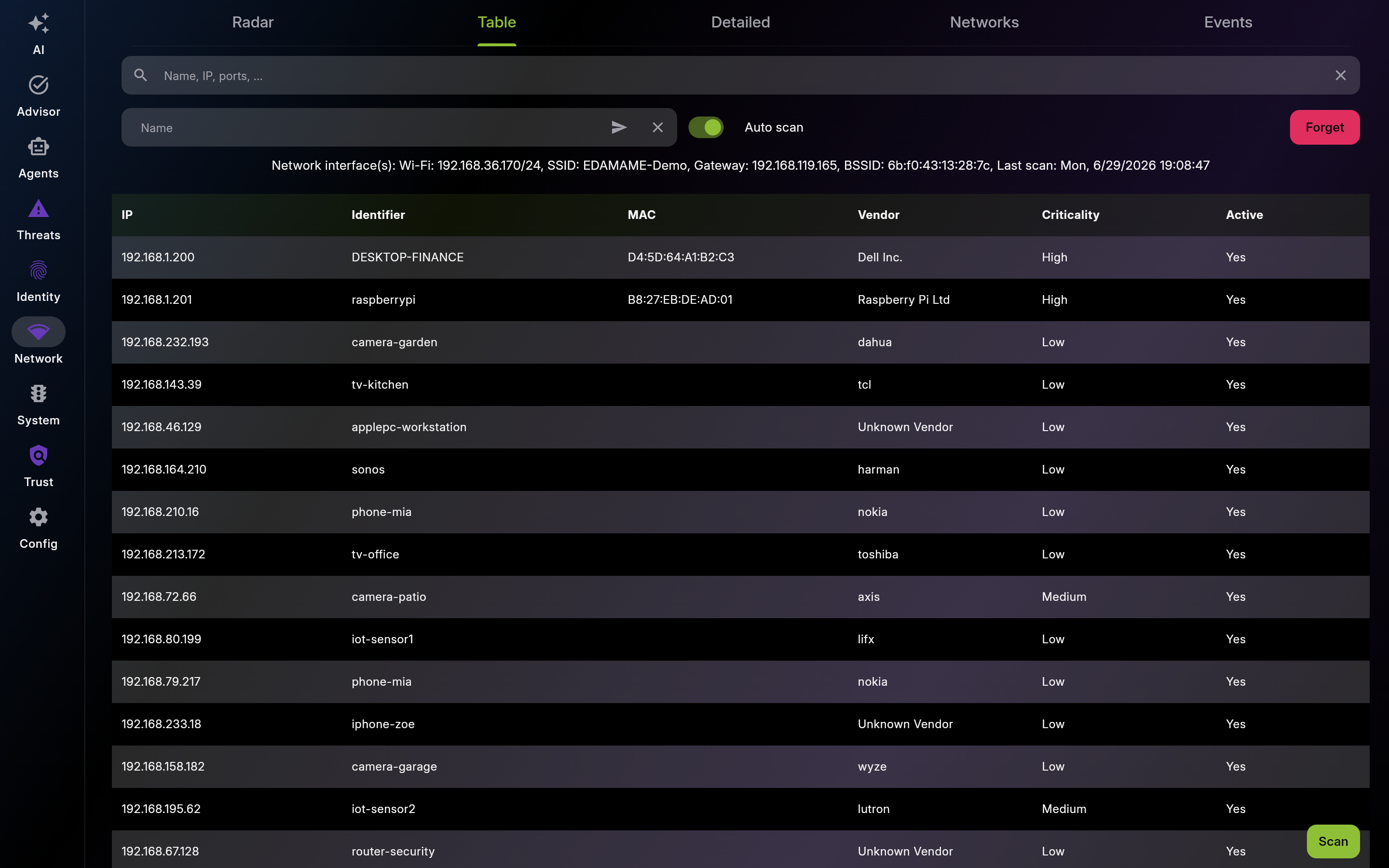
Description: Use Table when you need precise filtering and sorting across many hosts. Validate identity, exposure, and open ports before trusting a device.
| List View | Detail View |
|---|---|
 |
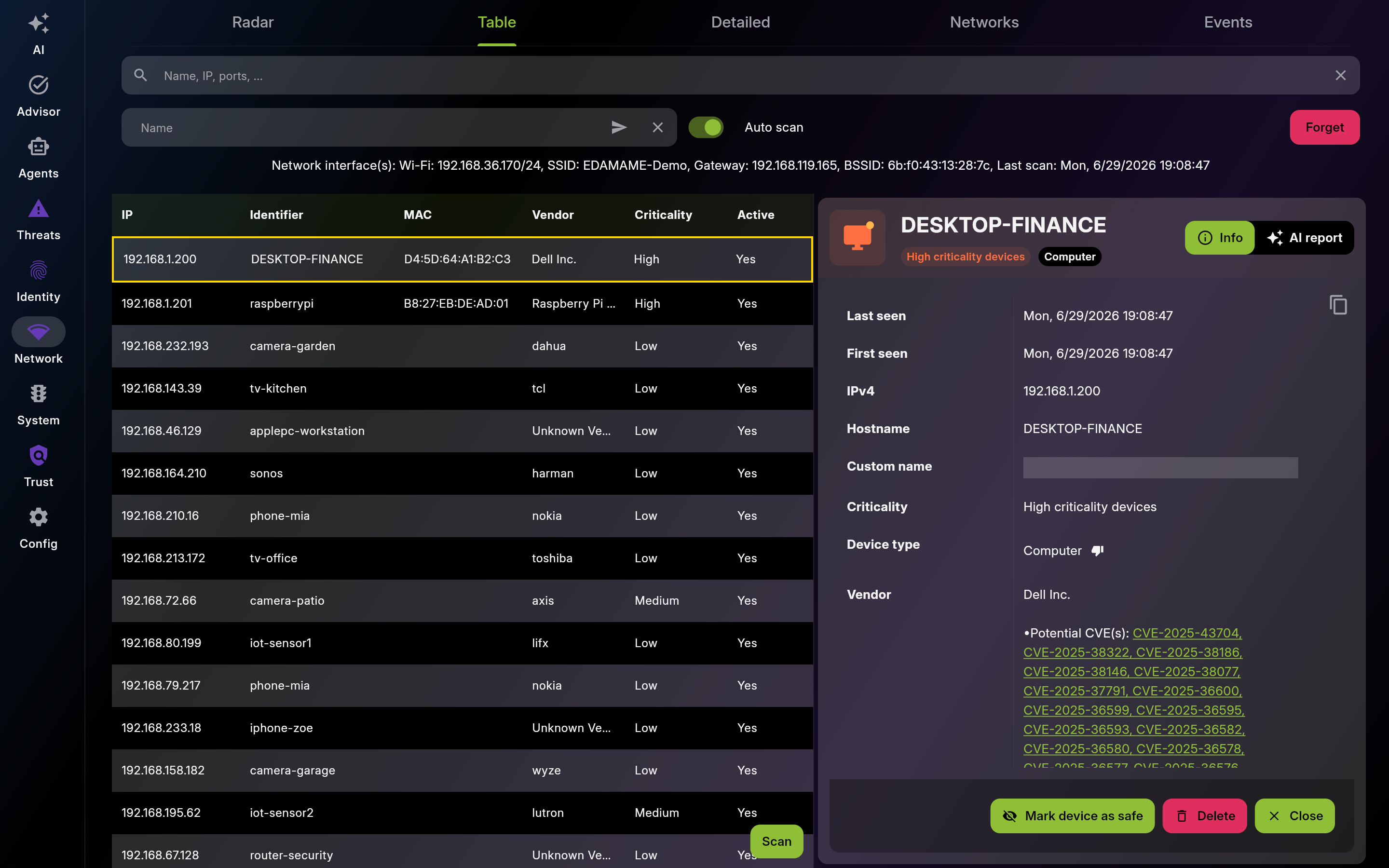 |
Screenshot of Table – Sortable Device List - Multi-pane layout showing list and detail views
Description: Use Detailed cards for rapid visual triage. Open suspicious cards to confirm vendor, activity, and criticality before action.
| List View | Detail View |
|---|---|
 |
 |
Screenshot of Detailed – Device Card View - Multi-pane layout showing list and detail views
Description: Use this history to compare posture by network location. Investigate unexpected networks and changes in known network fingerprints.
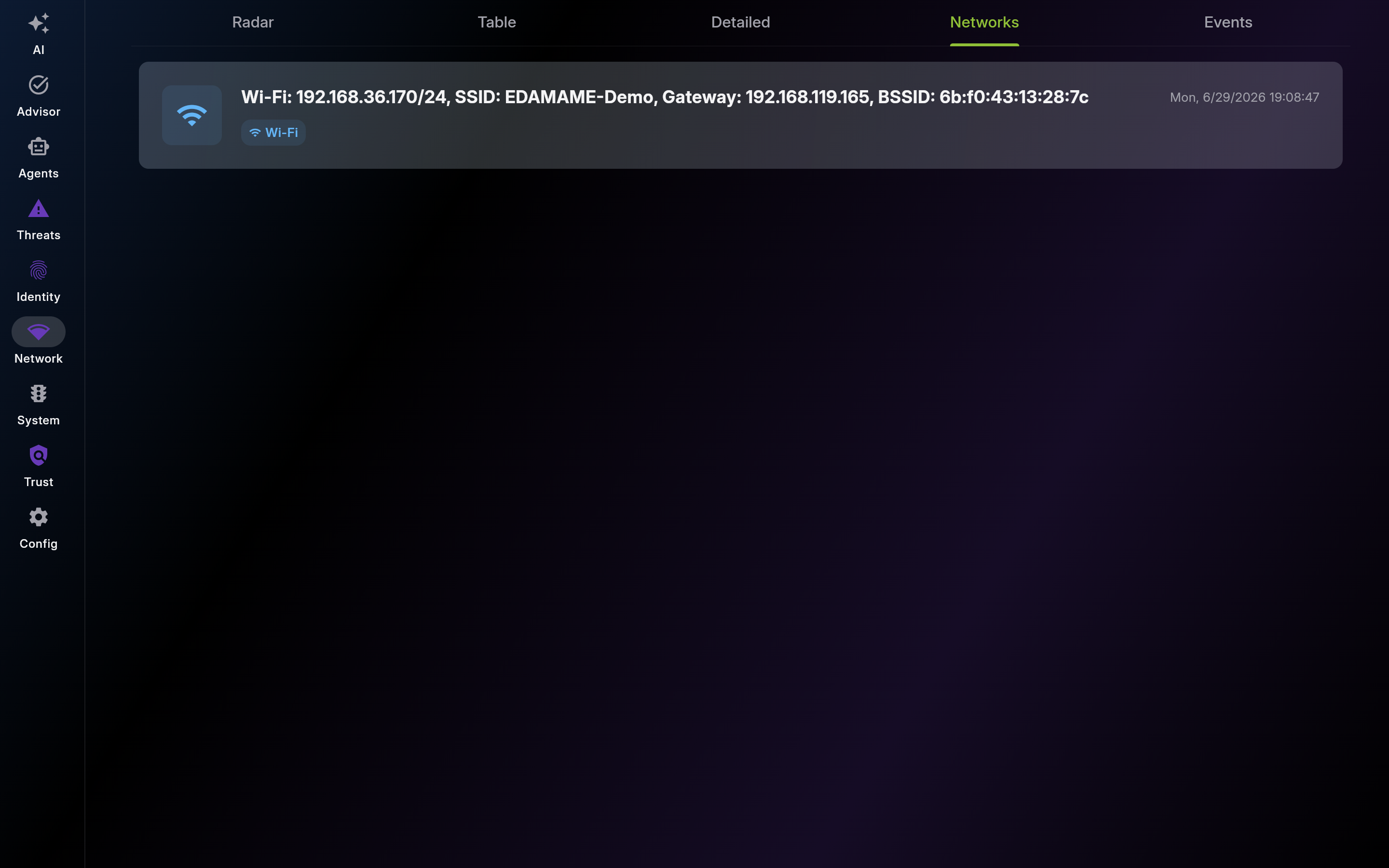
Screenshot of Networks – Connection History
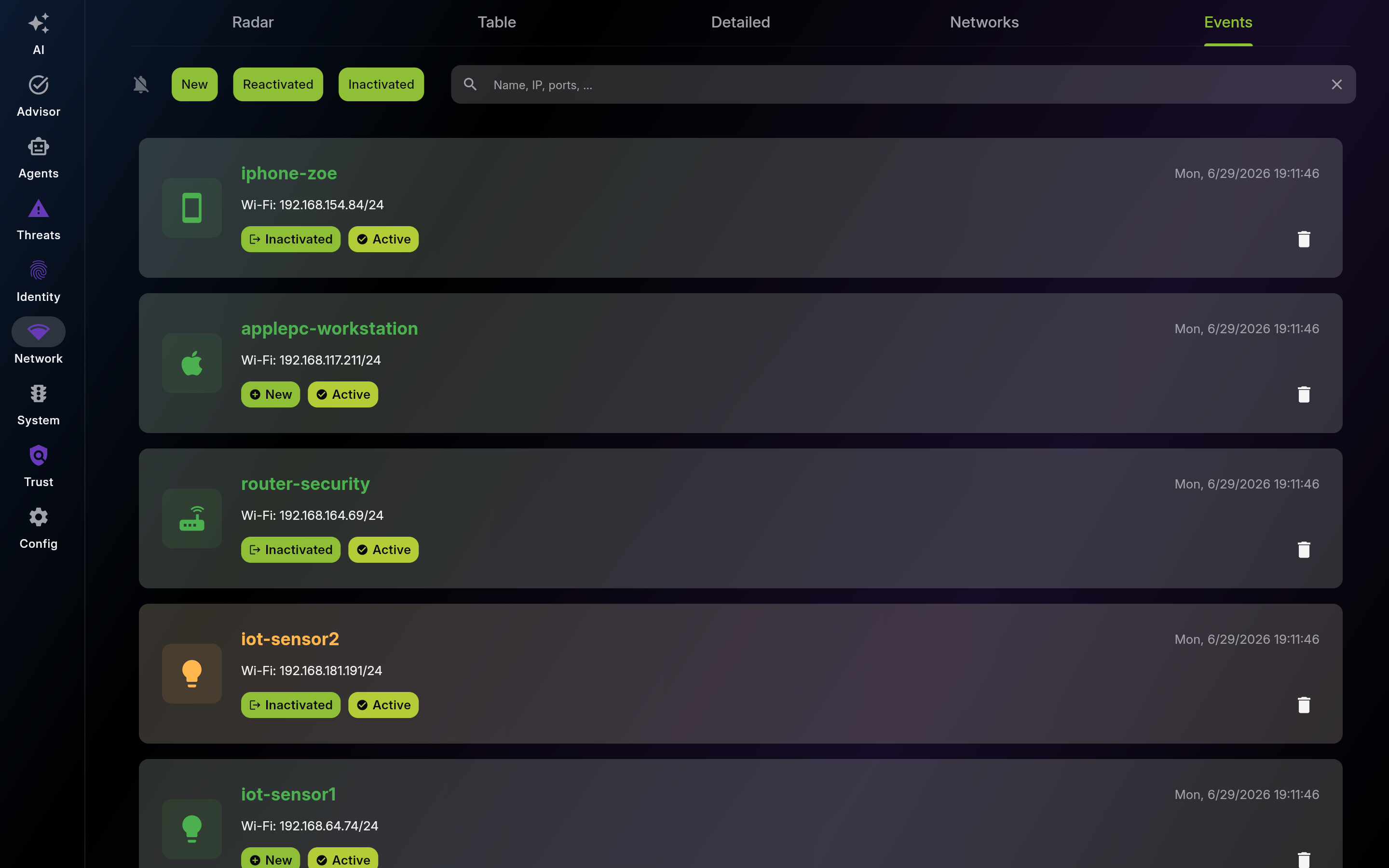
Description: Use this timeline to monitor device churn. Track new, reactivated, and inactive devices to detect unauthorized changes quickly.
| List View | Detail View |
|---|---|
 |
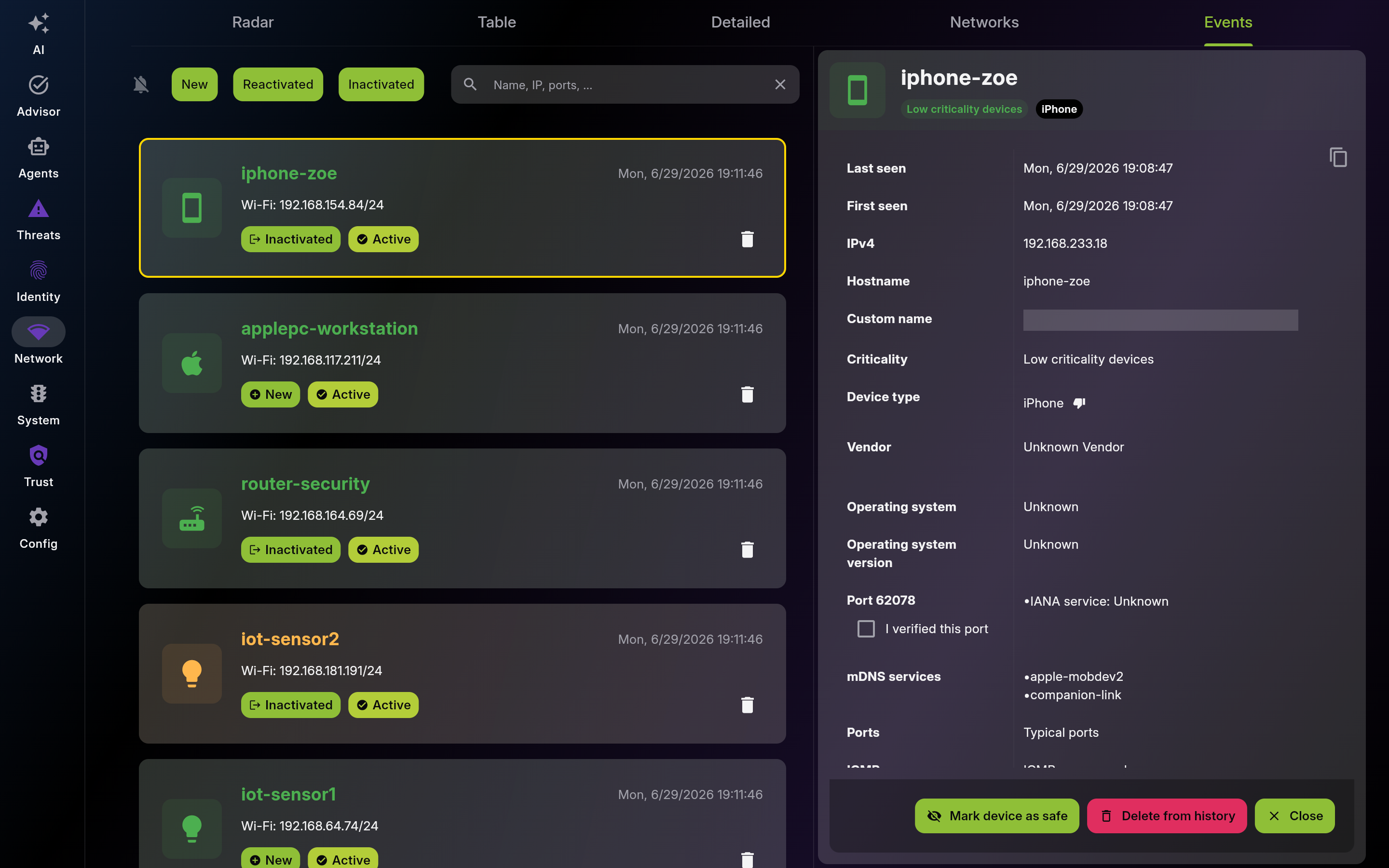 |
Screenshot of Events – Device Activity Timeline - Multi-pane layout showing list and detail views
Description: Use this section to understand discovery and enrichment mechanisms. It helps you interpret findings and decide when to trust or rescan.
Use community sharing on trusted networks to enrich metadata for devices with limited visibility.
Use CVE analysis to prioritize patching and segmentation for exposed services.
Use automatic profiling to classify assets and improve long-term inventory hygiene.
This page was automatically generated from feature definitions.