feature posture

Overview Use Threats to remediate hardening gaps on your workstation. Fix critical findings first, confirm compliance impact, and use history for rollback and audit traceability.
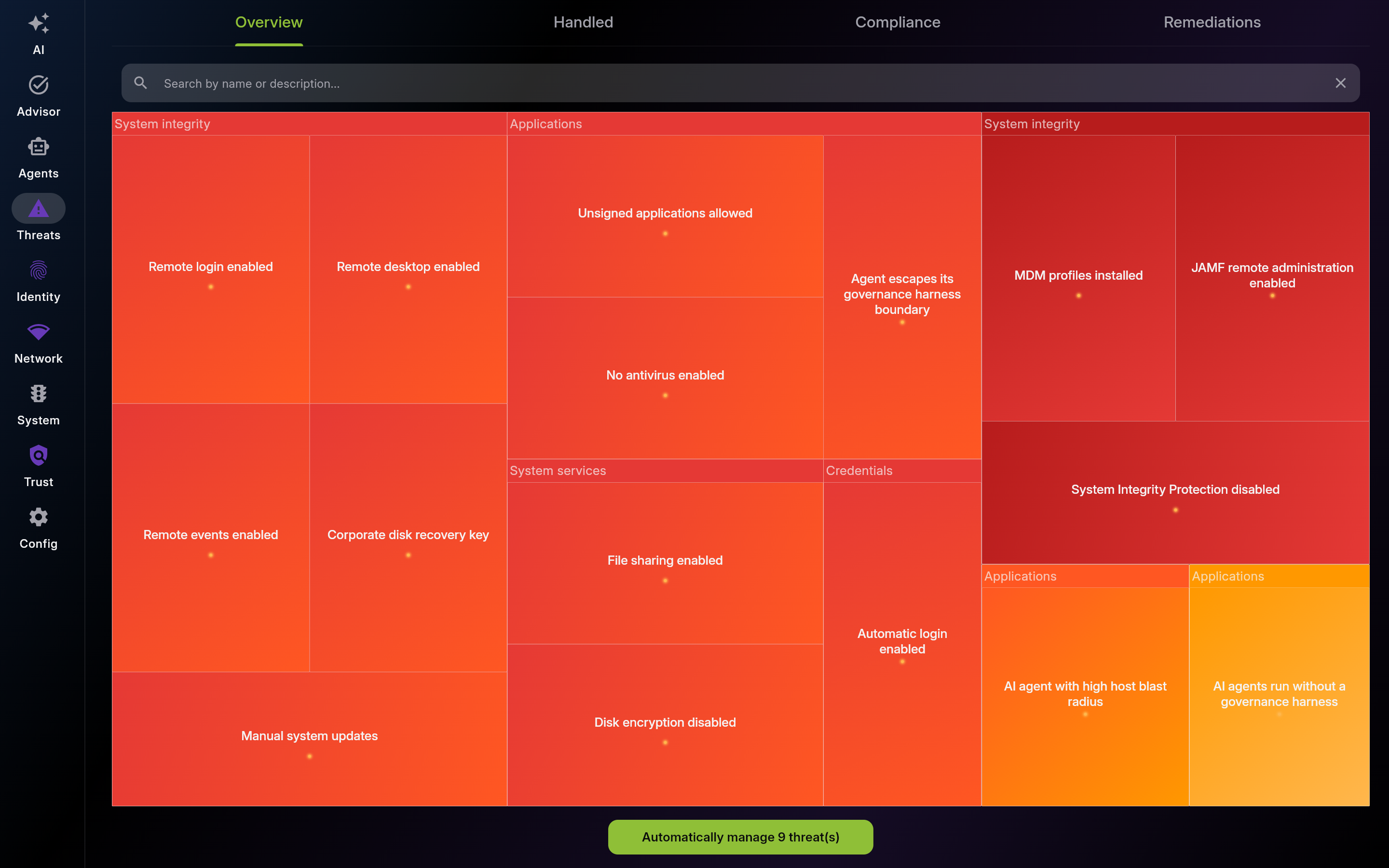
Description: Use this view to triage active hardening issues. Open threat details, apply safe one-click fixes, and reassess severity distribution after changes.
| List View | Detail View |
|---|---|
 |
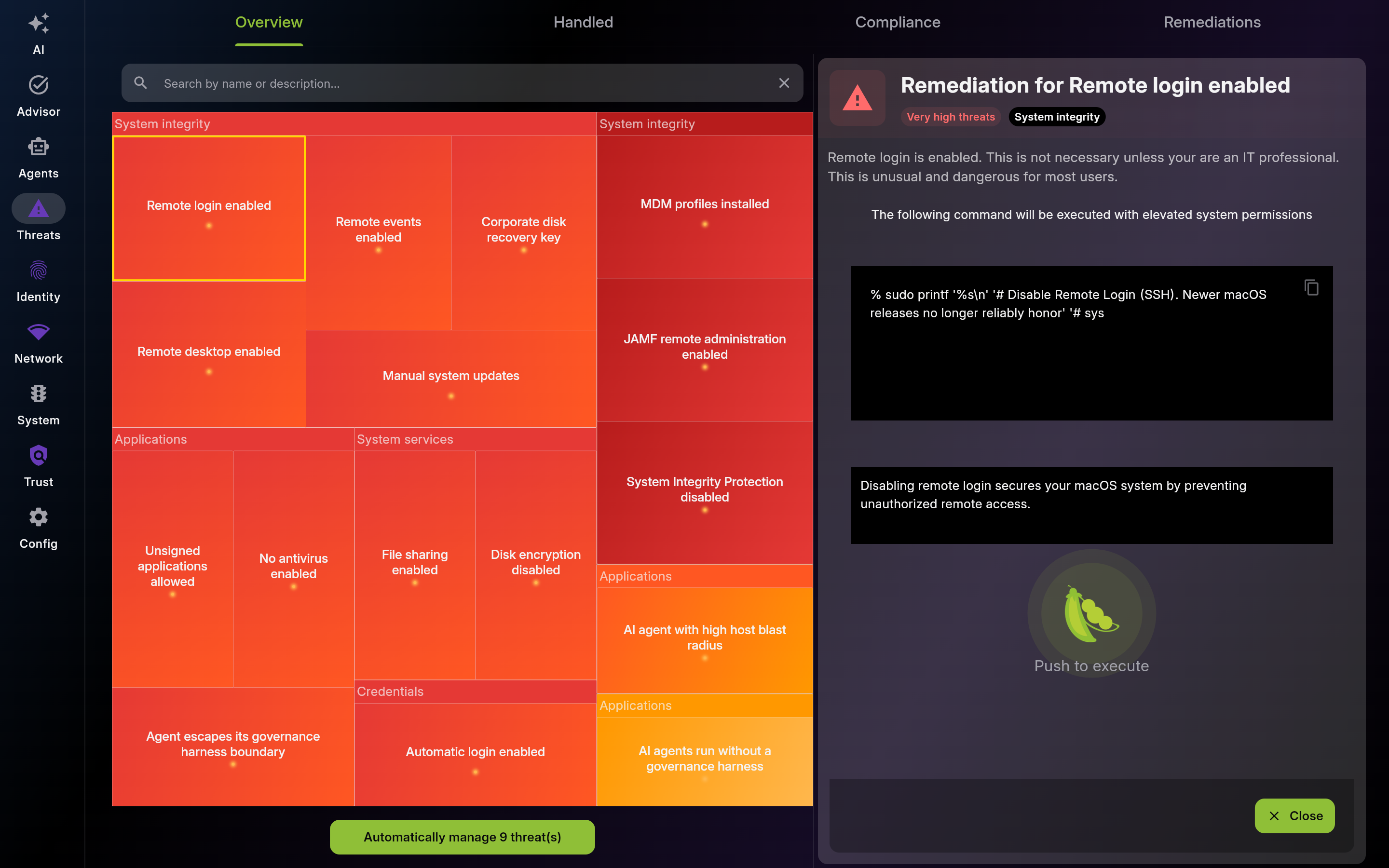 |
Screenshot of Overview - Active Security Issues - Multi-pane layout showing list and detail views
-
Threat Details – Technical Information
- Read technical details before remediation to confirm scope, impact, and prerequisites.
-
One-Click Remediation
- Use one-click remediation for safe reversible fixes. Validate outcome immediately after execution.
-
Batch Remediation – Fix Multiple Threats
- Use batch remediation to fix multiple safe issues quickly. Review planned scope before launch.
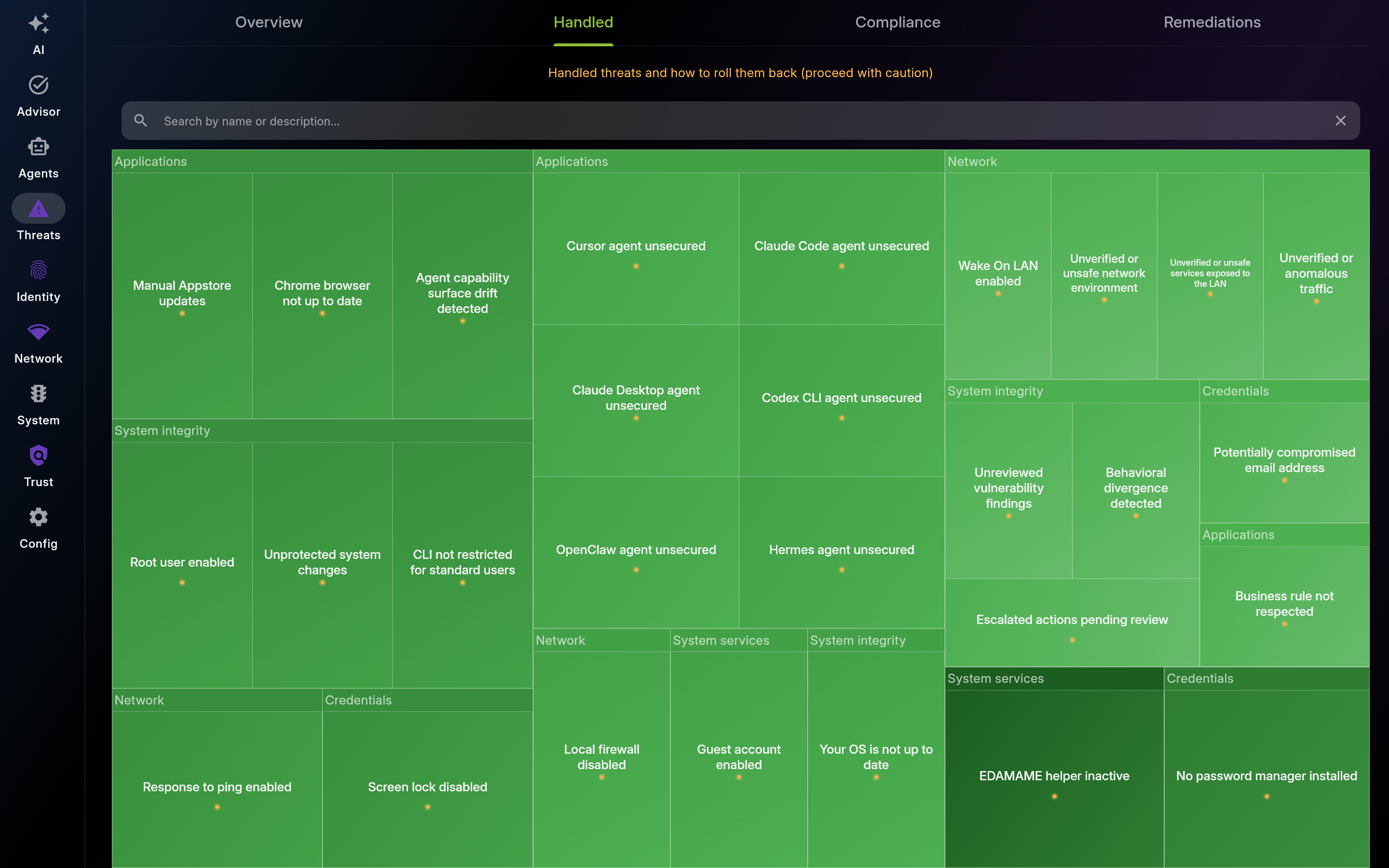
Description: Use this view to review resolved items and rollback options. Roll back only when business impact requires it, then document compensating controls.
| List View | Detail View |
|---|---|
 |
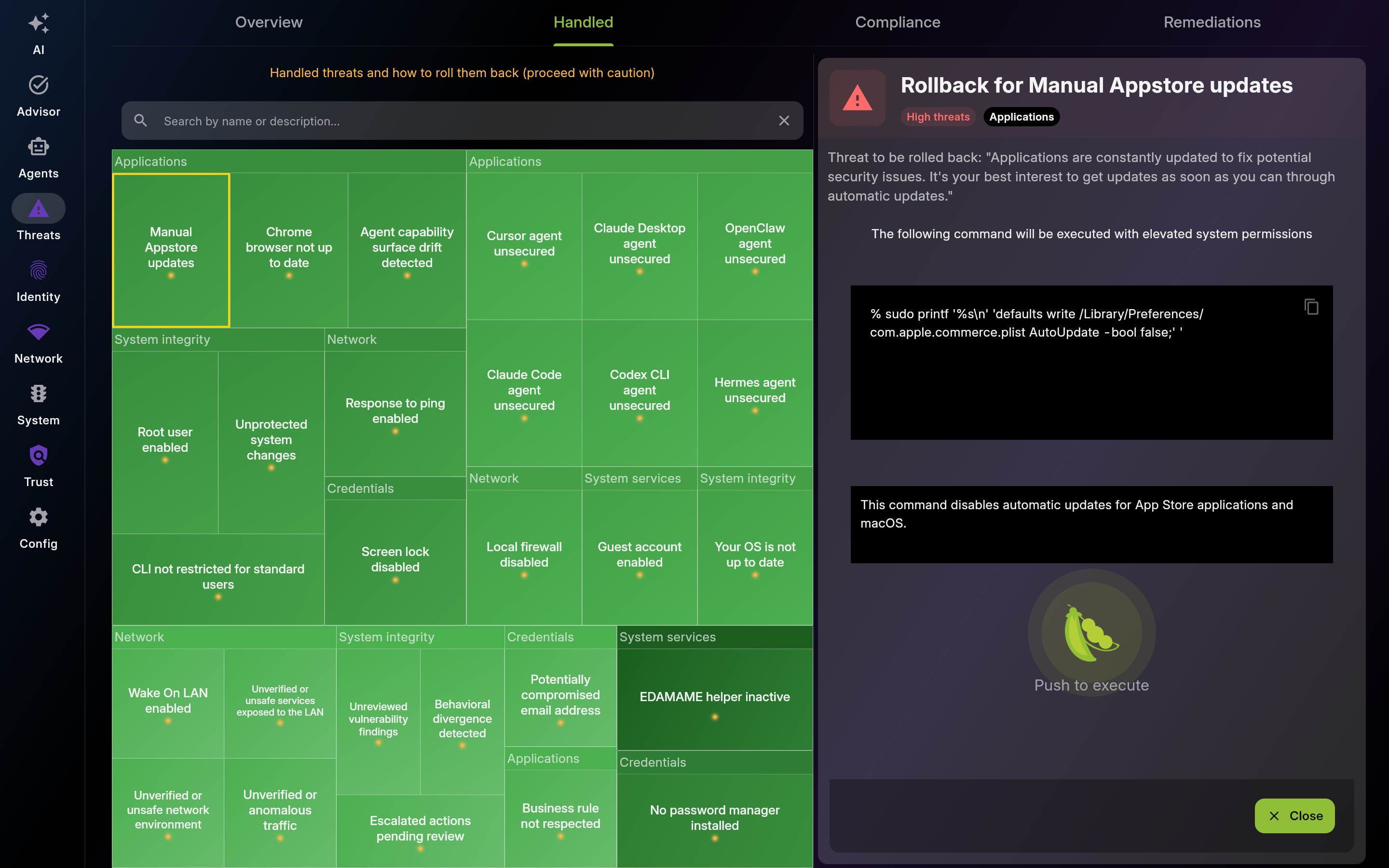 |
Screenshot of Handled – Resolved Threats - Multi-pane layout showing list and detail views
-
Rollback – Undo Remediation
- Use rollback only when a fix causes unacceptable business impact, then apply an alternative control.
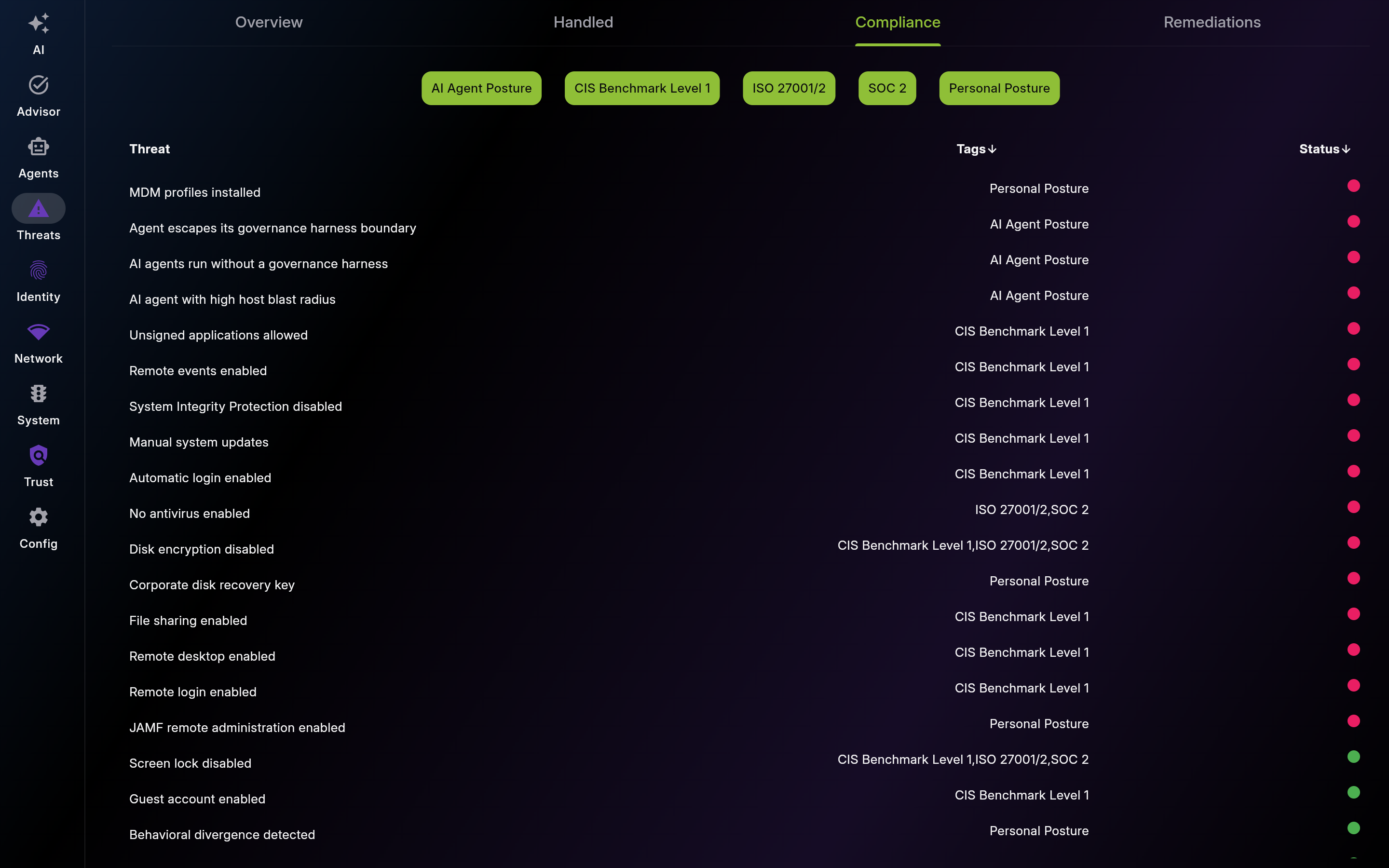
Description: Use this table to align remediation work with audit priorities. Filter by framework and clear failed controls for your target standards.
| List View | Detail View |
|---|---|
 |
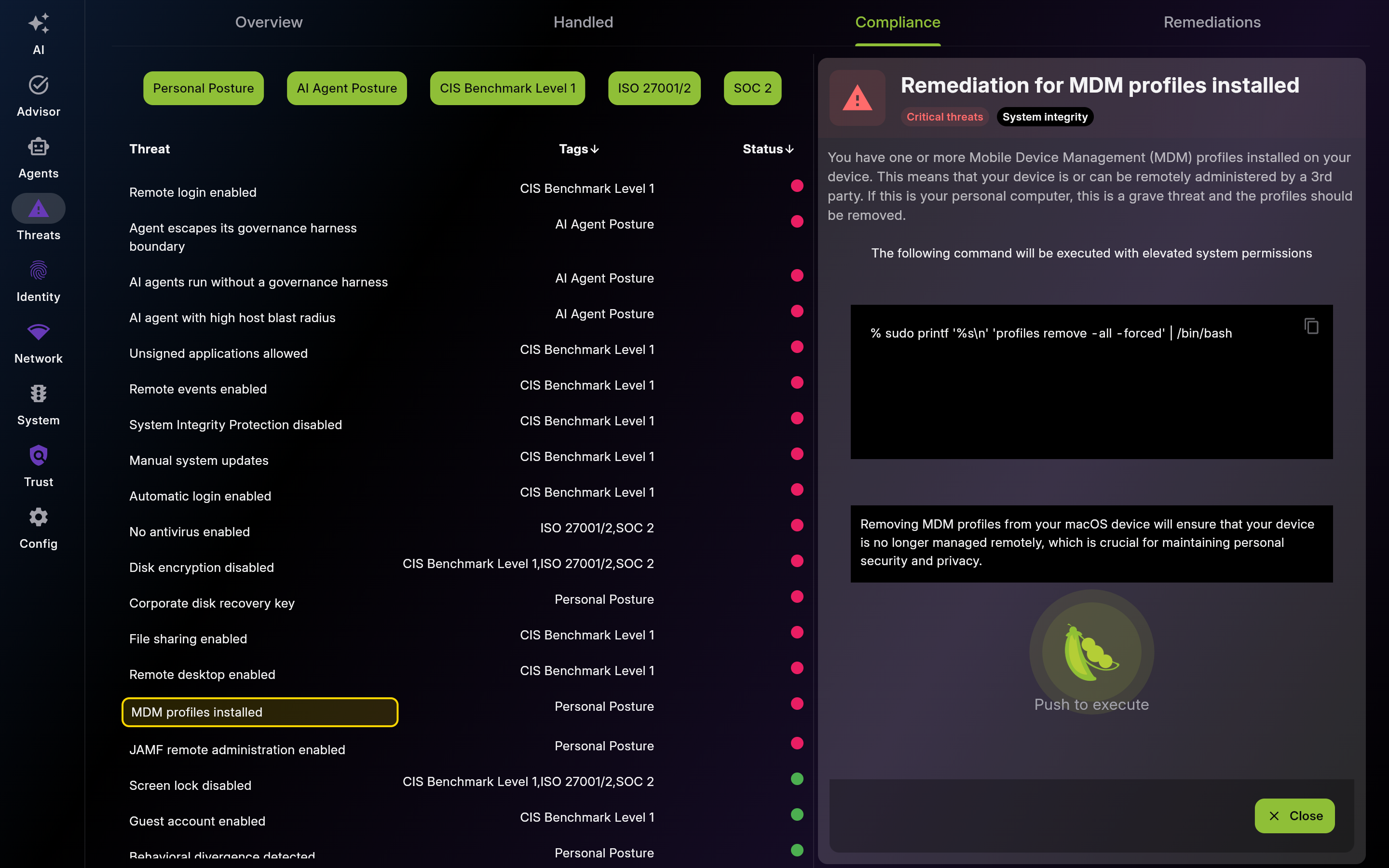 |
Screenshot of Compliance – Framework Alignment - Multi-pane layout showing list and detail views
-
Compliance Tags – Framework Filters
- Filter by framework tags to focus on audit-relevant controls first.
Description: Use remediation history as a security change log. Confirm what was fixed, retry failed actions, and track rollback evidence.

Screenshot of Remediations – Action History Timeline
This page was automatically generated from feature definitions.