Caching
OBEY API Gateway includes a built-in two-tier response cache for chat completions. Both tiers serve streaming and non-streaming callers from the same entries.
Request ──▶ Tier 1: Exact Match (in-memory) ──hit──▶ Response
                    │
                  miss
                    │
                    ▼
             Tier 2: Semantic (Qdrant) ──hit──▶ Response
                    │
                  miss
                    │
                    ▼
             Forward to Provider ──▶ Store in cache ──▶ Response
| Tier | Backend | Default State | Best For |
|---|---|---|---|
| 1 — Exact | In-memory DashMap, SHA-256 keyed |
Enabled | Byte-identical retries, agent loops, dedup |
| 2 — Semantic | Qdrant + embedding provider | Disabled | Paraphrased / near-identical prompts |
Zero-setup in-memory cache that works out of the box.
exact_cache:
  enabled: true
  max_entries: 5000           # Oldest-first eviction above this
  ttl_seconds: 3600           # Entry lifetime (1 hour default)
temperature_threshold: 0.15 # Max temperature for eligibility-
Key: SHA-256 hash of
model+messages+tools+tool_choice+response_format+top_p+frequency_penalty+presence_penalty+stop+seed+n+max_tokens -
Excluded from key:
streamflag,user, request-id, trace-id (transport metadata) -
Eviction: Oldest-first when
max_entriesis exceeded
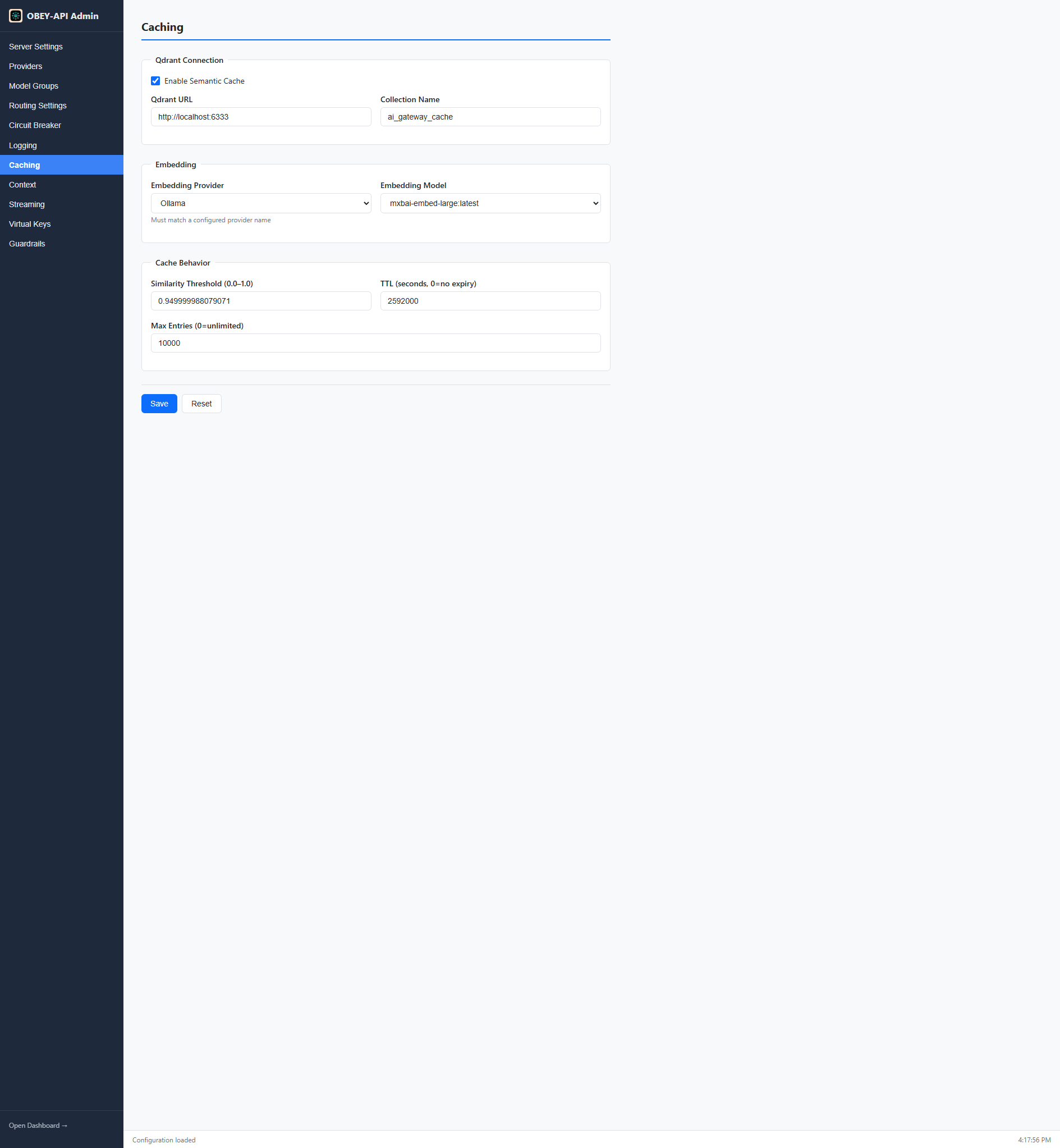
Optional similarity-based cache that catches paraphrased requests. Requires Qdrant vector database and an embedding provider.
semantic_cache:
  enabled: true
  qdrant_url: "http://localhost:6334"     # gRPC port (not 6333 REST)
  collection_name: "ai_gateway_cache"
  similarity_threshold: 0.95              # 0.0–1.0, higher = stricter matching
  embedding_provider: "openai"            # Must match a configured provider name
  embedding_model: "text-embedding-3-small"
  ttl_seconds: 3600
max_cache_size: 10000- Request messages are embedded using the configured embedding model
- Qdrant searches for vectors with similarity >=
similarity_threshold - On hit: cached response returned immediately
- On miss: request forwarded, response embedded and stored
# Docker (quickest)
docker run -d --name qdrant -p 6333:6333 -p 6334:6334 qdrant/qdrant

# Or use Qdrant Cloud: https://cloud.qdrant.ioBoth tiers share the same eligibility rules:
| Condition | Rule |
|---|---|
| Temperature |
<= temperature_threshold (default 0.15) |
| N (number of completions) | Must be 1
|
| Tool requests | Cached in Tier 1 only; skipped in Tier 2 |
Higher temperatures imply non-determinism and are skipped to avoid replaying randomized output.
| Condition | Reason |
|---|---|
tool_calls in response |
Tool use varies by context |
finish_reason: length |
Truncated responses shouldn't be cached |
finish_reason: content_filter |
Filtered responses are contextual |
The cache key includes everything that affects the response:
Included:
model- Full
messagesarray -
toolsandtool_choice response_format-
top_p,frequency_penalty,presence_penalty -
stopsequences -
seed,n,max_tokens
Excluded (intentionally):
-
streamflag — same entry serves both streaming and non-streaming -
userfield — transport metadata - Request ID / trace ID — per-request metadata
The stream flag is excluded from the cache key, so:
- A cached non-streaming response is re-chunked into SSE events for streaming callers
- A response originally received via streaming serves non-streaming callers as a complete JSON body
- Cache hits skip the early synthetic event (response starts immediately)
The dashboard's Cache Hit Rate card:
- Shows
N/Auntil the first eligible request is observed - Then displays a percentage (hits / total eligible requests)
To test caching, send the same request twice with temperature: 0 (or omit it):
# First call: cache miss (forwarded to provider)
curl http://localhost:8080/v1/chat/completions \
  -H "Content-Type: application/json" \
  -d '{"model":"gpt-4-group","messages":[{"role":"user","content":"Hello"}],"temperature":0}'

# Second call: cache hit (instant response)
curl http://localhost:8080/v1/chat/completions \
  -H "Content-Type: application/json" \
-d '{"model":"gpt-4-group","messages":[{"role":"user","content":"Hello"}],"temperature":0}'- Streaming — how streaming interacts with caching
- Configuration — full config reference
- Admin Panel & Dashboard — monitor cache hit rate