Repository navigation
Home
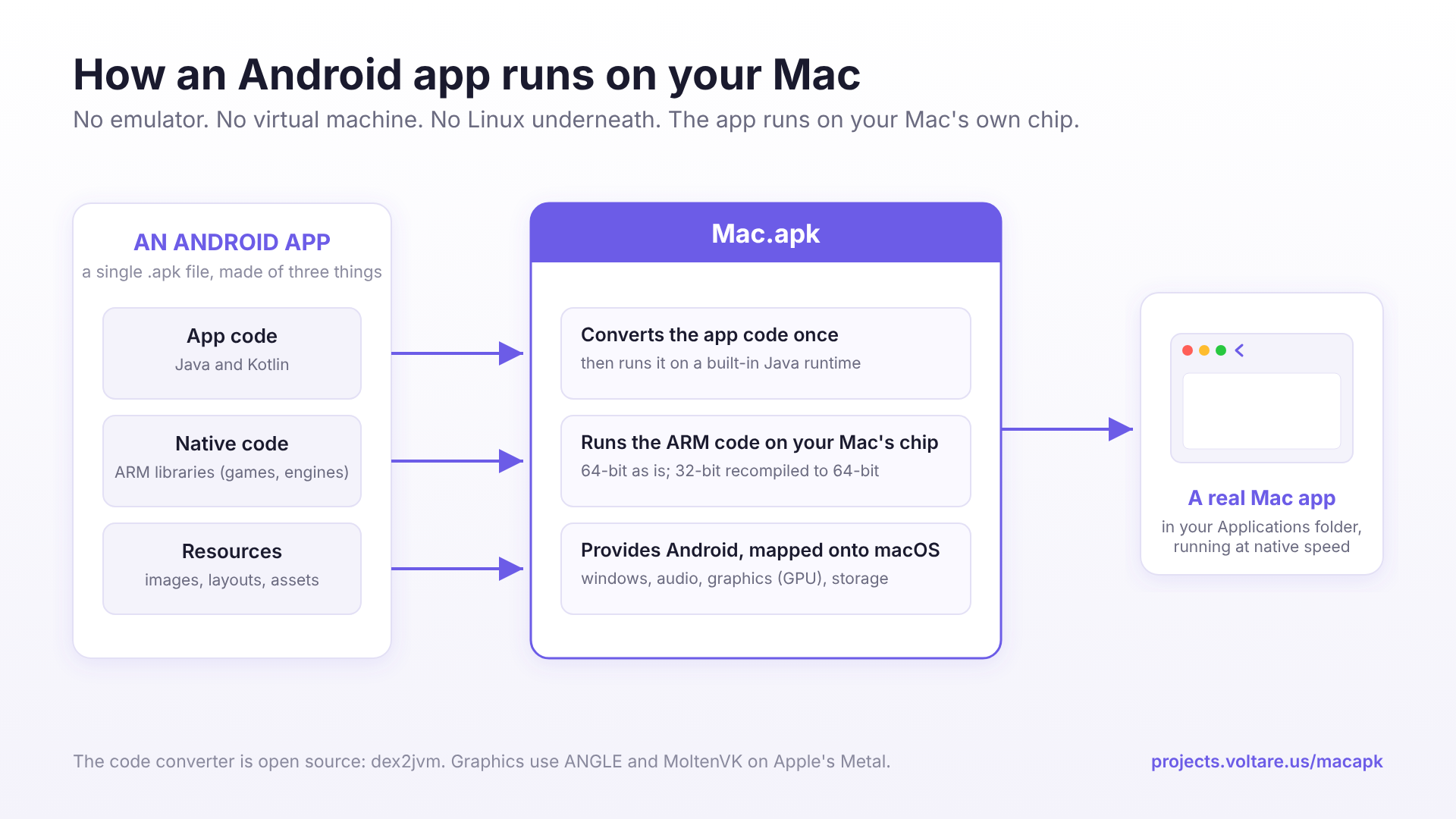
Mac.apk runs Android apps natively on Apple Silicon Macs. No emulator, no virtual machine, no Linux underneath. Apps launch as ordinary macOS processes, get their own windows and Dock icons, and draw through the Mac's GPU.
Mac.apk is in alpha. Some apps run beautifully, some run partially, and some don't run yet. It improves with every build.
Download the latest release · Which apps work?
- Installation: what you need, the four one-time setup steps, and updating Mac.apk.
- Installing Apps: double-click an APK or drag it onto the window.
- App Stores: install from F-Droid and Aurora Store inside Mac.apk, and the one setup step Aurora needs.
- How Apps Are Installed: what's inside an installed app, why the first launch is slow, and how much space apps take.
- Managing Apps: uninstalling without losing saves, updating, and starting an app over.
- Controls and Input: trackpad, keyboard, the Controls menu and game controllers.
- Windows and Appearance: the back button, resizing and rotating, dark mode, copy and paste.
- Files and Privacy: your folders and photos, permissions, location and the microphone.
- Google Accounts and Play Services: signing in, licence checks, and what Play Services can do here.
- Flags: how to change an app's behaviour with a flag, plus fixes for common problems.
- Flags Reference: every flag we support, with defaults.
- Developer Menu: the hidden settings for testing and bug reports, and how to unlock them.
- Known Issues: problems in specific apps in the current release.
- Troubleshooting: answers to the questions people ask most.
- Reporting Problems: what to put in a bug report and where to find logs.
- How Mac.apk Works: the architecture, at a high level.
- Design Decisions: why Mac.apk works the way it does, and what it won't do.
- For Developers and Publishers: ads, in-app purchases, partnerships, and opting out.
- Project page: https://projects.voltare.us/macapk
- Open-source DEX converter: dex2jvm
- Contact and commercial licensing: Kaleb@voltare.us