Repository navigation
Settings
Press s in the menu.
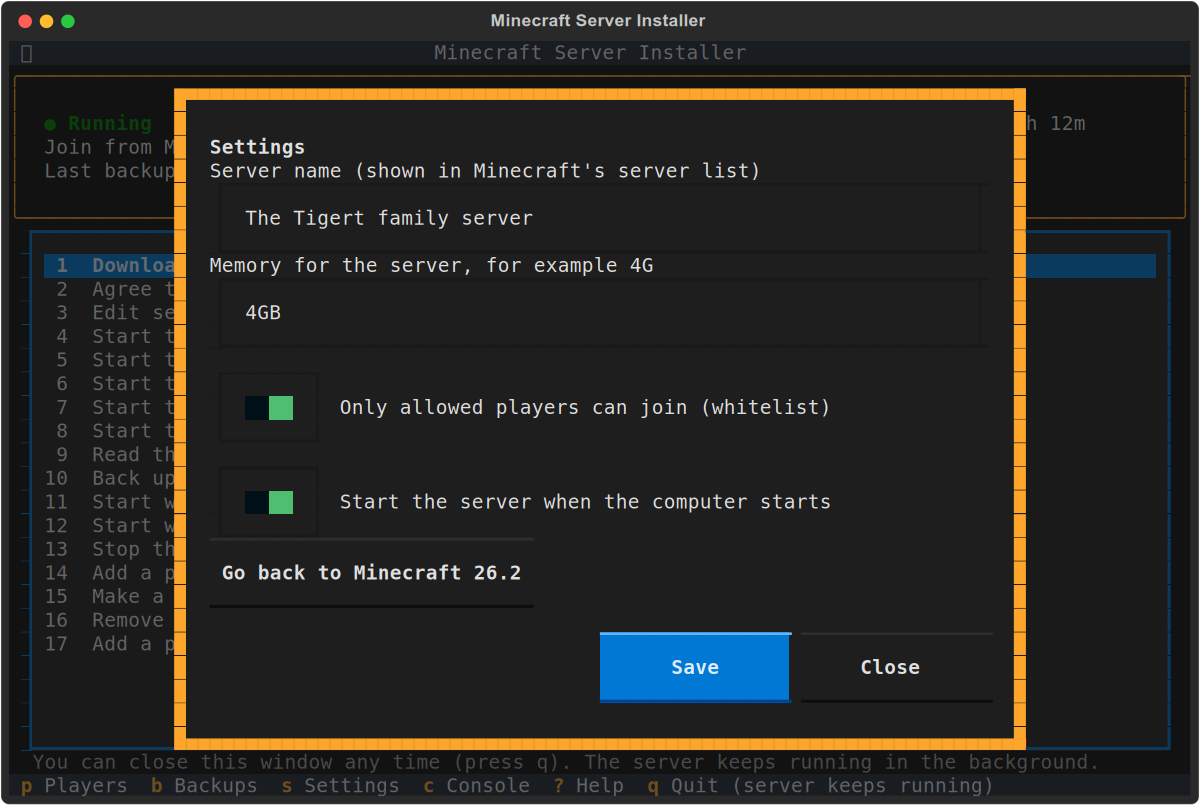
- Server name: shown in your family's Minecraft server list.
-
Memory: how much memory the server may use, for example
4G. 2 GB suits a few players; give more for more players or a big world. Leave enough for the computer itself. - Only allowed players can join (whitelist): off by default, so anyone at home can join. Turn it on, with your players added under Players and Operators, before friends join over the internet.
- Start the server when the computer starts: if the server was running when the computer shut down, it comes back by itself. Turn this off if you'd rather start it yourself.
- Go back to Minecraft (version): shown after an update; see Minecraft Updates.
Name and whitelist changes apply the next time the server starts. Option 3 edits every setting in server.properties directly, for those who know them.