Repository navigation
Home
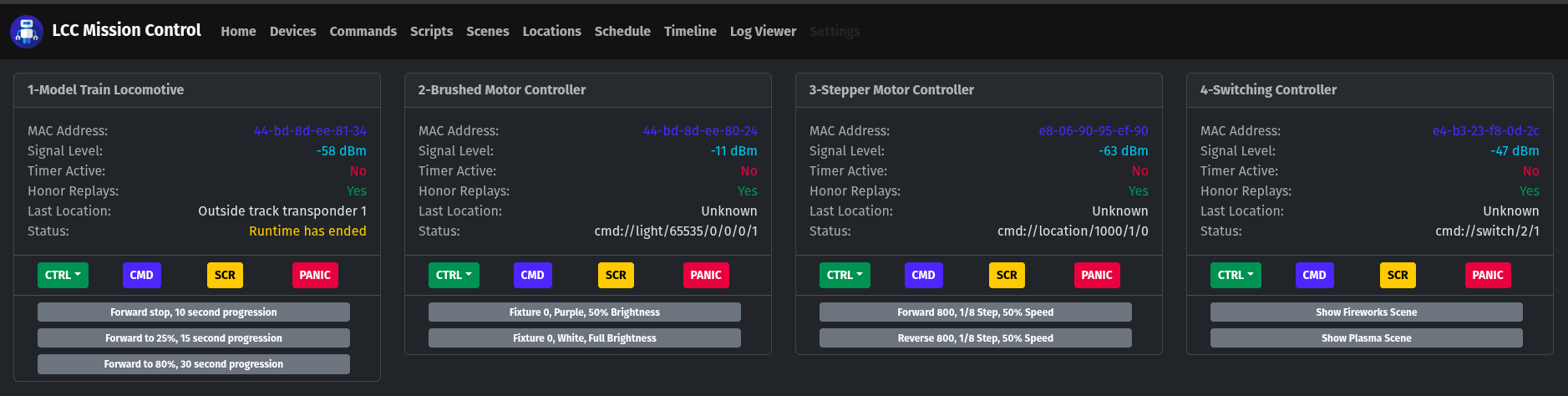
It stands for Larry's CMD & CTRL (or Larry's Command and Control). It's my own custom multi-purpose wireless automation system for private use and is designed to work completely offline. There are absolutely no dependencies on any cloud servers or other internet resources. It's not strictly for home automation, either. It can also be used for business, conveyors/gates, irrigation/sprinklers, lighting, model railroads, extreme holiday displays, you name it.
It's becoming harder and harder to find automation systems and their control components that aren't tied to some company's cloud servers. TP-Link Kasa WiFi controlled relays were pretty much the end of the line for that and I needed more than just on/off controllers. So I built my own system from the ground-up, including the control components (LCC Slaves) with multiple capabilities for every device type that I've ever needed to control. Plus some extra features that cater to model railroading and running extreme animated holiday light shows.
Aside from the fact that they only work if you have an internet connection where you need to install them, they're nothing but a honey pot for anybody who recreationally tries to break into places online where they don't belong. Remote security cameras and home automation systems are still to this day being broken into regularly, as if it's somebody's hobby, and it always starts at the cloud servers that they're bound to.
That's exactly what I did by making my system run on a 100% isolated wireless network and make it painfully clear that this system is not to be exposed to the public internet. If you somehow manage to convince yourself that you really need to manually run this from remote, then use the VPN feature that's built into your router, they all have one or more these days. You should choose WireGuard VPN if your router supports it.
Be sure to refer to the additional documentation in the Instructions and Diagrams directories of this GitHub repo. The Sound-Server directory also contains information in its README that will be helpful if you are considering adding one of those to your setup.