Repository navigation
3. Creating Scripts
You will notice that the word scripts is used three different ways in the LCC ecosystem.
LCC Slaves have a buffer/queue that can store a bundle of 16 commands and they are executed in a First-in/First-out fashion. Command scripts are little containers that hold up to 16 commands to send to an LCC Slave in a back to back sequence.
If you enabled the Honor Replay Requests option in a device, you can send a replay command the end of the script in order to run the same script again, or forward it to another script. Set up two scripts to forward to each other and you can create an endless loop until you reboot the LCC Slave.
Command scripts are device type specific and can be easily executed at the home page by clicking on the yellow script (SCR) button in each device pane. Running them this way will give you an accurate feel for the execution time of a script compared to a single command or a timeline frame. While these go into the outbound queue immediately, that queue is only processed once every 5 seconds. If you need timing-critical execution, use a timeline instead.
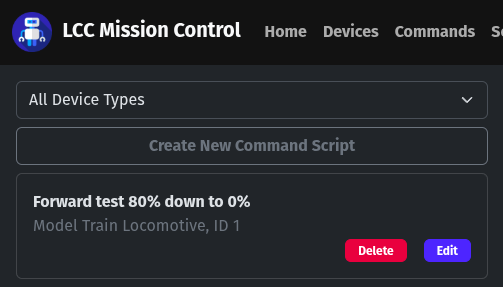
- Click on Scripts in the menu bar and then click on the Create New Command Script button.
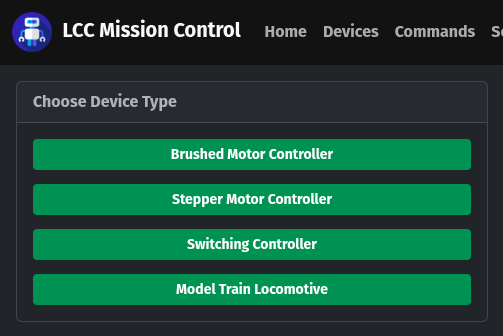
- Click the button for the Device Type.

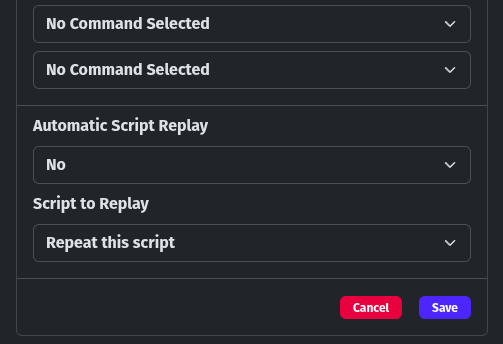
- Fill in the Command Script form parameters.
- Give the script a name
- Fill in the command sequence (not all 16 slots need to be populated)
- Choose whether or not to send a Replay at the end of the script
- Choose whether to replay the current script or forward to another script
- Click the Save button
NOTE: Brushed motor commands with a progress time set, stepper motor commands, and RGB LED commands with a non-zero fade time will hold back other commands until they have completed their progression or executed all of their steps. This is intentional so you can't interrupt them with future commands. Keep this in mind or you may end up wondering why later commands aren't running. Adjust your command order as necessary to use this to your advantage.