Repository navigation
Balance Tab
Every production line in your factory: what it makes, what arrives, and how long your stock lasts. Lines feeding your current objective appear first unless you choose alphabetical sorting.
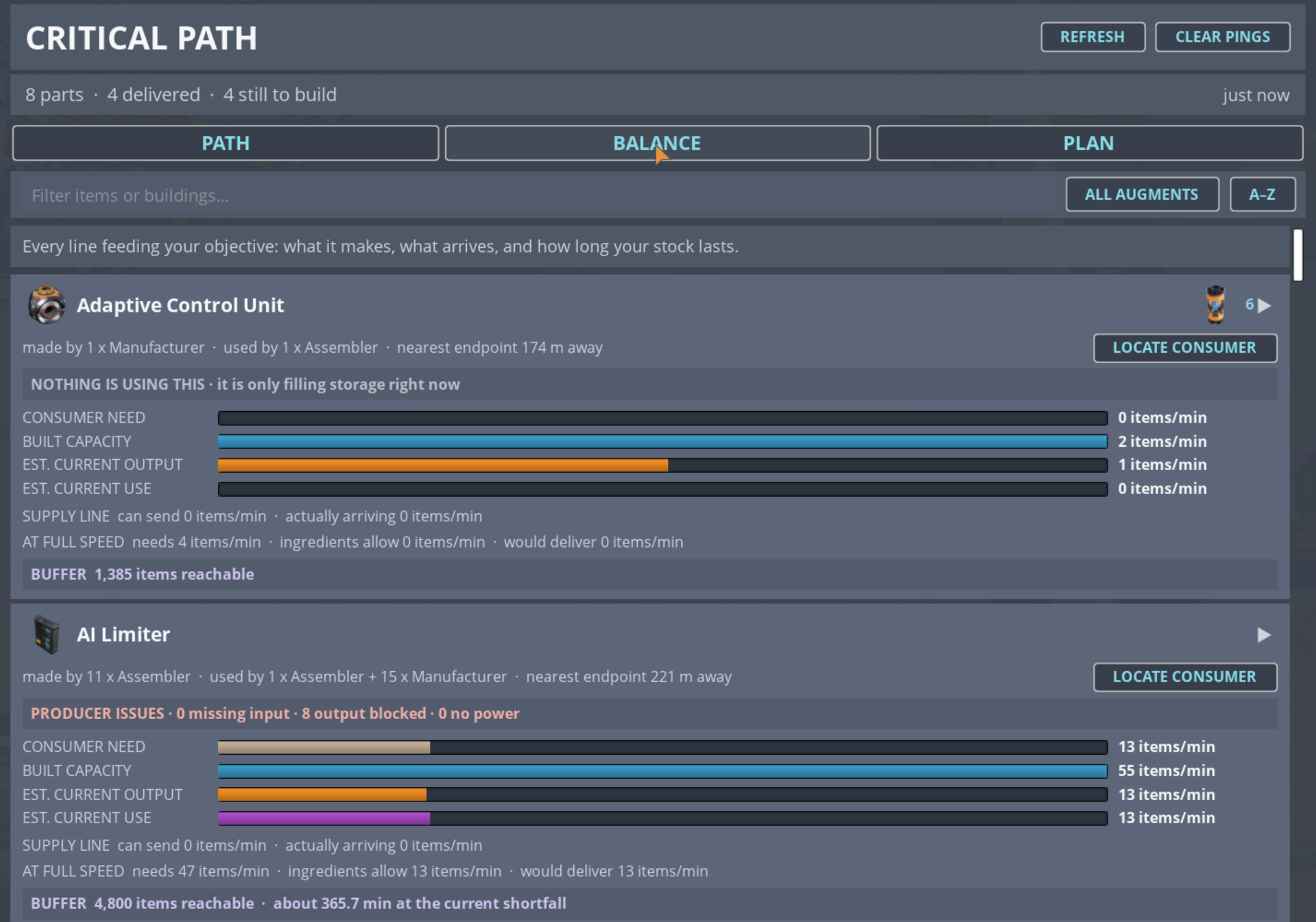
Use the filter box to narrow to an item or building, A–Z to sort alphabetically, or leave it on needs-attention-first.
Each item shows four measures of the same quantity. They are deliberately not status colours - these bars carry identity, not judgement, so a short bar is not automatically bad.
| Bar | Meaning |
|---|---|
| CONSUMER NEED | What the machines consuming this item are asking for |
| BUILT CAPACITY | What the producers you have placed could make, at their current clocks |
| EST. CURRENT OUTPUT | What they appear to actually be making right now |
| EST. CURRENT USE | What is actually being consumed right now |
Built capacity does not drop when a machine stalls - it describes what you built, not what it happens to be doing this second. That is why a stalled line shows high capacity and near-zero output: the gap between those two bars is the problem.
- SUPPLY LINE - what the route into the consumers can carry, and what is actually arriving.
- AT FULL SPEED - what the producers would need, what their ingredients currently allow, and what that would deliver. This is the honest answer to "if I unblocked everything, would it be enough?"
- BUFFER - how much of the item is reachable in storage, and at the current shortfall, roughly how long that covers you.
Above the bars you may see a plain-language summary, for example:
- NOTHING IS USING THIS - it is only filling storage right now
- DRAWING FROM STORAGE - no machine currently makes the item, but stored stock is feeding the line
- NOT REACHING MACHINES - enough production exists, but the route is not distributing it to every consumer
- COLLECTED IN THE WORLD - the item is gathered rather than manufactured, so there is no production line to build
- PRODUCER ISSUES - with counts of what is starved, output-blocked, or unpowered
Counts that are zero are omitted, so you only read conditions that are actually present.
Fluid items are shown in m³/min with decimals; solids in items/min. Pipe feasibility is decided before any rate is computed - if a route cannot clear its head lift, or a valve is closed, it carries nothing rather than a guessed number.