Repository navigation
Path Tab
The default tab. It shows your tracked objectives side by side - the current Space Elevator phase on the left, the current HUB milestone on the right - with every part each one still wants.
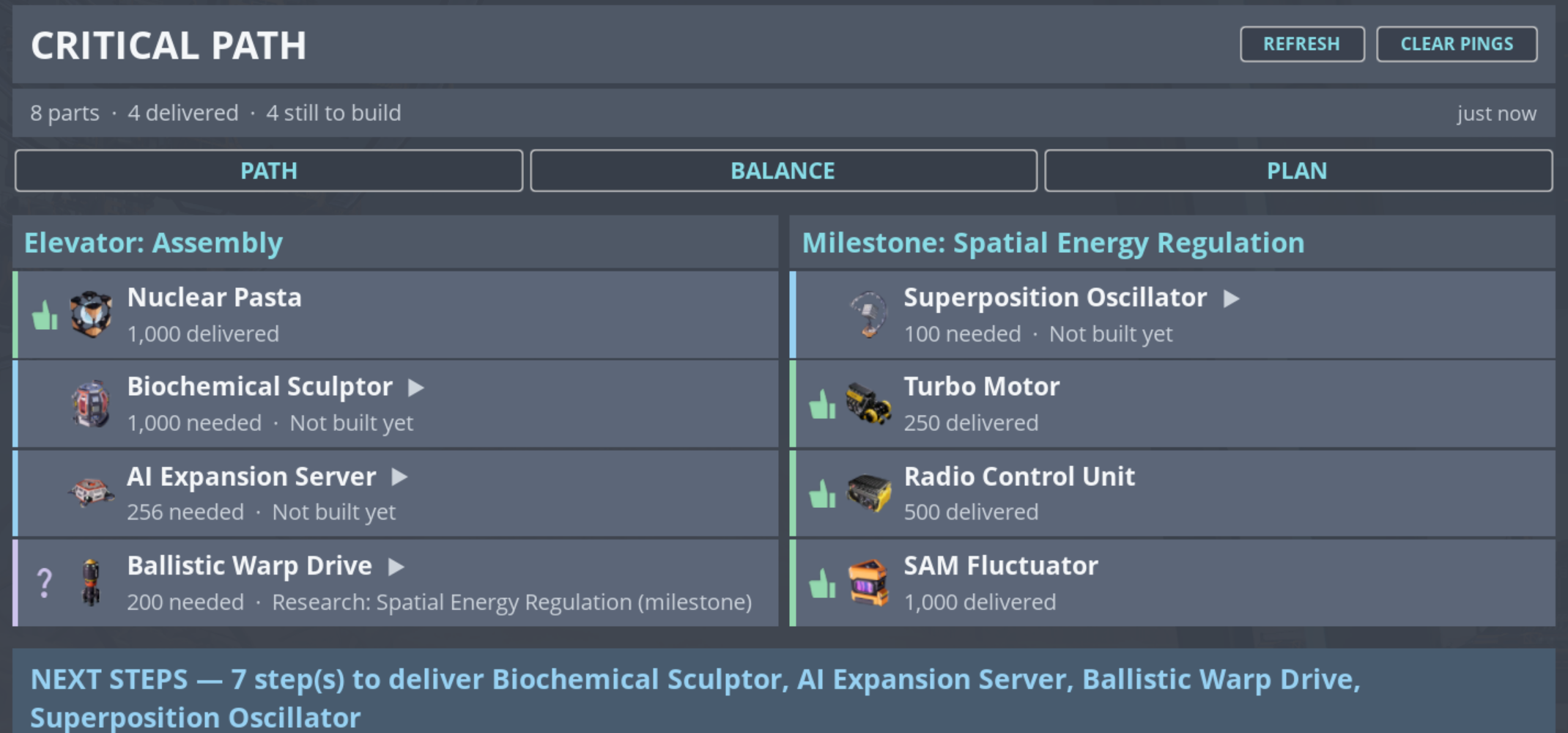
Each row carries the part, how many are needed or delivered, and its status in words. A row with a ▶ can be expanded to show the chain beneath it.
Expanding a blocked part walks down to the deepest cause. Critical Path does not stop at "this is missing" - it follows the dependency until it reaches the thing that is actually wrong, and names the machine rather than the product. "Nothing produces it" and "the machines are starved of copper" are different problems with different fixes.
If an Assembler has no power, the products downstream of it are not really "missing" - they are missing because of the Assembler. The chain view attributes the problem where the fix is, so you are not sent to inspect a machine that is behaving correctly.
A machine can also be in more than one state at once - unpowered and unfed and clogged. The game reports only the first of those; Critical Path enumerates them all, because fixing only the one you were told about leaves the line still stopped.
A machine can be fed by a full belt and still starve, if the item at the head of the belt is something that machine cannot use. Belts are first-in-first-out, so nothing behind that item can enter either - the line is stuck permanently even though it looks supplied.
Critical Path detects this and says the machine is jammed by the offending item, rather than reporting a generic shortage. Stray ore left on an ingot line is the classic cause.
Rows that identify a specific building offer LOCATE, which drops a marker on your map and compass so you can walk to it. CLEAR PINGS in the header removes markers Critical Path placed.
Distances shown are straight-line to the nearest relevant endpoint, not walking distance.