Repository navigation
Block Locking
Keep a fence connection, stair shape or another block property exactly as you set it. You only need Chomagerie on the server to lock and unlock blocks.
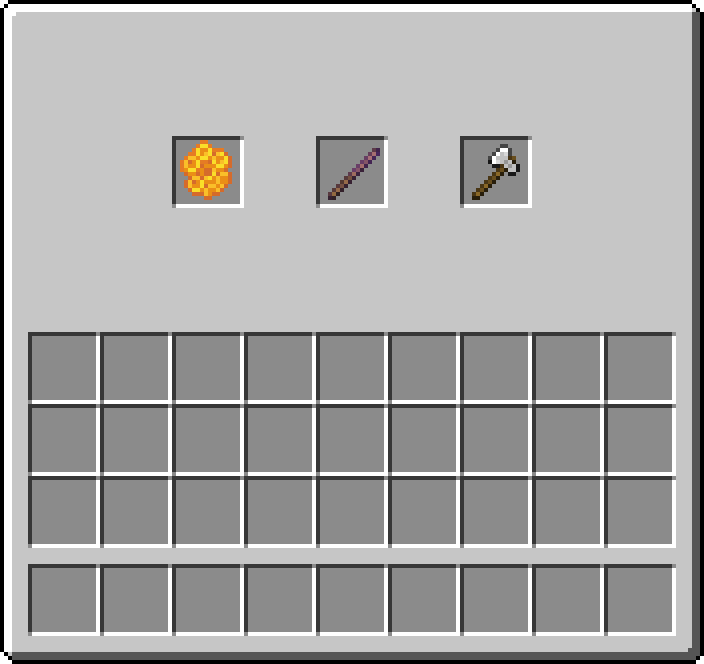
From left to right:
- Honeycomb: right-click to lock the block's current state.
- Debug Stick: select and change properties while keeping the lock.
- Axe: right-click a locked block to unlock it.
A new lock normally costs 1 honeycomb in Survival. Creative mode does not consume it, and clicking an already locked block does not spend another one.
Since 1.6.1, a block needs at least one changeable property. Fences, glass panes and stairs are good examples. Plain stone, dirt, sand and plain glass cannot receive a new lock and do not consume honeycomb for this action. Normal copper waxing still works.
Older locks on blocks without properties can still be removed with an axe.
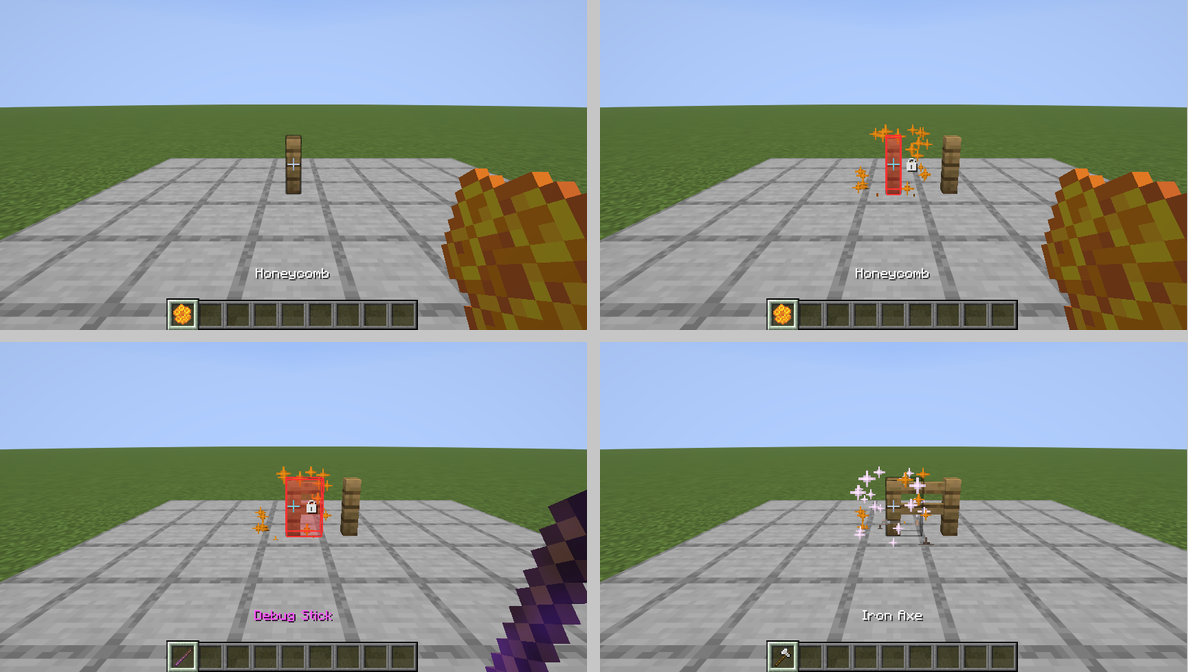
Read the images from left to right, then top to bottom:
- Place an isolated fence and hold honeycomb.
- Right-click to lock it. Adding a neighbouring fence no longer changes the locked fence's connection.
- Use the Debug Stick to select
eastand change its value. The shape changes and the lock stays. - Right-click with an axe. The lock disappears and normal connections are recalculated.
The highlights are shown with the optional overlay enabled. You can lock blocks without it.
It preserves the block's properties: facing, connections, open state, powered state, age, waterlogging and similar values. Normal neighbour reactions and scheduled or random block ticks are suspended for the locked block.
It does not freeze the contents of chests or a furnace's internal processing, and does not make a block indestructible. Breaking it, explosions or replacing it can remove it. A lock does not follow a block moved by a piston.
Locks stay with the world across restarts and do not need a player nearby.
The first right-click removes the lock. It does not also strip wood or remove copper wax. In Survival, the axe normally loses one durability point.
Unlocking restores normal Minecraft behaviour. Unsupported anvils may fall, unsupported torches may drop, and panes and fences reconnect to their neighbours. Use another click afterwards for the axe's normal action.