Debug Tools
(work in progress) Also see Tips.
Runtime flags available in ImGuiIO (and exposed in Demo->Configuration):
// Tools to test correct Begin/End and BeginChild/EndChild behaviors.
// Presently Begin()/End() and BeginChild()/EndChild() needs to ALWAYS be called in tandem, regardless of return value of BeginXXX()
// This is inconsistent with other BeginXXX functions and create confusion for many users.
// We expect to update the API eventually. In the meanwhile we provide tools to facilitate checking user-code behavior.
bool ConfigDebugBeginReturnValueOnce; // First-time calls to Begin()/BeginChild() will return false. NEEDS TO BE SET AT APPLICATION BOOT TIME if you don't want to miss windows.
bool ConfigDebugBeginReturnValueLoop; // Some calls to Begin()/BeginChild() will return false. Will cycle through window depths then repeat. Suggested use: add "io.ConfigDebugBeginReturnValue = io.KeyShift" in your main loop then occasionally press SHIFT. Windows should be flickering while running.

// Option to deactivate io.AddFocusEvent(false) handling. May facilitate interactions with a debugger when focus loss leads to clearing inputs data.
// Backends may have other side-effects on focus loss, so this will reduce side-effects but not necessary remove all of them.
// Consider using e.g. Win32's IsDebuggerPresent() as an additional filter (or see ImOsIsDebuggerPresent() in imgui_test_engine/imgui_te_utils.cpp for a Unix compatible version).
bool ConfigDebugIgnoreFocusLoss;      // Ignore io.AddFocusEvent(false), consequently not calling io.ClearInputKeys() in input processing.

// Options to audit .ini data
bool ConfigDebugIniSettings; // Save .ini data with extra comments (particularly helpful for Docking, but makes saving slower)Many internal state and tools are exposed in the Metrics window. To access the Metrics window:
- Call
ShowMetricsWindow(). - Or from the Demo window you can find it in the Tools menu. They will help you understand how Dear ImGui works, and can help you diagnose problems.

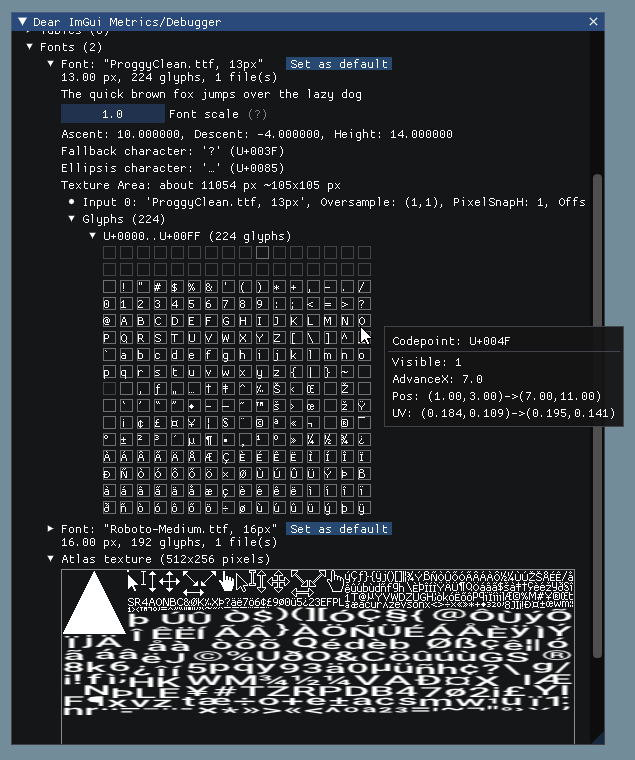
 Some of the debug tools
https://github.com/ocornut/imgui/issues/5855

https://github.com/ocornut/imgui/issues/4631
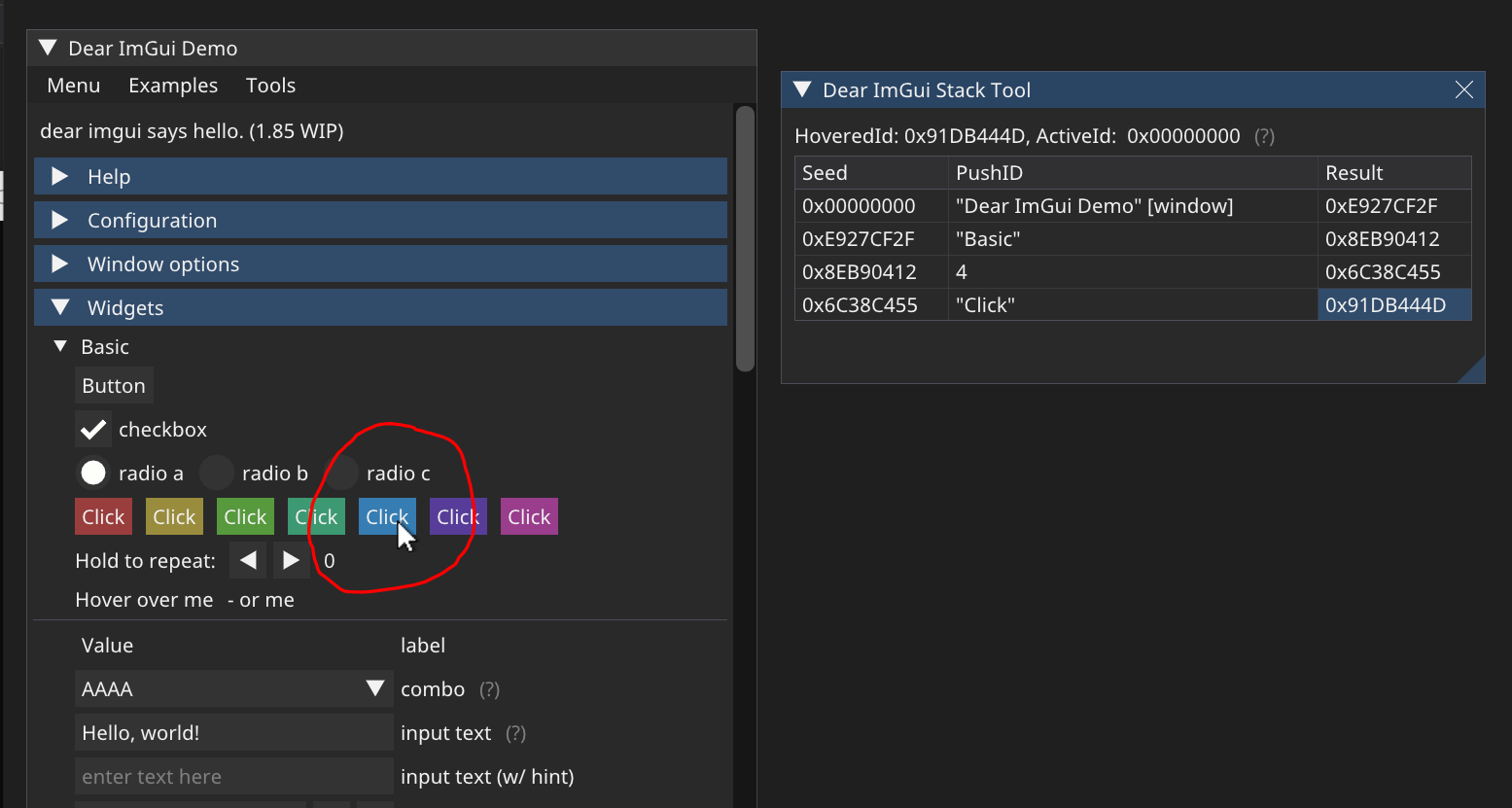
https://github.com/ocornut/imgui/issues/2673
The Item Picker will allow you to pick an item with the mouse and have Dear ImGui break within the call-stack of that item. This is useful if you have large UI / codebase and you would to easily find out where some UI item is emitted. You can find it in Metrics>Tools>Item Picker. Also see #2673.
