Customize UID Per Event
You can run events that use the same Event Plugin under different user accounts without making a separate copy of the Plugin. An administrator can add a locked uid parameter to the Plugin, then choose the account for each event. The same approach works for a gid parameter if you also need to choose the group. You can also add a locked sudo checkbox to choose whether each event launches with the sudo wrapper, which preserves the selected user's supplemental groups.
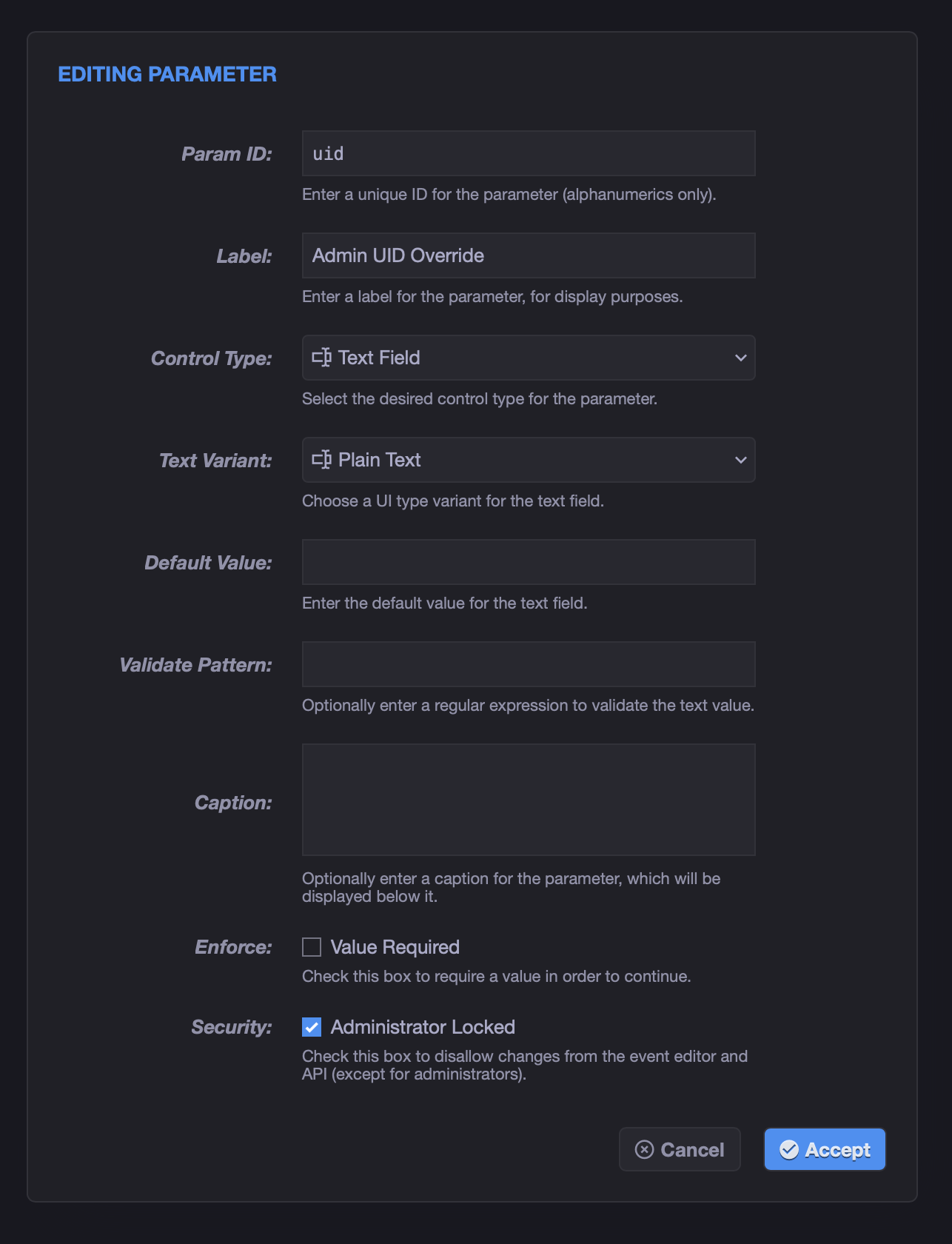
- As an administrator, open the Event Plugin and add a Text Field parameter with the exact ID
uid. Give it a label such as Run as User. - Check Administrator Locked, then save the Plugin. This setting is required for
uidto control the job's run-as user. - If you also need to choose the group, add another administrator-locked Text Field parameter with the exact ID
gidand a label such as Run as Group. - If the selected user needs access to their supplemental groups, add an administrator-locked Checkbox parameter with the exact ID
sudo. Give it a label such as Preserve User Groups.
You can edit the built-in stock Shell Plugin and add these parameters there. This makes the options available to every shell event that uses that Plugin, so each event can have its own user, group, and sudo setting without a separate Plugin copy.
The account and group can be names or numeric IDs. They must be valid on the target server, and xySat must have permission to start the job under those credentials. The sudo wrapper requires sudo to be available on the target server. These options apply to Event Plugin jobs on Linux and macOS.
Note
The Plugin must define these administrator-locked parameters. For a Marketplace Plugin, its published Plugin definition must include them.
As an administrator, edit an event that uses the Plugin. Under Plugin Parameters, enter the desired account in Run as User, and optionally the group in Run as Group. Check Preserve User Groups to use the sudo wrapper for that event, or leave it unchecked to use normal process spawning. Save the event. You can now use the same Plugin in other events with different values.
An empty value leaves the Plugin's Run as User or Run as Group setting in effect. If that is also empty, xyOps uses the configured default Event Plugin credentials, if any.
The sudo checkbox must have the exact ID sudo, be Administrator Locked, and supply a boolean value. Its checked or unchecked value overrides the Plugin's Wrap With Sudo setting for that event. If you do not add this parameter, the Plugin's setting remains in effect. When using the sudo wrapper, set the Plugin's Abort Policy to Kill All Processes so the proper child process receives the termination signal.
The uid, gid, and sudo values cannot be customized through Event User Parameters or individual triggers. xyOps rejects an Event User Parameter ID that matches an administrator-locked Plugin parameter. Only an administrator editing the event's Plugin Parameters can change these launch settings.
See Plugin Parameters for more about configuring Plugin fields.