Repository navigation
Editor
The ZoomArc editor is a non-destructive timeline editor that opens automatically after each recording, with zooms already placed around your clicks. You can adjust zooms, trim and split clips, style the frame and cursor, add text, shapes, images and a webcam bubble, then export — the original recording is never modified.
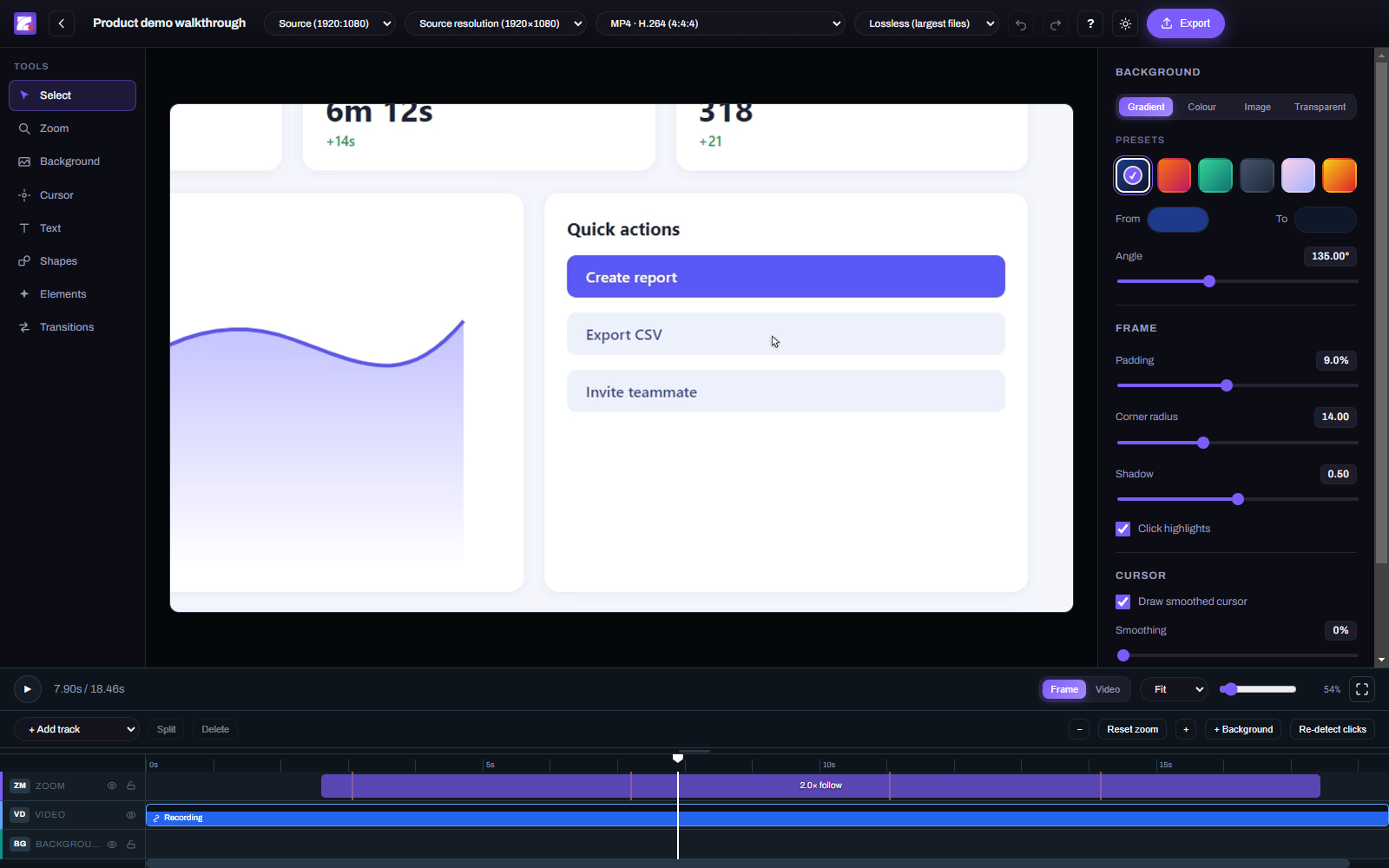
- Tools (left) — Select, Zoom, Background, Cursor, Text, Shapes, Elements, Transitions.
- Preview (centre) — exactly what will be exported, including zoom, cursor and overlays.
- Settings (right) — background, frame, cursor and webcam options for the project or the selected item.
- Header — aspect ratio, export resolution, format and quality, undo/redo, keyboard shortcuts (?), theme and Export.
- Timeline (bottom) — tracks for Zoom, Video, Background, Camera, Text, Shapes, Elements and Audio.
- Drag an item to move it; drag its edges to trim.
- Split at the playhead (S), Delete (Delete), duplicate (Ctrl+D), copy/paste (Ctrl+C/V).
- Trim the video track to cut dead time; split it to remove a section from the middle.
- Each layer can be hidden or locked from its track label.
- Zoom the timeline with = / - (or Alt+scroll); reset with </kbd>.
- Created automatically from your clicks; Re-detect clicks rebuilds them.
- Add one at the playhead with Z or the Zoom tool.
- Each segment has a zoom level, ramp-in and ramp-out duration, and can follow the cursor or stay fixed on a point.
- Frame mode lets the recording grow to fill the whole canvas while zoomed; Video mode keeps it inside the padded frame.
See Auto-Zoom and Cursor Engine for how zoom and follow motion work.
- Background: gradient presets, solid colour, your own image, or transparent (for alpha exports).
- Frame: padding, corner radius and shadow around the recording.
- Aspect ratio: Source, 21:9, 16:9, 16:10, 3:2, 4:3, 5:4, 1:1, 4:5, 3:4, 2:3, 10:16, 9:16 — the recording is fitted, never stretched.
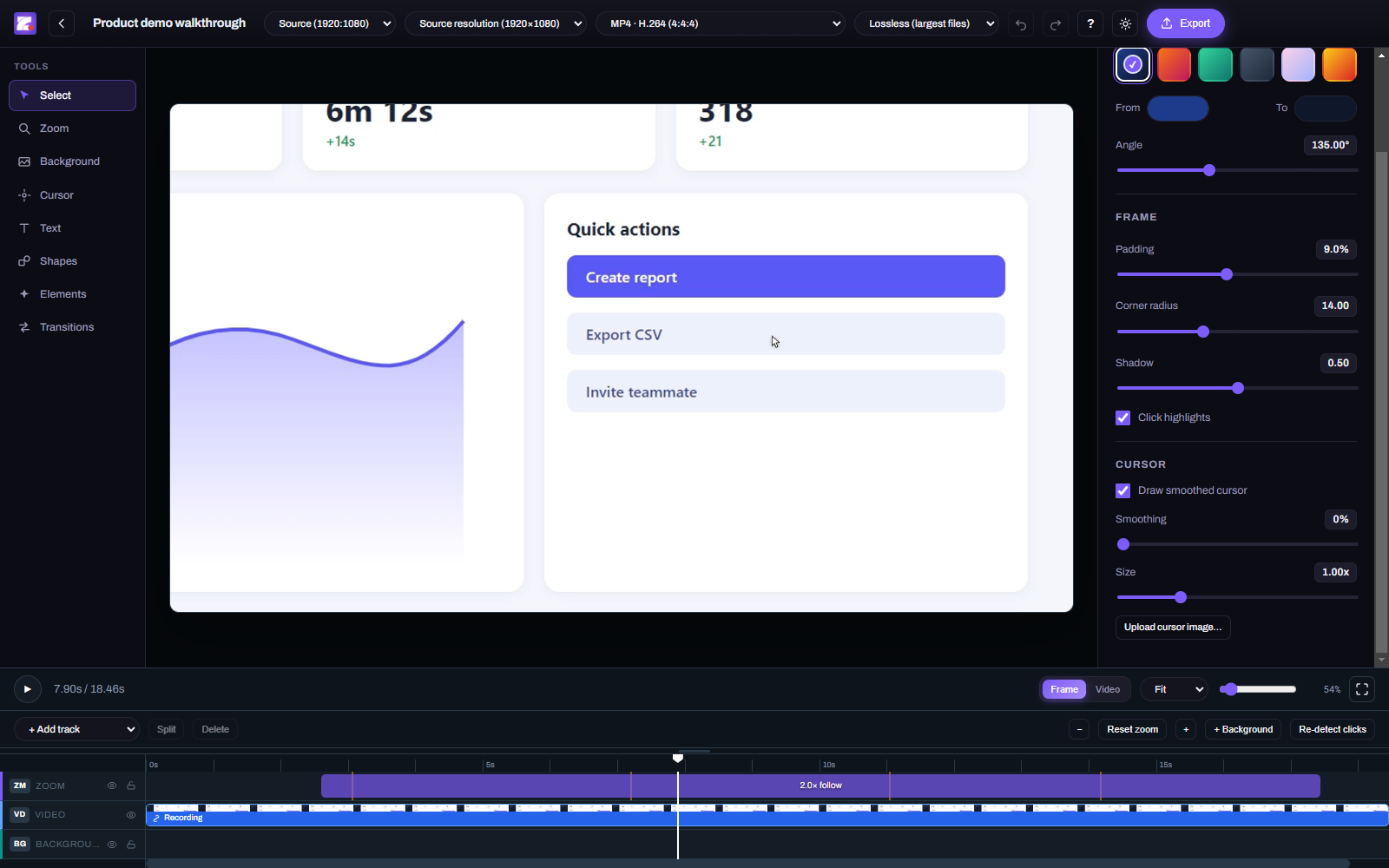
- Draw cursor — ZoomArc redraws your cursor from the recorded data (the real cursor isn't in the video).
- Smoothing — 0% (default) replays your real movement exactly; higher values blend toward a smoothed glide.
- Size — cursor size stays constant on screen regardless of zoom.
- Custom cursor image — upload any image, click to set its hotspot, and optionally save it as your default.
- Click highlights — a ripple at every click.
- Text (T) and Shapes (R) — click on the preview to place; style and time them on the timeline.
- Elements (E) — add images such as logos or callouts.
- Webcam — shown as a bubble you can drag anywhere and resize; corner presets, mirror, and rounded or square shape.
- Transitions — fade background changes in and out.
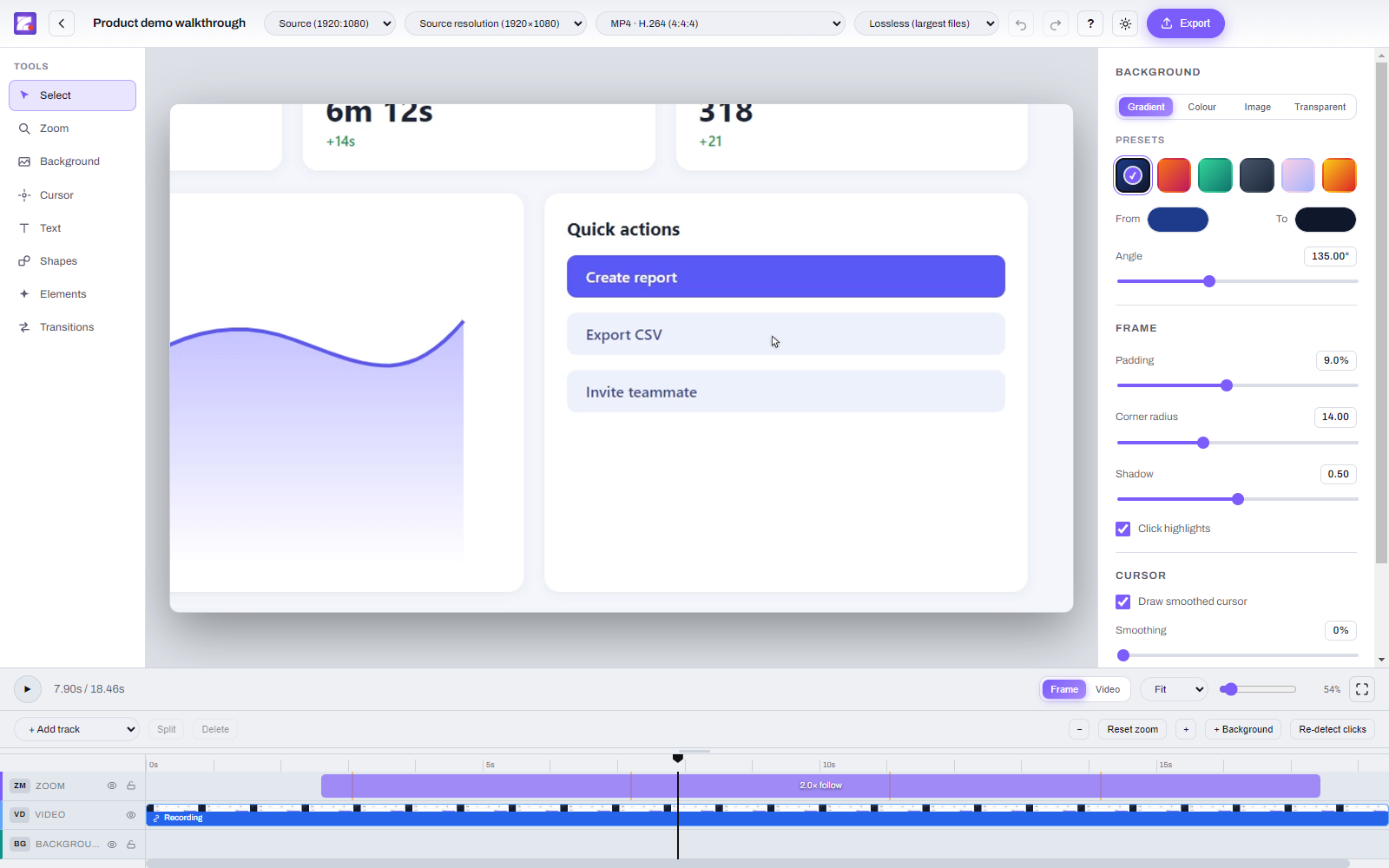
Toggle the theme with the sun/moon button in the header.
Every edit is undoable: Ctrl+Z to undo, Ctrl+Shift+Z or Ctrl+Y to redo. See all shortcuts on Keyboard Shortcuts.