Repository navigation
Automatic Trains
Switch a train to Automatic in the train screen and it drives itself. Nobody needs to be on board.
flowchart LR
    R(["Running"]) -->|"station ahead"| B["Brake to stop<br>on the station rail"]
    B --> D["Wait the station's<br>waiting time"]
    D -->|"whistle, announce next stop"| R
    R -->|"track ends"| E["Wait 2 s"]
    E -->|"reverse"| R
    R -->|"train, red signal or<br>booked track ahead"| H["Hold"]
    H -->|"clear"| R
What an automatic train does:
- Runs at its top speed.
- Stops at stations. With no schedule it calls at every station it passes. With a schedule it only calls at the stop it is heading for and runs straight through the others. It brakes so the front of the train ends up exactly on the station rail.
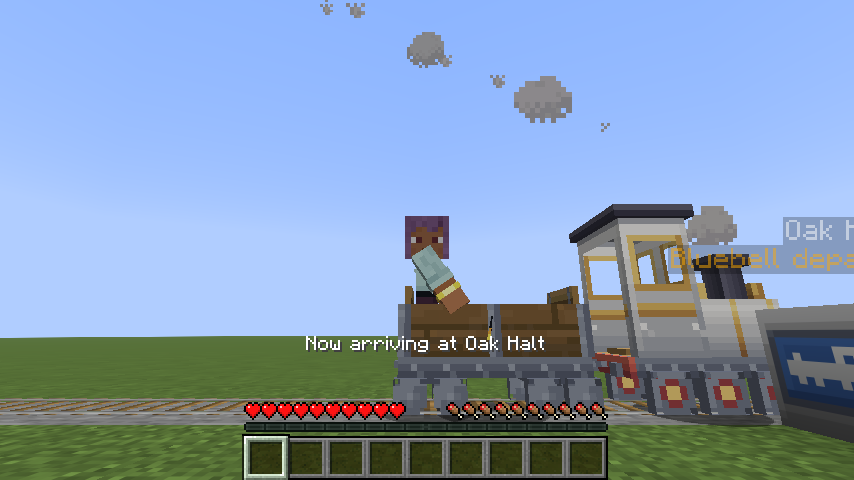
- Waits for the station's waiting time. Riders see "Now arriving at Oak Halt".
- Leaves with a whistle. Riders see "Next stop: Elm Street": the next stop on its schedule, or with no schedule the next station down the line (looking up to 512 blocks ahead). This also happens the very first time it sets off after you switch it to Automatic.
- Chooses its direction when leaving: towards its next stop by the shorter way along the track. With no schedule it carries on the way it was going, unless the track ends within 4 blocks, in which case the station is a terminus and it reverses.
- Reverses at the end of the line. If the track simply ends, the train stops at the last rail, waits two seconds, and heads back.
- Waits for other trains and red signals, and if it has been held for a couple of seconds tells its riders "Waiting for the line ahead to clear".
- Keeps the station signs up to date with when it will arrive and leave (see Station signs).
Tip
For a terminus, put the station within 4 blocks of the end of the track. Then the train reverses straight after its stop. If the station is further from the end, the train first runs on to the buffer, waits 2 s, reverses and calls at the station again on the way back.
Note
An automatic train keeps its chunks loaded, even while it waits at a station, unless you switch its chunk loading off. A parked manual train doesn't. See Chunk loading.
Open the train screen and switch it back to Manual. It then follows its throttle again (normally closed, so it
brakes to a stop). If it keeps rolling, board it and press Space. Server operators can also stop any train from
anywhere with /tinytrains stop.
← Train Screen · Home · Schedules →