Repository navigation
Train Screen
Sneak + right-click the locomotive with an empty hand to open the Train screen. You need to be within 8 blocks of it.
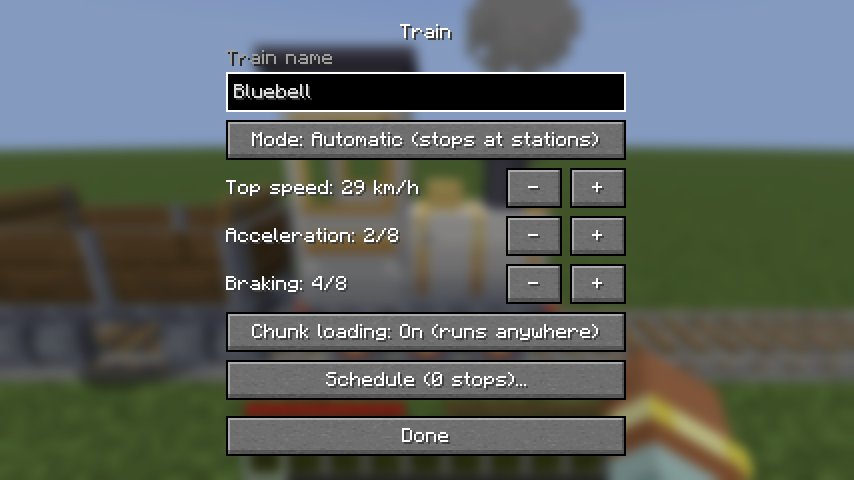
| Setting | Values | Default | What it does |
|---|---|---|---|
| Train name | up to 32 characters | none | Shown as a name tag above the locomotive when you look at it. |
| Mode | Manual / Automatic | Manual | Manual: a driver controls it. Automatic: stops at stations. |
| Top speed | 8 levels, 4 to 29 km/h | 29 km/h | The fastest the train will go, in both modes. |
| Acceleration | 1 to 8 | 2 | How quickly it speeds up. |
| Braking | 1 to 8 | 4 | How quickly it slows down. Stronger brakes let it stop later and closer to things. |
| Chunk loading | On / Off | On | On (runs anywhere): a running train keeps its own chunks loaded. Off (near players only): it only runs where players keep the world loaded, and waits at the edge of that area. See Chunk loading. |
| Schedule | up to 24 stops | none | Where an automatic train goes. Opens the schedule screen. |
| Level | Top speed | Acceleration: 0 to 29 km/h | Braking: 29 km/h to 0 (distance) |
|---|---|---|---|
| 1 | 4 km/h (1 block/s) | 8 s | 4 s (16 blocks) |
| 2 | 7 km/h (2 blocks/s) | 4 s (default) | 2 s (8 blocks) |
| 3 | 11 km/h (3 blocks/s) | 2.7 s | 1.3 s (5.3 blocks) |
| 4 | 14 km/h (4 blocks/s) | 2 s | 1 s (4 blocks) (default) |
| 5 | 18 km/h (5 blocks/s) | 1.6 s | 0.8 s (3.2 blocks) |
| 6 | 22 km/h (6 blocks/s) | 1.3 s | 0.7 s (2.7 blocks) |
| 7 | 25 km/h (7 blocks/s) | 1.1 s | 0.6 s (2.3 blocks) |
| 8 | 29 km/h (8 blocks/s) (default) | 1 s | 0.5 s (2 blocks) |
Settings apply as soon as you press Done. Saving without changing the schedule doesn't restart the schedule.
← Stations · Home · Automatic Trains →