Repository navigation
Driving
A train in Manual mode (the default) is driven by whoever sits in the locomotive's driver's seat.
| Key | Action |
|---|---|
| W (forward) | Open the throttle (forward), one notch per tick while held |
| S (back) | Close the throttle; keep holding past zero to go in reverse |
| Space (jump) | Throttle to zero: the train brakes to a stop |
| Sneak | Get off (the train keeps its throttle!) |
The throttle works like a real one: it sets a target speed, and the train accelerates or brakes towards it at the rates set in the train screen. From a standstill to full throttle takes about five seconds of holding W. Passing through zero, the throttle snaps to the stopped notch so it's easy to hit. To reverse, pull the throttle below zero: the train brakes to a stop, then sets off the other way, coaches first.
While you drive, the bar above your hotbar shows the speed, direction and throttle:
17 km/h Throttle ▶ 60% (W/S throttle, Space stop)
▶ is forwards, ◀ is reverse and ■ is stopped. The percentage is relative to the train's top speed setting.
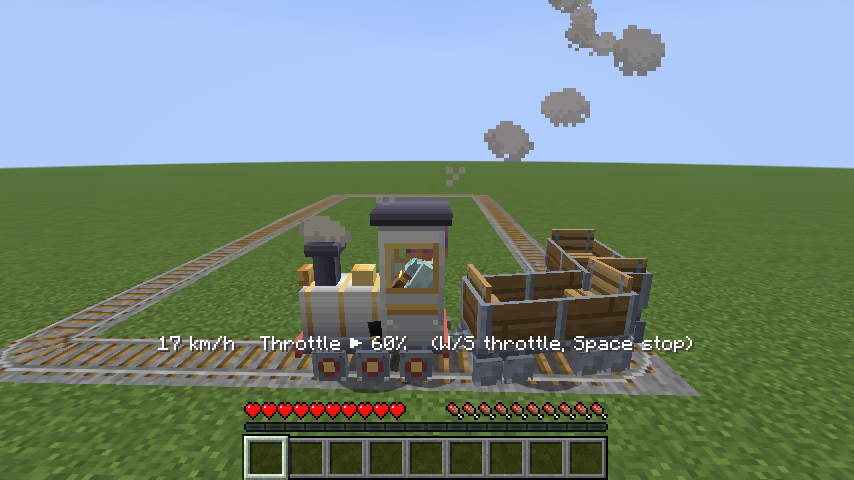
Your throttle stays where you left it after you step off. That's on purpose: open the throttle, hop off, and watch your train run around a loop, or send it off down the line on its own. To stop it, board it again and press Space.
- Red signals: the train brakes and stops just in front of an unpowered powered rail, then carries on by itself when the signal turns green (your throttle is still open).
- Other trains: if another train or a standing coach is on the track ahead, your train stops just behind it and you see "Track ahead is occupied".
- End of the track: the train stops at the last rail, the throttle closes and you see "End of the line! Throttle closed."