Repository navigation
Quick Start
-
Craft a Locomotive, one or two Passenger Coaches, a Station or two, and grab a few chains. (Recipes are in Items and crafting.)
-
Lay some track. Any vanilla rails will do. A long straight line is easiest for a first try.
-
Place the locomotive. Look along the track the way you want the train to face, and right-click a rail with the locomotive.
-
Place a coach on the rail directly behind the locomotive (the end without the chimney).
-
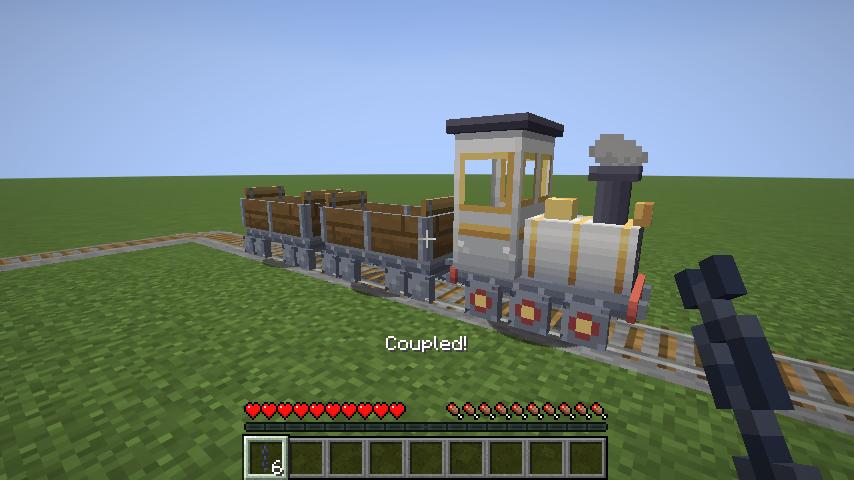
Couple it. Hold a chain, right-click the coach, then right-click the locomotive. You'll see "Coupled!". Repeat for more coaches: always couple onto the last car of the train.
-
Ride. Right-click the locomotive with an empty hand to sit in the driver's seat.
-
Drive. Hold W to open the throttle and off you go. S closes it, Space stops.
-
Make it automatic. Put a Station block beside the rail near each end of the line, then get off, sneak and right-click the locomotive with an empty hand. Click the mode button so it says Mode: Automatic and press Done. The train now shuttles between your stations by itself.
That's it. Everything below is detail.
← Installation · Home · Items and Crafting →