Repository navigation
Stations
A Station block marks a stopping point for automatic trains.
Put the station block under a rail, or next to a rail (at the same height, or one block lower). The rail it touches is the station rail. An automatic train stops with its front exactly on the middle of that rail.
Side view, station under the rail        Top view, station beside the track

   ═══════  ← rail                         ════════════════  ← track
   [STN]    ← station block                     [STN]        ← station block
A station next to a junction or between two tracks counts for every rail it touches. Put one between two parallel tracks and both tracks get a platform with the same name (see Island platform).
Right-click the station block to open the Station screen:
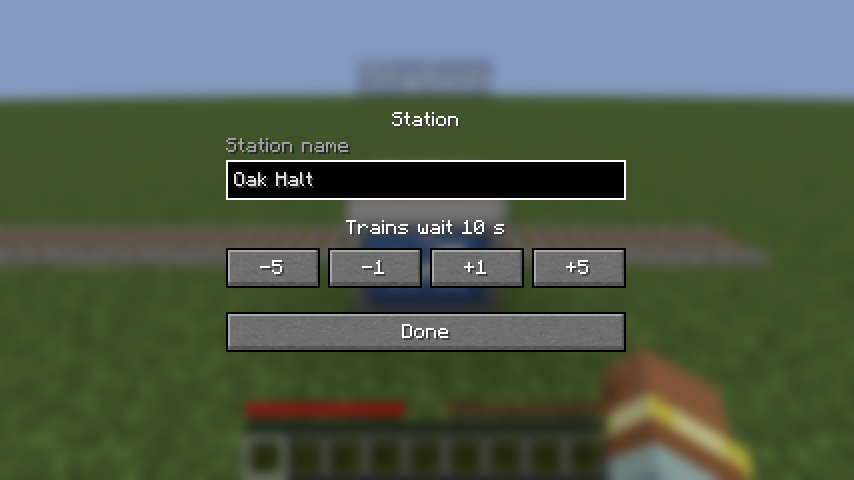
| Setting | Range | Default | What it does |
|---|---|---|---|
| Station name | up to 32 characters | Station |
The name shown on the sign, in announcements and in schedules. |
| Trains wait | 0 to 120 seconds | 5 s | How long automatic trains stand at this station before leaving. Use −5 / −1 / +1 / +5. |
Press Done to save. You need to be within 8 blocks of the station for the change to count.
Every station shows its name floating above it, readable day or night and from up to 32 blocks away. Underneath, a second line counts down to the next train:
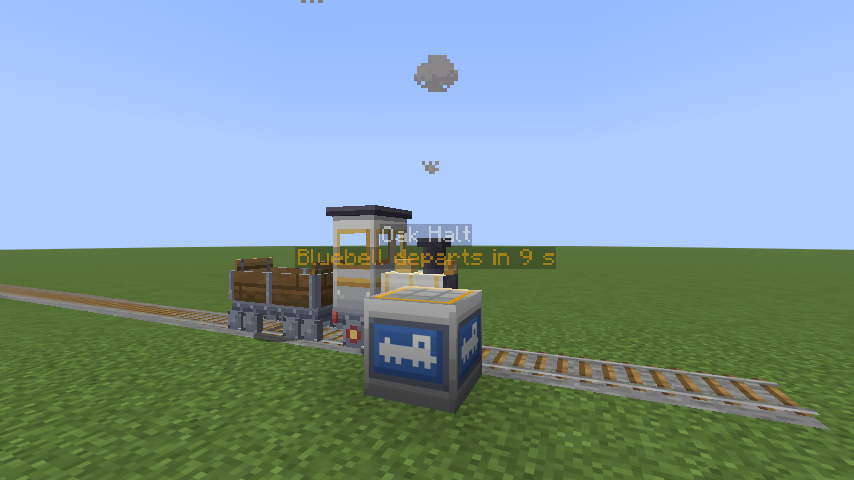
| Second line | Meaning |
|---|---|
| Next: Bluebell in 23 s | Bluebell is on its way and should stop here in about 23 seconds. |
| Next: Bluebell arriving | It's due now: braking into the platform, or held up on the way. |
| Bluebell departs in 5 s | Bluebell is standing at the platform and leaves in 5 seconds. |
| Bluebell departing | It's leaving now. |
- Times over a minute show as
2:05. A train without a name shows as Train. - Only automatic trains appear. They tell the station they're heading for when they'll get there about once a second, so the countdown keeps up as they speed up, slow down or wait for other trains. They look up to 512 blocks ahead.
- If a train is standing at the platform, the sign shows its departure. Otherwise it shows whichever train is due first.
- If a rail runs over the station, the sign floats higher, clear of passing trains.
Station names don't have to be unique. Several stations with the same name act as one station with several
platforms: a train heading for that name stops at whichever one it reaches first. Names are matched without regard to
upper and lower case (Oak Halt = oak halt).
← Driving · Home · Train Screen →