Repository navigation
Control binary_sensor
Control catalogue · Documentation home
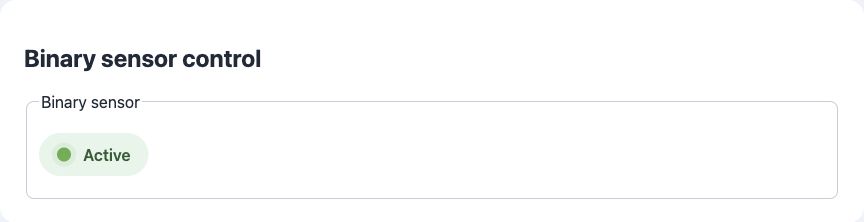
Minimal field JSON:
{
  "id": "binary_sensor",
  "type": "binary_sensor",
  "name": "Binary sensor"
}
Full field JSON:
{
  "id": "binary_sensor",
  "type": "binary_sensor",
  "name": "Binary sensor",
  "default": false,
  "readonly": true,
  "controls": [],
  "ha": {
    "state_topic": "$state",
    "payload_on": "ON",
    "payload_off": "OFF"
  }
}
Properties in the full example:
| Property | Required? | Meaning / default |
|---|---|---|
id |
Required | Stable application key; unique across registered pages. |
type |
Required | Enabled field type. |
name |
Required title¹ | Display title; may be replaced by a nonempty names object. |
default |
Optional | Omit to use the built-in initial value. |
readonly |
Optional | Omit to use the preset editability policy. |
controls |
Optional | Omit to use the preset controls; supplying an array replaces them. |
ha |
Optional | Omit to use automatic HA discovery; supplied properties override defaults. |
¹ name can be replaced by names. Other shared optional properties are listed in the catalogue.
Default / example: false
Boolean measurement shown as a graphical status badge. Code must use a boolean, not the string "ON". HA payloads are ON/OFF; its device_class can describe motion, a door or another binary condition.
These examples use the field ID from the JSON above and an existing ArdPortal portal. Run them after page registration has finished and portal.portalAndAppConfigReady() is true. Call portal.loop() frequently. Register callbacks once in setup(); do not repeat setters on every loop iteration.
Set "persist": true on this field in its page JSON. It is optional for editable fields whose preset already persists settings, but required to override a RAM-only preset such as a sensor. The setter schedules an asynchronous AppConfig save through the portal's integrated ArdFS storage; no separate filesystem object is needed.
// Use this path when the value is a setting that should survive restart.
ArdJSON::JSONVar next = false;
if (!next.isValid() || !portal.setAppConfigValue("binary_sensor", next)) {
  Serial.println("Setting rejected or storage temporarily unavailable");
}
// Optional: bypass debounce. Completion still requires later loop() calls.
portal.flushPortalAndAppConfig();
true from the setter means acceptance, not a completed flash write. Configure this callback once to observe the result:
portal.onPortalAndAppConfigSaved([](bool ok, const String& error) {
  if (!ok) Serial.println(error);
});// Use this alternative for live readings/status; never writes ArdFS.
ArdJSON::JSONVar next = false;
if (!next.isValid() || !portal.setAppConfigStateValue("binary_sensor", next, false)) {
Serial.println("Runtime value rejected");
}The third argument false avoids queuing an immediate MQTT publication. Use true or omit it to queue changed state. RAM updates work regardless of persist. Alternatively, with "persist": false, setAppConfigValue() also follows the RAM-only path.
const ArdJSON::JSONVar current = portal.getAppConfigValue("binary_sensor");
if (!current.isUndefined() && current.isValid()) {
  Serial.println(ArdJSON::JSON.stringify(current));
}
The getter returns the effective field value: RAM override first, then saved AppConfig, then the definition default. A RAM-only update is lost on restart; the saved value/default becomes effective again. Choose the persistent or RAM path for a given value. A RAM override can mask a later persistent change for the same ID; there is no API to clear just that override. Prefer separate setting and telemetry IDs when both are needed.