Repository navigation
Feature Catalog
This page provides an overview of all Ramses Extras features. Each feature has its own detailed documentation page linked below.
Note: Configuration is generally done via the Home Assistant UI (options flow).
Always-enabled infrastructure providing shared functionality.
- Purpose: Common/shared functionality used by other features
- Provides: Shared WebSocket endpoints, framework entities, diagnostic sensors
- Documentation: Default Feature
- Configuration: Always enabled (not listed in feature selection UI)
Main control interface for ventilation systems with real-time 31DA data.
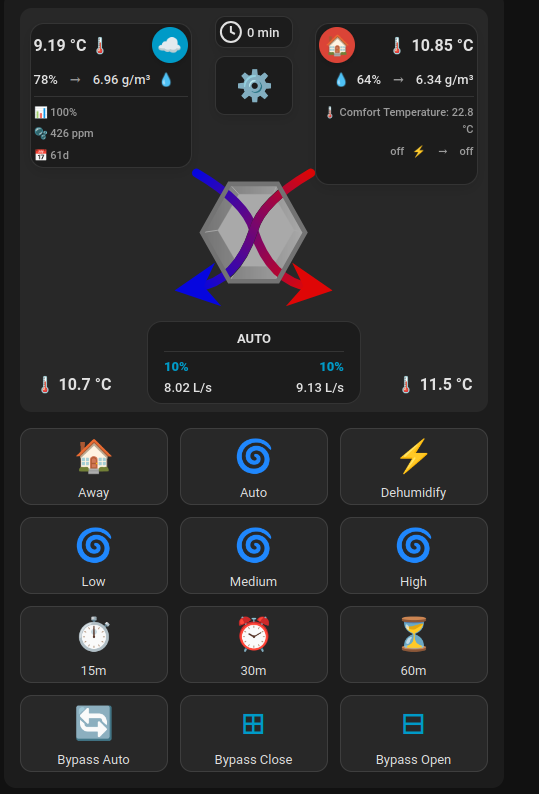
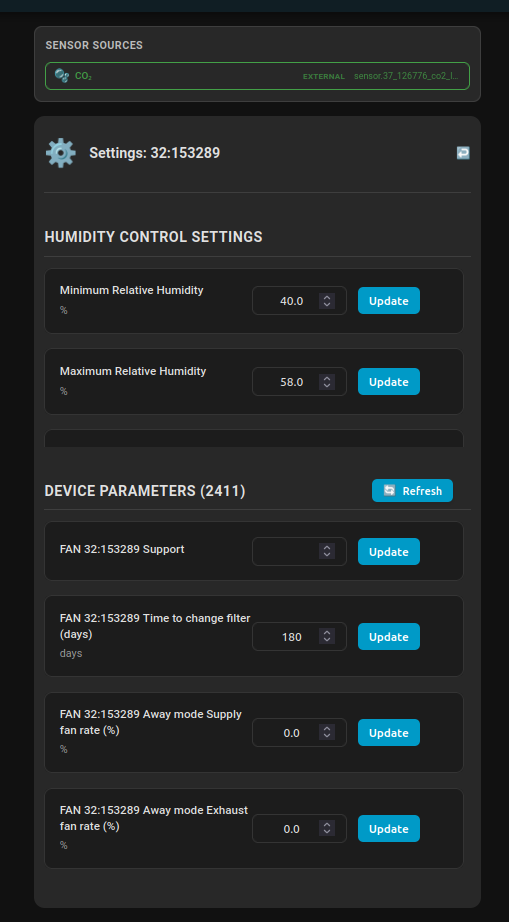
- Purpose: Custom Lovelace card for monitoring and controlling FAN devices
- Provides: Real-time data display, manual controls, parameter editing, zone status
- Documentation: HVAC Fan Card
- Configuration: Enable feature, add card to dashboard, select FAN device
- Prerequisites: Configure ramses_cc Message Events (31DA|10D0) and Send Packet Service
Automatic ventilation based on humidity levels and spikes, comparing indoor/outdoor absolute humidity.
- Purpose: Humidity-based ventilation control with balance mode and spike detection
- Provides: Dehumidification entities, automation logic, zone demand management
- Documentation: Humidity Control (Balance)
- Configuration: Enable feature, select devices, configure area sensors for spike detection
CO2-based ventilation automation for maintaining healthy indoor air quality with high priority.
- Purpose: CO2-based ventilation control with priority over humidity control
- Provides: CO2 entities, zone-based monitoring, high-priority automation
- Documentation: CO2 Control
- Configuration: Enable feature, select devices, configure CO2 sensors per zone
Temperature-based bypass management for free cooling and heating retention.
- Purpose: Keep indoor temperature near comfort setpoint by managing the FAN bypass
- Provides: Bypass state machine (cooling/heating_retention/idle), per-area comfort, fan speed coordination, manual override safety net
- Documentation: Temp Control (Bypass)
- Configuration: Enable feature, configure threshold/hysteresis parameters, optionally configure sensor_control areas with per-area comfort temperatures
- Integrates with: FanSpeedArbiter (priority 20), ZoneDemandRegistry, HVAC Fan Card
Centralized sensor configuration acting as single source of truth for all features. Includes the FAN Map observability card.
- Purpose: Centralized sensor mapping and resolution for temperature, humidity, CO2
- Provides: Entity resolver, area sensor support, fail-closed behavior, FAN Map card
- Documentation: FAN Configuration (Sensor Control), FAN Map
- Configuration: Enable feature, configure per-device sensor mappings and area sensors
Advanced debugging tools for RF protocol analysis and system troubleshooting.
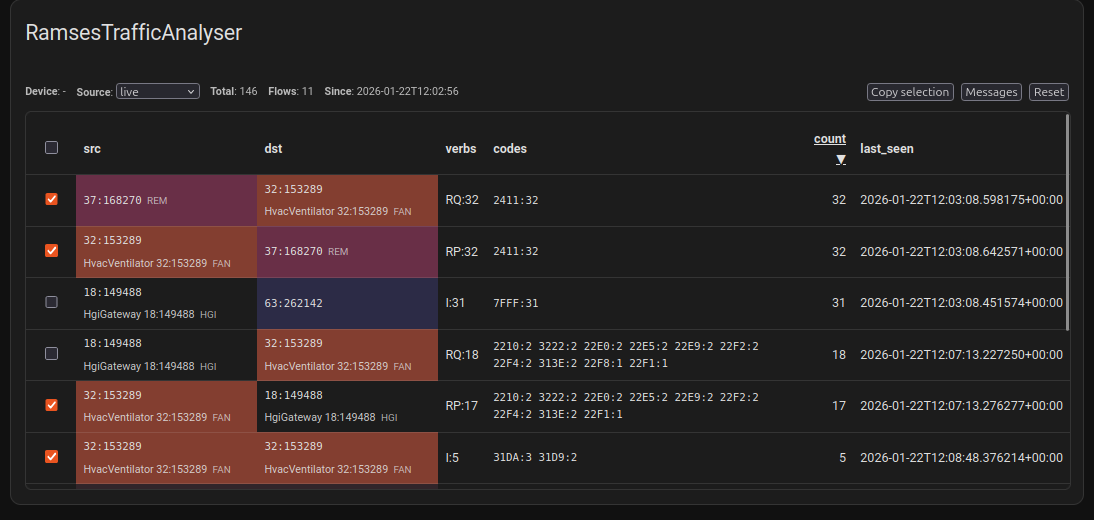
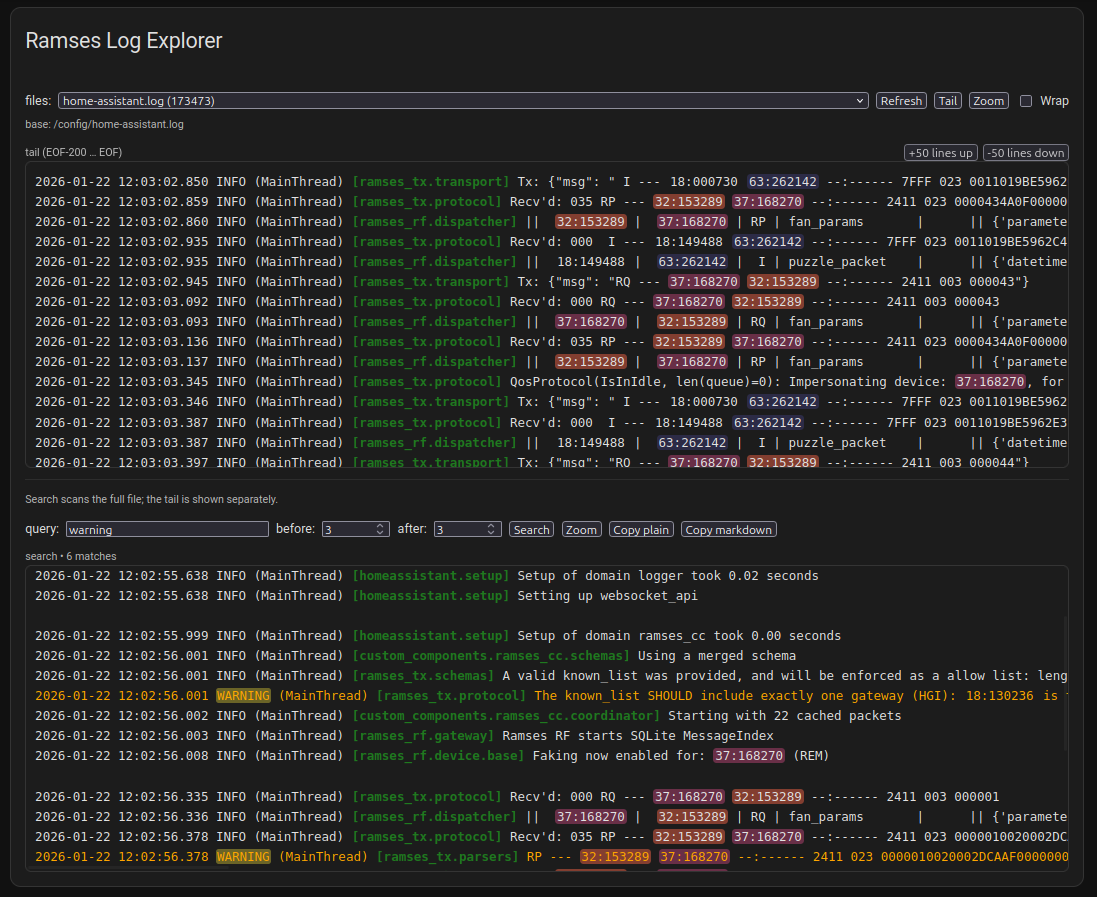
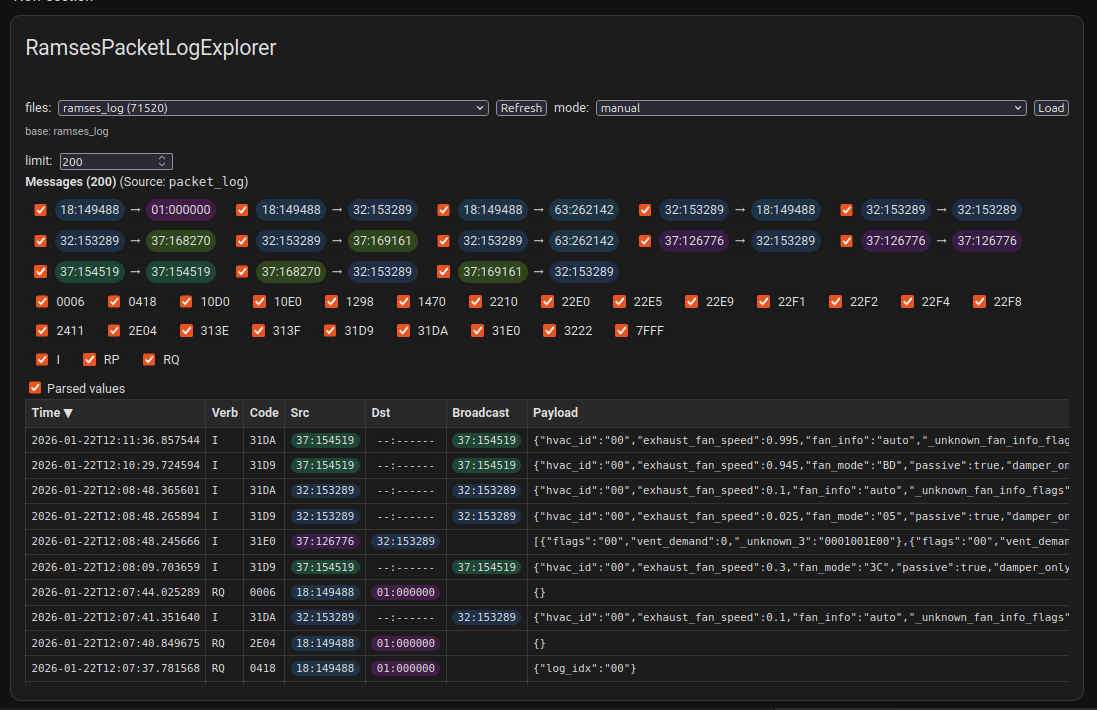
- Purpose: RF protocol analysis, traffic monitoring, log exploration
- Provides: Traffic Analyzer, Log Explorer, Packet Log Explorer cards
- Documentation: Ramses Debugger
- Configuration: Enable feature, add debugger cards to dashboard
- Note: No entities, UI-focused debugging feature
Simulates RAMSES devices at the communication endpoint for testing without physical RF hardware.

- Purpose: Test ramses_cc integration without real hardware, replay traffic scenarios, debug protocol exchanges
- Provides: Simulated device responses, scenario playback, device tab UI, message logging
- Documentation: Device Simulator
- Configuration: Enable feature, configure MQTT endpoint, load device profiles
-
⚠️ Important: Use only on dedicated system or container — can interfere with real RF traffic
Template feature demonstrating complete Ramses Extras architecture for developers.
- Purpose: Reference implementation for creating new features
- Provides: Complete example of all feature components
- Documentation: Hello World
- Usage: Copy template to create new features
- Best Practices: Shows single source of truth, framework helpers, thin entities
When configuring Ramses Extras, you can enable these features per device:
- Humidity Control (Balance) – For bathrooms, kitchens, moisture-prone areas
- CO2 Control – For bedrooms, offices, occupied spaces
- Temp Control (Bypass) – For temperature-based free cooling and heating retention
- FAN Configuration (Sensor Control) – Required for all other features (sensor mapping)
- HVAC Fan Card – For UI control and monitoring
- Ramses Debugger – For troubleshooting and development
Some features depend on others:
- FAN Configuration (Sensor Control) → Required by Humidity Control, CO2 Control, Temp Control, HVAC Fan Card
- Default Feature → Required by all features (always enabled)
- ramses_cc → Required for RF communication and device discovery
Recommended setup sequence:
- Install and configure ramses_cc — let the passive scan discover your devices, then accept them in the ramses_cc UI so they appear in the schema. Ensure your FAN has a bound REM (_bound trait in the schema).
- Enable FAN Configuration (Sensor Control) and configure sensor mappings
- Enable desired control features (Humidity/CO2/Temp Control)
- Add HVAC Fan Card to dashboard for control
- Use Ramses Debugger if needed for troubleshooting
Back to: Home Prev: Getting Started (Developers) Next: CO2 Control
 Ramses Extras Wiki
- Feature Catalog
- CO2 Control
- Humidity Control (Balance)
- Temp Control (Bypass)
- FAN Configuration (Sensor Control)
- HVAC Fan Card
- Ramses Debugger
-
Device Simulator -
⚠️ Use only on dedicated system/container - Default Feature
- Hello World (Developer Example)