Repository navigation
Dials
The dial actions of the Stream Deck +. Each dial draws its own tile on the touch strip above it.
Encoder · Fader · Cue Picker · Parameter Wheel · Page Wheel
No dials on your deck? See Stream Deck models for what these do on a key.
A programmer encoder: it changes an attribute on the fixtures you have selected.
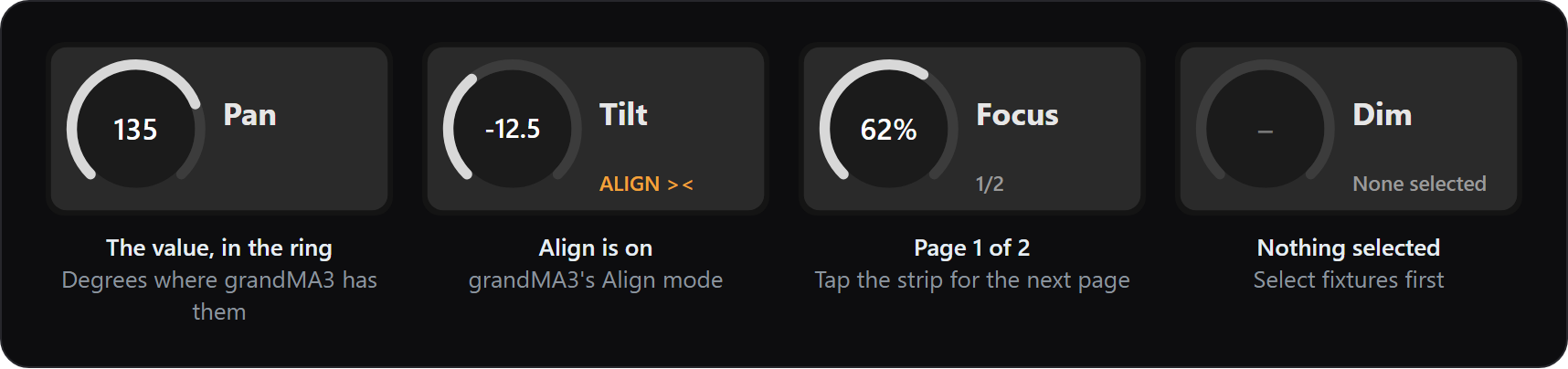
| You do | It does |
|---|---|
| Turn | Changes the value. Turning fast goes faster. |
| Hold in and turn | Fine adjust, one tenth. |
| Press | The attribute's next function — see below. |
| Tap the strip | The next page of attributes. Long press = the first page. |
Gobo 1 on a moving head is not only "pick a gobo" but also Wheel Shake, Wheel Spin and more — the list grandMA3 shows beside each encoder. Press the dial to step through them.
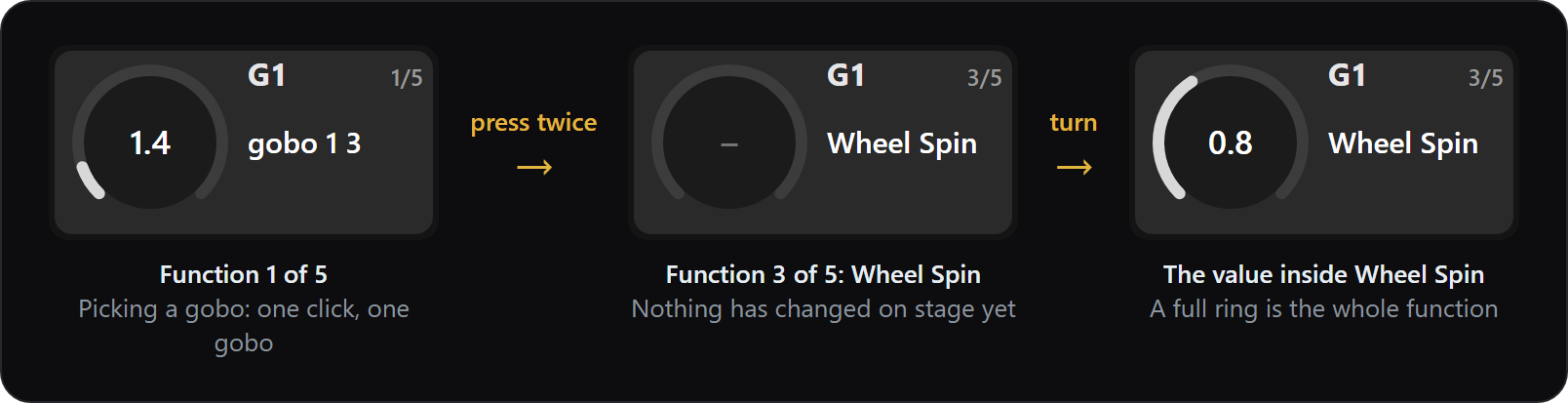
- Pressing changes nothing on stage. The value moves when you turn.
- On a wheel with fixed positions — gobos, colours — one click is one position. Hold in and turn to go between them.
- The list comes from the fixture type in your show, so it is the same as in grandMA3.
Attributes whose functions depend on another channel (a gobo rotation that is index or spin) cannot be chosen this way yet. Those dials work on the whole channel.
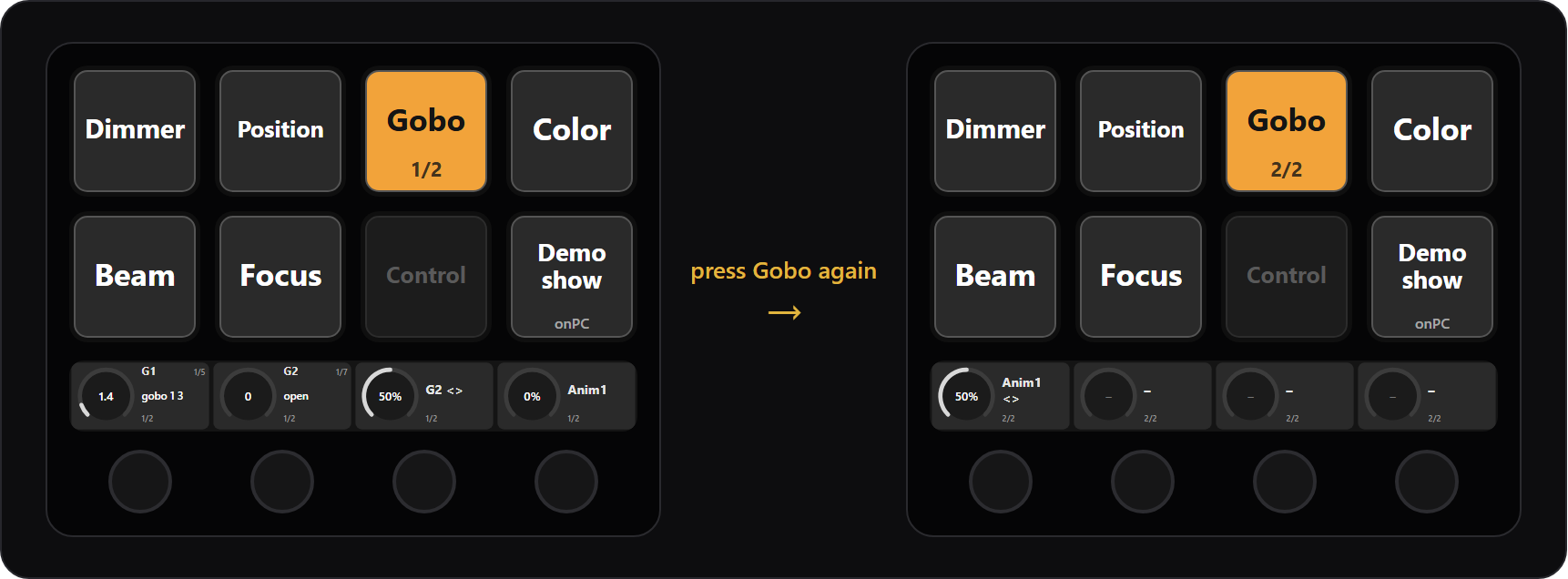
The feature group's key shows the page. Press it again, or tap the strip:
Settings
| Setting | What it does |
|---|---|
| Attribute | Empty = the dial follows grandMA3: the Encoder dials share the attributes of the selected feature group, from the left. Or type a fixed attribute as grandMA3 names it: Dimmer, Pan, Tilt, Zoom, ColorRGB_R. |
| Name | Leave empty to show grandMA3's own short name (G1, Anim1). |
| Per click | Pan, Tilt, Zoom and the like: 1 = 1°. Everything else: 1 = 1 % of the channel, or of the function the dial is on. |
With three Encoder dials you get pages of three attributes; with four, pages of four.
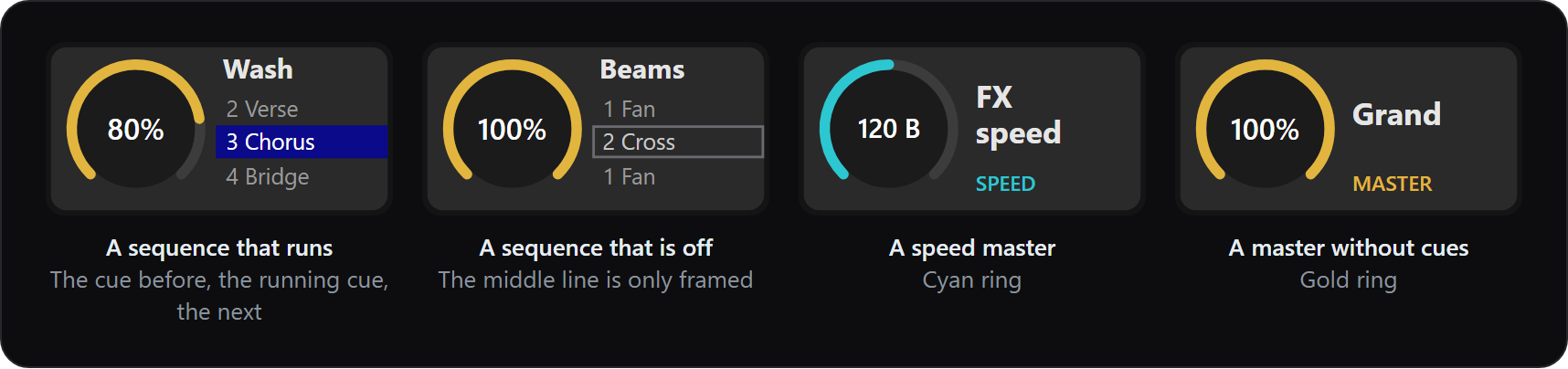
An executor's fader — a sequence master, a group master, a speed master.
| You do | It does |
|---|---|
| Turn | Changes the level. |
| Press | Off, and back to the level it had. |
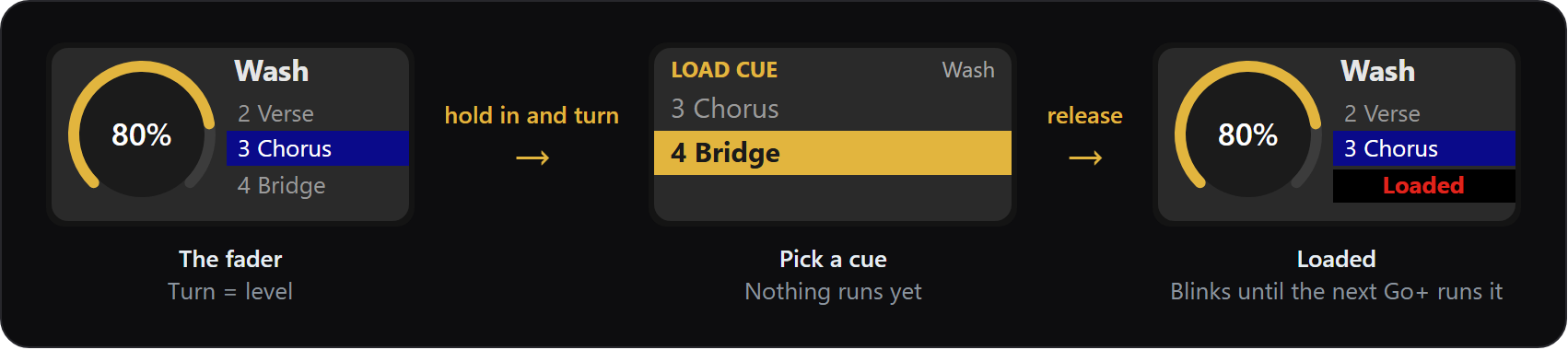
| Hold in and turn | Picks a cue — see below. |
| Long press on the strip | Full. |
A dial never moves a fader before it knows the level grandMA3 has, so a fader cannot jump when you touch it.
Settings
| Setting | What it does |
|---|---|
| Target | An executor (Page 1.201), or the object itself: Master 2.1 = Grand Master, Master 3.1 = Speed 1, Sequence 61. |
| Name | Leave empty to use the name from grandMA3. |
| % per click | How far one click of the dial moves the fader. |
| Type | Normal fader, or Size — the Temp fader of the executor, shown inverted. |
| Hold + turn | Load a cue (default), Go to a cue at once, or Nothing. |
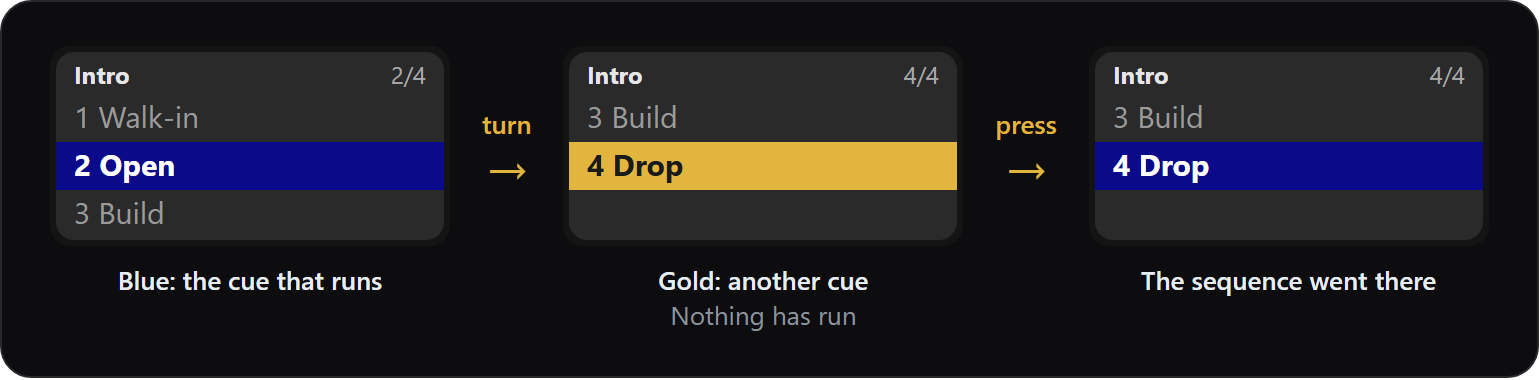
Scroll through the cues of one sequence without running anything.
| You do | It does |
|---|---|
| Turn | Scrolls through the cues. Nothing runs. |
| Press | Goes to the cue shown. |
| Tap the strip | Go+. Long press = Off. |
After five seconds without turning, the tile shows the running cue again.
Settings
| Setting | What it does |
|---|---|
| Sequence |
Sequence 115, or the executor it sits on (Page 1.215). |
| Name | Leave empty to use the name from grandMA3. |
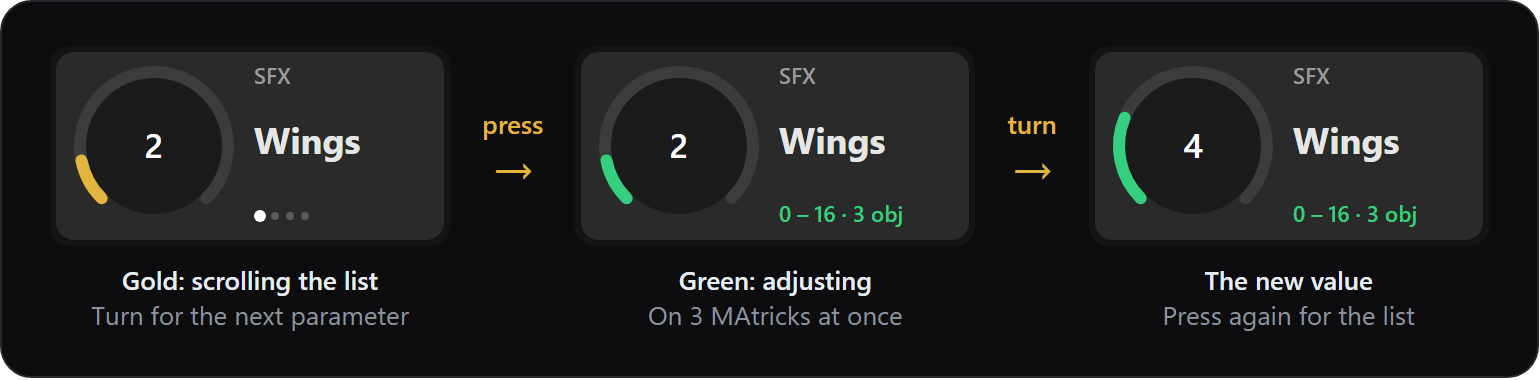
Changes a property on every object that carries a tag. Made for MAtricks: one wheel for the wings, the phase or the speed of all your effects.
| You do | It does |
|---|---|
| Turn | Scrolls between the parameters. |
| Press, or tap the strip | Adjust: now turning changes the value. |
| Press again | Back to the list. This happens by itself after ten seconds. |
Give a MAtricks the tag in grandMA3: Assign Tag "SFX" At MAtricks 5.
Settings — simple mode
Nothing is typed by hand.
| Setting | What it does |
|---|---|
| Tag | From the tags in the show. The wheel changes every MAtricks with that tag. |
| Axis | X, Y or Z. |
| Parameters | Tick the ones you want to scroll between: Wings, Groups, Blocks, Width, Shift, Shuffle, Phase From / To, Speed From / To, Fade From / To, Delay From / To, and the combined Fade In, Swipe Time and Fade Out. |
Fade Out lives in the sequence, so give the sequences the tag too. If the tag does not exist, nothing is changed and the tile says so.
Settings — advanced mode
One parameter per line, written like a grandMA3 macro line with a name in front and a range at the back:
Wings = Set MAtricks 1 Thru 20 Property "XWINGS" "5" If Tag "SFX_WINGS" | 0..8
Phase = Set MAtricks Thru Property "PhaseToX" "0" If Tag "SFX_PHASE" | 0..720 step 45
Rate  = Master 3.2 At {v} | 0..100 step 5
The last form is a plain command where {v} is the value; such a value cannot be read back from grandMA3.
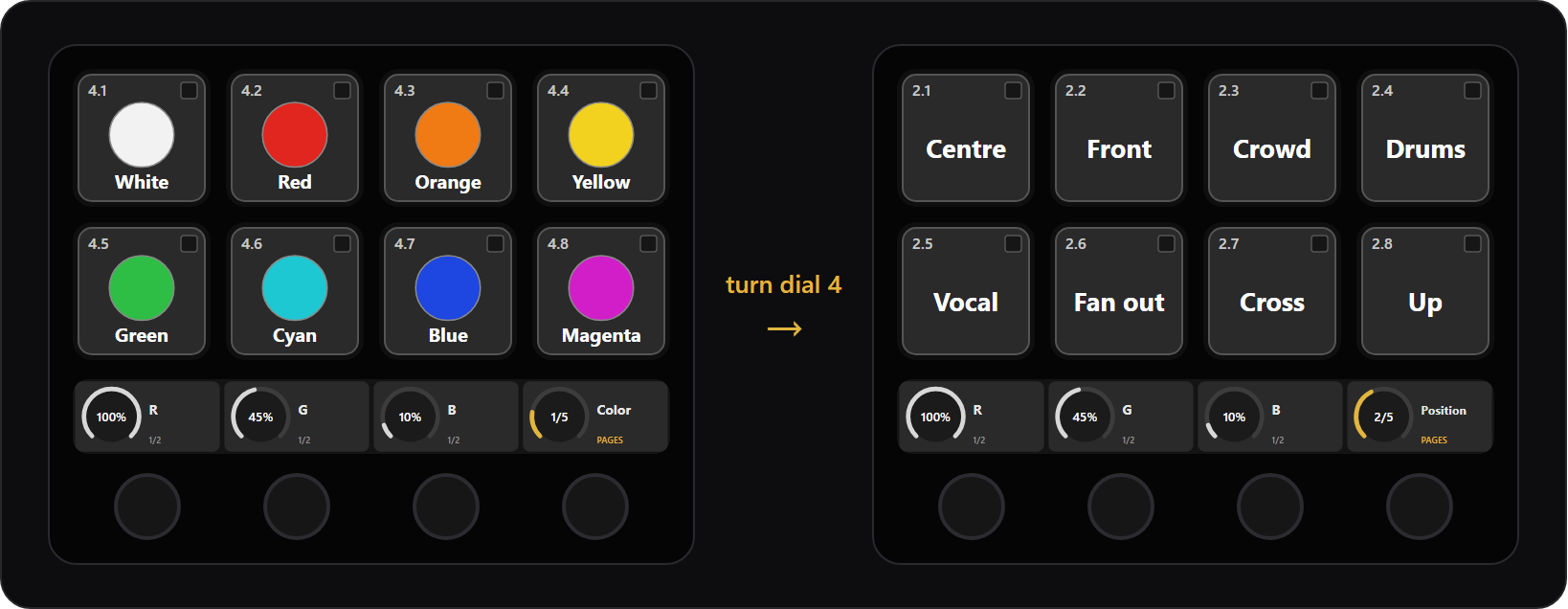
Decides what the Slot keys on the deck show.
| You do | It does |
|---|---|
| Turn | The next or previous page. |
| Press | The first page. |
| Hold in and turn | Scrolls further within the same source — Group 9–16, 17–24 … |
| Tap the strip | The next page. |
The setting Pages has one page per line: Name = Source.
| Source | The Slot keys show |
|---|---|
Features |
The feature groups. Features 5 starts on the fifth (Beam). |
Group 1 |
Groups, counting on from 1. |
Preset 4.1 |
Presets in pool 4, from number 1. |
Sequence 101 |
Sequences from 101. |
Page 1.201 |
Executors from 201 on page 1. Page *.201 follows the active page. |
Macro 1, Quickey 1, World 1, View 1 … |
The same for other pools. |
Folders |
One page per group 1–10 that exists, each showing that group's sub-groups. Folders 1-20 for another range. |
The pages in the picture above:
Color = Preset 4.1
Position = Preset 2.1
Gobo = Preset 3.1
Beam = Preset 5.1
Dimmer = Preset 1.1
Write a function in front to change what a press does on that page: Bumps = Flash Sequence 9801. Also Temp, Toggle, Go+, Go-, Top, On, Off, Select.
On a key, the Page Wheel is a mode key.