Repository navigation
Keys
The key actions. You find them under CueDeck in the action list of the Stream Deck app.
Connection · Slot · Mode key · Select · Object · Command · MAtricks Look
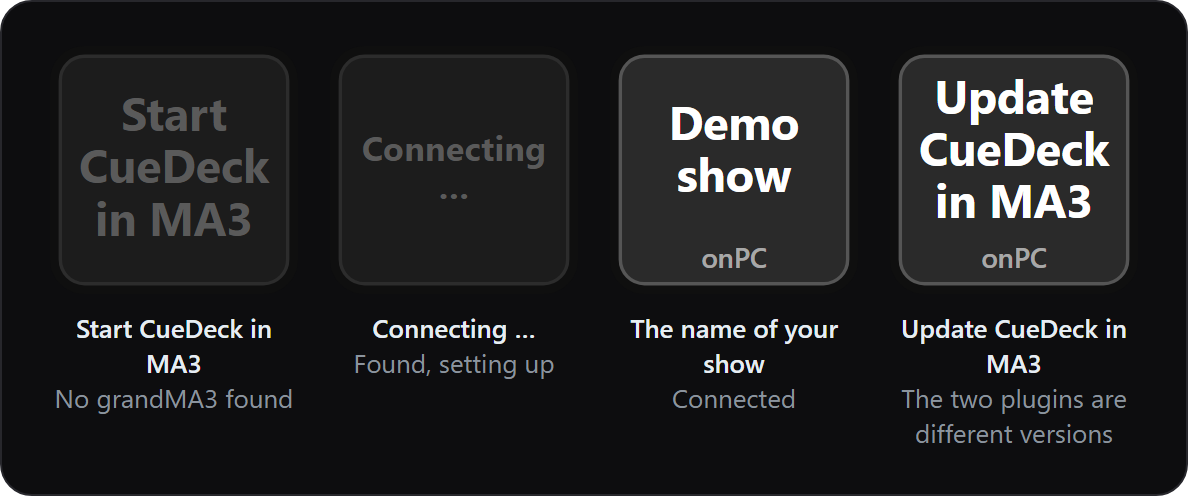
Shows which show is connected. Put one on every profile you use.
Settings
| Setting | What it does |
|---|---|
| grandMA3 | Which grandMA3 to control. Automatic takes the one on this computer, otherwise the one used last. |
| Fixed IP | Only for networks that block broadcasts: the IP address of the grandMA3 machine. |
| Key text | Automatic draws larger text on decks with small keys. Normal or Large forces one drawing on all decks. |
| Save to Desktop | Writes the two grandMA3 files to a folder on your Desktop, in case you lost the download. |
A key that needs no setup. It shows the next object from the page that the Page Wheel or a mode key is on — with the object's own name and colour from grandMA3.
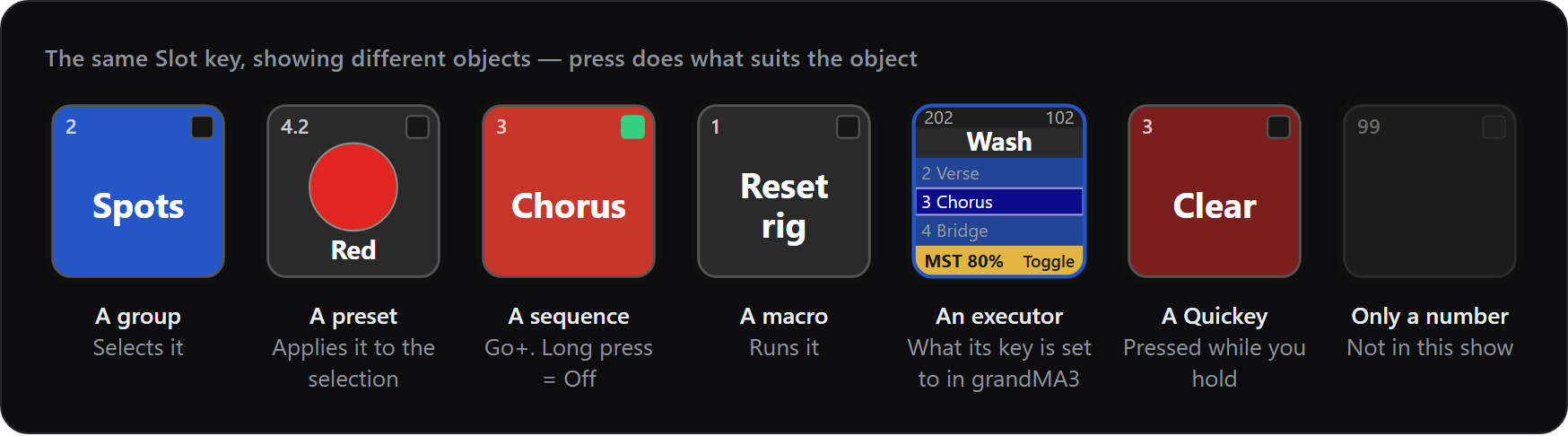
Slots count in reading order: the first Slot key on the deck shows the first object, the next one the second. Other keys can sit anywhere in between.
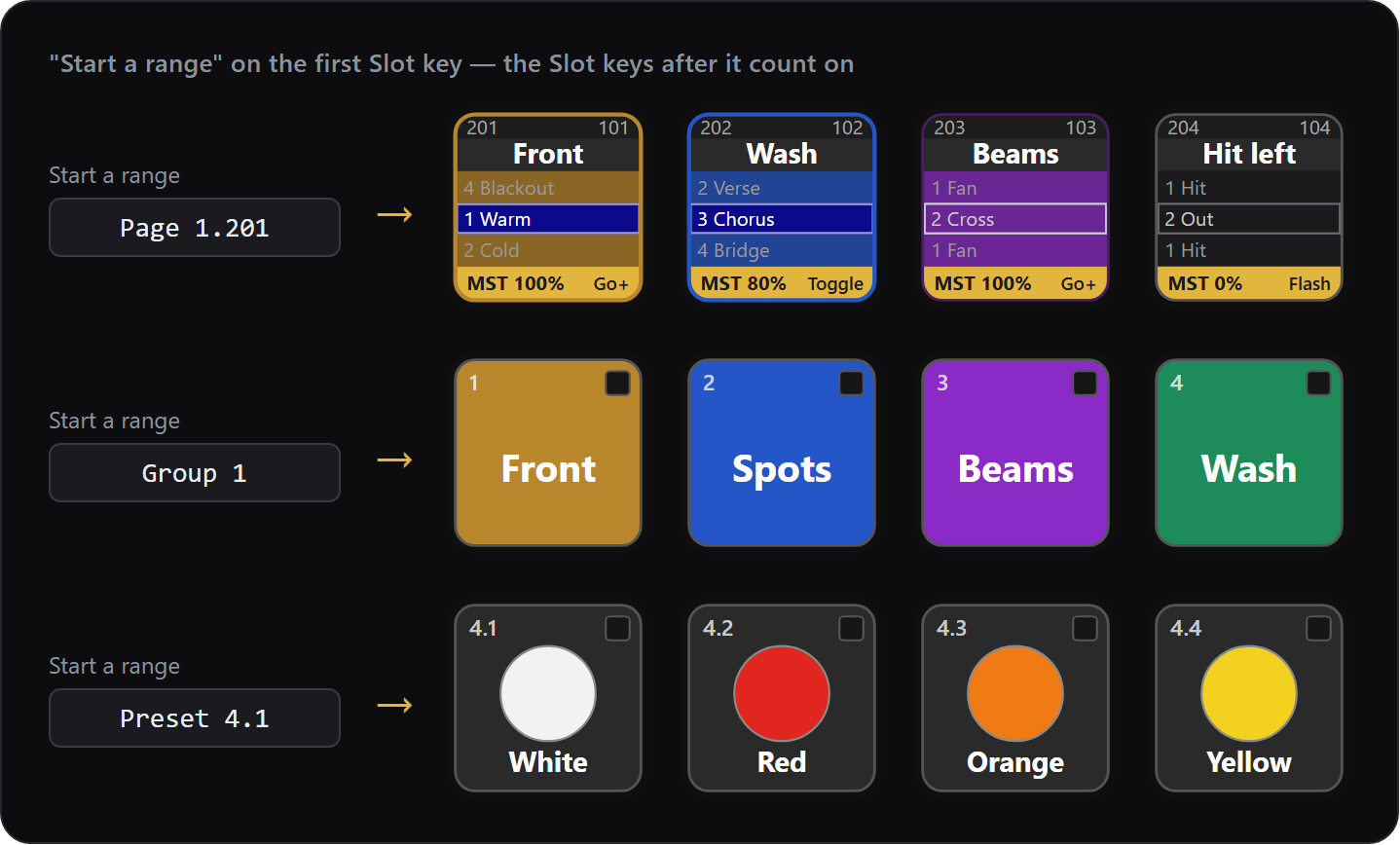
A Slot can also start its own range, without a Page Wheel:
-
Page *.201is executor 201 on whichever page is active in grandMA3. - A function in front overrides the executor's own:
Flash Page 1.201.
Settings
| Setting | What it does |
|---|---|
| Press | Automatic does what suits the object (the picture at the top). Or pick Go+, Go-, Toggle, Top, On, Off, Flash, Temp or Select to always send that one. The choice is written on the key. |
| Start a range | Empty = follow the Page Wheel or mode key. Or the first object of a range: Page 1.201, Group 1, Sequence 101, Preset 4.1, Features. The Slot keys after it count on until another Slot starts its own range. |
If the deck has no Page Wheel and no mode key of its own, its Slot keys follow the one on another deck.
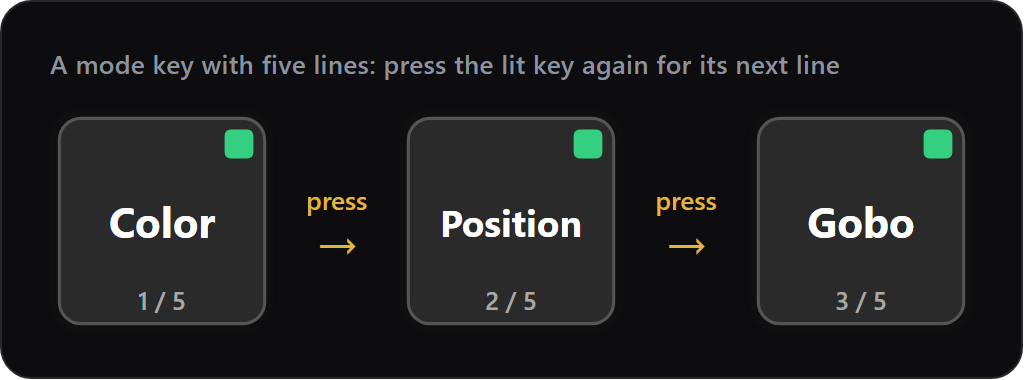
Put the Page Wheel action on a key and it becomes a mode key. A row of them picks what the Slot keys on that deck show; the square is lit on the one that is chosen.
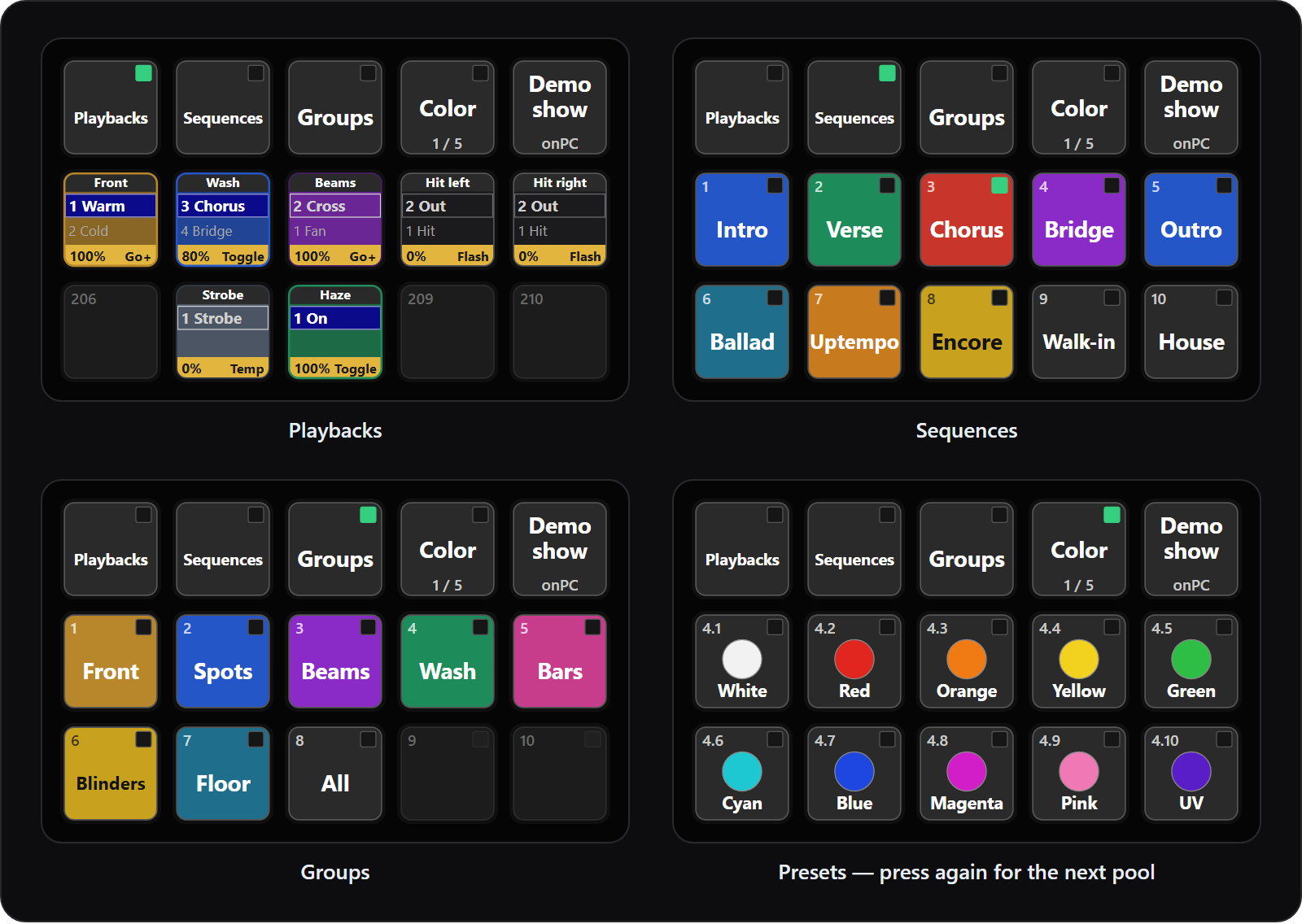
A key can hold several lines:
Settings
| Setting | What it does |
|---|---|
| Pages | One page per line: Name = Source. A key normally has one line. |
Sources are the same as for the Page Wheel: Features, Groups = Group 1, Color = Preset 4.1, Sequences = Sequence 1, Playbacks = Page *.201, Macros = Macro 1, Keys = Quickey 1.
Each deck remembers its own mode.
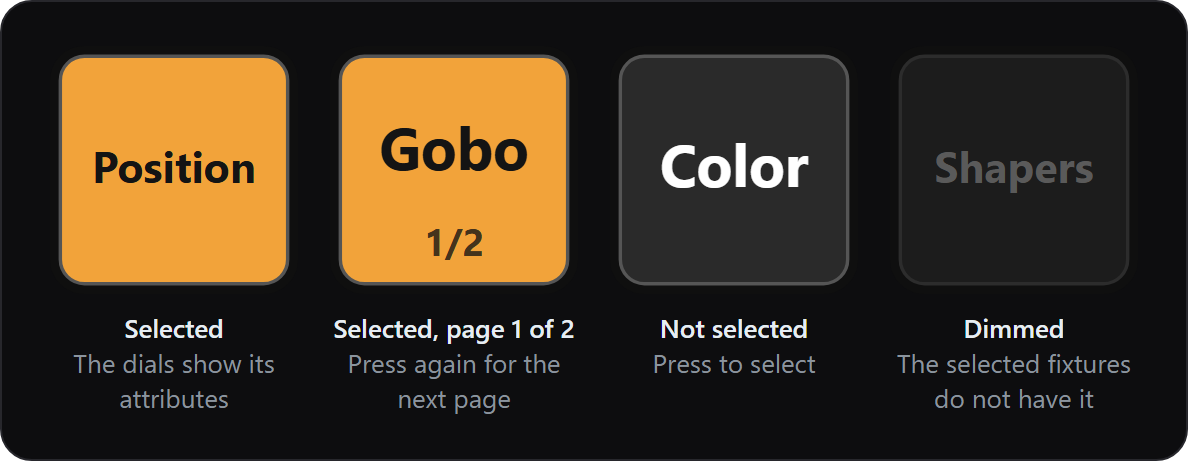
One key for a feature group or a fixture group.
Dimmer, Position, Gobo, Color, Beam, Focus, Control, Shapers, Video. Press selects it in grandMA3, and the Encoder dials show its attributes.
Picked from a list of the groups in your show. Press selects the group. With Sub-groups, the key also brings up the groups numbered after it — group 2 has 200–210, group 3 has 300–310:
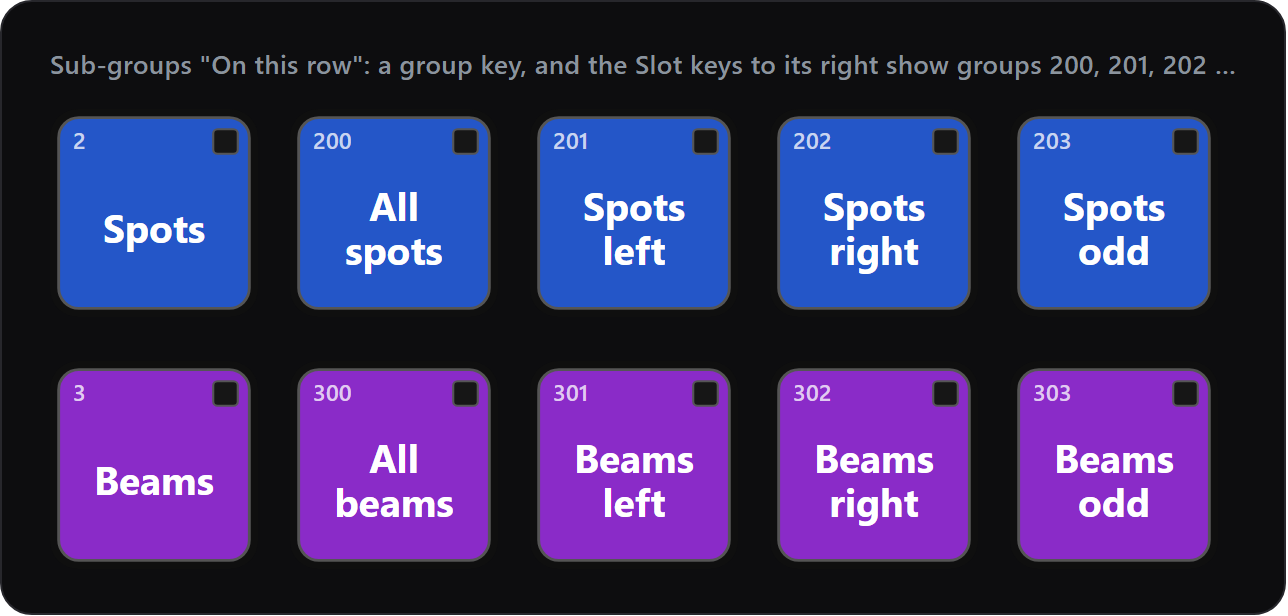
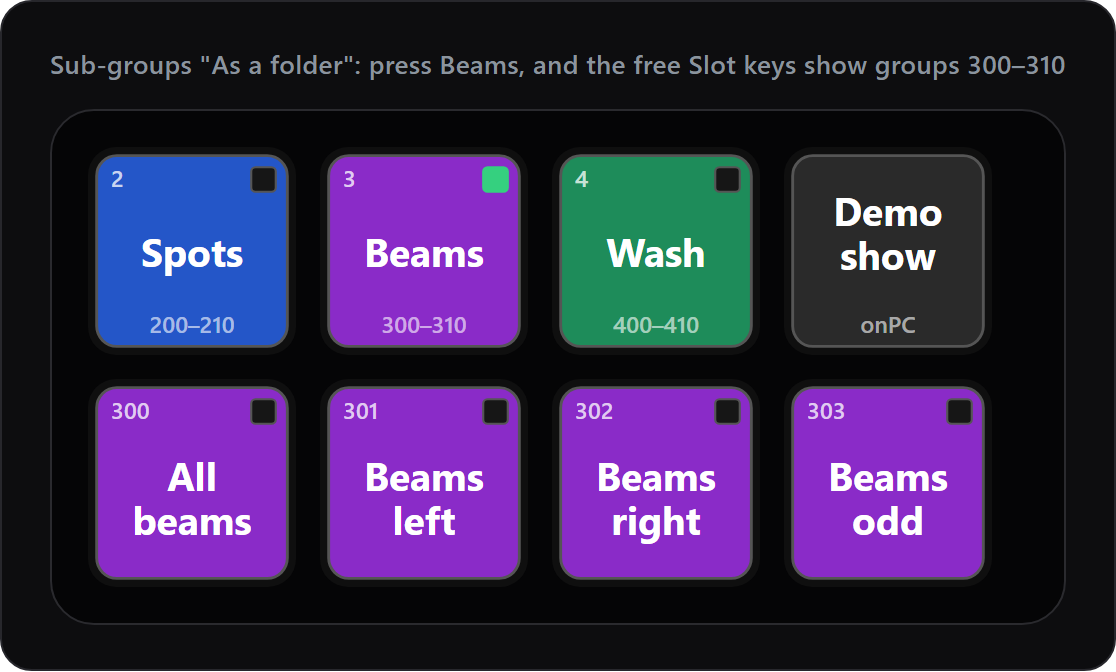
Sub-groups are read live, so a new group 305 appears by itself.
Settings
| Setting | What it does |
|---|---|
| Type | Feature group or fixture group. |
| Feature / Group | Which one. Groups come from the show that is open. |
| Name | Leave empty to use the name from grandMA3. |
| Sub-groups | Don't show — a plain group key. |
| On this row — the Slot keys to the right on the same row show the sub-groups. Each row of the deck becomes one fixture type. | |
| As a folder — press opens it — the free Slot keys show the sub-groups until you open another folder or use the Page Wheel. | |
| As a folder — press selects and opens — the same, and the whole group is selected too. |
One object on a key, with its own drawing. Pick the type first: a sequence, an X-key or a Quickey.
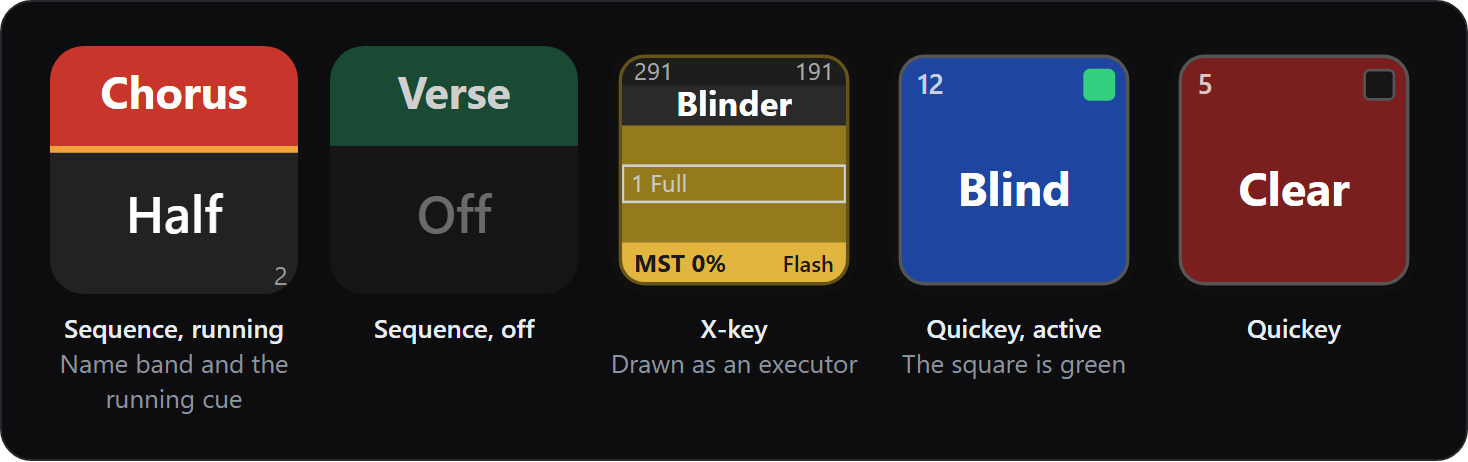
Settings — Sequence
| Setting | What it does |
|---|---|
| Sequence |
Sequence 115, or the executor it sits on. |
| Press | Go+, Go-, Toggle, Top, Flash (on while held) or Temp (on while held, with fade). |
| Long press | Off, Go-, Top, or Nothing. With a long press set, the press command is sent when you release the key — choose Nothing for the fastest press. |
| Name | Leave empty to use the name from grandMA3. |
Settings — X-key
An executor from the list of X-keys that hold something (191–198 and 291–298).
| Setting | What it does |
|---|---|
| X-key | Which one. |
| Page | Always this page, or the same key on whichever page is active in grandMA3. |
| Press | As the key is set up in grandMA3, or a function of your choice. |
Settings — Quickey
| Setting | What it does |
|---|---|
| Quickey | Auto follows the position: the first key on the page is Quickey 1, the next Quickey 2 … Or pick one. |
| Offset | For Auto: start further in. With offset 5, the first key is Quickey 6. |
| Create standard Quickeys in this show | Creates Store, Update, Edit, Delete, Clear, Oops, Esc, Please, Blind, Go+ and more as Quickey 1–28 — only on numbers that are free. This adds objects to your show. |
Sends any grandMA3 command.
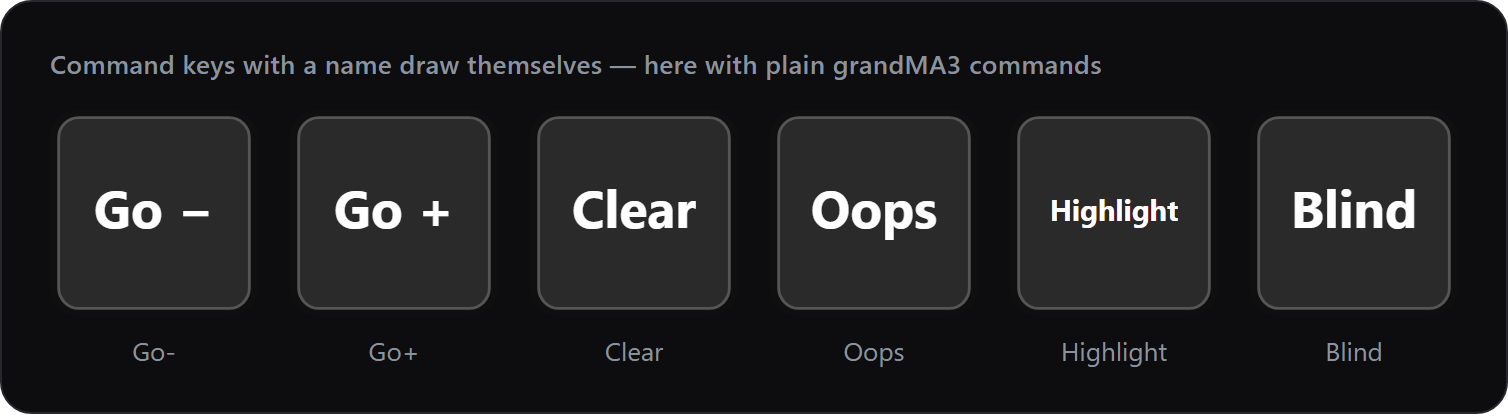
| Setting | Example |
|---|---|
| On press |
Macro 640, Go+ Sequence 115, Blind
|
| On release | Optional — sent when the key is released. |
| Name | Write a name and the key draws itself like the other CueDeck keys. Empty = the title and picture you set in Stream Deck. |
One press sets a direction on every MAtricks that carries a tag. Made to go with Swipe Time on the Parameter Wheel.
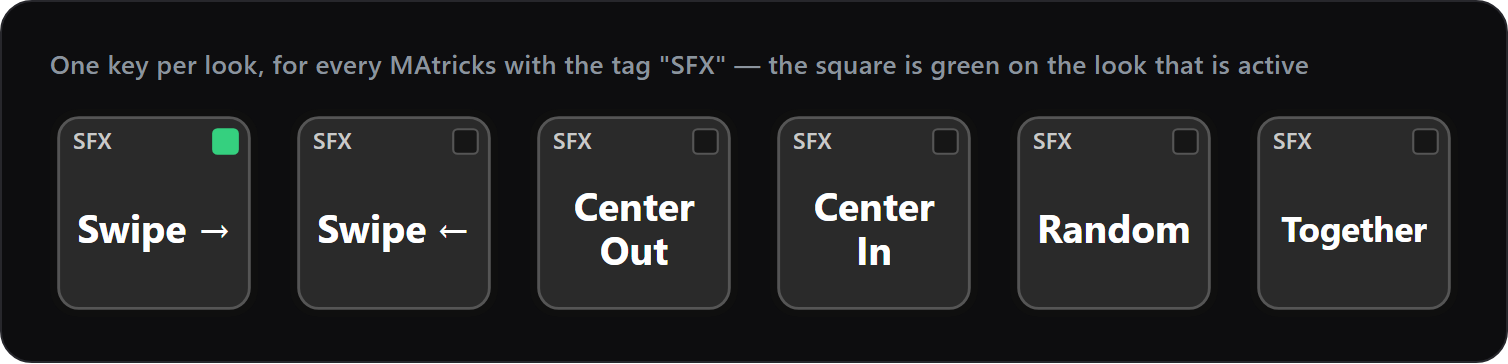
Swipe and fade only show on a Temp key in grandMA3 — Flash uses no times.
Settings
| Setting | What it does |
|---|---|
| Tag | From the tags in the show. |
| Look | Swipe → or ←, Center Out, Center In, Random (a new pattern on every press), Together. |
| Start time | Used only when the MAtricks has no time yet. Otherwise the time already there is kept. |
| Axis | X, Y or Z. |